There is so much to cover in this announcement since the last one. We apologize for the lack of announcements. We're working on a better system for how we want to do updates and announcements. That being said, let's jump right into all the great stuff we've added over the last couple of months!
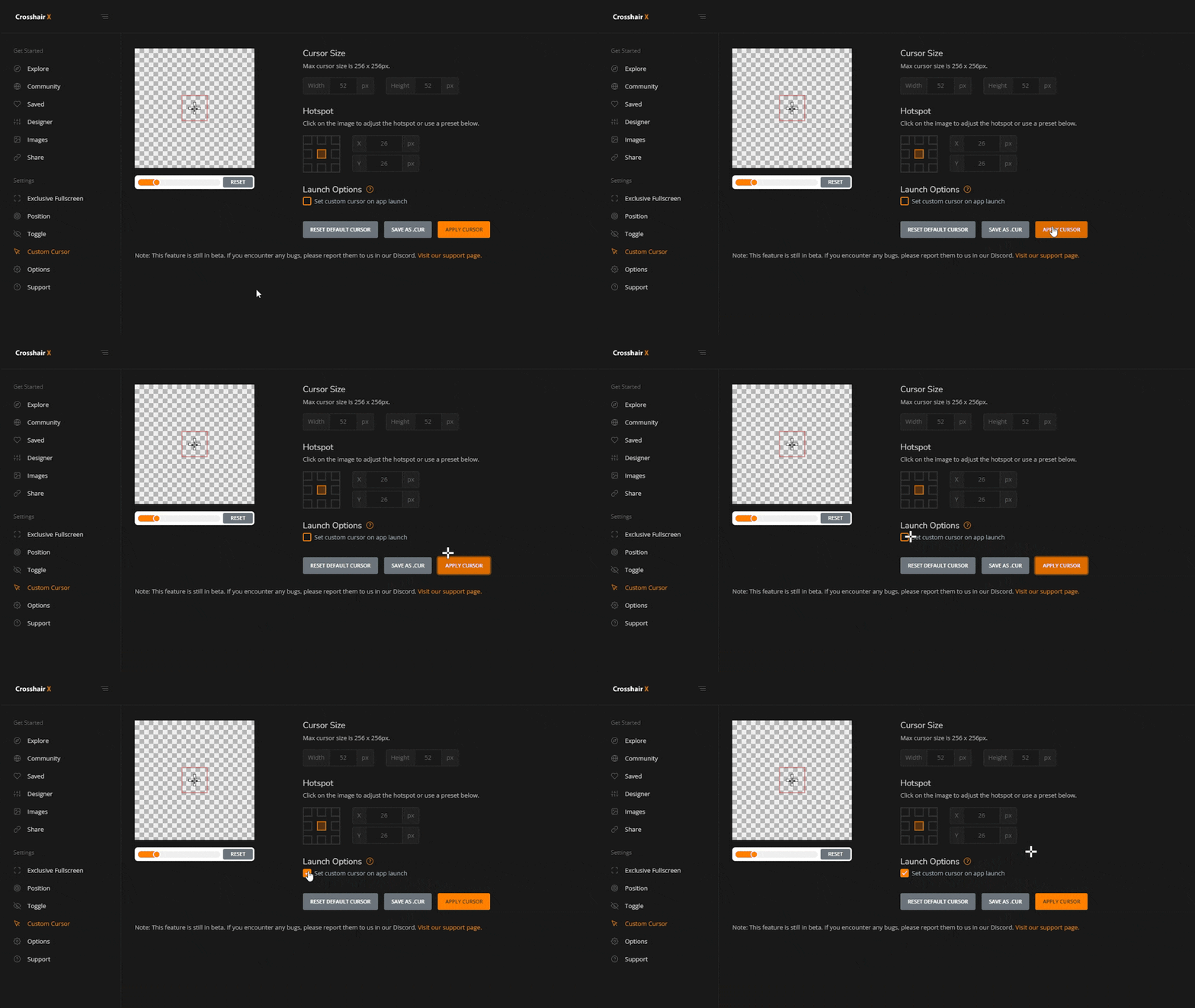
Custom cursors
You can now set your cursor to anything you want! We also have additional cursor types, cropping, and more customization coming to this page in the next update.
Community page upgrade and Steam Workshop
We've added an amazing selection of custom crosshairs made by Crosshair X users for you to use as a base for your own creations. You can also now browse and publish to the Steam workshop!

Keyboard Shortcut upgrade
Keyboard shortcuts were too restrictive with the modifiers we were enforcing everyone to use so we decided to scrap that requirement and allow for single key shortcuts!
Sizing
You can now have better control of resizing your crosshair. You can resize the layers in the designer page or conveniently resize your entire crosshair frame with the Alt + Shift + +/- keyboard shortcut!

Controller support
If you have official Xbox One/Xbox 360 or PS5/PS4 controllers then you should now be able to activate the left and mouse button animations using the left and right triggers on the controllers!
We got more updates coming and you'll hear from us again very soon, enjoy!