You think you hear thunder in the distance - but as you turn around you see horses and their riders galloping towards you. The cavalry has finally arrived.
Amongst dozens of tweaks and changes to the game, the free Alpha 2 update features a whole new way to play!
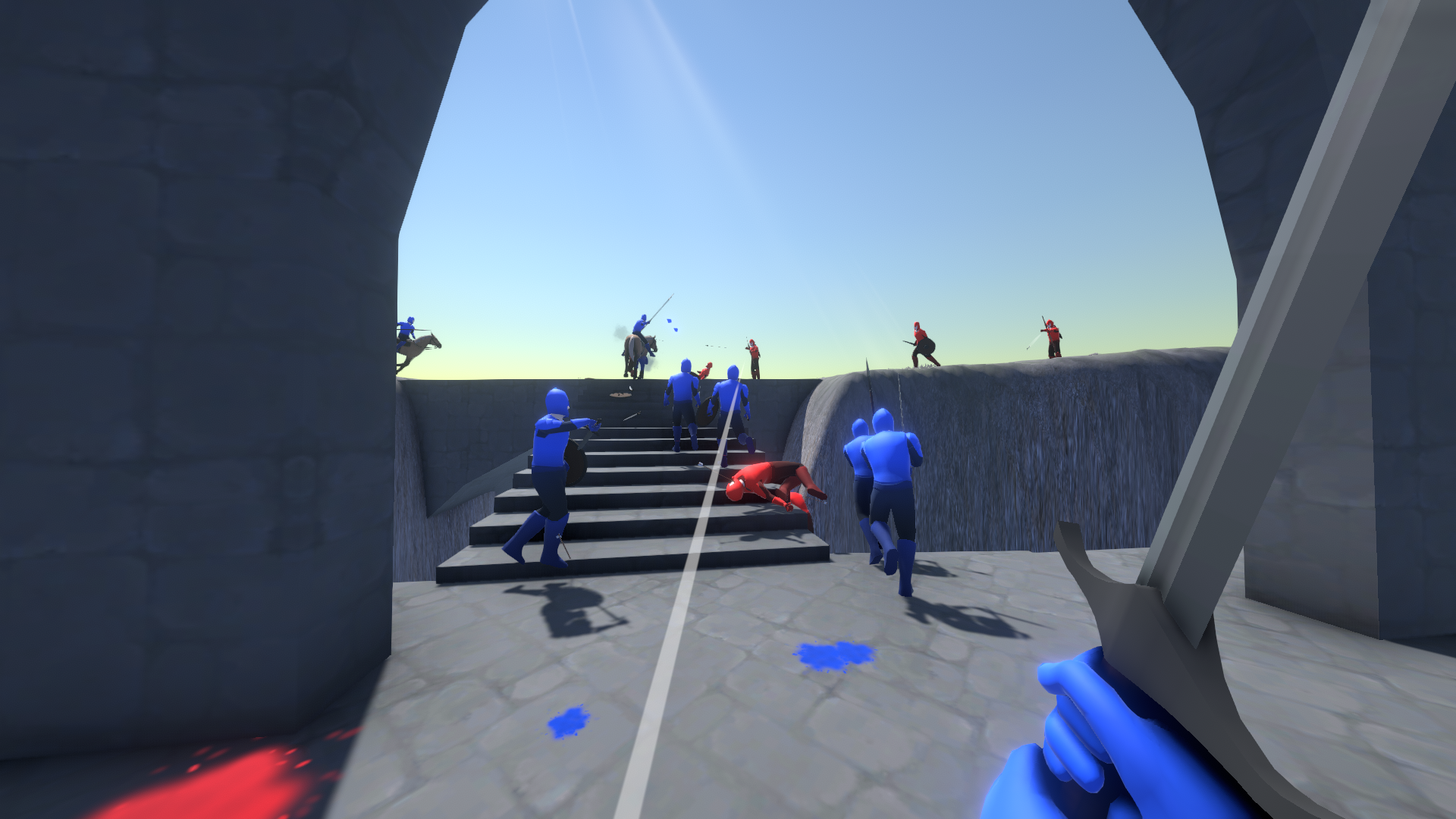
Ride across the battlefield on horses and fight on the newly added map "Gray Tower" featuring the battle for a belfry reaching high above the clouds.
After your amazing feedback to Alpha 1, I am happy to release this one and hope you enjoy it!
~Vincent~
As always, the Dragonfield Alpha is completely free, wishlist the upcoming Steam release of the beta and beyond here.
Full Changelog
UI
- Fixed the hit indicator being rotated incorrectly when the game was in third person during ragdolls or on vehicles
- Fixed equipment menu selection not being completely accurate to where the mouse cursor was
- Changed ladder interaction text, before it spelled ladder climb, now its climb ladder
- Changed killcam text background a little to fit in more with the rest of the interfaces visual style
- Scoring and capture point ui layout changes that are a little bit cleaner and occupy less screen space, also moved the current capture progress to the center of the screen to make it more visible
- Changed interaction ui to not show if a vehicle is currently occupied by a bot
- Flag/Capture point change notifications will now display if losing a capture point or gaining one instead of if the enemy gains one
- Fixed capture point enemy/ally ratio indicator showing up then fading when capturing the first point during this battle
- Made point change notification appear and fade out smoother
- Added a new map selection menu!
- Added a steam button in the pause menu so you can wishlist the game there, thank you for your support <3
Maps: Shorebreak
- Cleaned up some terrain textures visible from the spawn camera
- Changed terrain texturing a little bit in a few parts
- Changed path to C from the defenders spawn to make it more clearly visible
- Added light sources to the beacon and other fires
- Made physics collision with the bridges more accurate
- Added more rocks to the d point and the beach
- Smoothed out some models for the cave entrances
- Added some more detail to the terrain in certain parts
- Added wooden pallisades to the lower half of the b flag on the map shorebreak, allowing you to defend more easily and giving the ballista more cover
- Made sand and stone look more wet
- Smoothed out ai navigation near the bridge to prevent a short movement stutter
- Made the sunrays in the cave a little more golden
- Fixed map camera being rotated on the z axis slightly
- Lighting has been changed to look a little less dark
- A lot of grass has been added
- Changed capture points to not already belong to defending knights coming from land to make the goal clearer
Gameplay
- Bots will now keep standing in their first spawn formation for a short time, to allow the player to get in front of them and be the first to enter a vehicle. If you use the CHAAARGE button (R with a melee weapon or when on a horse), you can inspire them to start moving earlier!
- Throwing knives are faster now and therefore have a longer reach too
- Increased ballista fire rate
- Increased ballista respawn duration
- Added a crosshair to the ballista to make aiming easier
- Kicking now hits faster to make it more responsive
- Fixed arrows fired by bots having an internal damage type of melee damage which made them able to damage ballistas, also their poise damage was always zero, but now they can have you and others fall over
- Doing a shield bash now opens you up to getting hit, as you are no longer shielding yourself, so be careful! This also applies to bots doing a shield bash
- Bots will no longer raise their swords (Chaaaarge!) if too close to an enemy, to focus on fighting
- You can now stop raising your sword (Chaaaarge!) earlier by attacking or blocking instead of having to wait until youre completely done
- Changed banner of healing gadget recharge duration from 4 to 30 seconds
- Throwing a weapon has a faster transition to the throwing animation after pressing the throw button
Graphics
- Fireballs are now emitting more light, even when holding them
- Explosions are slightly brighter
- Changed killcam image visuals slightly
- Weapons were moving a little bit to the side as well when the player was moving already, but not when aiming or charging a bow, now they are and it feels even smoother as a result
- Changed ambient occlusion looking different in the spawn camera resulting in a sudden visual change when spawning at times
- Fixed grass changing color for no reason which was especially noticeable when spawning by replacing Unitys... Unities? default shader files - thanks Unity! If you want to learn more check out this forum thread http://answers.unity.com/answers/1297554/view.html "Why does the grass change color by default?"
- Made ambient occlusion shading less intense to provide a cleaner image overall
- Made ambient occlusion on weapons more intense to have it stand out more and look more lit
- Ambient Occlusion now has deinterleaving enabled which will make it run much faster, especially on higher resolutions including and past full hd
- Blood is now shiny and reflects light
- Made projectile trail have smoother edges and a little less bright
- Also projectile trails start smoother as they dont directly appear once the projectile spawns
- Changed the wood color on shields and spears to look more natural and compliment the shield metal better
- Made ammunition stand arrow visuals bigger and show fewer of them to make it easier to understand at a glance
Technical stuff
- Small cpu performance improvement (cached GetCurrentAnimatorStateInfo)
- Optimized the way Unity handles post-processing which has increased performance quite a bit, if you want to learn more check out this forum thread https://forum.unity.com/threads/post-processing-v2-cpu-performance-concerns.542322/
- Optimized the way terrain physics material data is stored which has lead to a reduction of 30mb ram usage and faster access of that data
- As a result, because I think the performance hit is pretty much non existent now, bots now have audible footsteps!
- Made an internal change to player vehicle exit behavior that prevents some smaller unnecessary calculations and potential bugs
- Removed a few unneeded unity packages that might or might not have impacted the games file size very slightly
- Camera movement when swinging a weapon transitions smoother and more natural now
- Updated camera sensitivity to be fully framerate independent - it should have been before but it turns out camera input was already framerate independent and making that value independent again caused it to be dependent. Luckily your saved sensitivity settings still work due to a lucky way I configured them, they will be slightly faster though. To get a sensitivity that matches the previous one, multiply it by 0.9 so for example 2 becomes 1.8
- Overall this made aiming feel a lot better and I am very happy I noticed this by accident
- Fixed the third person camera being blocked by an object make it stutter slightly
- Fixed instances where things were drawn "over" the water even if they were below and vice versa
- Optimized internally how ragdolls get up, before it would re-create a list of all their limbs every time, not anymore now
- Updated Unity version to 2021.3.9 from 2021.3.3 which has potentially improved cpu performance slightly
- The games file size has been reduced by 39mb to exactly 100mb (I don't know how to be honest but thats nice!)
Audio
- Footstep sounds are a little bit more quiet
- Changed hitmarker sound volume to be lower
- Changed the default settings volume slider scale to 85% instead of 100%
Other changes and fixes
- Bots will now equip their weapons with an animation upon respawning
- Fixed ballista bot animation and rotation, they are now in sync and the ballista rotates towards its target correctly vertically
- Fixed your quiver floating behind your back when entering a ballista with a bow
Player requests
- You can now pause the game with p instead of escape, keybinds will be configurable in a future update
Alpha 3 is coming very soon and will bring an awesome new weapon, gadget, map and major gameplay changes and improvements!
Come and join the Dragonfield Discord server, everyone is welcome!
As always, the Dragonfield Alpha is completely free, wishlist the upcoming Steam release of the beta and beyond here.