It's the update for Version 1.3 beta!!
Beware of the save before proceeding!
Please be aware that this version is a 'release candidate,' which could contain severe glitches that may break your save. Please make a backup of your save locally, as you usually should, regardless of Steam Cloud Save!!!
Save file locations
macOS
On Finder, press Shift+Cmd+G and paste the following:
~/Library/Application Support/Exploding Cable Productions/Twin Horizons/
The "saves" folder is what you want to back up. If two or more Steam accounts share the same macOS user account to play TH, saves for all the users will be backed up.
Windows
Press Win+R and paste the following:
%userprofile%\AppData\LocalLow\Exploding Cable Productions/Twin Horizons
Even if you get the message that this path does not exist, don't panic - it should be somewhere within AppData. If you find it elsewhere, please get in touch with us so that we can document it.
To join the public beta, click the 'Cog' icon > 'Properties...' on the Twin Horizons page within the Steam client, proceed to 'Betas,' and select 'public_beta!'
Chart Radar
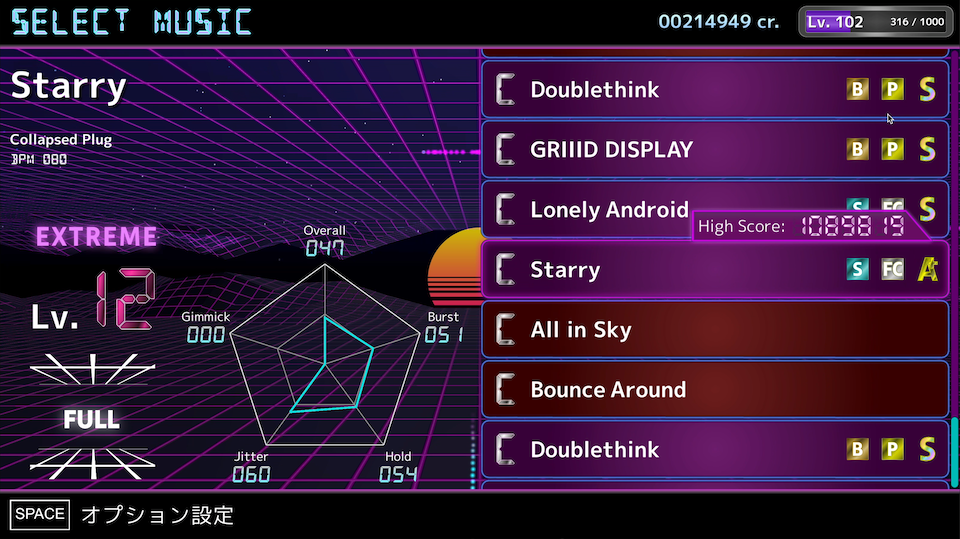
The music selection screen now comes with a radar that shows the aspects of the chart.
- Overall: "Overall" note density
- Burst: Maximum local note density
- Hold: Hold quantity
- Jitter: How convoluted the notes are placed on upper and lower lanes
- Gimmick: Gimmick quantity
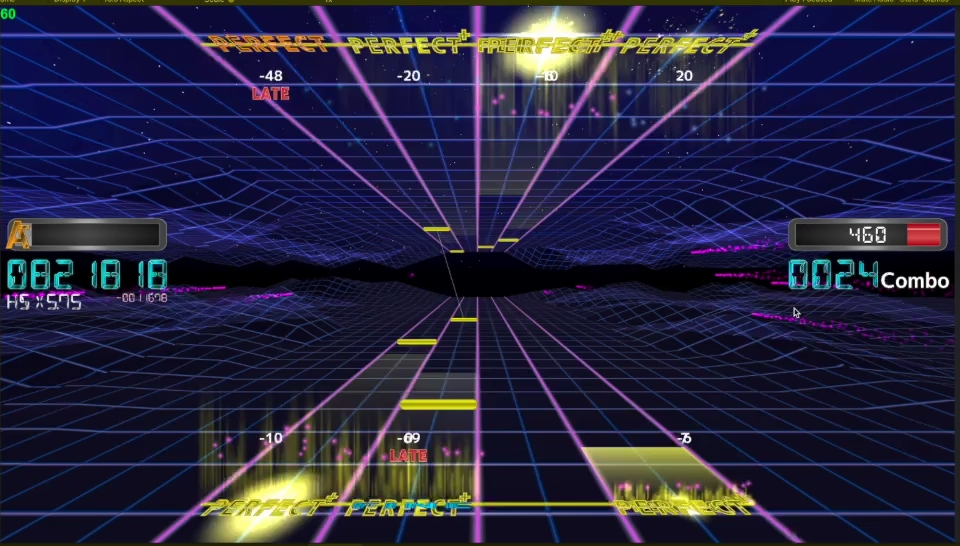
The play screen has got a background update!
The background will change color according to how well you do in the game.
(When the score is below the clear threshold OR getting the red gauge while using risky play options)
Bugfix and more features for the grouping & sorting!
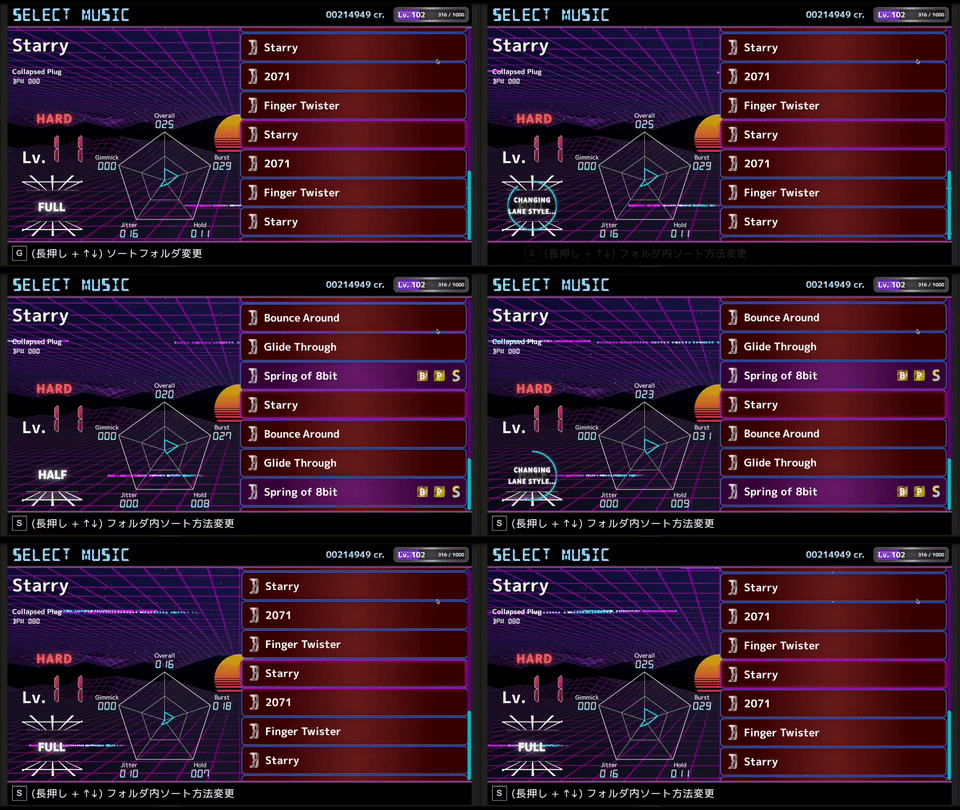
- Fixed a bug where the previously-selected grouping & sorting rules were not restored upon returning from the gameplay to the music selection screen.
- You are no longer restricted from changing the difficulties using left and right arrow keys while using specific grouping rules! However, please note that doing so may change the folder you are currently viewing.
Show details
Example: The Full-Extreme chart for Twin Horizons is a level 13 chart. When you select that song while using the "By Level" grouping rule, you would open the "Level 13" folder. If you switch the difficulty to Full-Hard at this point, you will automatically be transferred to the "Level 9" folder because the chart is rated level 9.
Also, pressing (and holding) the L key will instantly switch between the lane styles!