I've given the marking features some love in this small update. This includes changes to how the pencils and chalk work, and how they work in conjunction with straight edges like the framing squares and the speed square.
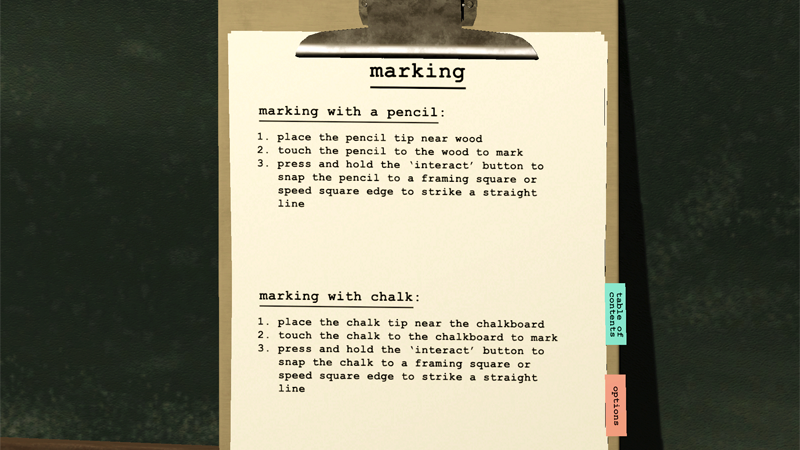
First, there are no longer two methods of using the pencil. Please read the updated Marking instructions in the manual.
The procedure to use the pencil now is:
- place the pencil tip near wood
- touch the pencil to the wood to mark
- press and hold the ‘interact’ button to snap the pencil to a framing square or speed square edge to strike a straight line
Instead of the pencil automatically snapping to the straight edges like in previous versions, the player now has the choice to snap to the straight edge. This makes it easy to strike tick marks at measurements.
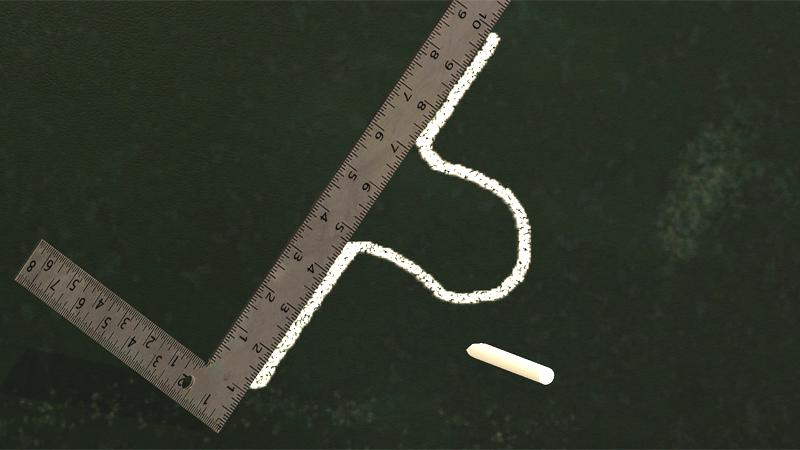
The same procedure can be used with the chalk and straight edges on the chalkboard.
In addition to the ability to transition from straight edge to freehand drawing, you can now use straight edges at oblique angles instead of them being required to be parallel to the marking surface. Give it a try and let me know what you think!
Have fun. Be productive.
- wooden robot