Hello All!
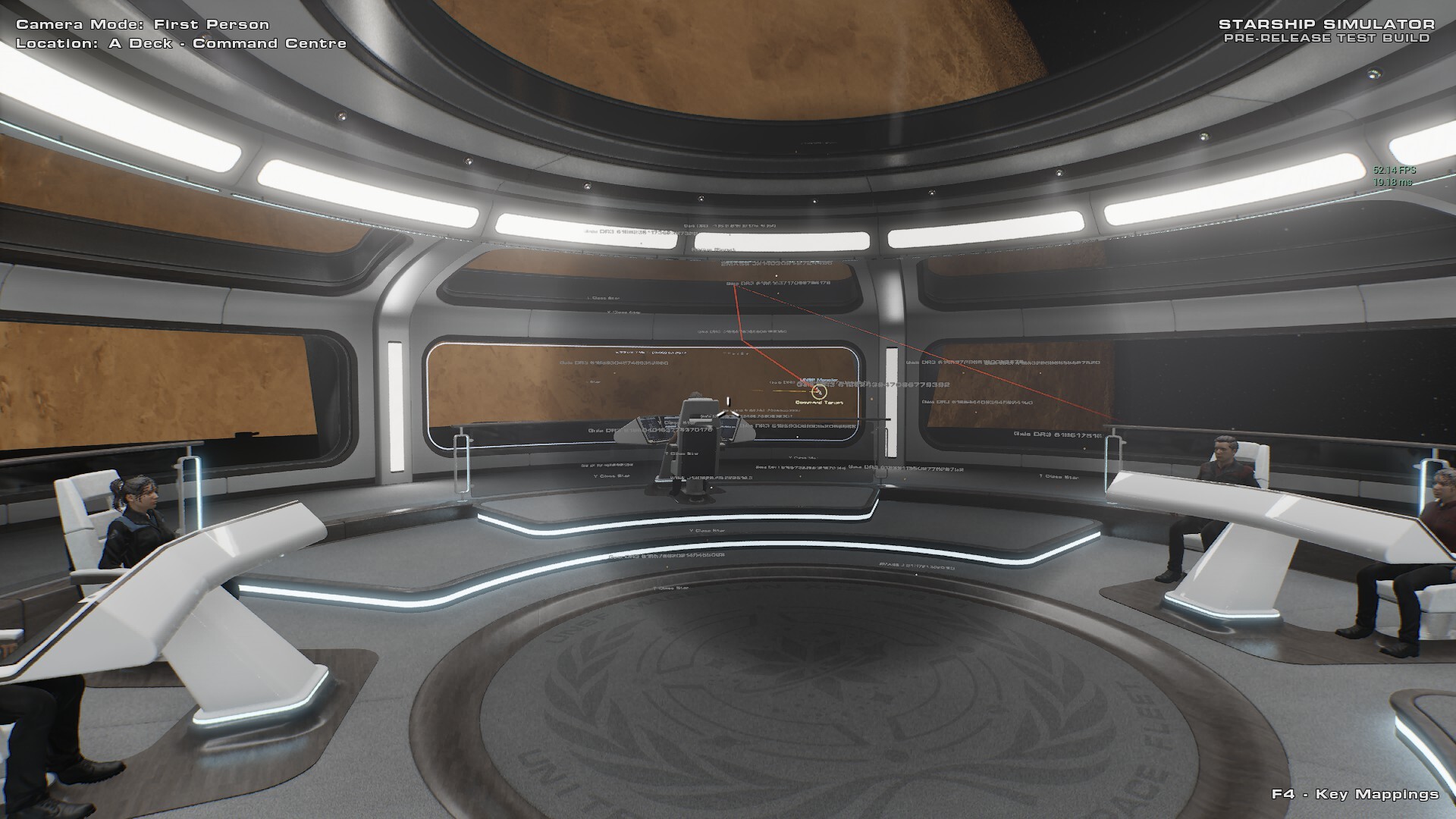
As Captain, you can queue up commands through the holo-display and send them directly to the helm. Sit back and watch your crew explore the galaxy on your orders, step away to your ready room while they scan systems and collect data, or even head to the lounge for a break - all while enjoying the stunning view of the stars through the windows.
Your ship, your command. Enjoy!
You can also sit as the Sensors Specialist or the Pilot, and accept orders from the NPC Captain. ( or another person in MP!)
Internal Development Build 0.227.0.9
New / Changes
Added the ability to cancel Shipwide, Helm and Sensor orders on the Command Console.
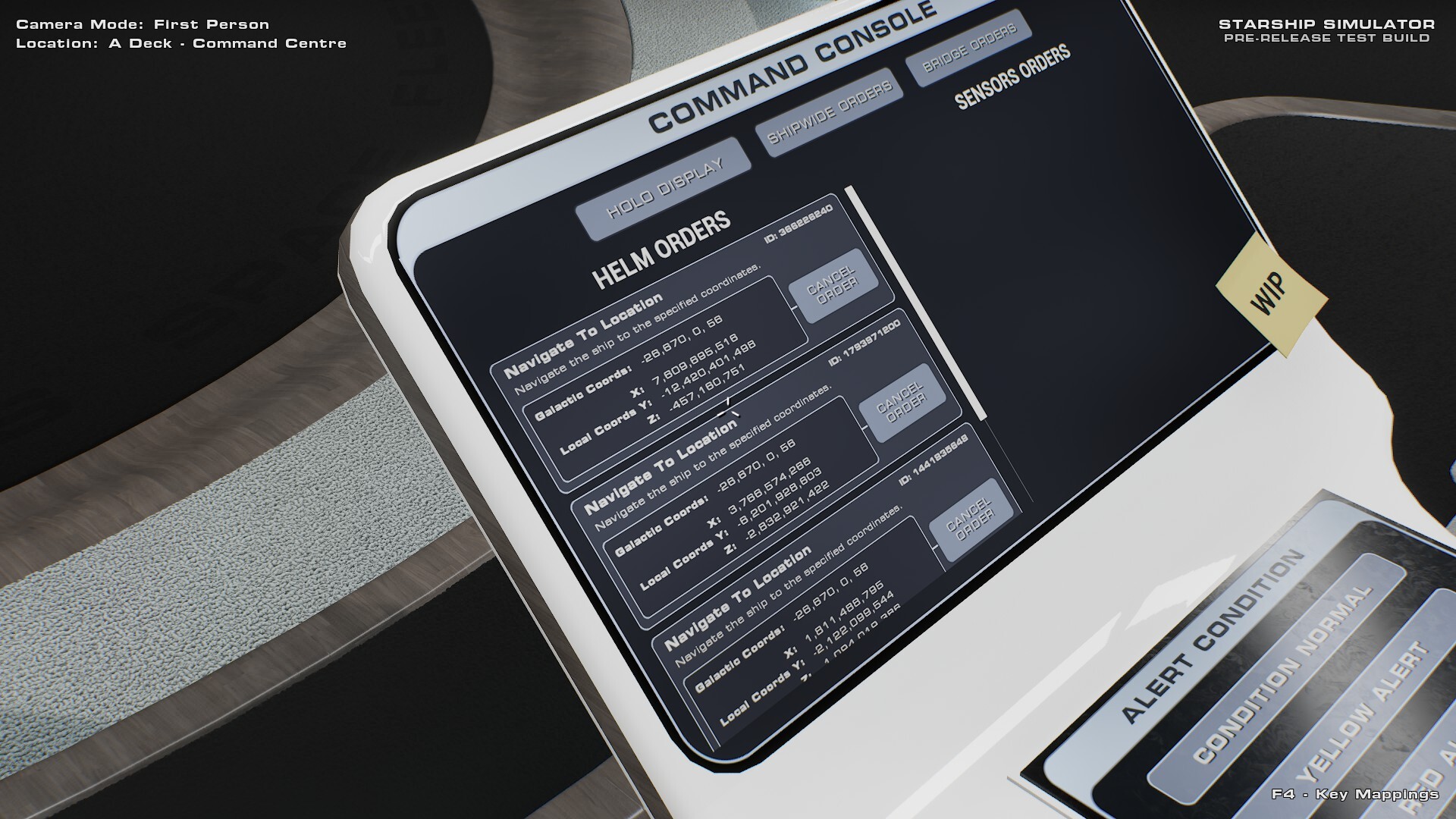
Hooked up the Command Console's Holo-Display buttons so that they operate the Holo-Display properly.
Updated the Radial Menu so that it gets its colour from the thing you are looking at. Blue for Sensors, Brown for Helm, etc.
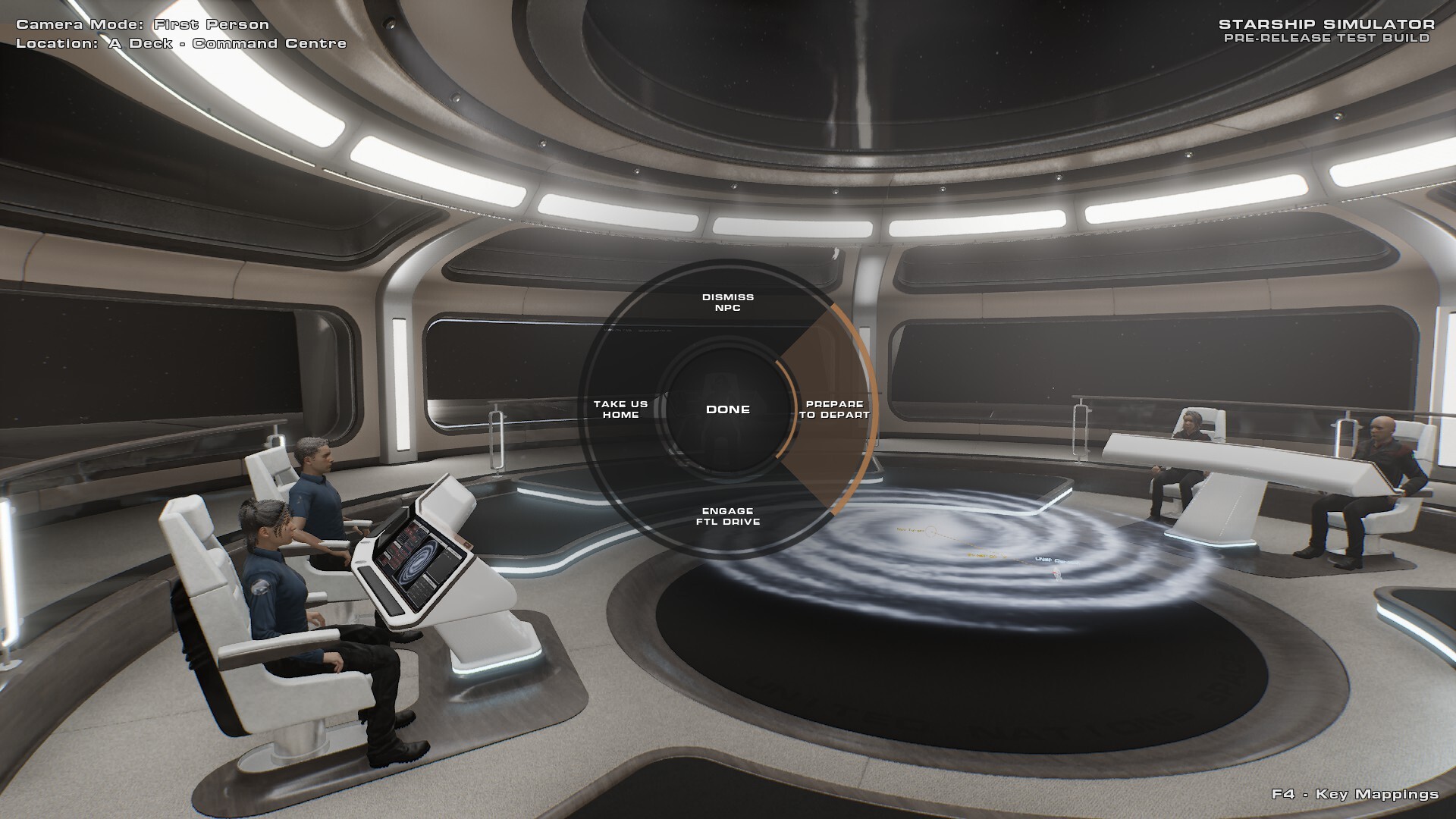
Overhauled the menu options on the Sensors Radial Menu so that they are more organised.
Updated the Radial Menu so that it only shows options that are valid for the given context.
Added DLSS 4.5 support. It's disabled by default, but you can turn it on with "/console r.NGX.DLSS.Enable 1" in the chat box.
Fixes
Fixed bug 2541: Galaxy Gen box is outside front bridge window
Fixed bug 2564: Unable to dismiss Npc
Fixed bug 2565: Unable to summon NPC at command chairs
Fixed bug 2577: Chairs - Can't use the mouse scroll wheel on sensors while seated.
Fixed bug 2579: Some chat entries don't show unless the chat window is selected
Fixed bug 2580: B-deck Security is flying the ship!
Fixed bug 2585: NPC's not acknowledging orders
Fixed bug 2594: Explore current system order broken
Fixed bug 2570: System survey and Server info loop
Fixed bug 2576: If you change Sensor target en route to planet, short range scan will fail
Fixed bug 2597: Sometimes pressing "orders" in the rdial menu results in an empty menu
Internal Development Hotfix 0.227.0.10
Fixed the FTL drive not working due to a lack of power.
Internal Development Build 0.227.0.11
New / Changes
Added 16 new generic NPC skills on the Sensors Station.
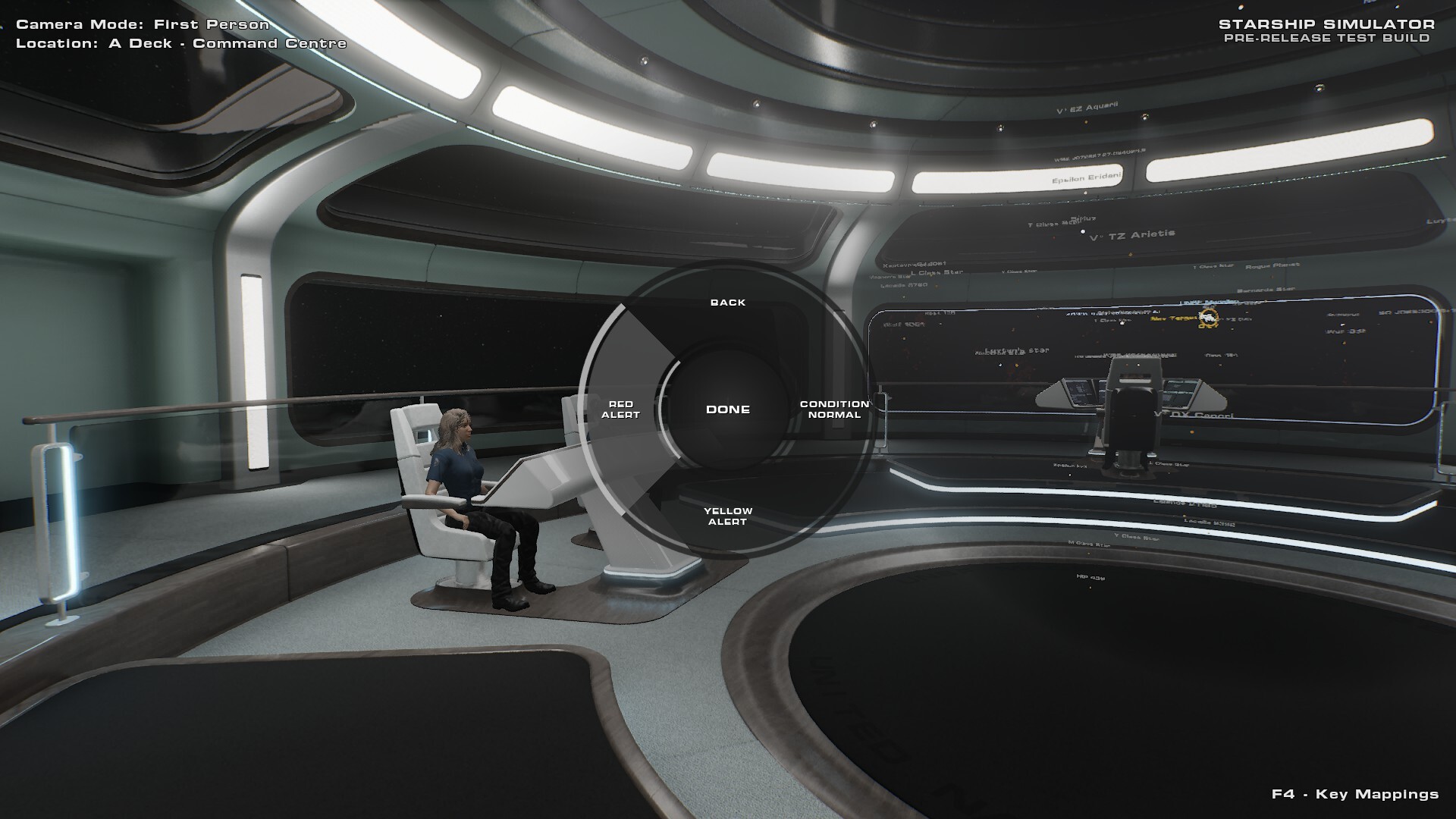
Added the ability to ask the Sensors NPC to "Search For Tech Signature"
Added the ability to ask the Sensors NPC to "Search For Earthlike Candidate"
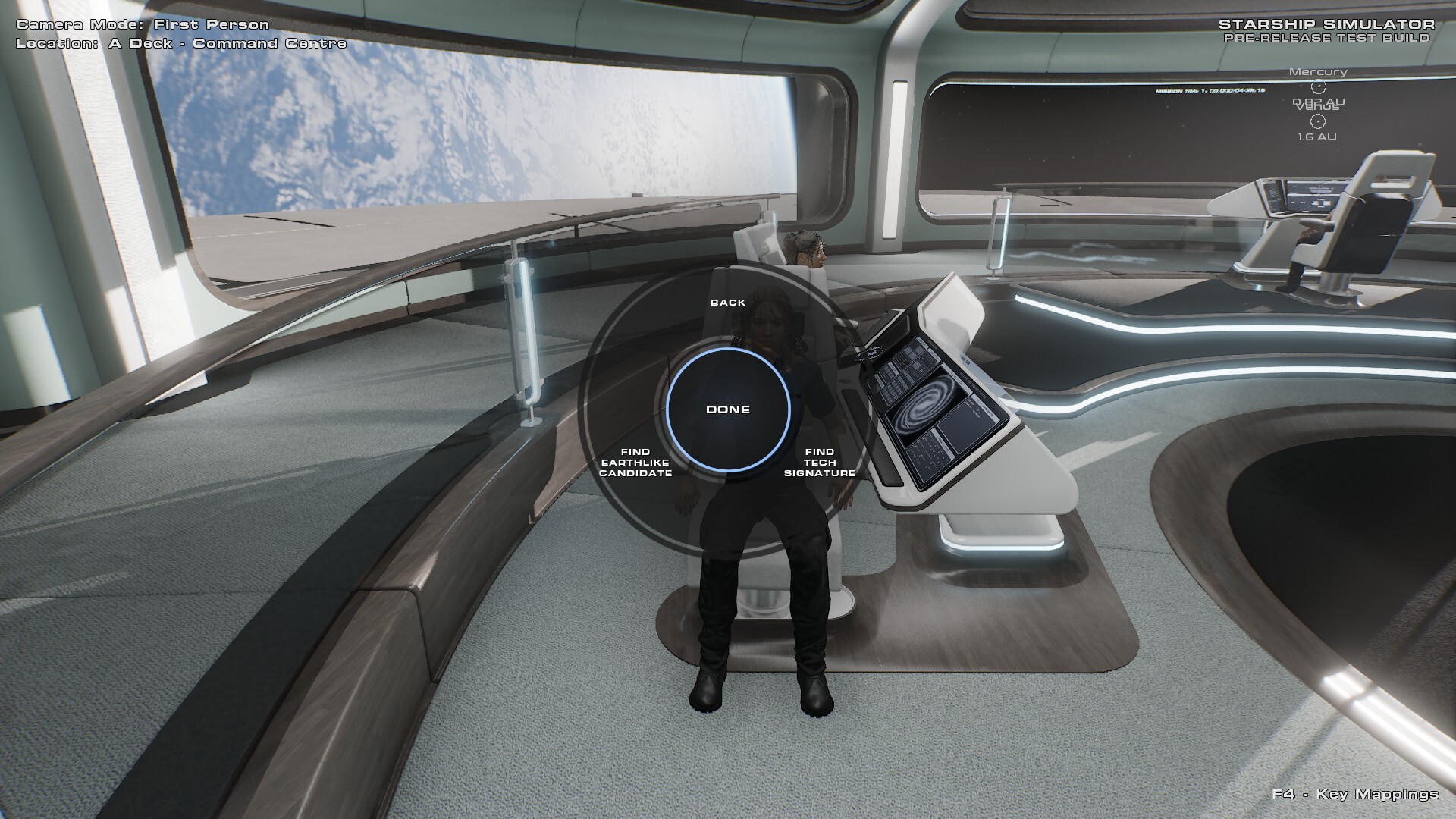
Added Command Tasks to the command console.
Added "Objective Complete" alerts on the command console, with the ability to set the subject as the current command target.
Added Earth's moon in celebration of Artemis II.
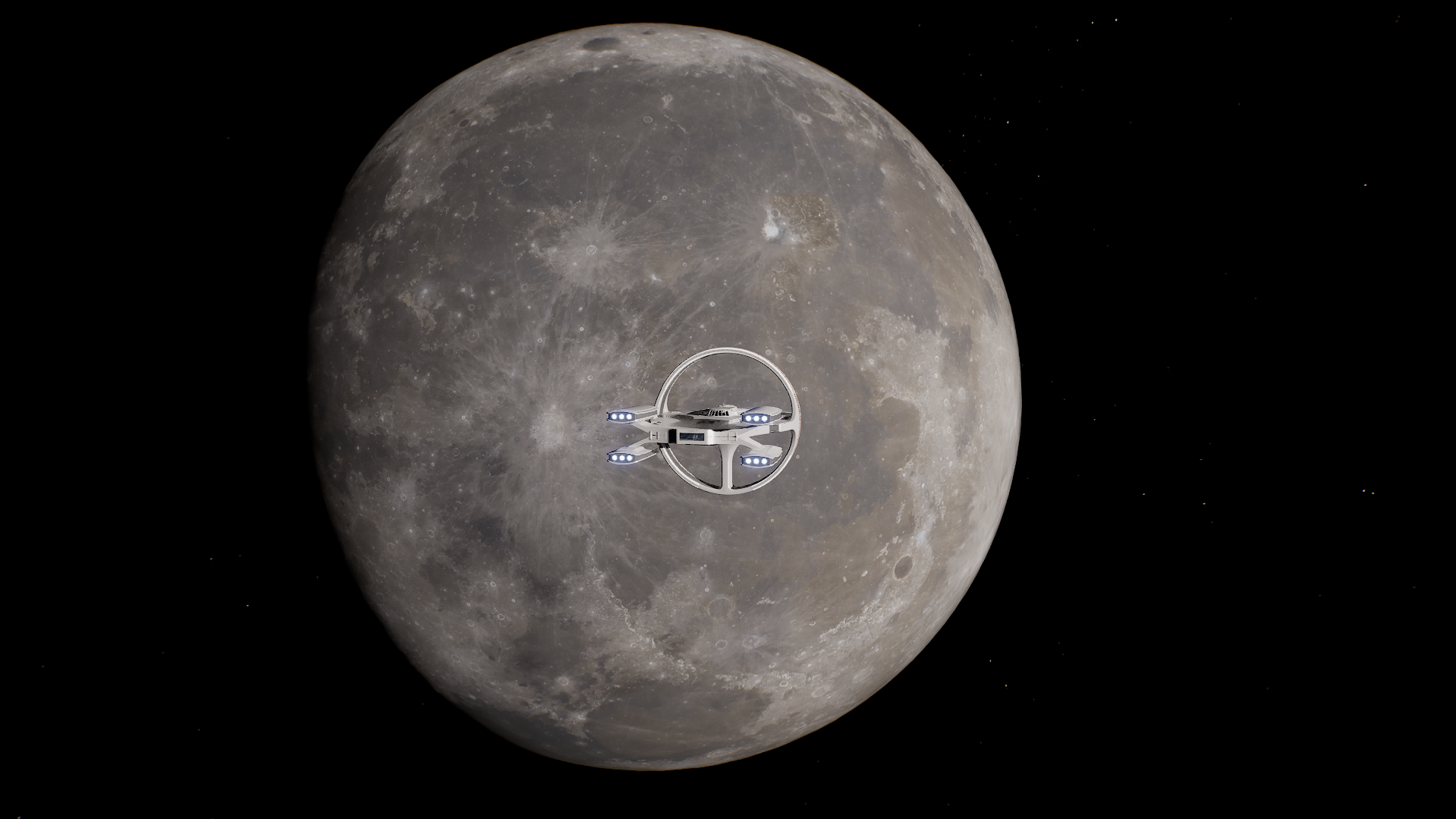
Added procedural moons to ~75% of exoplanets.
Added some science-driven generation logic for determining where "Regular" moons should be generated. Non-regular will be added later.
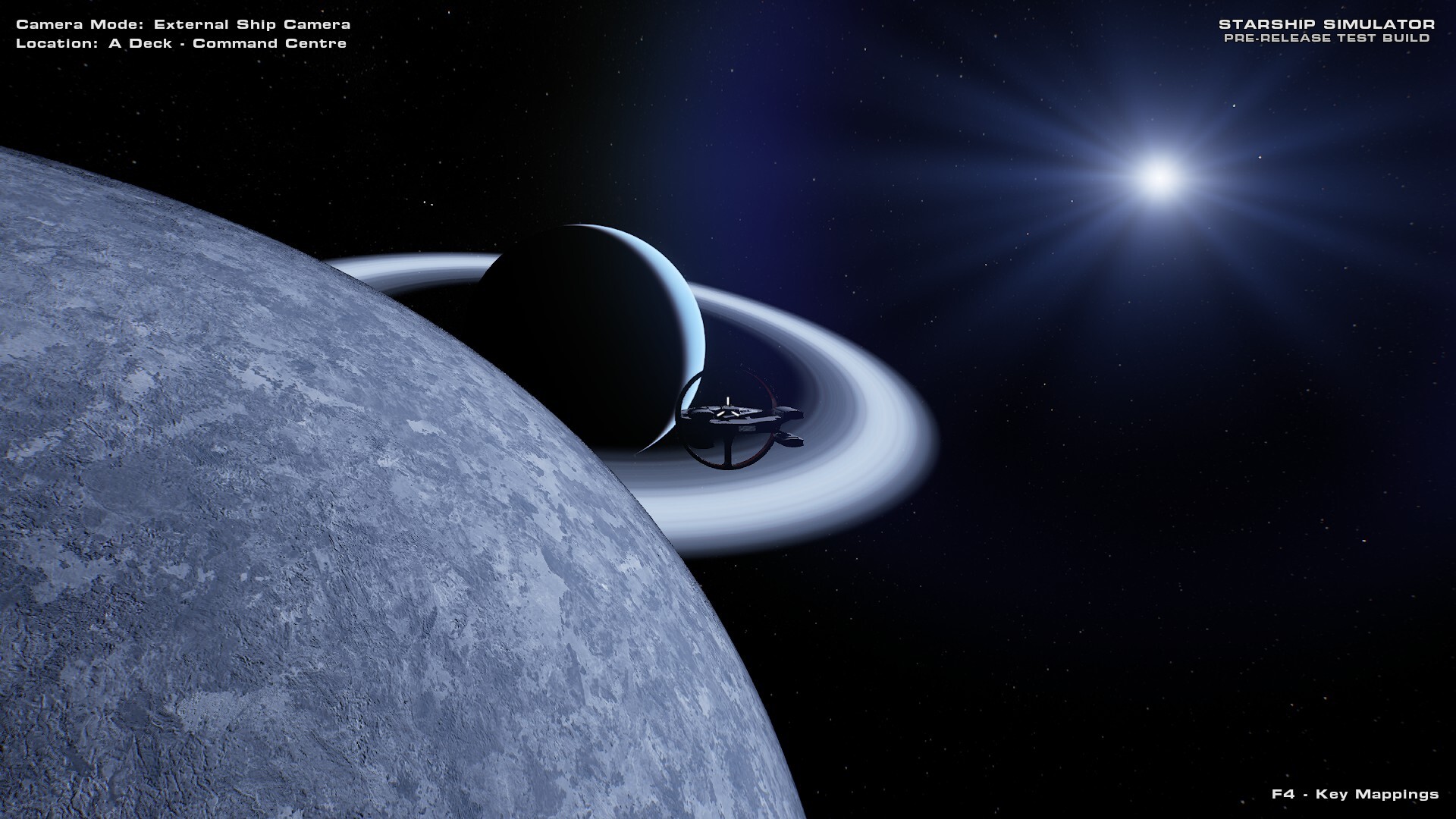
Not Yet Implemented
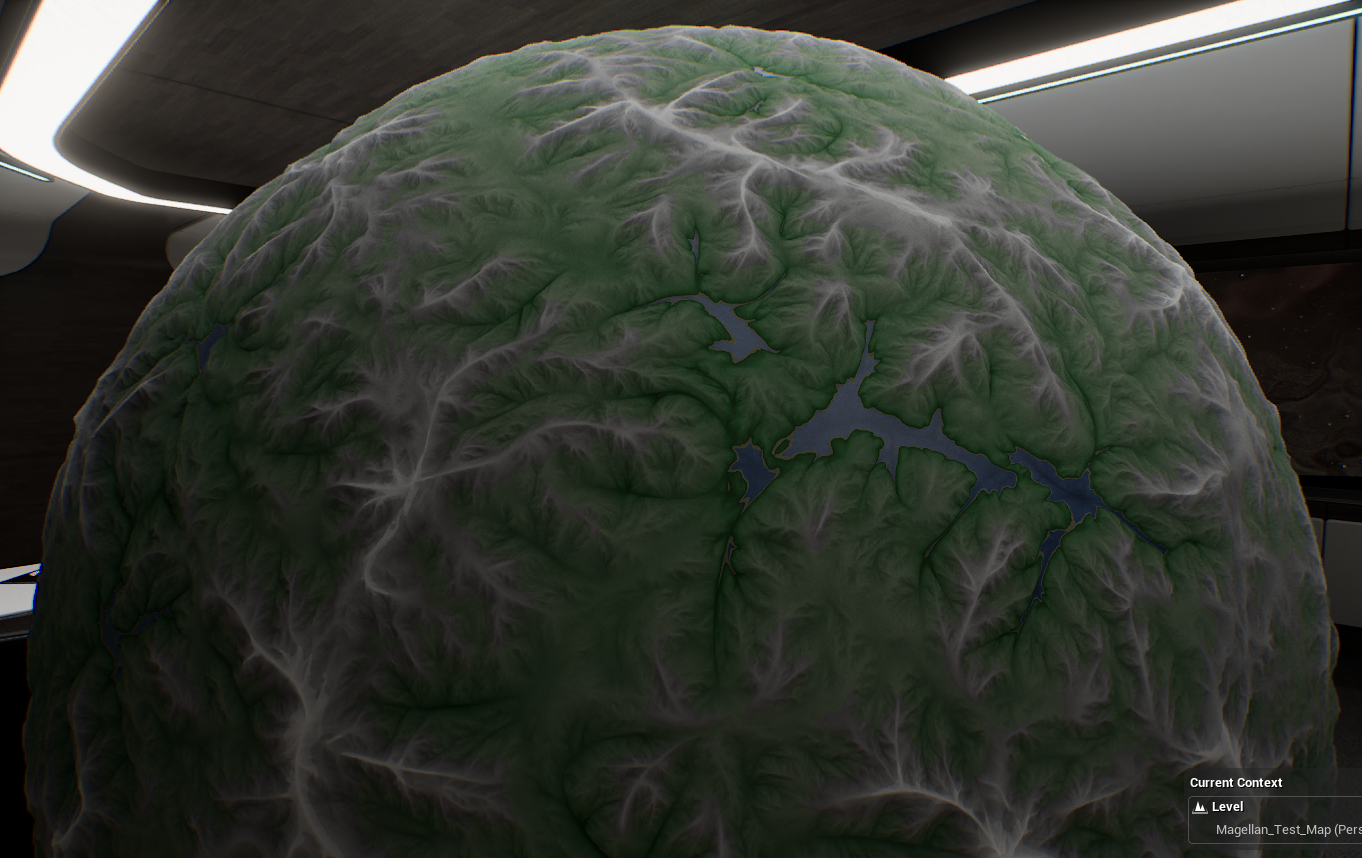
New erosion-based planetary surface shader.
NPC Skill - Search for Tech Signatures
NPC Skill - Search for Earthlike Analogues
Fixes
Fixed bug 2605: Short Range Scan Stuck in Infinite Loop
Fixed bug 2600: Helm Continuously Engages and Disengages FTL Drive
Fixed bug 2604/2607: Can't cancel shipwide order on the captain's console
Fixed bug 2595: Lava lines inside the star
Fixed bug 2609: Command target visible way out of holoprojector bounds
Internal Development Build 0.227.0.12
New / Changes
Significantly improved how moons are generated, enforcing Roche Limits and Hill Spheres.
Added Roche Limit and Hill Radius data points to the holo display.
Added a "System Overview" view mode to the Holo-Display on Medium Range mode.
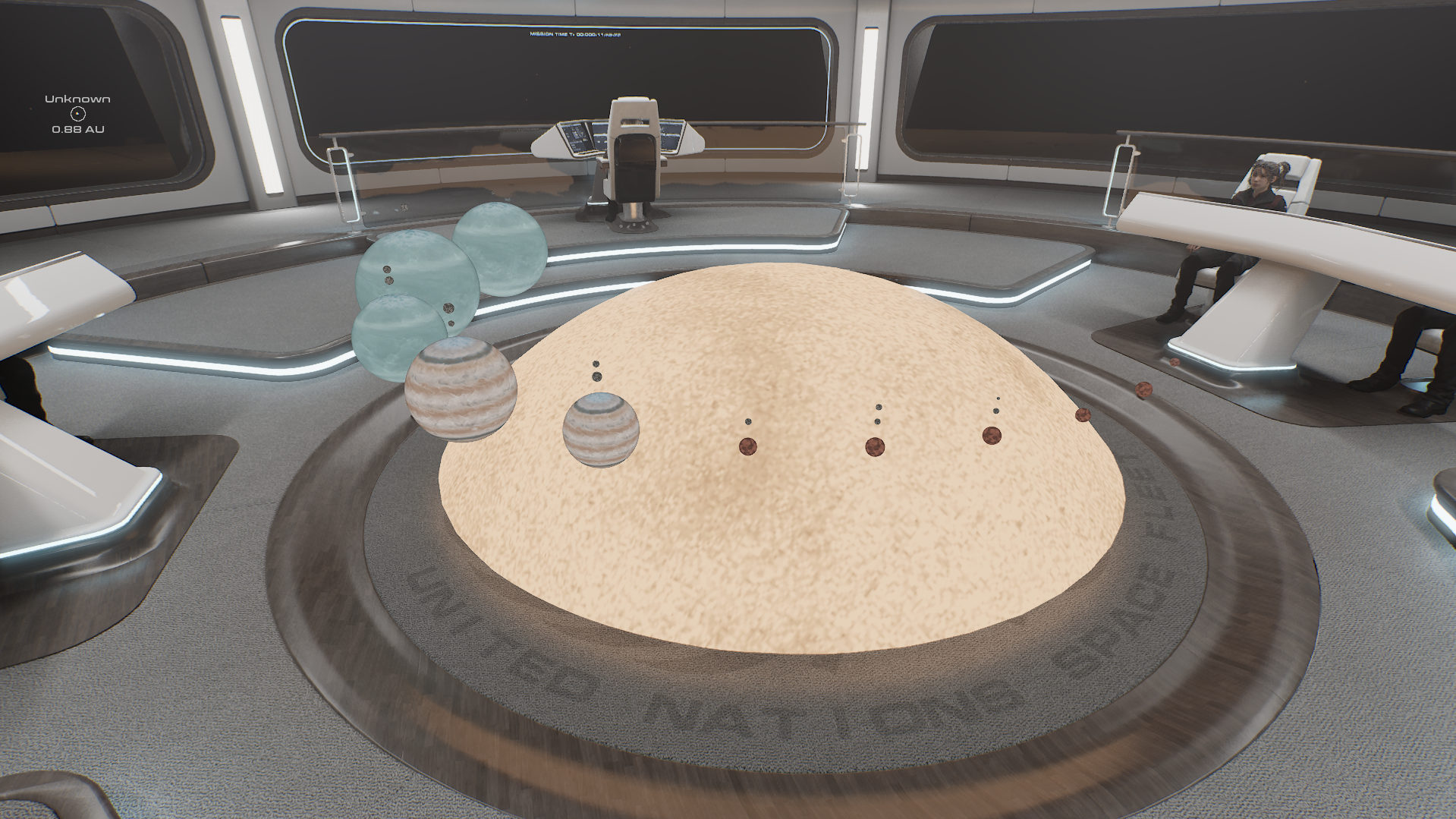
Created some generic planet-type textures for the new System Overview.
Tweaked and polished various aspects of the star system generation code.
Fixes
Fixed bug 2436: Galaxy - L Class Brown Dwarf - Direction light too bright
Fixed bug 2625: Habitable zone start and end visible inside star model in holomap
Fixed Terrestrial planets having a weird green tint on the surface map.
Notes
The new System Overview isn't interactive yet, but that will be coming at some point. For now, it's just there to provide a quick visual overview of the star system, whereby all objects are properly scaled relative to one another, including the star.
Internal Development Build 0.227.0.13
New / Changes
Updated the "looking at nothing" Radial Menu to inherit your department colour instead of being grey.
Updated the chairs so that the radial menu will always appear if you click them with E held, even if there is no NPC.
Optimisations
Reduced the instruction count of the atmosphere shader to improve performance.
Fixes
Fixed bug 2635: Shipwide Order Fails to Update Command Console that Mission is Complete
Fixed bug 2604: Can't cancel shipwide order on the captain's console
Fixed bug 2607: explore system shipwide order wont complete on UI or cancel
Fixed bug 2554: Cable in Door
Fixed bug 2371: Modelling - Pipes going through Engineering doors
Fixed bug 2568: Radial Menu - Deadzone not scaling properly with screen resolution
Fixed bug 2634: Lack of Command Target Selection Confirmation
Fixed bug 2636: cant select systems in sensors holo display in center of bridge
Fixed bug 2643: Changing display order or alignment rotataes the objects in the system overview
Fixed bug 2640: Mouse Cursor is draging camera
Internal Development Build 0.227.0.14
New / Changes
Added a new "Breadcrumb Trail" to the holo display (GPS & Long Range), which will update every time FTL is disengaged.
Added an "Account" section to the game settings.
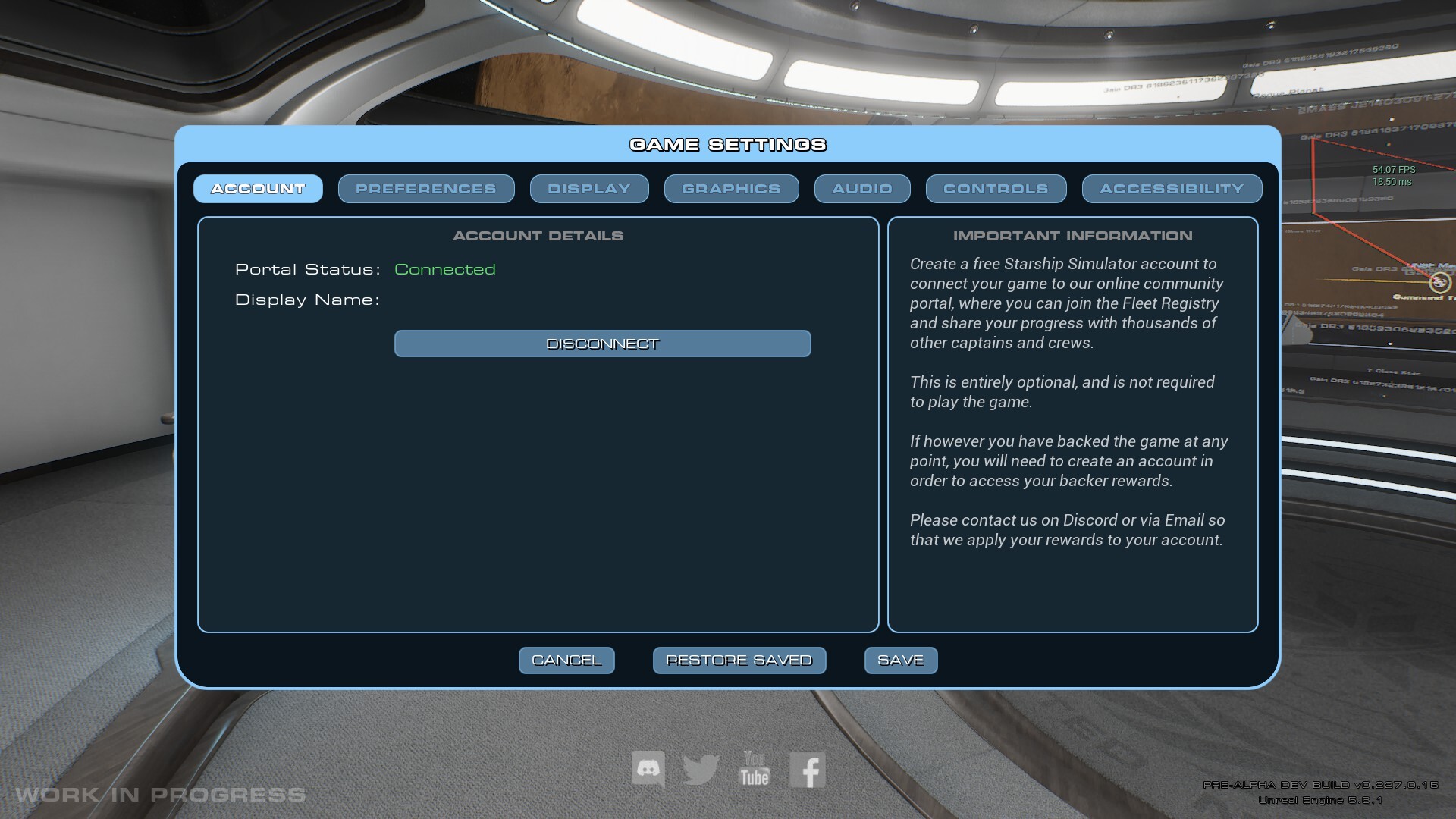
Built a new framework for connecting the game to the Starship Simulator online portal.
The (very early WIP) Caravella is now available for Admiral-level backers with connected portal accounts. There is a bug currently with this, which stops it from loading, but it'll be fixed this week.
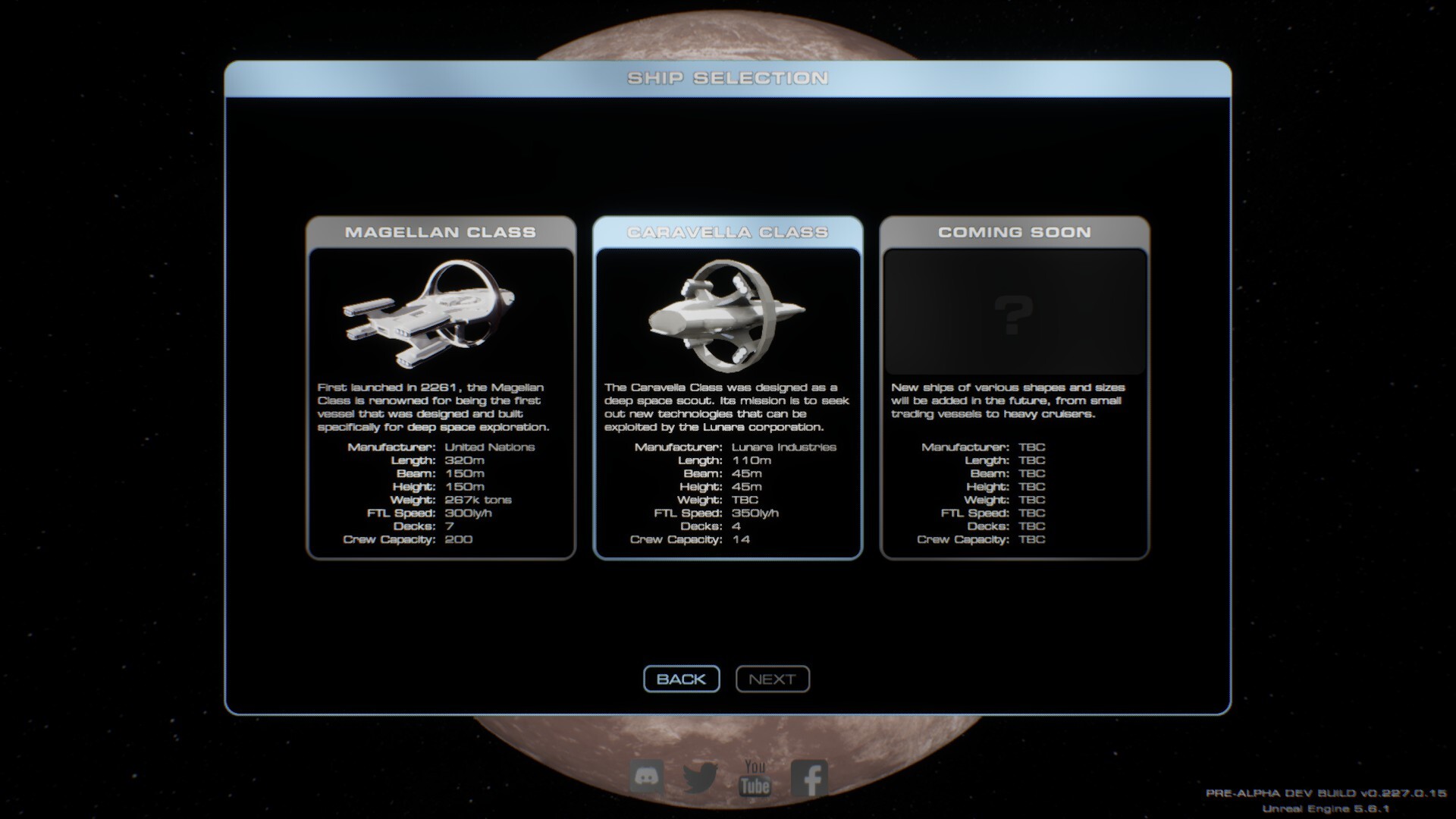
Renamed "Start New Mission" to "Launch New Vessel" on the main menu. We're doubling down on the ship being the hero of the story.
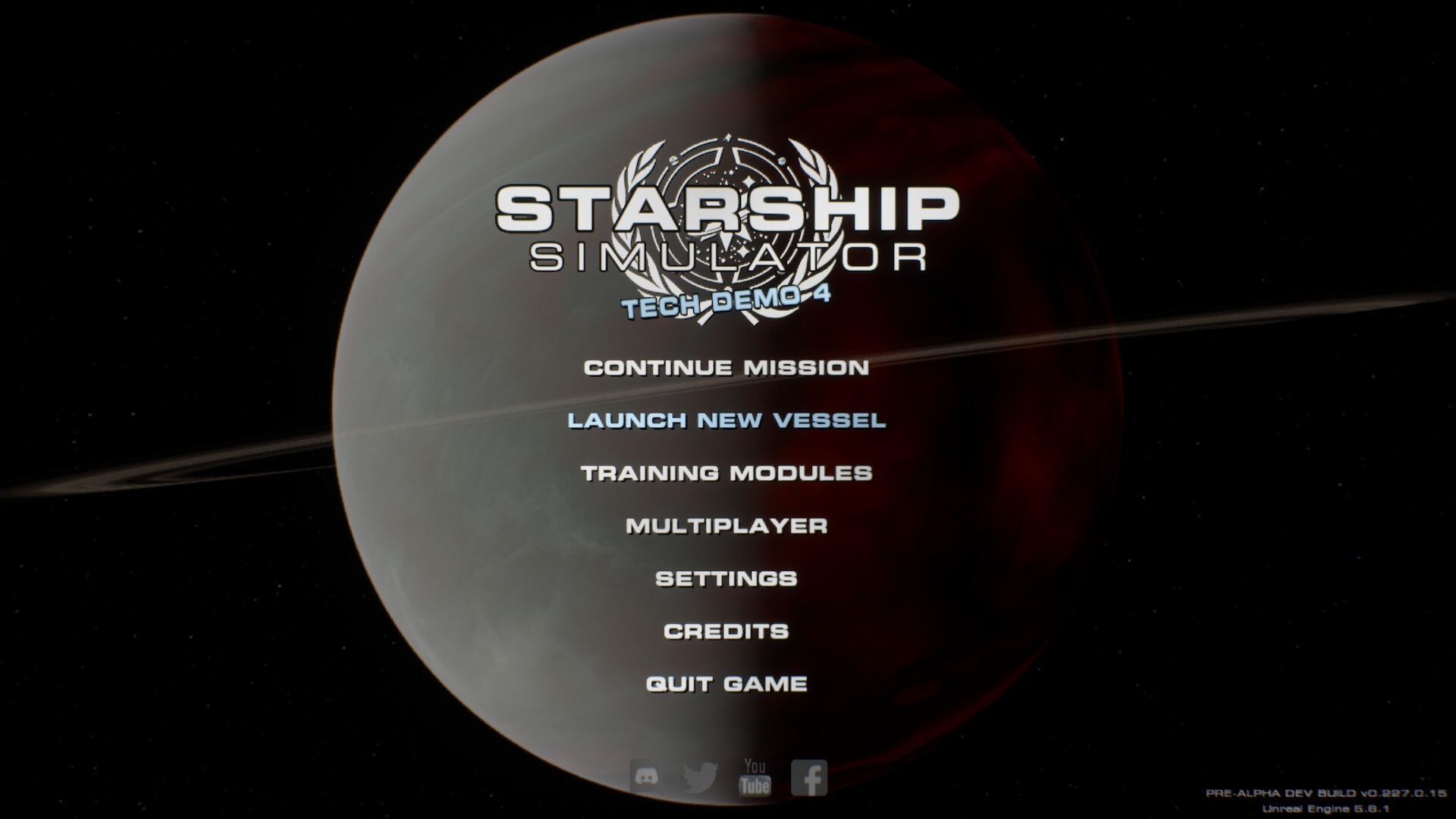
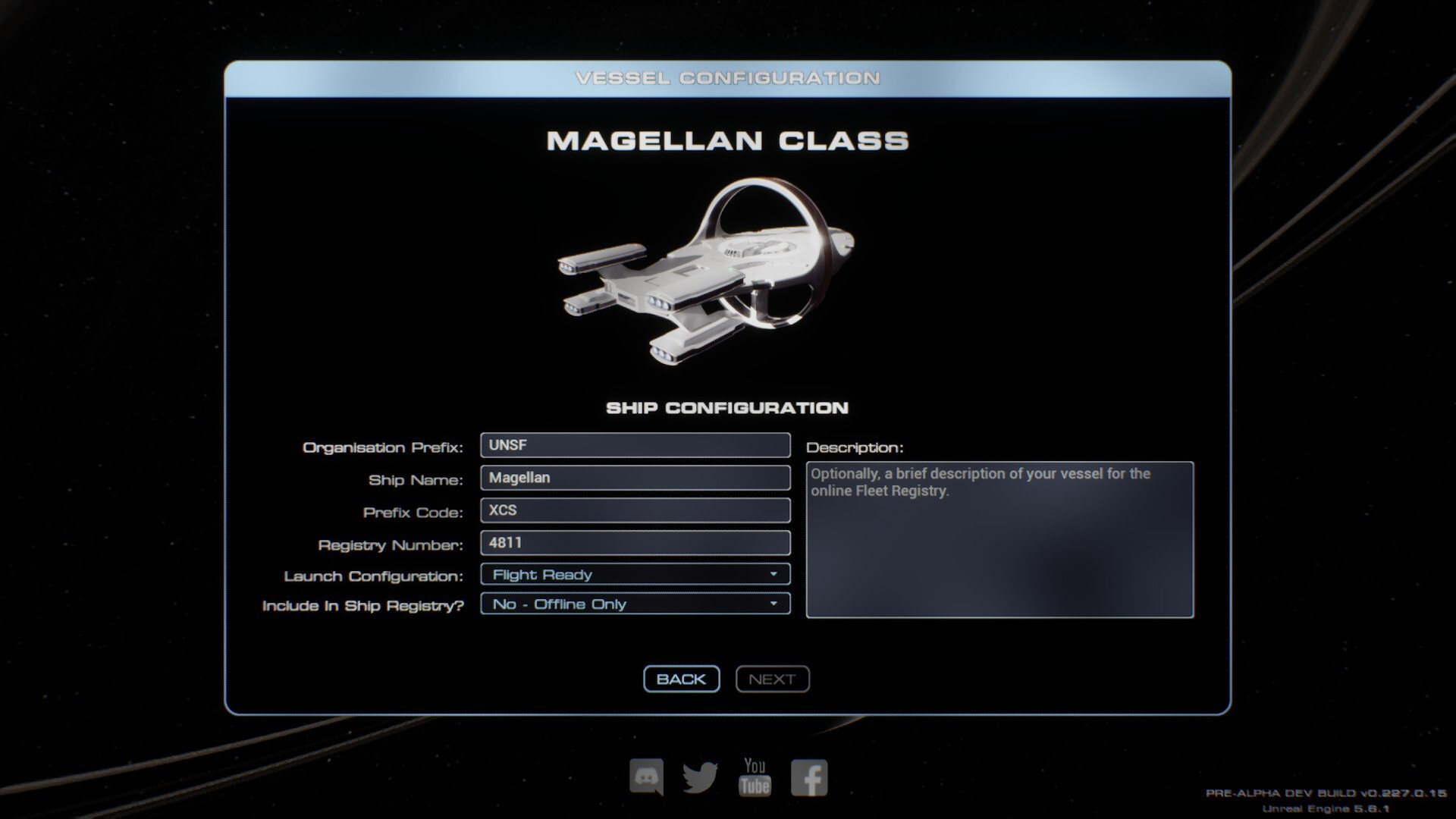
Added a new Ship Configuration page to the Launch New Vessel menu sequence.
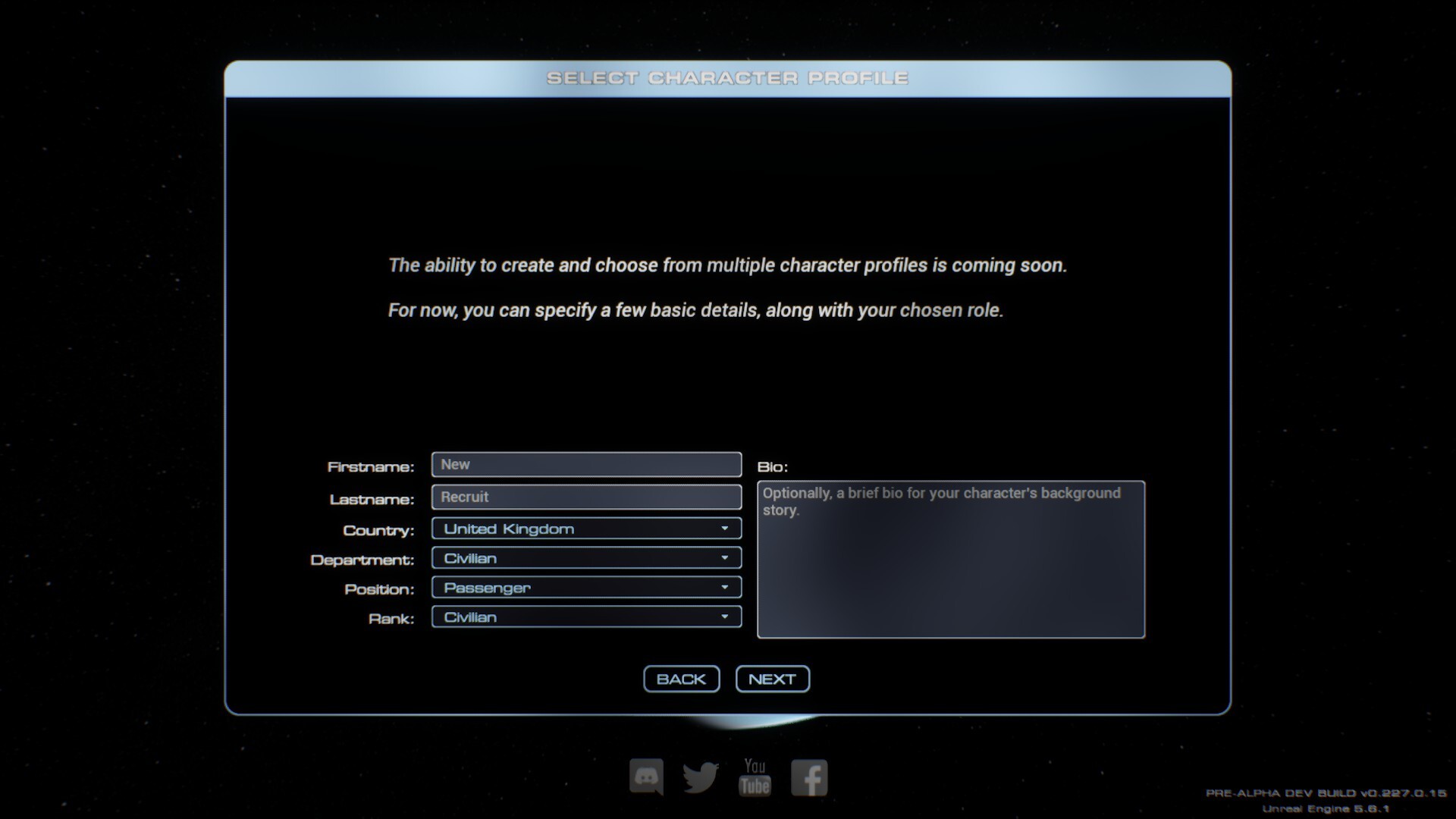
Added a new Select Character page to the Launch New Vessel menu sequence. (Not much on it yet)
Added a new Crew Roster page to the Launch New Vessel menu sequence. (Not much on it yet)
Added a new Online Fleet Registry Submission page to the Launch New Vessel menu sequence.
We now have multi-savegame support! The number of save games is limited only by your HDD space.
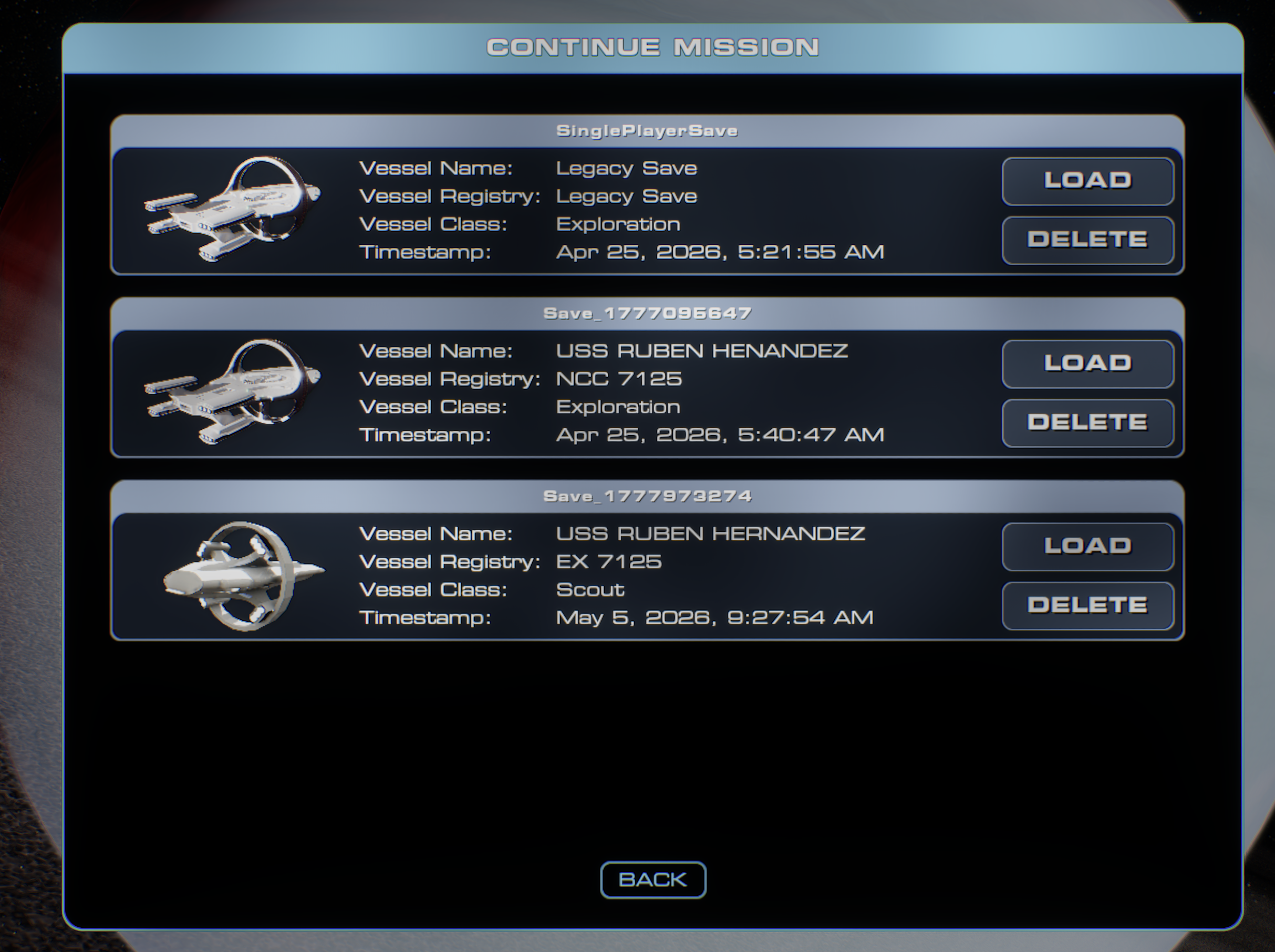
Each new vessel launched creates a new savegame, and if you opt-in, will also create a profile on the online portal.
Added the ability to delete save games, which also deletes the associated vessel from the online portal.
Added the first data output for the online portal. The ship will update its last known location every time FTL is disengaged.
Captain+ - Notes
The new Starship Simulator Account system is purely optional and is not required to play the game. The only caveat is that you will need an account to access in-game backer rewards such as mission patches and the Admiral Cluck plush (both of which still need to be made).
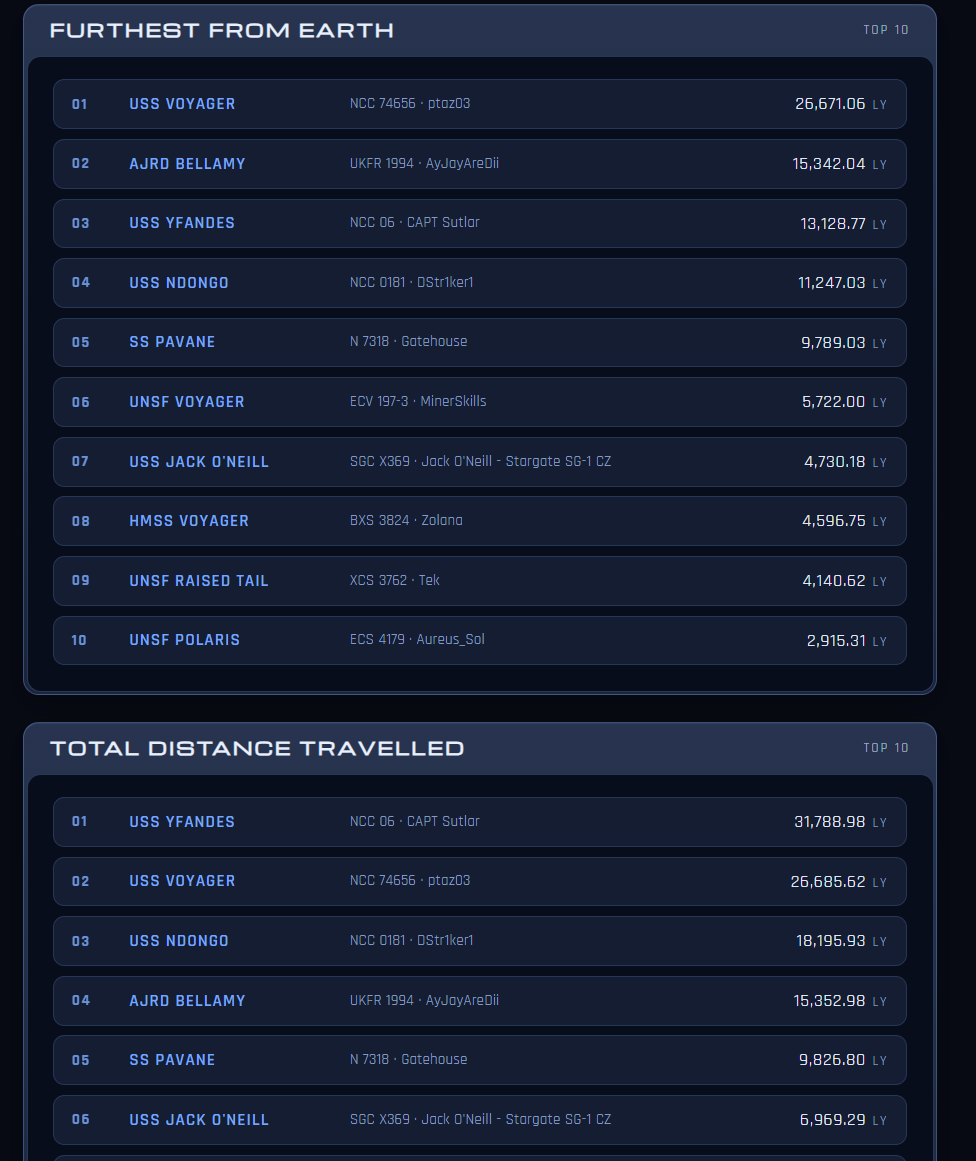
Aside from gating access to backer rewards, the main purpose of the online portal is to serve as a Fleet Registry, allowing players to share their progress with one another by way of info cards for their vessels. It will also feature some league tables with data points such as "Farthest distance from Earth" and "Number of star systems fully explored". In the future, we'll look at storing "First Discovered By" data, along with a galactic heatmap to show community exploration progress.
The new savegame system is undoubtedly going to have a few bugs, so if you notice something not loading or saving properly (that was working previously), please let me know on dev-build-bugs or via any other avenue.
The new portal can be found at https://wip.starshipsimulator.co.uk but please be aware it's still very much a work in progress. Nothing on it is final or in any way remotely finished.
Internal Development Build 0.227.0.15
New / Changes
The ability to use gameplay-affecting debug commands is now gated behind staff account authorisation.
The Target and Actual speeds shown on the Helm now transition to showing LY/H above 8,766 C (1 LY/H).
The reactor draw value now shows voltage on the Helm UI, but it's going to need increasing when I do the next pass on it.
Ships will now report Distance From Earth and Total Distance Travelled on the portal page.
Fixes
Fixed the breadcrumb trail not properly setting Earth as the initial origin point on new games.
Fixed the Continue Mission menu option not working if the old legacy save is deleted.
Notes
If a debug command is used in-game (like teleporting the ship), it will flag as such on the ship's portal page and the vessel will then not be included in any league tables. Essentially, that's cheating, so we need to ensure that sort of thing gets filtered out.
The current top speed of the ship is now accurately stated as 285 LY/H. This makes the average time between stars (4ly) roughly 50 seconds. This is actually faster than the target 60 seconds between stars, which is actually 239 LY/H. I'll probably make that the baseline speed without any upgrades in the future, and have hardware upgrades slowly push the ship towards 300 LY/H.
Internal Development Build 0.227.0.16
New / Changes
Your ship will now report its number of fully scanned systems to the website.
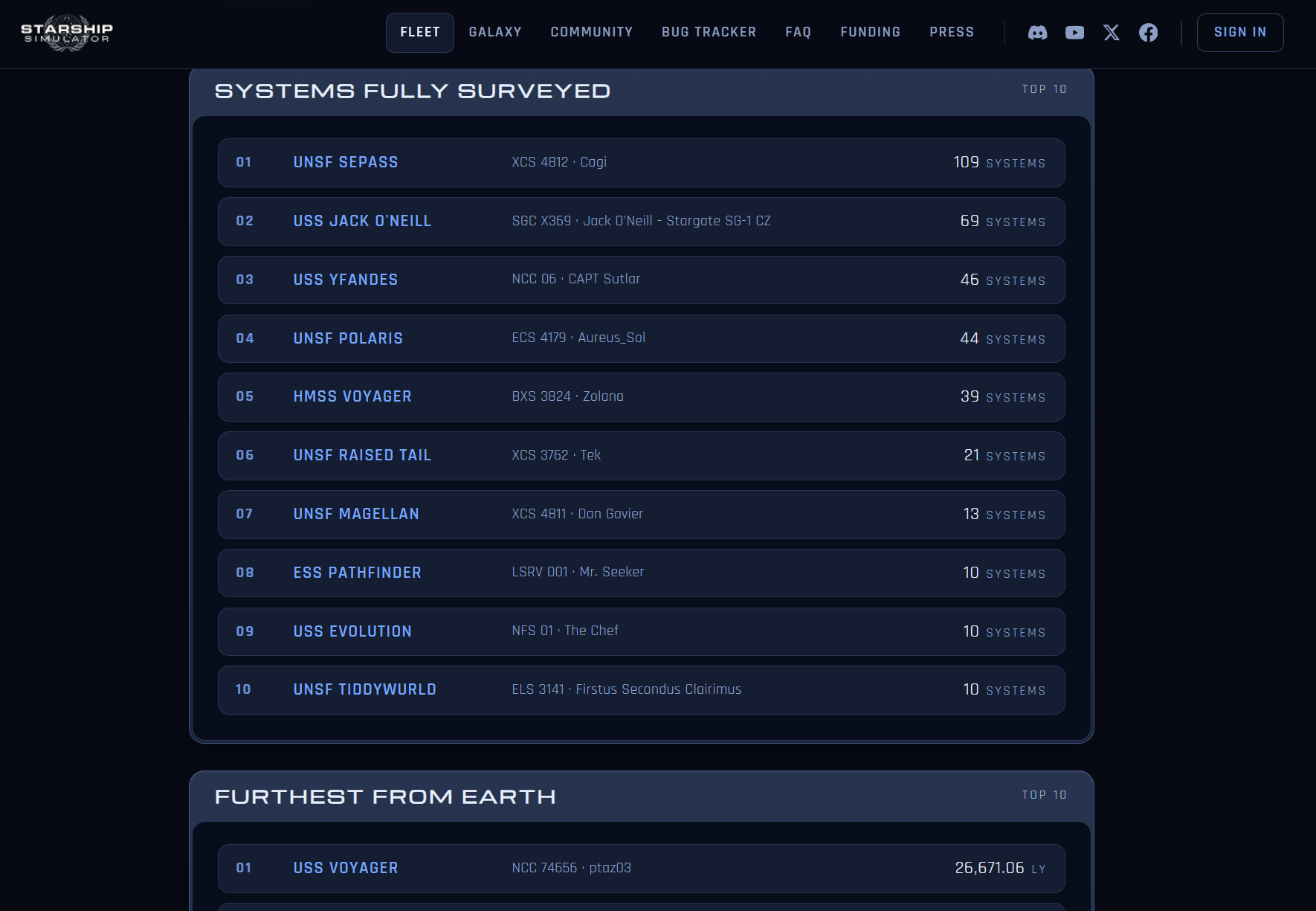
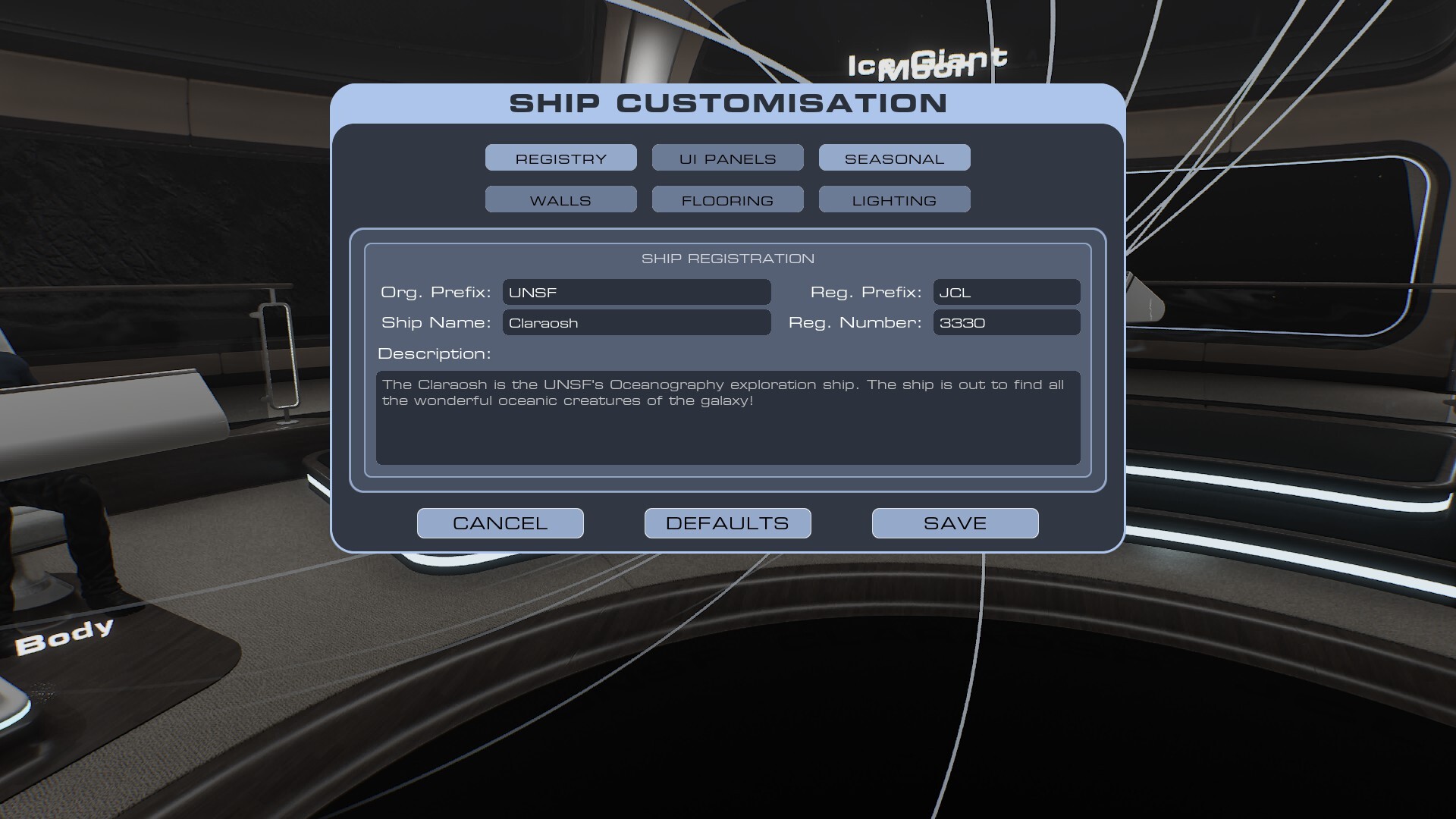
Changes made to your ship details via F3 will now sync with the website.
Added the Description field to the F3 ship customisation menu.
Updated the layout of the F3 ship customisation menu to accommodate the new fields.
You will now see other vessels on the Holo-Display if they match your ship's Org Prefix. In the future, this will be toggleable.
Optimisations
Removed the old Ship Customisation global event and replaced all instances of it with the improved Gameplay Messaging Subsystem approach.
Fixes
The Ship Customisation should now be working reliably in both single and multiplayer.
Notes
Updating your ship's Prefix & Registry will change its URL on the website, so if you have your ship profile up and try to refresh it, it will give you a 404 error. The URL will always be /fleet/Prefix_Registry.
The ability to see other ships on the Holo-Display is purely informational. You cannot interact with them, or see them physically in the world (yet).
Internal Development Build 0.227.0.17
New / Changes
Added a dev-only debug mode to the game for testing, which greatly speeds up FTL/Scans.
The Autopilot will now actively avoid flying through planets and moons.
The Autopilot will now exit FTL alongside planets, ensuring to keep them on the Port side.
The Autopilot will now always try to rotate itself to align with the star system's orbital plane.
Clamped the Autopilot arrival throttle to a minimum of 10% to prevent slow approach crawls.
Added little crowns above stars on the Long Range Holo-Display mode so you can see which systems have command actions queued.
Upped the brightness on the Long Range Holo-Display stars slightly.
Tweaked the FTL so that it ramps up a bit faster. It's now 1.05 times the current speed per tick, up from 1.025.
Fixes
Fixed bug 2699: Started orbiting a sun and saw 2 of my ship on the holo display
Fixed bug 2697: I can see myself on the holo as another ship.
Fixed bug 2685: Mission time resets on reload
Fixed bud 2315: Sensors - When Display order is to "From Ship", distances do not update.
Fixed bug 2701: When warping into a new system, the AU distance counter on the holo display goes up.
Fixed bug 2647: Galaxy - system labels flash when the ship is stationary.
Fixed bug 2471: Distance to Objects withing a system not updating on holodisplay/Sensors
Fixed bug 2159: Holo Display - planet distances don't change on bridge hologram
Fixed bug 1924: Sensors - Setting Sensors UI Display Order to Ship Does Not Update Range
Fixed bug 2706: Holo ship has a shadow
Starship Simulator Portal
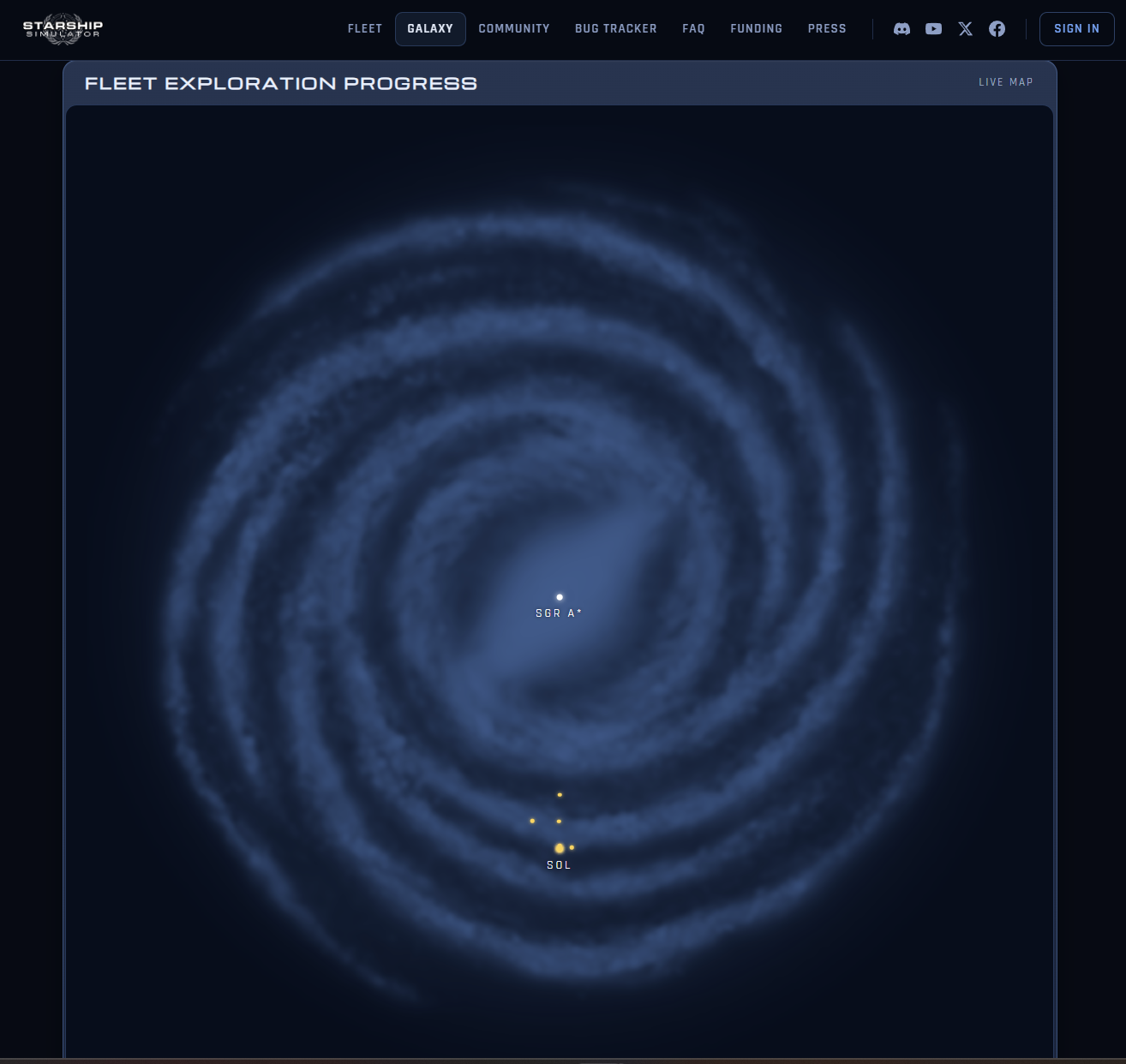
Added player ship positions to the galaxy map on the website. You can display all, or filter by organisation.
Internal Development Build 0.227.0.18
New / Changes
Added a bit more in the way of outgassing to stars.
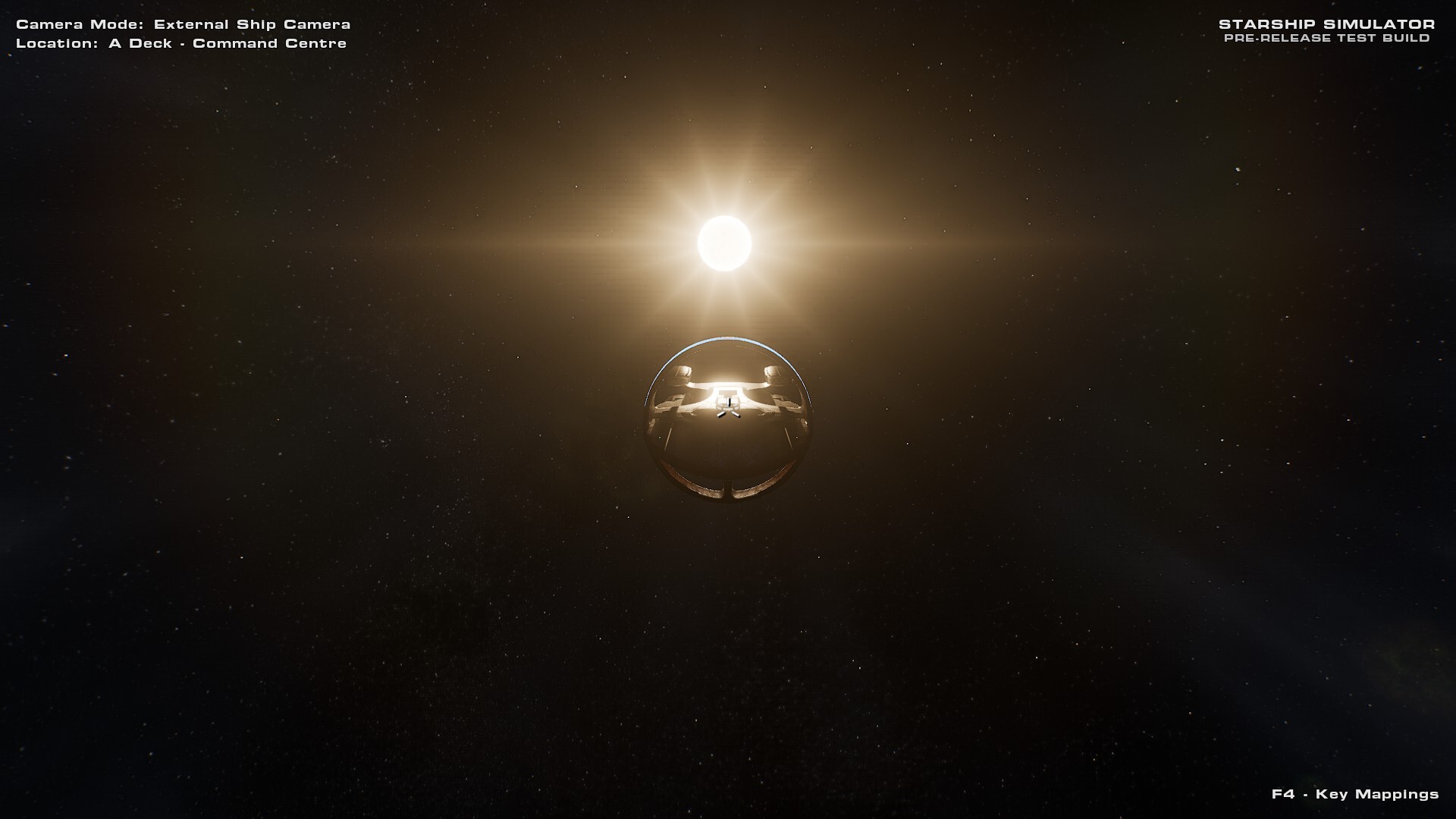
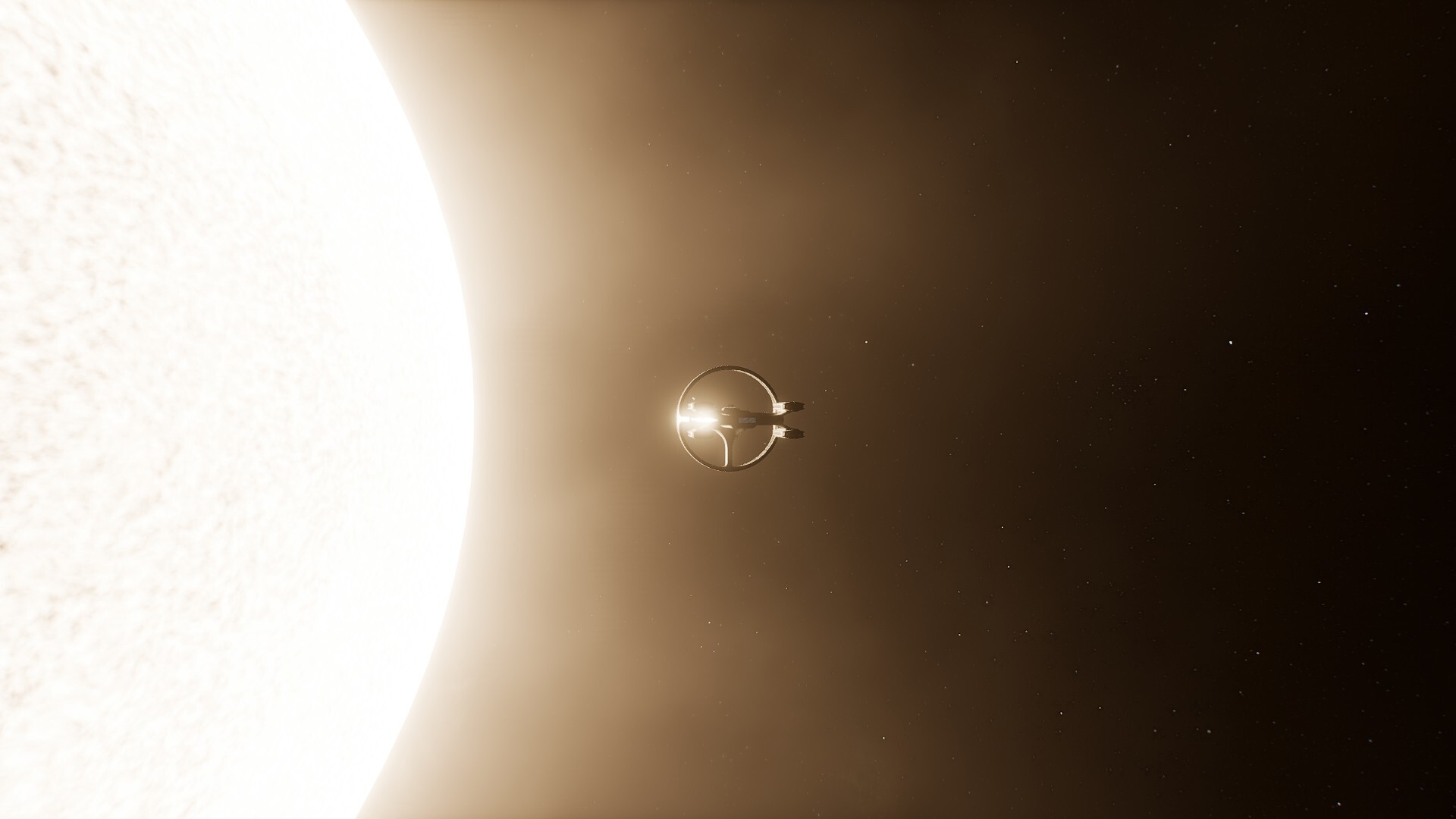
Tuned the Sun Flare so that it fades out entirely as you approach a star closely.
The Long Range Holo-Display will now immediately update the display of Org ships when zooming in/out.
Not Yet Implemented
Significantly progressed the local content spawning system, which creates grids for spawning small objects throughout a star system.
Optimisations
Reduced the instruction count on the Sun Flare shader and added some better early-outs.
Fixes
Fixed bug 2709: Started a new game and the ship is shaking
Fixed bug 2714: Ship reorientates on load
Fixed bug 2718: wobbly ship on new launch
Fixed bug 2703: Ship Registration
Fixed bug 2693: Dwarf lava planets in Sol system
Fixed bug 2710: The Sol system icy bodies are lava planets
Fixed bug 2680: Character Gen Screen Bio Windows expands
Fixed bug 2673: Star hiding out in data centre.
Fixed bug 2695: The bottom engine pod marker lights need to be moved down
Fixed bug 2501: Still seeing Sun Flare behind planets
Fixed bug 2667: Sunlight shines thorugh planets
Fixed bug 2708: Sun flare size.
Fixed bug 2711: Ship stuck in 10% max mode.
Fixed bug 2698: System scan count not retroactive
Fixed bug 2717: Other player ship names visible a long way outside the holodisplay.
Starship Simulator Portal
The ship will now do a telemetry update with the website every 60 seconds while actively at FTL.
Internal Development Build 0.227.0.19
New / Changes
The Bridge NPC's dialogue will now show in the chat box and in a speech bubble above their head. (Toggleable in the future)
Added a little arrow under the speech bubble.
Added the ability to spawn an NPC Captain. The captain will autonomously direct the ship to search for Earthlike worlds.
Removed the Zoom In/Out orders from the Sensors NPC because it was just clunky and awkward to use. It will be replaced with a better solution.
Improved the look and feel of the Nav and Sensor target markers.
Set the Planet and Star labels out of the bridge window to Off by default, to improve system approach visuals. Targeted objects still show labels.
Not Yet Implemented
Built a new "Territory Bubble" generator which uses a Signed Distance Field mesh to display a Civ's territory as a 3D bubble on the Holo-Display.
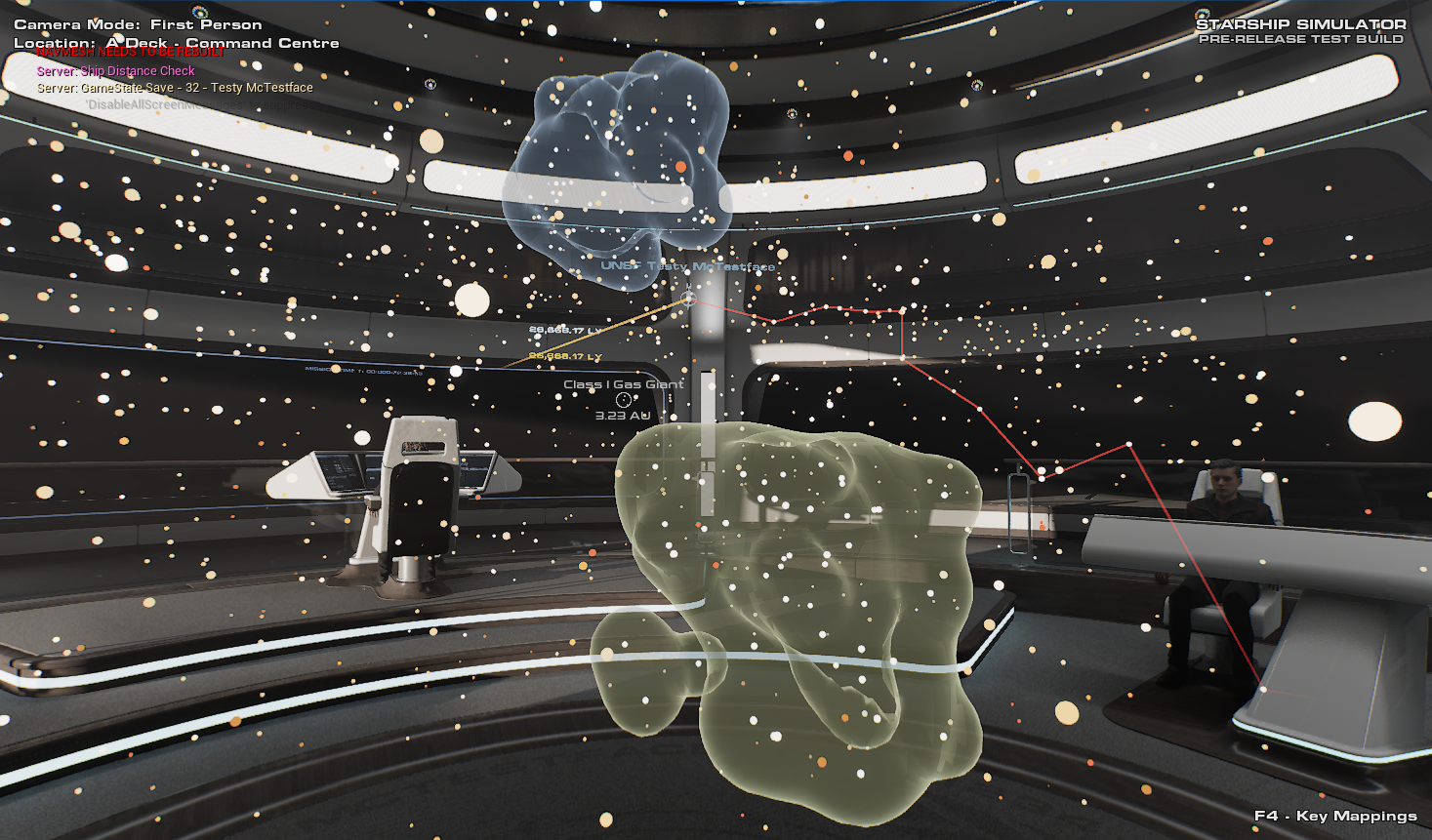
Fixes
Fixed bug 2726: Holo display - Command targets are no longer saying Command.
Fixed bug 2727: Galaxy - Cloud coverage button is broken and is making the planets white
Fixed bug 2681: SaveGame Owner Dan
Fixed bug 2734: Bread Crumb Tail
Fixed bug 2723: Breadcrumb trail remains when turning Holodisplay off
Fixed bug 2721: Duplicate of back button when returning from descendant menu of children menu in context menu..
Fixed bug 2656: Looping execution of a command on Galactic Position radial menu
Fixed bug 2713: Unable to Read Arrival Information sitting at Helm
Fixed bug 2542: Floor panel hight missmatch on bridge
Fixed bug 2567: Z fighting at the enterance to the bridge
Fixed bug 2637: Flying Camreas no longer exit though bridge winows
Fixed bug 2668: Command target icon still exists outside of holoprojector bounds
Starship Simulator Portal
The ship will now do a telemetry update with the website every 60 seconds while actively at FTL.
April's YouTube Development Streams.
1st - 30th
View game page
See you all next month!
Don't forget, if you like Discord, you can find us at https://discord.gg/eDSQvpgdUX
Claire :)