June 2026 Update
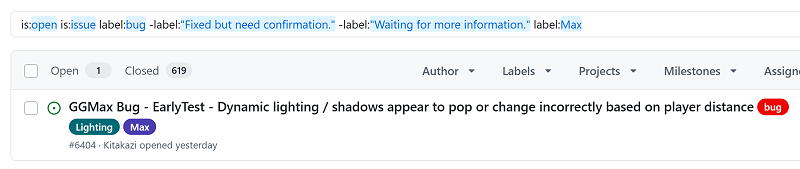
Welcome to your GameGuru MAX update announcement. We once again hammered the issues board, getting down to one bug - always nice to be in single digits when it comes to bugs!
This month’s EARLYTEST build release brings a variety of improvements across scripting, gameplay behaviors, and general usability enhancements. Here’s a round-up of what’s now part of today’s release:
Lua & Scripting
Several core scripts have been updated to enhance functionality and add new options for creators. The save_point.lua now allows the save icon and message to appear during saving, improving player feedback. Spinner.lua has been enhanced with an extra sounds slot and internal fixes for smoother operation. Hideshow_named.lua and emission_control.lua both received new modes of action, with emission_control also gaining an additional sound slot. Turret.lua’s ammo application and usage issues have been resolved, and door_rotate.lua now supports an extra trigger option for more flexible door interactions. The IMAGEPANEL script now supports multiple image sets and exports correctly to standalone builds when using Set1, Set2, etc.
- save_point.lua: Save icon/message during save and internal fixes
- spinner.lua: Extra sounds slot and internal fixes
- hideshow_named.lua: New mode of action
- emission_control.lua: New mode of action plus sound slot
- turret.lua: Fixed ammo apply and usage
- door_rotate.lua: Extra trigger option
- IMAGEPANEL script: Handles multiple image sets and exports to standalone
General
We’ve made several key improvements to the editor and overall system to enhance your workflow and game quality. A new single-threaded terrain system mode can be enabled via the SETUP.INI file with the "terrainsafegpu=1" setting, providing more compatibility options. Character Detail now consistently displays in the Character Creator for all character types, ensuring better visual customization. The Object Browser’s search text function has been improved for more accurate and relevant results. A new Wicked Particle shortcut has been added to Game Elements, superseding the legacy particle system for more advanced effects. We also fixed a crash that occurred when switching between two custom character type variants and improved controller initialization by gracefully skipping if no DirectX controller is detected.
- New terrain system mode: Single-threaded mode via SETUP.INI "terrainsafegpu=1"
- Character Creator: Character Detail now shows for all types
- Object Browser: Improved search text accuracy
- Game Elements: Added Wicked Particle shortcut replacing legacy system
- Crash fix: Fixed crash when moving between custom character variants
- Controller initialization: Skips if no DX controller found
If you have any questions, you will find a great community on our DISCORD channel (https://discord.gg/8eFKsXDema), and if you find a bug, it would be awesome if you could post a report on our GitHub issues board (https://github.com/Dark-Basic-Software-Limited/GameGuruRepo/issues). Until next time, happy game making!