Dear Friends!
Thank you for your continuous support for "Screaming Chicken"! We have received feedback from some players regarding unstable frame rates in the game. Considering the diverse device configurations of our players, we have prepared a detailed game graphics settings guide for you. We hope this will help our chicken friends enjoy a smoother and more seamless "Screaming Chicken" experience!
If you encounter issues such as low frame rates in the game, you can try the following steps to adjust the game graphics settings:
1. Open game graphics settings
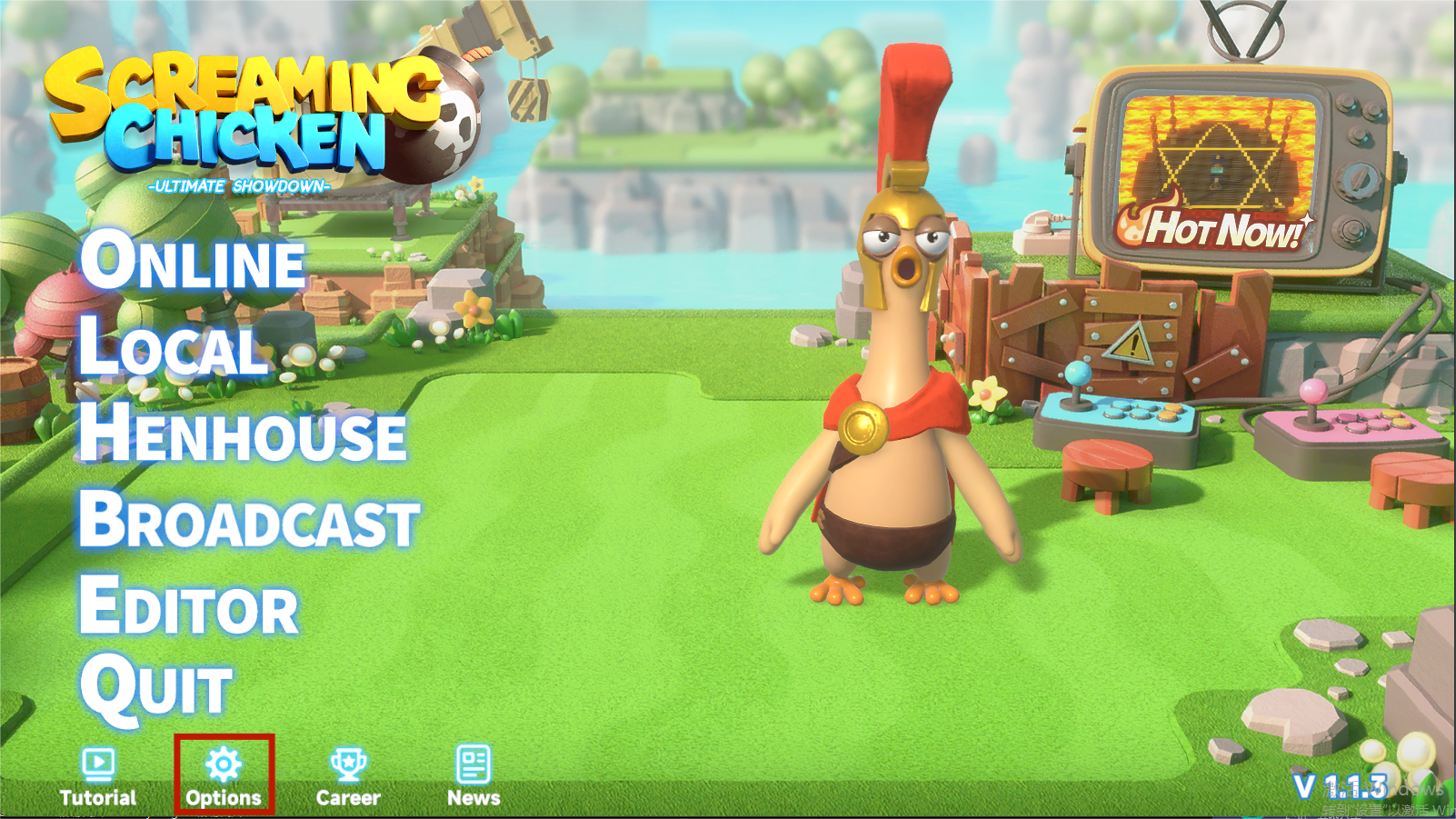
First of all, please launch the game and click on the "Options", and then select "Graphics".
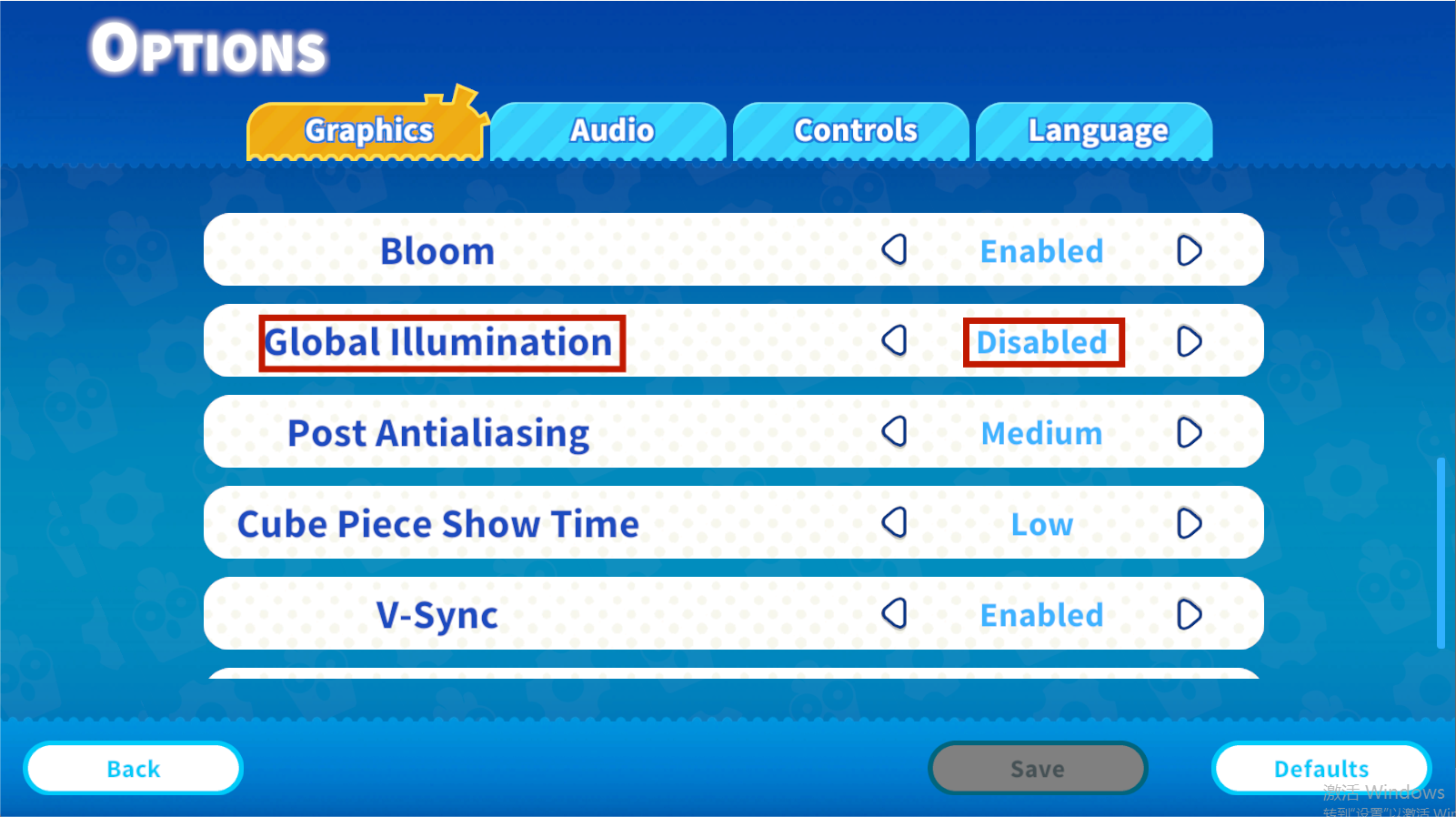
2. Adjust global illumination
You can adjust "Global Illumination". Turning off global illumination can effectively improve the frame rate while slightly reducing the image quality. If you encounter stuttering or low frame rates, disabling this option will greatly enhance your gaming experience.
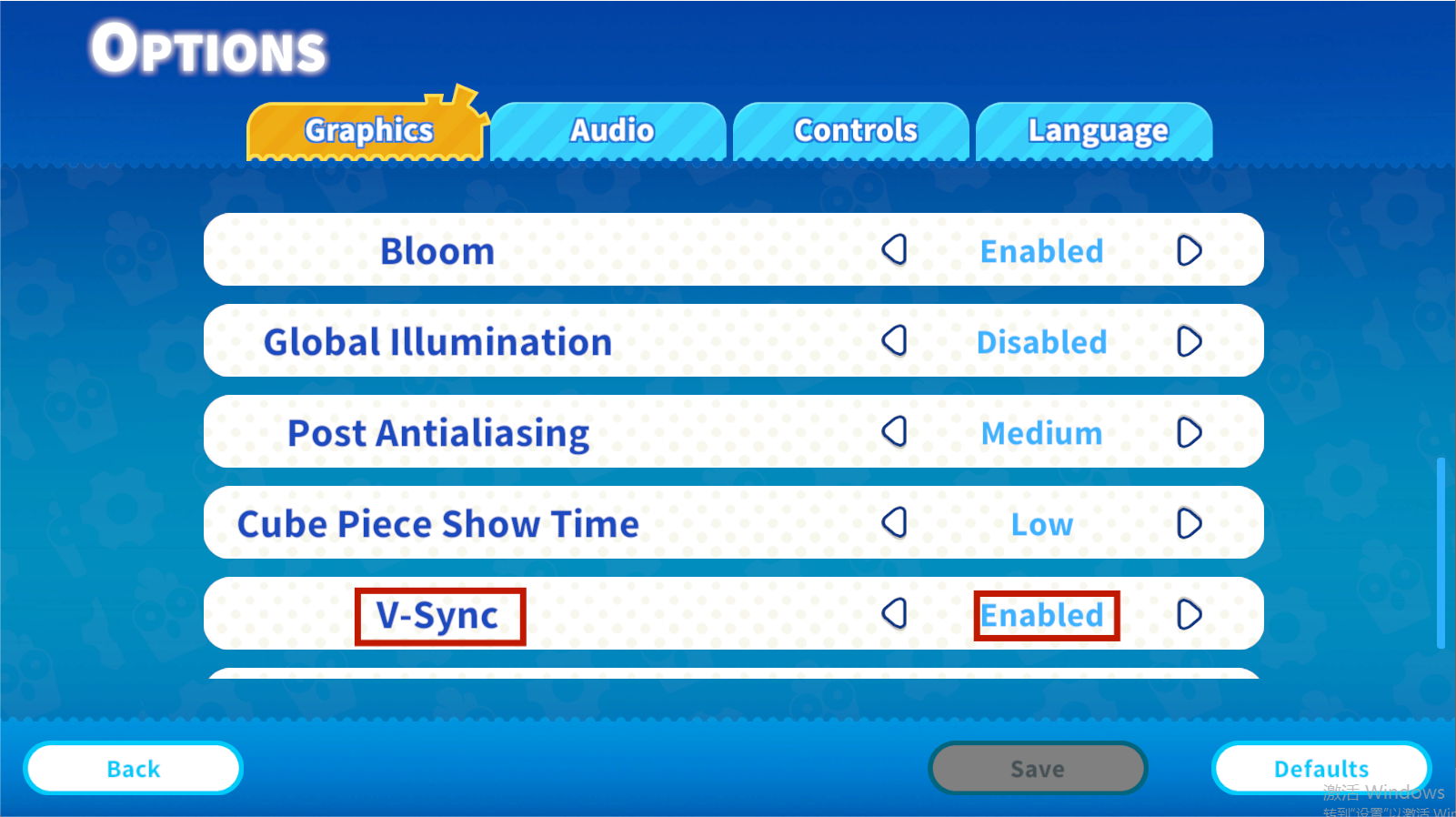
3. Enable vertical sync
You can enable "V-Sync", which will allow a more stable frame rate.
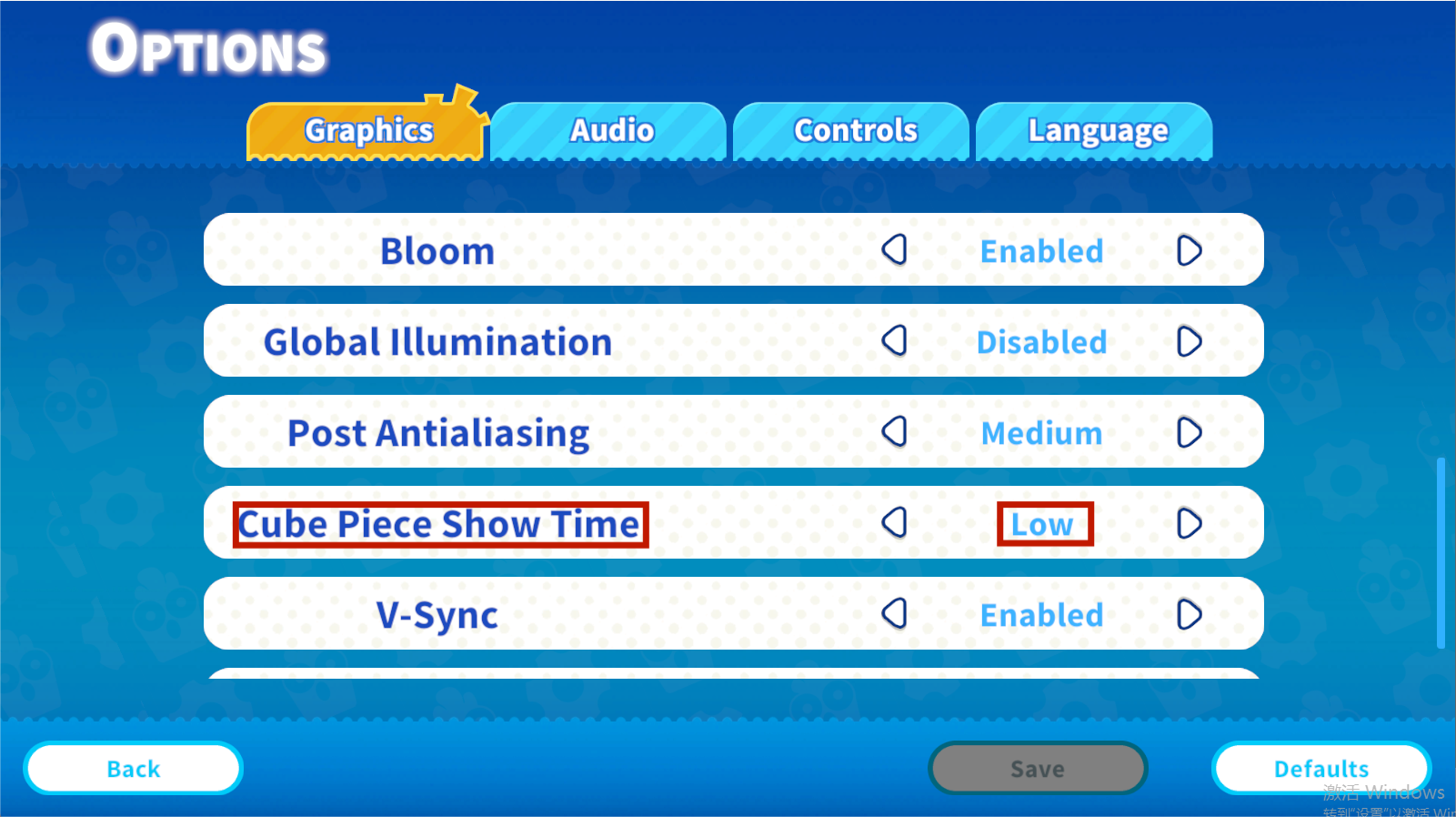
4. Lower Cube Piece Show Time
You can reduce the Cube Piece display time, which will significantly increase the frame rate performance on the maps with a number of such elements.
5. Lower resolution & graphics quality presets
If points 1 to 4 didn’t help a lot, we recommend lowering the game resolution and setting the overall graphics quality to "Low or Lowest".
Please note that different hardware configurations may require different settings. We recommend that you experiment with the settings based on your own hardware configuration to find the most suitable settings for you.
We hope this guide helps you resolve major game performance issues and improve your gaming experience. If you still encounter problems after adjusting the settings, please feel free to contact our customer service team, and we will be happy to help you.
Meanwhile, we continue working on improvements and optimization and hope to provide you with a better performance soon.
Thank you once again for your support of our game, and we wish you a pleasant gaming experience!