ONLINE MODE IS AVAILABLE
===To Hold An Online Match===
1.For host
As a host, you should first make sure if you have a public IP that allows direct connection. If so, you can skip Step 1 ~ 3 in the following to-do list. If not, you may need to build up a virtual LAN. We’ve tested LogMeIn Hamachi 2 and it works with Ibunseki. Other platforms are still worthy of trying if they are more available for you. Here, Hamachi is taken as an example:
(1)Log in Hamachi;
(2)Build up a virtual LAN with Hamachi;
(3)Invite other players to your LAN;
FOR DETAILED METHOD OF USING HAMACHI, YOU CAN LOOK IT UP IN THE STEAM COMMUNITY BY SEARCHING “HAMACHI ONLINE STEAM”
(4)Start the game, click “Online Mode”;
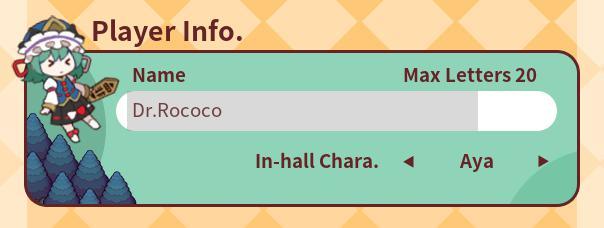
(5)Input your user name and room name in the box. Press enter after input. Click “Choose Map and Create”;
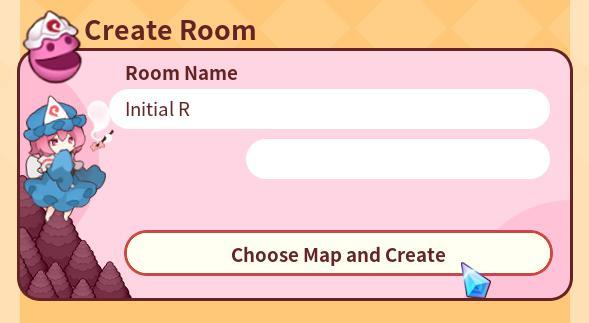
(6)Choose map and game settings;
(7)Host waits for the client to join. After everyone is in, click “NEXT” at the bottom right corner;
(8)Host chooses the character, if there are COM in the game, host should choose character for them;
(9)Click “Game Start” after all players are ready.
2.For client
(1)If the host is with a public IP, you may direct connect with the host with IP Connection. After click on “Online Mode”, input IP address and Port (default 6510, don't need to be changed most of the time) in the box. Press enter after input. Then click “Connect”’
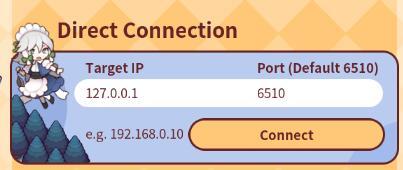
(2)You can also join the host that is in the same LAN with you. Virtual LAN such as Hamachi network works with this game. Of course, you can also input the IP of the host in the same LAN with you;
(3)Before entering the host, change your ID;
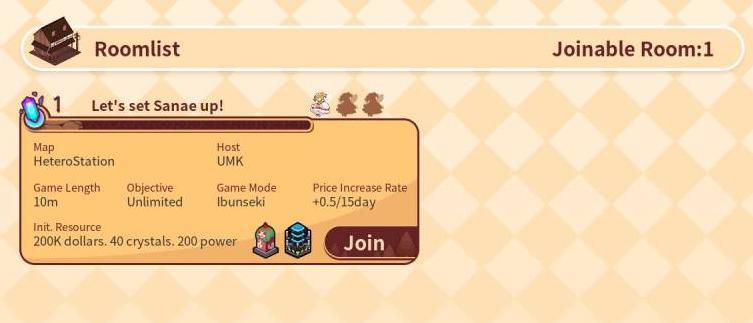
(4)The game will automatically scan the hosts in the same LAN and present them to you in the list here (Hamachi will not, use direct link instead). Click on the one you want to join.
3.Possible problems
(1)Network delaying might cause losing synchronization, and further losing respond. To solve this problem, the host can raise vote for rolling back the game. The game will be rolled back to the previous round after the votes are through. This might be of help in some occasions to solve the problem;

(2)We do not support re-connection after losing connection. But HOST can save the game during online mode. The host can continue the game by loading the saved game, wait until all other players join the game, and start from where it stops;
(3)You can surrender by entering menu and click on the surrender button. You can still stay in the game as an observer after you give up.
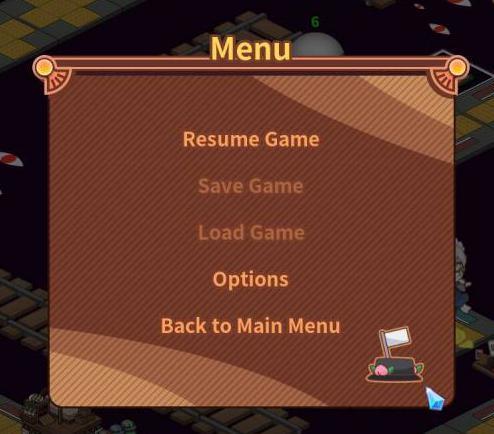
(4)If the host quit the game, the whole game will abort. If the host choose to observe after losing or give up, the game will continue.
(5)Hidden character "Ashes' Delight" cannot be used in the online mode now.