
We’ve put together some useful search techniques to help boost your game development efficiency in RPG Maker MZ!
1. Searching Maps
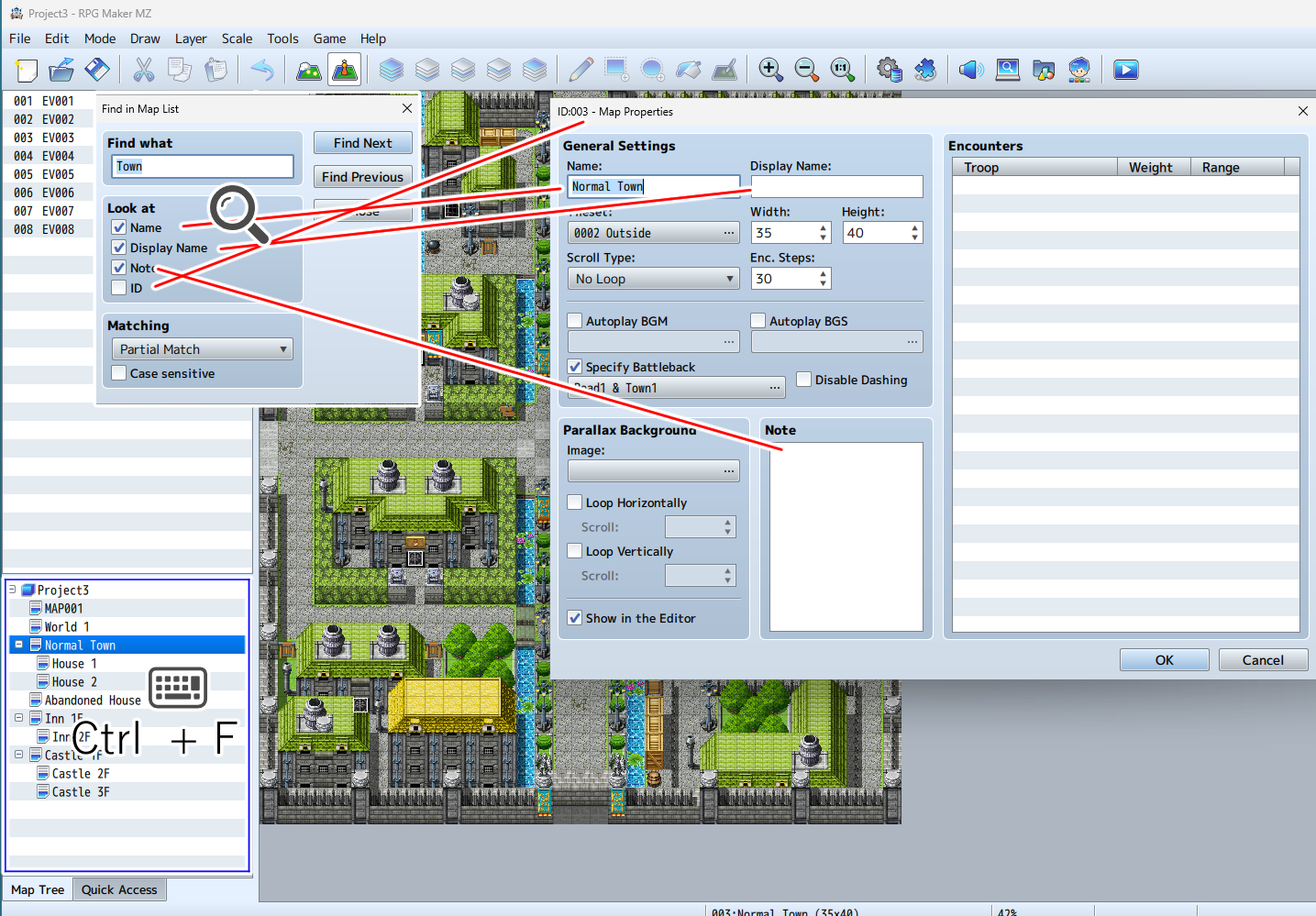
Press Ctrl + F on the map list to search through your maps.
By searching keywords from the map name or notes field, you can quickly jump to the map you need.
2. Searching Events
Press Ctrl + F in the map editor to search through events.

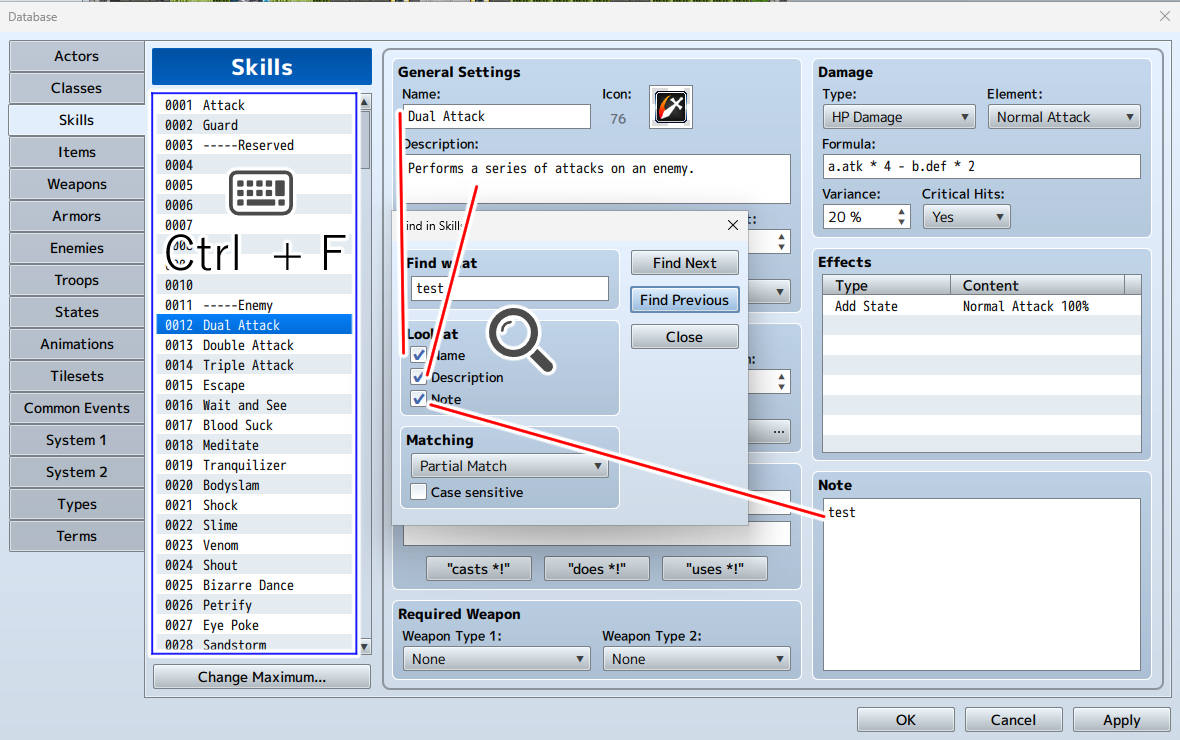
3. Searching the Database
Press Ctrl + F on any list from Actors to Common Events to search through the database entries.
4. Event Search in the Tools Menu
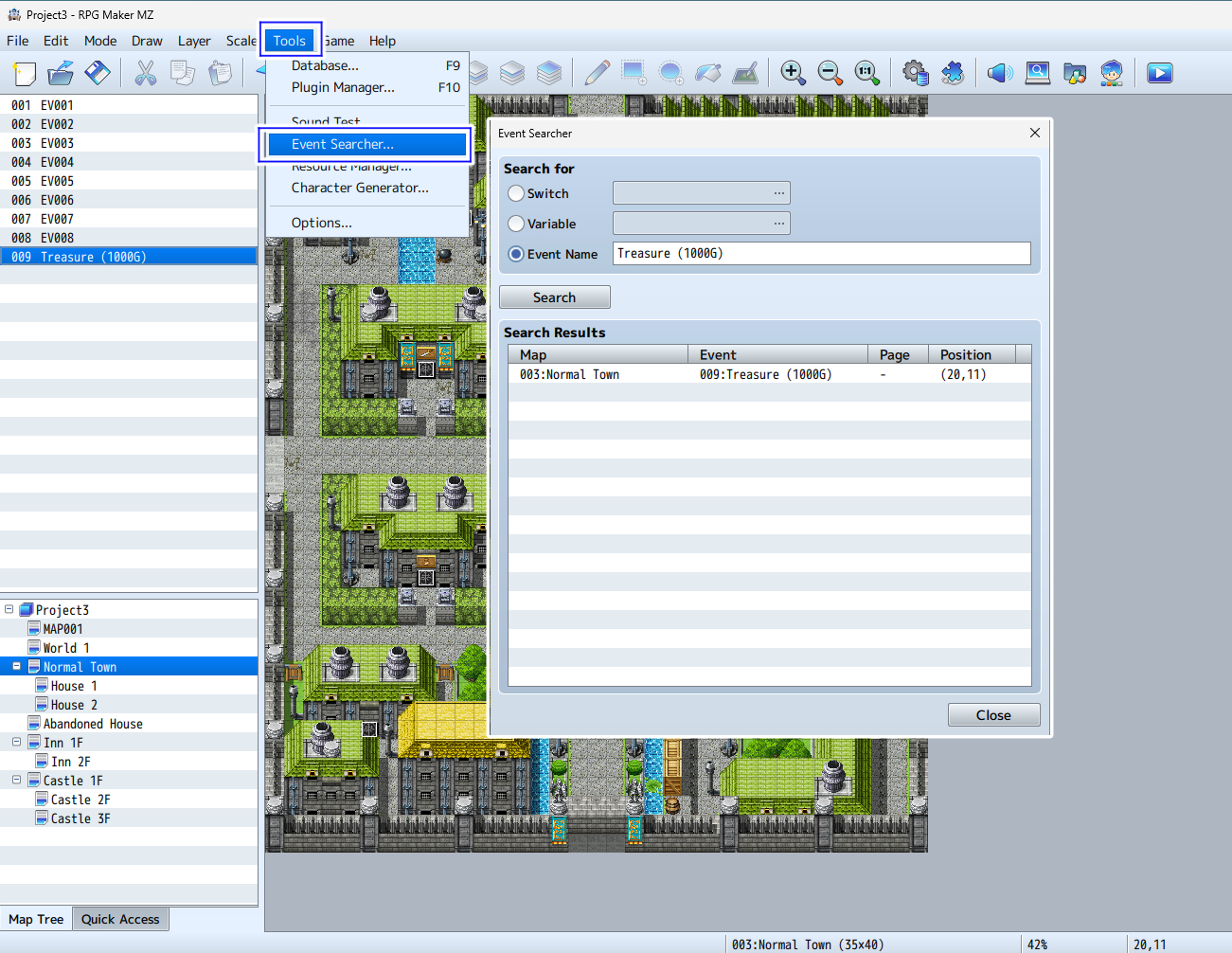
From Tools → Event Search, you can search for events using switches, variables, or event names as keywords.
 We hope these tips help support your creative projects.