Hello Gamecrafters,
The Enlightened update is live tomorrow! There will be another announcement as soon as the update goes live with a shorter list of key features, changes and additions but for those of you who want to soak up all of the information early, read on!
Lights
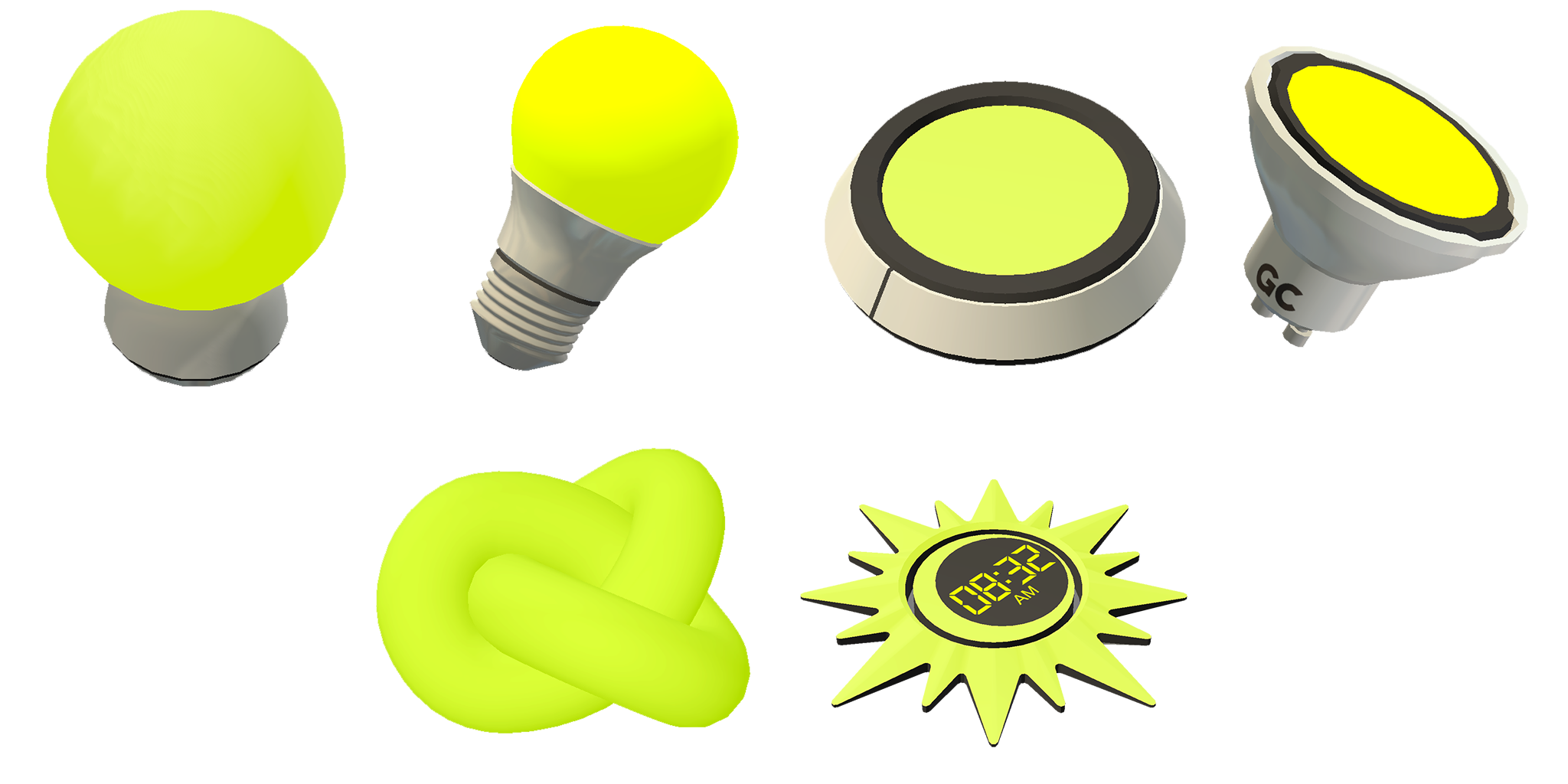
We have 6 new light blocks as part of this new lighting feature! Some of these blocks make a couple of console commands clearer and simpler to use (with some extra functionality, of course), while others offer new functionality altogether.
Point Light
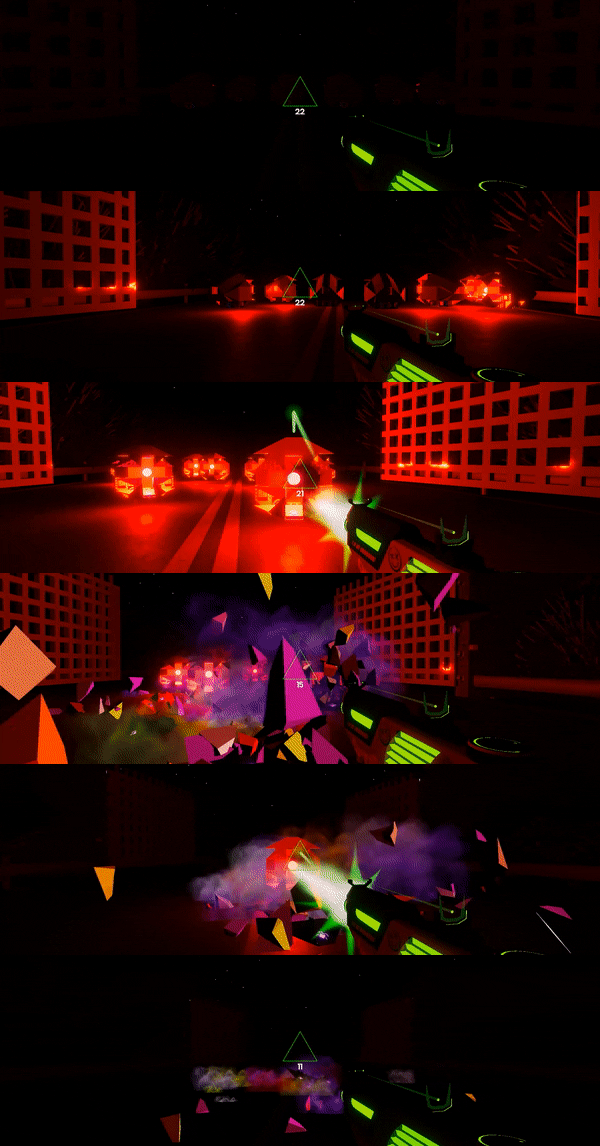
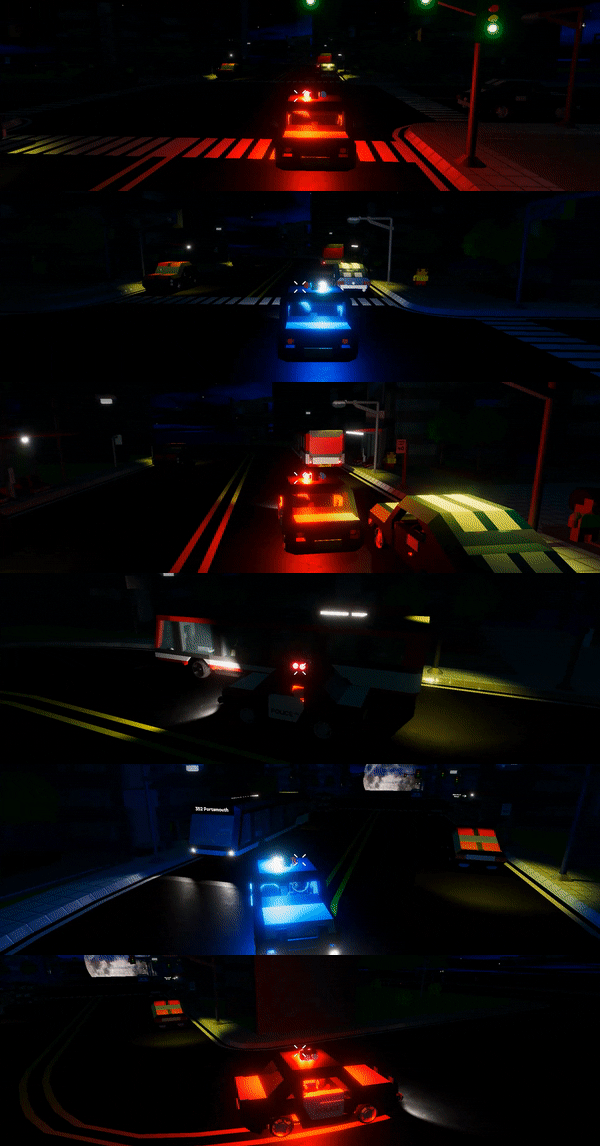
We’ll start out with the new light emitters. Point Lights create a sphere of light around themselves, like a regular light bulb. You can tweak the range and intensity to create wonderfully lit rooms and spaces, or even flashing police lights. You can even change the intensity when time is running by connecting a controller or logic block to the input to turn lights on and off, or just dim them slightly.
You can also change the color that these lights emit, along with all of the new lights via our new color picker stat! Simply click on the color dropdown and pick one of the preset colors.
N.B: We currently have a limit of 8 active lights at any given time. You can still place as many lights as you want, but only the nearest 8 will be able to emit light for now. This is a limitation of the engine but is something that is being worked on so we will try and resolve this as soon as we’re able.
Spot Light
The Spot Light emits light in a cone, like a flashlight or streetlight. You can tweak the range, intensity and angle of these lights, along with the color. Spot Lights also have a toggle that lets crafters decide whether they should cast shadows on things they illuminate or not
N.B: Shadows will always be disabled on the lower quality settings for performance reasons, regardless of what this is set to.
Invisible Point & Spot Lights
On top of these two lights we’ve also added in “invisible” versions. These mostly work in the same way with a few core differences. Invisible lights will still emit light when time is running but the bulb/light itself will vanish, collision included. These parts also have no mass and will not fall under gravity (unless they’re attached to something).
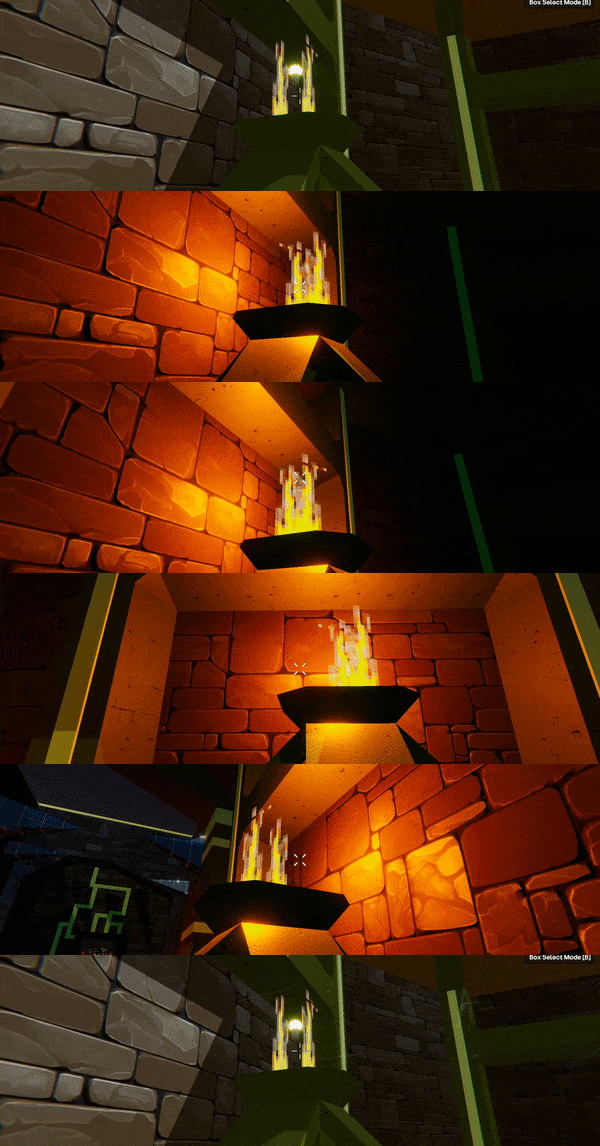
Sunlight
The sunlight block takes a couple of the existing commands and wraps them up in one place. Setting the Time stat will move the sun across the sky, Facing Angle will let you re-orientate where East and West are in your game. You can also toggle global shadows from this block.
The Time Offset input converts a signal of -1 to +1 as a 12 hour offset in either direction which is ideal for day/night cycles!
N.B: Lights will not emit light when time is stopped and the Sunlight and Ambient Light blocks will not reflect how they will look when time is running. Each part will however change from dim to glowing as you alter the intensity and will change to match the color stat.
Some of the functionality such as moving the moon, altering the color in time running and setting the color of the sky (rather than the sun) will be possible through other blocks in future.
Ambient Light
Finally, we have the Ambient Light. This one may seem a little odd at first but in short, this part lets you set the color and intensity of the global lighting.
A lower Sunlight intensity will only darken the light coming directly from the sun, leaving the ‘natural’ global lighting as it is. This will lead to less noticeable shadows and depth in general.
A lower Ambient light intensity on the other hand will darken the world’s natural lighting but still let the sunlight shine through at full strength, allowing for some intense shadows.
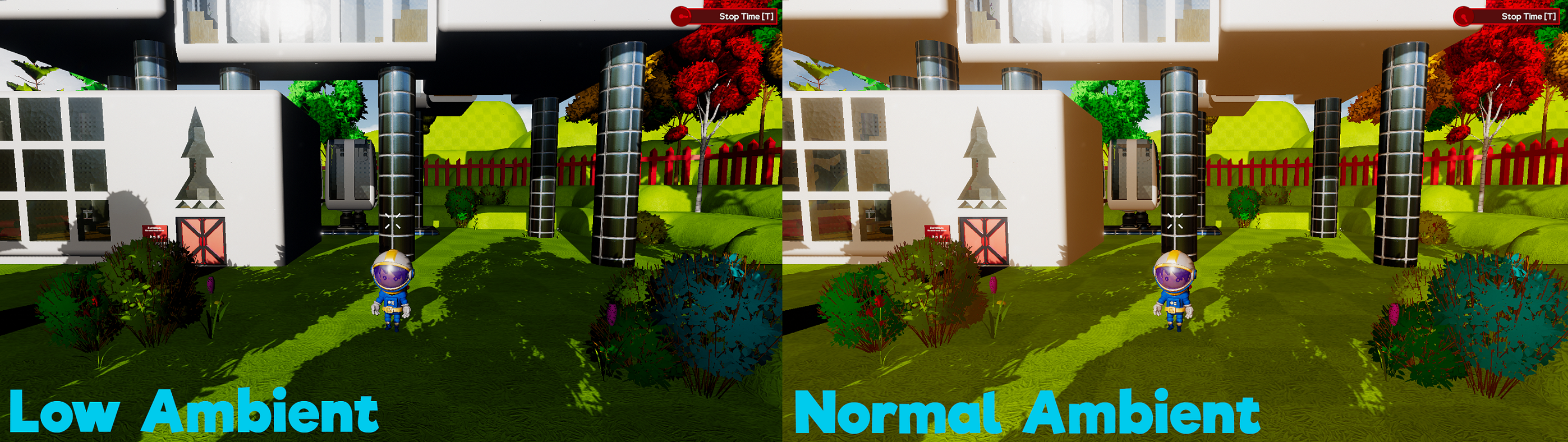
Pro Tip: If you have multiple Sunlight or Ambient Light blocks in your game, the one with the highest Brightness * Intensity stat will be active. You can use this to toggle different lighting throughout your game by lowering or raising the intensity of specific parts.
New Materials & Shapes
Bouncy
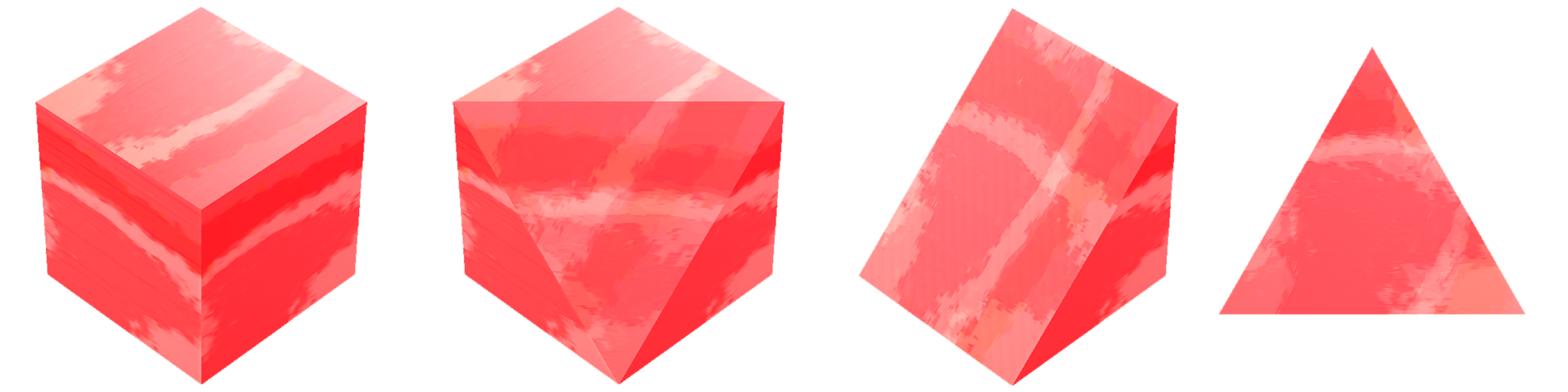
That’s right, bouncy is back! Rubber cubes were previously bouncy but had to be removed for a number of reasons. We’ve brought them back as a separate material in the base 4 shapes. These parts will bounce on impact and have low friction.
Unlit & Glow

These two new materials are a bit special. Neither of them receive or reflect any light, which makes them perfect for a variety of gameplay and aesthetic purposes, such as creating a completely black void for your space game.
Unlit Glow cubes emit an intense bloom effect, which could be used in place of lights in some areas to create the illusion of glowing or lit areas.
Shapes
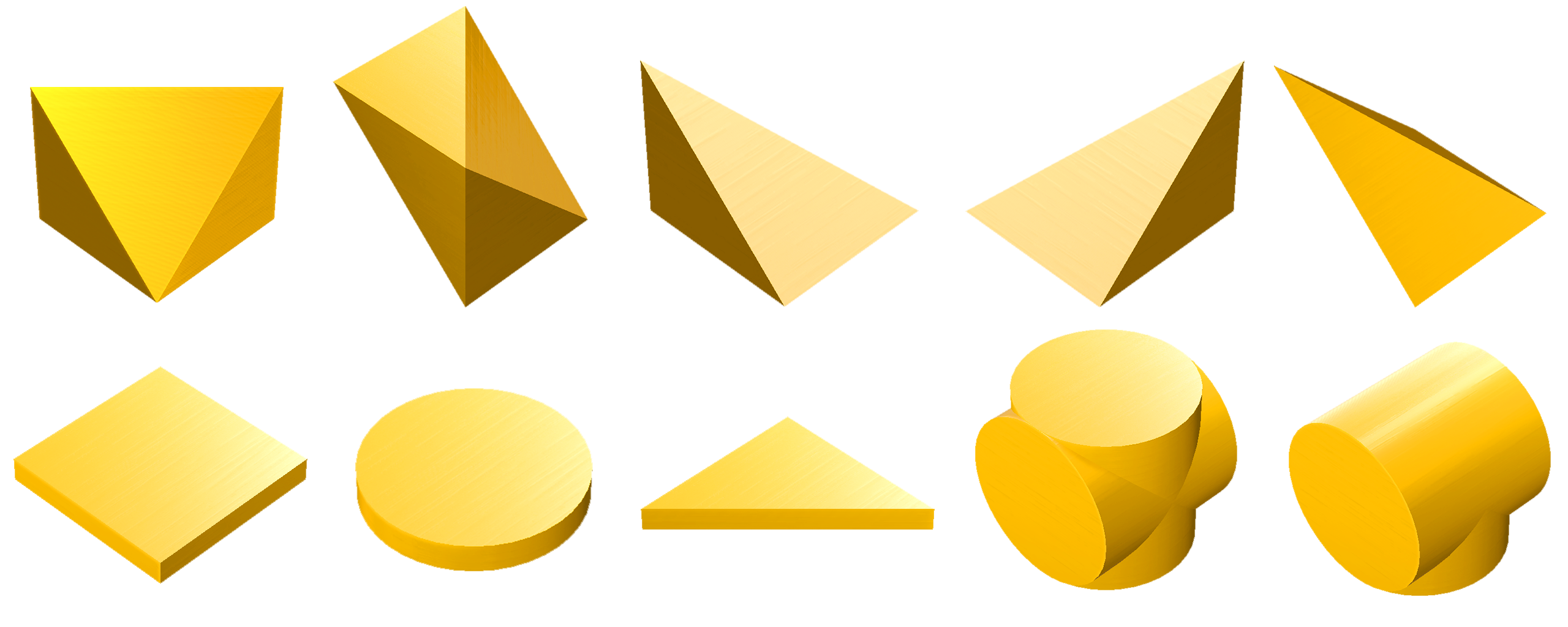
Based on community requests we’ve added in a bunch of new shapes. These will be available in multiple materials, excluding the Plates which are only Aluminum.
Sliced & Pyramid Segments
We have 5 new shapes designed to fill some of the smaller gaps that are appearing in builds:
- Sliced Fraction
- Sliced Slope
- Half Pyramid (Left & Right)
- Pyramid Sliced
Plate Square, Circle & Triangle
There are a couple of new shapes that fit perfectly on the end of cubes, tubes and triangles that take up the same space as a Text Block, without the extra text functionality. These parts can only be scaled in two axis, in the same way as Text Blocks.
Tube Cross & Tube T
These two shapes offer more connections between Cylinders and Tube Corners.
We’ve also added Tube Corner shapes to all base materials that were missing them (Oiled, Rubber, Glass, Wood, Iron and HexNet).
Balls
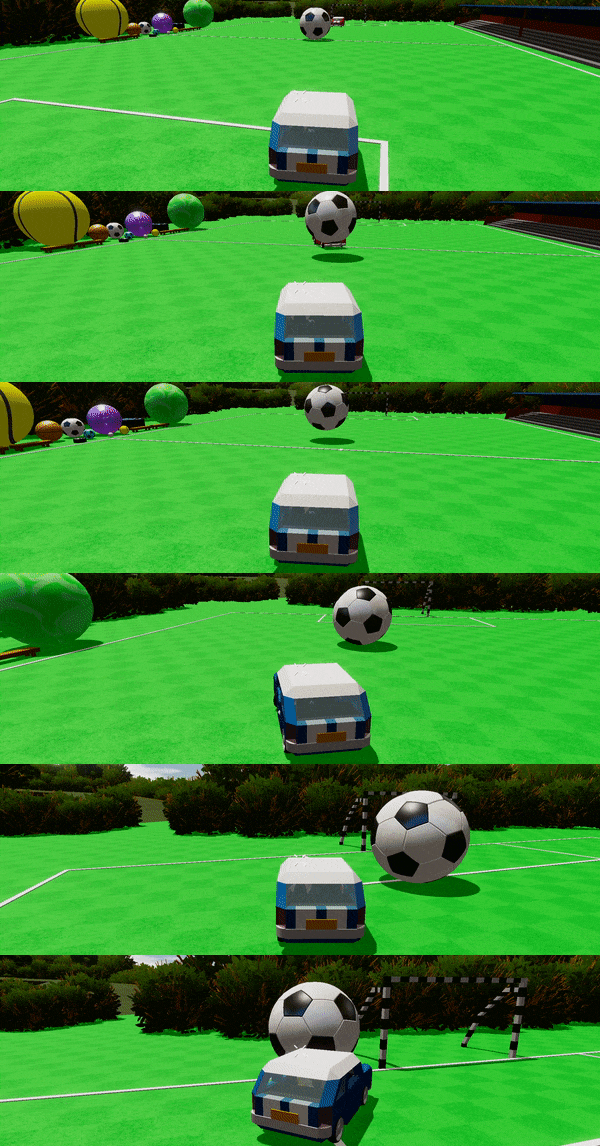
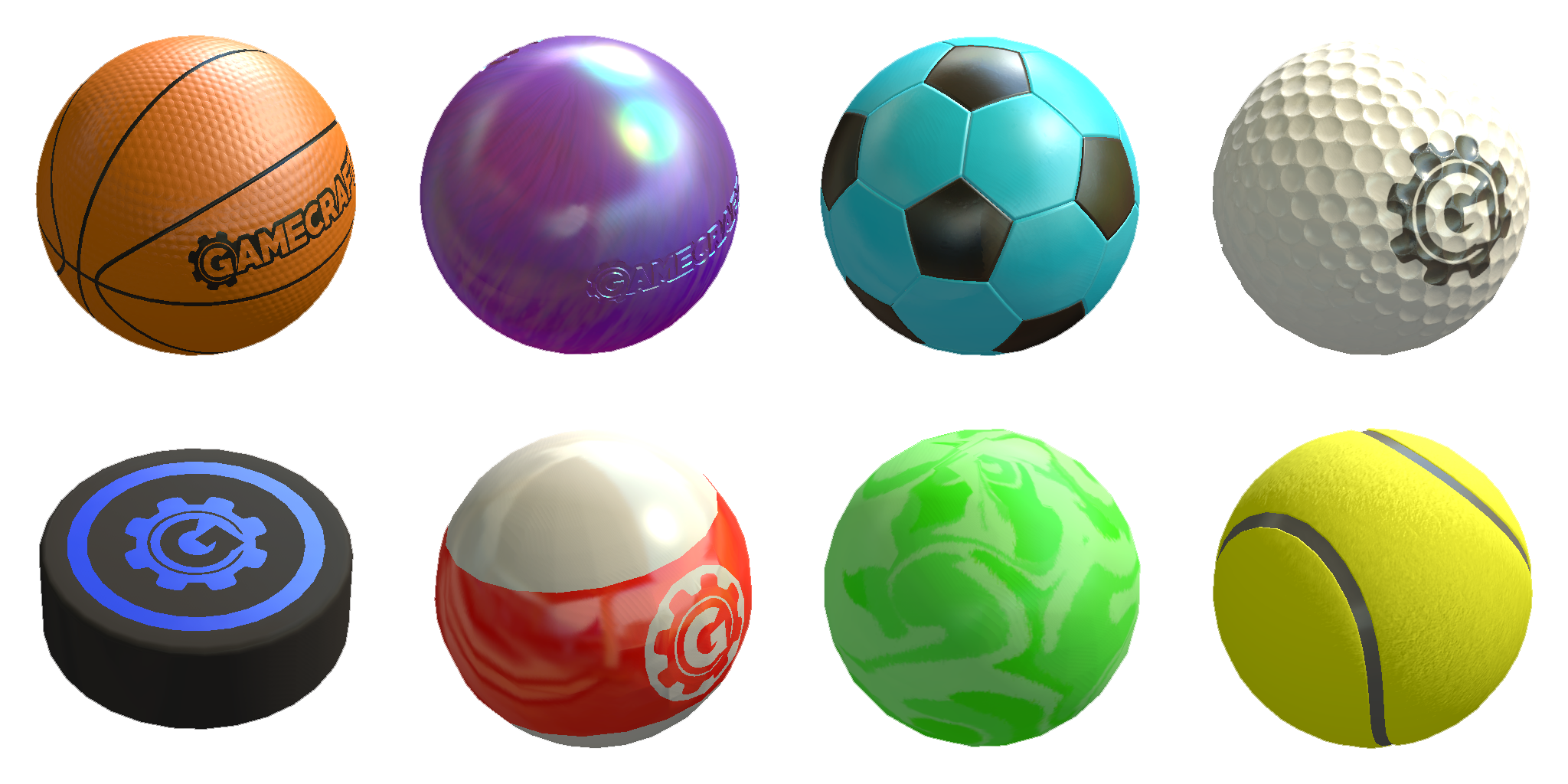
We’ve added some new cosmetic, functional balls as well. Each of these sport-themed balls has its own properties so we’re sure you’ll find the right one for your games:
- Basketball
- Bowling ball
- Soccer ball
- Golf ball
- Hockey puck
- Pool ball
- Bouncy ball
- Tennis Ball
Changes to existing materials
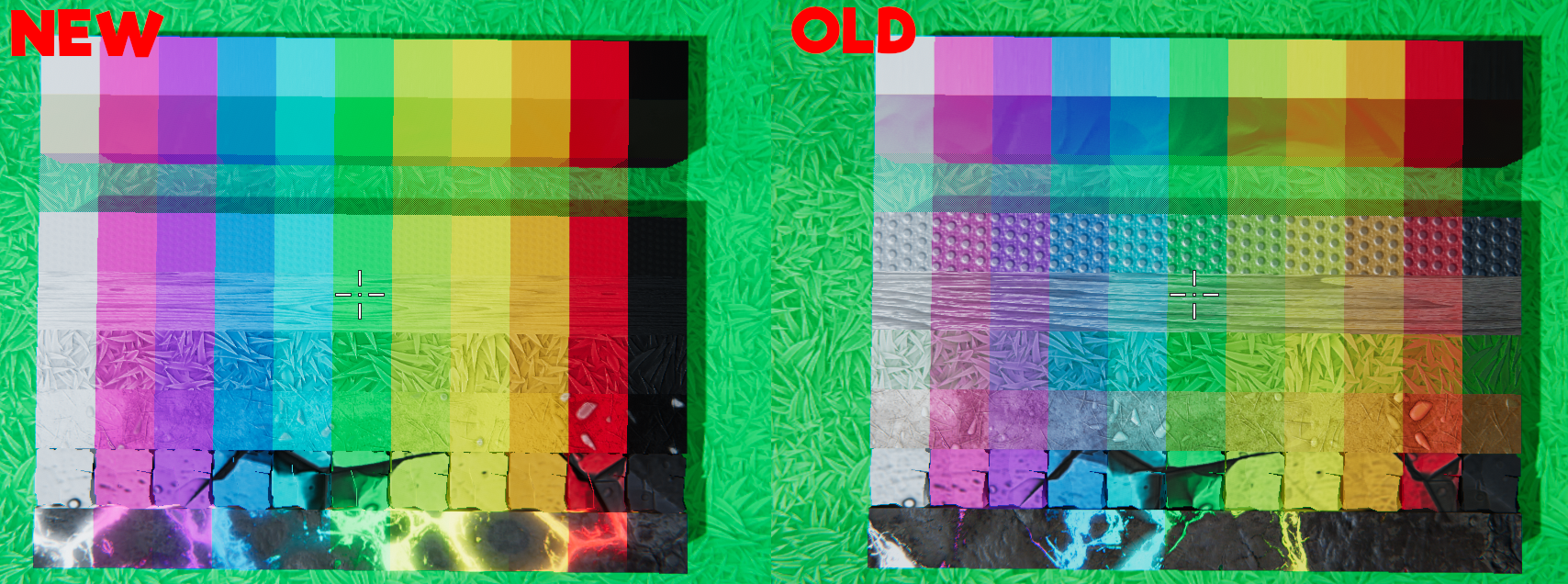
We’ve made some changes to some of the existing material with the goal of letting their color be a lot more noticeable and vibrant.
- Aluminum - These parts now have less specular, so they’ll reflect less. This also applies to Text Blocks, which could be completely unreadable in the wrong light.
- Oiled Steel - The iridescent color of this has been reduced considerably to give it a flatter, shiny color that’s really distinguishable now.
- Grippy (Rubber) - The bumpy surface has been toned down quite a bit, giving this more of a ‘matte’ feel. The color is also much more prominent now.
- Wood - Now takes on more of the applied color.
- Grass & Dirt - Now takes on more of the applied color and is a little darker overall.
- Cliff - Takes on more of the applied color.
- Magma - Smaller tiling so you never end up with a block that has barely any ‘magma’ in it. Also takes on more of the applied color.
Audio Changes
We’ve overhauled a couple of key areas or audio in this update. There’s still more room for improvement in other areas that we’ll be looking into and will revisit these latest changes based on your feedback.
Collision Impact
The audio that plays whenever two parts collide has been changed completely with new sounds for each material. We’ve added new sizes for more variation and made it so that the materials have a bigger role in the sounds. Overall we’re very happy with how all of this sounds. We’re still going to be tweaking this over time based on feedback so let us know what you think!
Destruction
Similar to the collision rework, we’ve changed up the audio that plays when a part is destroyed and smoothed things out to sound much, much more satisfying.
New sounds
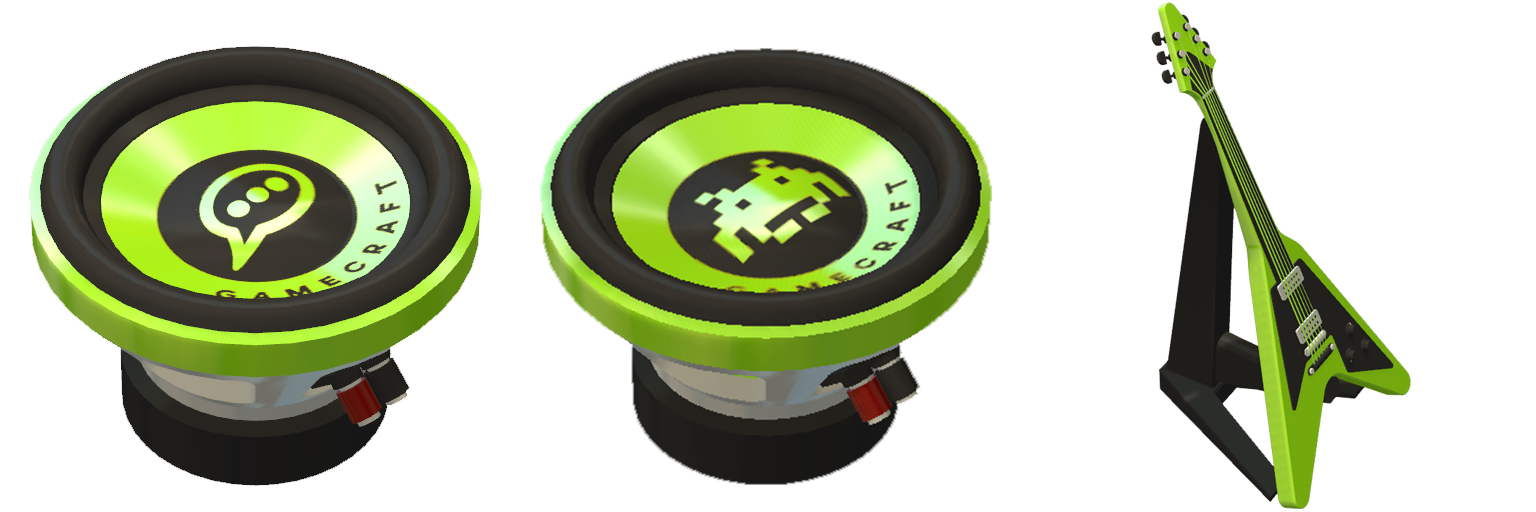
- Mob Sound Block - This new block comes with 22 tracks across a variety of themes such as Animal, Human and Witch
- New Music Block tracks - 6 new tracks, including the old crafting BGM
- New Vocal Block tracks - 8 new robot themed tracks
We’ve also changed the BGM music that plays while crafting to fit better with the new main menu music. The sound effect for starting/stopping time has also been changed to be a little less intrusive.
Other Changes
- Rubber has been renamed to Grippy
- The crosshair hint that appears when hovering over a configurable part will now appear in all other modes
- Crosshair hints have been centered
- Trigger volumes are a bit less opaque now, making it easier to see when multiple are overlapping
- We’ve started adding LODs to more parts
- Fog is currently disabled, but don’t worry, we’re working on bringing it back with more options in the near future
- Health Modifiers have been renamed to Chunk/Cluster Destruction Managers
- Health of doors has been increased
- When a player is connecting to a multiplayer server, any players in the game are locked in place until the connection finishes to help smooth out the process
Bug Fixes
- Fixed a bug where Hemisphere shapes were all being treated as Aluminum
- Fixed a bug that caused Leo to gain unintended speed when walking over or near small parts
- Fixed an error that could occur when deleting wires while at a low framerate
The Gamecraft Team