FPS Monitor – hardware in-game & desktop overlays

Eduard Kozadaev

Released
Nov 9, 2018
Platforms
Last updated
Wishlist on SteamAdd it on the Steam store page. Opens in a new tab.

Updates & announcements

20 posts
  1. Developer post

    📊❓ FPS Monitor Dev Q&A + VisiMouse and X-Magnifier giveaways on Discord

    We’ve launched a dedicated «Q&A with the devs» channel on our Discord server. Ask about FPS Monitor, overlay setup, compatibility, and future plans - we’ll collect questions and post detailed answers soon. 🎲 Bonus for everyone: we’re still running key giveaway waves for our

  2. Developer post

    🖱️VisiMouse - our new project: level up your cursor system-wide and in games

    📊 Greetings, FPS Monitor community! You’re used to keeping performance under total control. Now it’s time to take control of every pixel of your cursor as well. Introducing VisiMouse - our brand-new app that forever changes how your mouse pointer looks and behaves in Windows and

  3. Developer post

    🤫 Get Early Access: secret Playtest of our app

    👋 Hello, everyone! 🔑 We’re giving out a limited number of keys to our new gaming-adjacent tool (not released yet). Do you want a chance to get such a key? Put a reaction 🎲 under the announcement post in our Discord 👉 "Game Overlays" - Click here 👈 ❗ Simple condition: you’ll

  4. Developer post

    🎄 Preparing monitors for the New Year! Results and a touch of magic.

    Friends, the FPS Monitor team is stringing up the lights and getting ready to send this year into history! 📅🎉 2025 was a hot year: you broke records, and we worked hard to ensure the numbers in the corner of your screen were accurate, informative, and didn't interfere with your

  5. Developer post

    ❄️ Final discounts of the year! Enhance your gaming experience!

    Hello friends! Winter is in full swing, and so is our final sale of the year! Until January 5th, you can grab our programs at fantastic discounts. It's the perfect chance to upgrade your gaming experience or give an awesome gift to a gamer friend! Hurry while the prices are red-h

  6. Developer post

    🔎 Announcement of our new utility, X-Magnifier

    Hello, everyone! 🔎 While working on a major update for FPS Monitor , we came up with a new program that you might like :) It's called X-Magnifier — an improved version of the built-in Windows screen magnifier, designed specifically for gamers. It's great not only for gaming, but

  7. Developer post

    Update #5520 - Support for new hardware, new EAC games, updated scenes

    📢 Change log for update 5520: Added and improved support for new hardware, including Nvidia RTX 5090, 5080, 5070, 5060 (Ti) versions, as well as AMD Radeon RX 9060 XT and 9070 XT (GRE) Improved compatibility with Intel Arc A580, 750, and their equivalents. In the pre-installed s

  8. Developer post

    Update #5510 - Support for new hardware

    A small update #5510 with support for new hardware: Added support for Nvidia RTX 5000, Radeon RX 9070, Radeon RX 9070 XT, etc. Fixes for all OpenGL games.

  9. Developer post

    Update #5500 - Working with EAC games, FPS limiter hotkey

    Hi. We're here with some good news for you! The most interesting aspect of this update is that FPS Monitor can once again work with games that use Easy Anti-Cheat. We have prepared a special workaround that allows us to inject our DLL, signed with an old digital certificate that

  10. Developer post

    Build #5490 - A small, but important update

    Changelog for this update #5490: Added and improved support for the latest hardware Fixed not visible by default AMD GPU 78xx, 79xx Core Clock and Voltage Fixed bad localization of the Benchmark extension Fixed wrong alert colors for fractional values Fixed bug where hook dll was

  11. Developer post

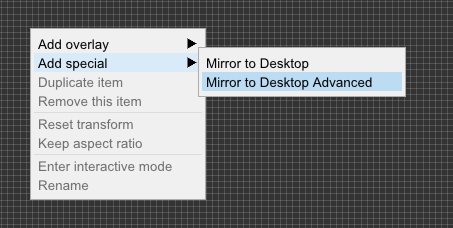
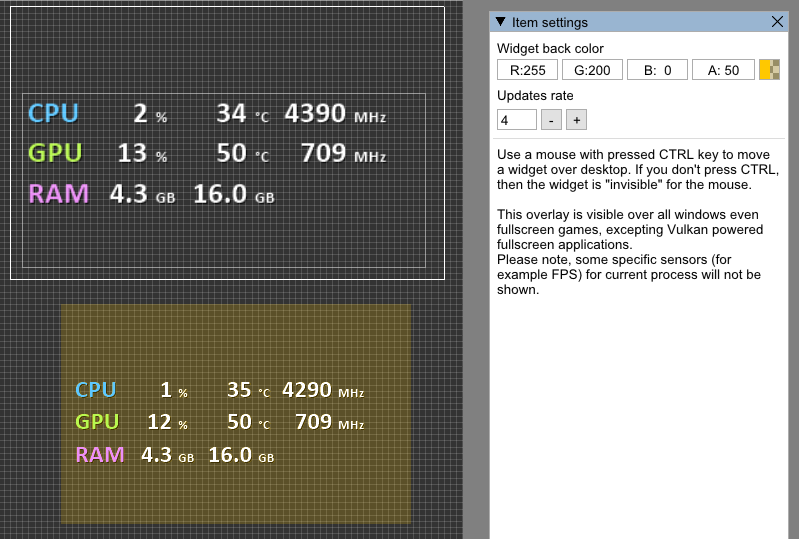
    Build #5472 - Sensors update and new Mirror to Desktop Advanced overlay

    Changelog for this update #5472: Hardware access module is updated to access the latest PC hardware (Nvidia RTX 4000, AMD CPU and GPU 7000 series etc) Fixed monitoring of legacy CPU Usage on Windows 11. You are no longer required to use alternative CPU Utility sensors as in versi

  12. Developer post

    Build #5440 - Minor update for hardware sensors

    This build has updated hardware sensors module which fixes the issue with wrong CPU usage on Windows 11 after latest Windows updates (22H2). Added "Total CPU Utility" sensor in CPU block. If you see the difference between FPS Monitor and Task Manager, try to use this sensor inste

  13. Developer post

    New release #5435 - Chagelog

    Hello everyone! This minor update fixes incompatibilities with some games, for example Apex Legends, as well as changes from the last beta 5420: We found the cause of the problems with Escape from Tarkov Compatibility fixes with UWP games Added and improved support for new hardwa

  14. Developer post

    We found the reason for the incompatibility with Escape from Tarkov

    Hello boys and girls! If you play EFT then this information will be useful for you. We've received reports of overlays disappearing after a few minutes of mission gameplay. They disappeared only in PvP mode and not in PvE. A lot of tests and experiments haven't shown anything use

  15. Developer post

    Intel Alder Lake support in the new release 5410

    Hello everybody! We wish you a merry Christmas and happy New Year! :) 📚 Here is a new update #5410 for FPS Monitor. Added Intel Alder Lake CPUs support and motherboards with Z690 chipset Fixed Forza Horizon 5 compatibility Fixed Detroil: Become Human compatibility Better Vulkan-

  16. Developer post

    Update notes for build 5400

    List of changes in this minor update Fixed Forza 4 compatibility Fixed Path of Exile compatibility Better Vulkan games compatibility Minor fixes and improvements in black list, sysinfo benchmarks

  17. Developer post

    Update notes for build #5360

    Changes in this new version: Fixed bug with "start with Windows" feature Fixed bug when some hotkey event is not fired if you press Shift, Ctrl or Alt with this hotkey. Better UWP games compatibility Better FiveM mod compatibility Better Vulkan games compatibility

  18. Developer post

    Update notes for build #5305

    Changes in this new version: Better compatibility with GTA V mod FiveM Fixed serious Vulkan API bug which can produce crashes on a game start up Updated hardware code to fix problems getting sensors from integrated GPU

  19. Developer post

    Hotfix for #5300 release

    Build #5303 Fixed "lost" DIMM temperature sensors Fixed possible infinite hardware initialization

  20. Developer post

    GeForce RTX 3060 support in the new release 5300!

    Hello everybody! The 5300 release is now available! Run to download 🧲 We have updated our hardware code and FPS Monitor now supports new NVIDIA RTX 3060! 📗 Other changes: ➤ Support for new cards NVIDIA RTX 3060, AMD Radeon RX 6800 and RX 6900 series ➤ Improved monitoring and fi