Unity Security patch
# LIV 2.16.3 ## Changelogs - Updated version used to build Unity for security reasons.
# LIV 2.16.3
## Changelogs
- Updated version used to build Unity for security reasons.

# LIV 2.16.3 ## Changelogs - Updated version used to build Unity for security reasons.
# LIV 2.16.3
## Changelogs
- Updated version used to build Unity for security reasons.
This patch release only consist of internal fixies with LIV's error reporting within VIVR.
This patch release only consist of internal fixies with LIV's error reporting within VIVR.
# LIV 2.16.1 StreamerKit Fixes! Twitch deprecated and retired some older APIs we were still calling onto. This update restore the following Twitch EventSub functionalities in LIV StreamerKit: - Follow notifications - Subs notification - Bits notifications - Point rewards notifica
# LIV 2.16.1
StreamerKit Fixes!
Twitch deprecated and retired some older APIs we were still calling onto. This update restore the following Twitch EventSub functionalities in LIV StreamerKit:
- Follow notifications
- Subs notification
- Bits notifications
- Point rewards notification (for custom created rewards)
- Viewer count
Due to limitations of the Twitch API, the viewer count only update every few minutes, and StreamerKit may display a cached value.
You may need to log out on StreamerKit and log back in for the updated auth scope to take effect.
We're excited to announce that LIV now officially supports VRCFaceTracking (VRCFT)! This update allows you to use a variety of face and eye tracking hardware to bring your avatars to life in mixed reality. What's New: Full integration with VRCFaceTracking Support for various trac
We're excited to announce that LIV now officially supports VRCFaceTracking (VRCFT)! This update allows you to use a variety of face and eye tracking hardware to bring your avatars to life in mixed reality.
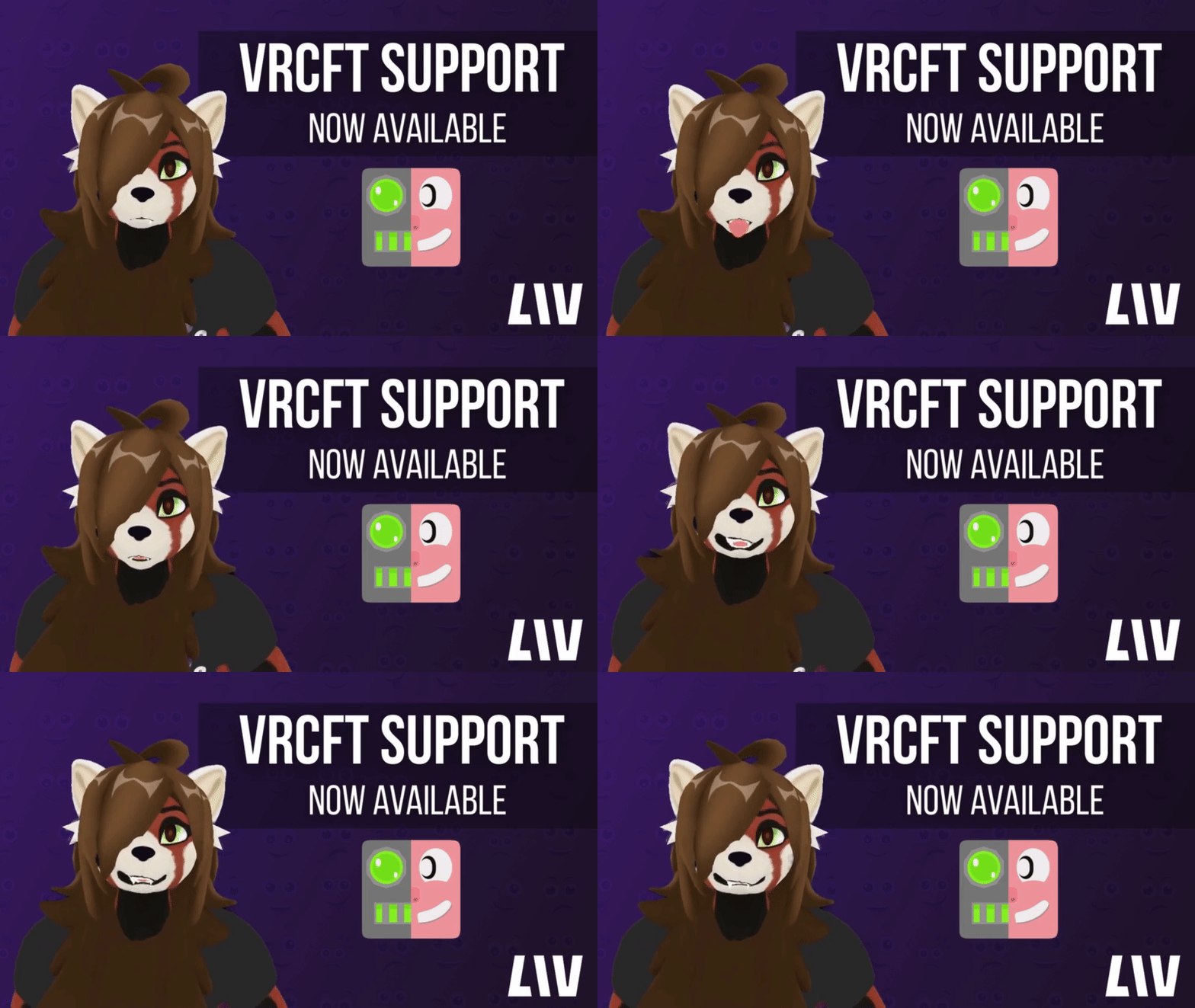
Simply run both LIV and VRCFaceTracking, then select VRCFT via OSC in LIV's in-VR avatar settings under Eye Animation & Mouth Animation. Your avatar's facial expressions will now match your own!
Avatar Compatibility: This feature works with any avatar format LIV supports, as long as it has the appropriate blendshapes. Any avatar designed for VRCFT should work seamlessly.
For complete setup instructions, troubleshooting tips, and more detailed information, please visit our help center: https://help.liv.tv/hc/en-us/articles/26419841448082-BETA-VRCFT-Support-in-LIV
We can't wait to see the expressive content you create with this new feature!
P.S Thanks to avatar creator RADICALnorm for letting us use their avatar in these tests and featured in the GIF, you can find their RED panda avatar on their Gumroad.
What's New: 🔄 Improved OpenVR Room Rotation The OpenVR room rotation slider now only applies when you release the slider, preventing your VR world from spinning like a tornado if you dare to attempt to use it from inside your headset! ✊ Keep Hands Closed Toggle for Avatars That'
The OpenVR room rotation slider now only applies when you release the slider, preventing your VR world from spinning like a tornado if you dare to attempt to use it from inside your headset!
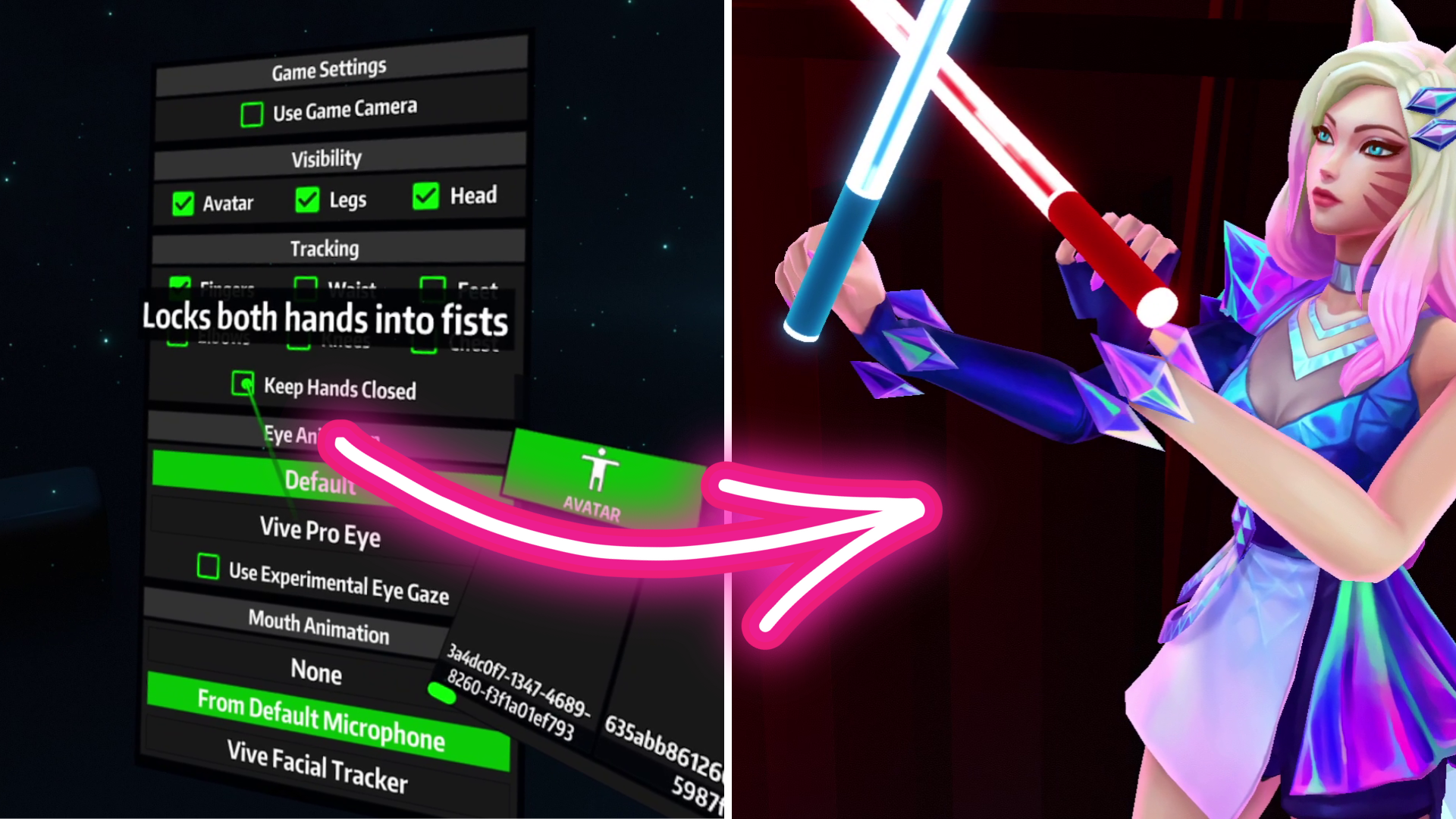
That's right - you can finally keep your avatar’s hands closed. This is especially useful for Beat Saber players who want their avatar's hands to stay closed around saber handles.
Note about avatar hand poses: The closed hand position is captured from the avatar itself, so it may vary between different avatar models. This works great with Beat Saber avatars, but VRM compatibility may vary.
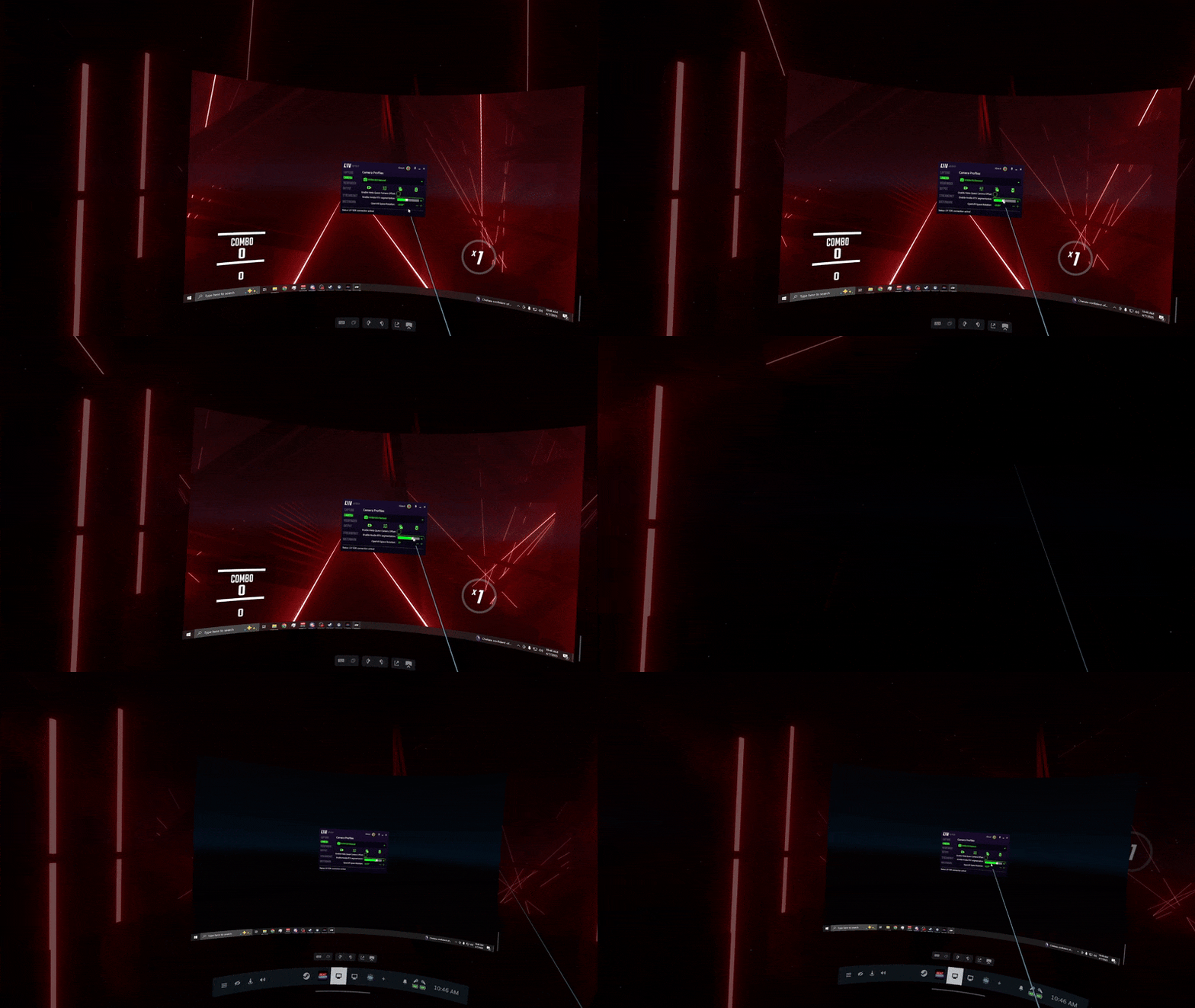
We've added XYZ position settings to the viewfinder tab for avatars, giving you more precise control. If you have 'HUD' selected as placement (where the viewfinder follows your head movements), you can now fine-tune its exact position using these XYZ controls!
Create mixed reality content without a green screen using NVIDIA GPU technology! See yourself in supported SteamVR games, like the recently released Trombone Champ: Unflattened! What's New: Background removal using NVIDIA GPUs (requires RTX 20XX, 30XX, or 40XX series) Two modes a
Create mixed reality content without a green screen using NVIDIA GPU technology! See yourself in supported SteamVR games, like the recently released Trombone Champ: Unflattened!
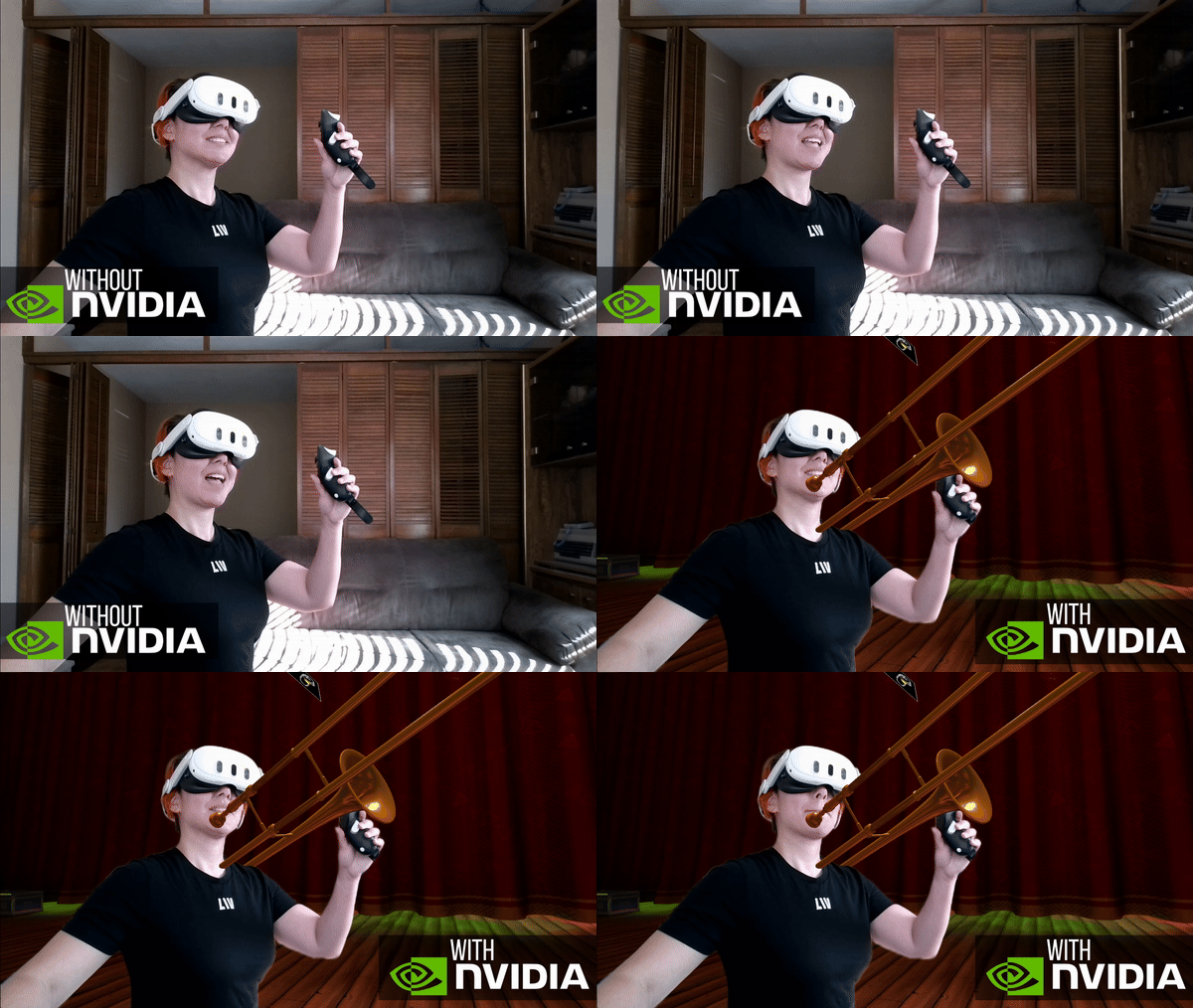
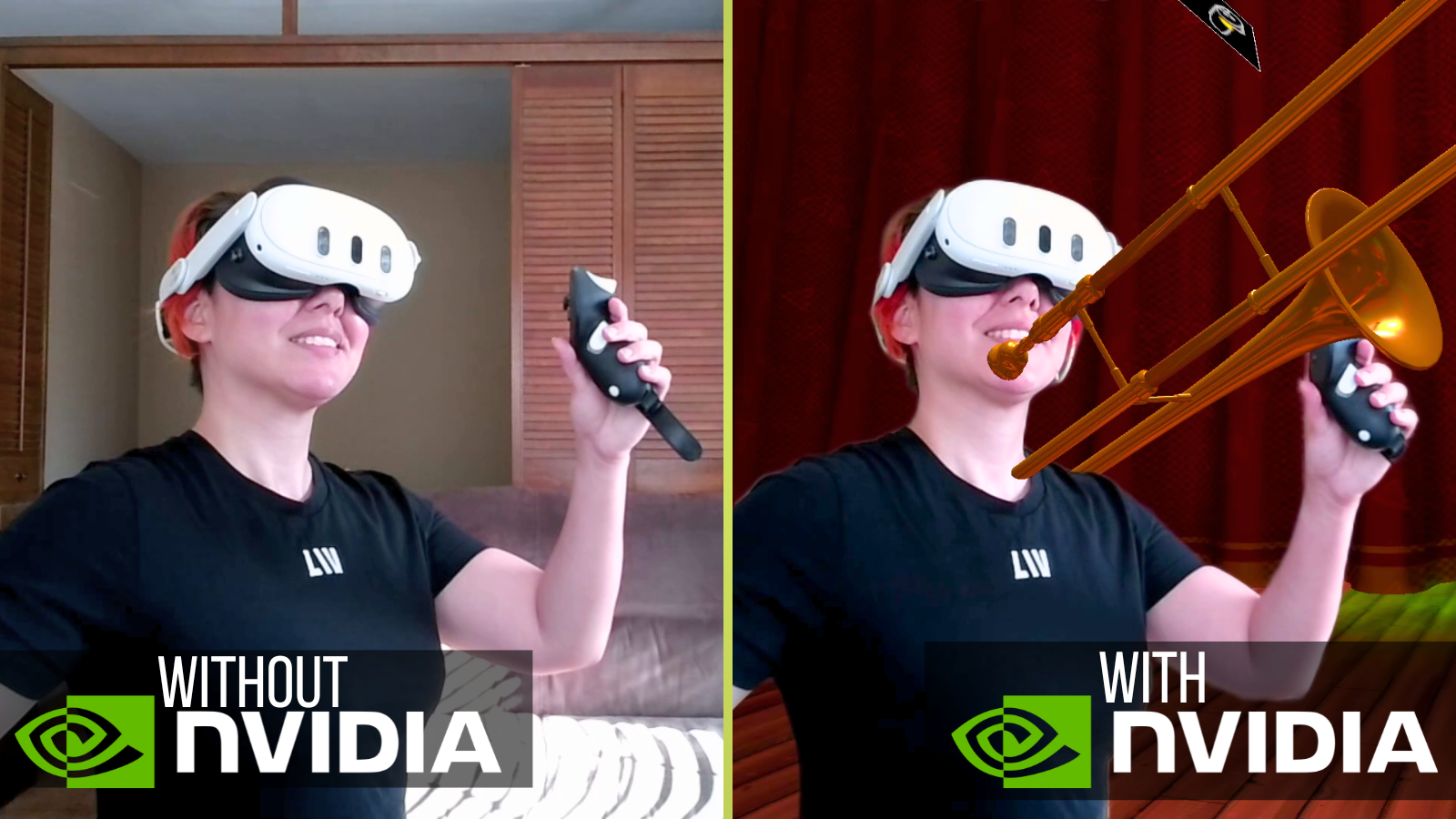
For full background removal setup instructions, check out our help guide: https://livvr.zendesk.com/hc/en-us/articles/23019163869458
A small update with 2.13.3 Passthrough Mixed Reality with Presence Platform support out of BETA Small UX updates on the Welcome page Security updates to the JSON libraries Updated to telemetry data sent
A small update with 2.13.3
LIV has officially partnered with Meta to become the go-to PC capture solution for Meta Quest! This multi-year collaboration will bring LIV's cutting-edge mixed reality capture and virtual camera technology to developers publishing on the Meta Quest platform, and soon, to creator
LIV has officially partnered with Meta to become the go-to PC capture solution for Meta Quest! This multi-year collaboration will bring LIV's cutting-edge mixed reality capture and virtual camera technology to developers publishing on the Meta Quest platform, and soon, to creators using Quest apps.
You can read more about this partnership on our earlier blog post!
Smaller updates with 2.13.2
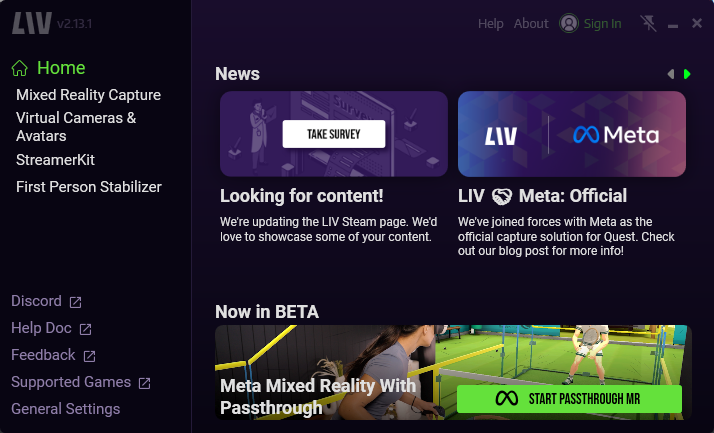
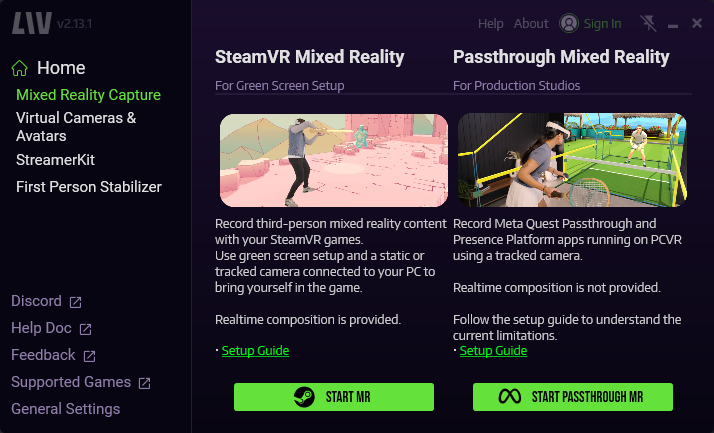
📢 Reminder: Quest on PC capture is no longer available as we focus on developing better Quest native capture tools. Stay tuned for updates!
LIV has officially partnered with Meta to become the go-to PC capture solution for Meta Quest! This multi-year collaboration will bring LIV's cutting-edge mixed reality capture and virtual camera technology to developers publishing on the Meta Quest platform, and soon, to creator
LIV has officially partnered with Meta to become the go-to PC capture solution for Meta Quest! This multi-year collaboration will bring LIV's cutting-edge mixed reality capture and virtual camera technology to developers publishing on the Meta Quest platform, and soon, to creators using Quest apps.
You can read more about this partnership on our earlier blog post!
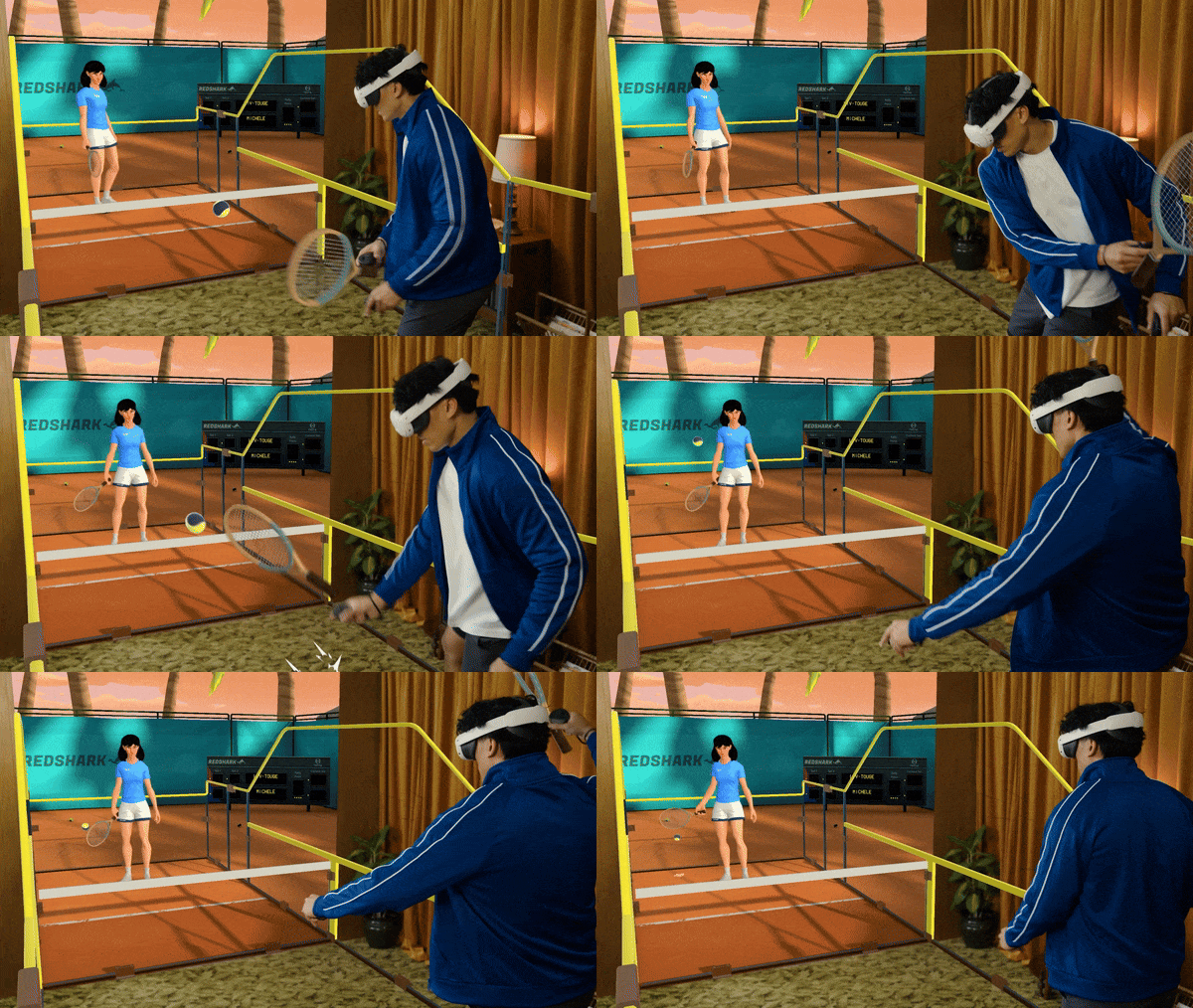
2.13.1 includes some of the new features to support Meta Mixed Reality. With 2.13.1, only Quest Games that have been specifically built to run on PC SteamVR are currently supported with Presence Platform. Typically, this means you're a Studio working directly with a Game developer to create Mixed Reality content with Passthrough support. You can review the help documents to see the current limitations. Recording Quest native games with LIV is not supported with this update.
Changelogs
2.13.0 were updates to beta branch public_beta_presence_platform
• Under capture> manual mode, you can now find a new "Dump + Presence Platform" option
• Fixed an issue with mixed reality stutter and repeated frames
• The output tab now includes a "Hide background" option to hide objects in passthrough mode
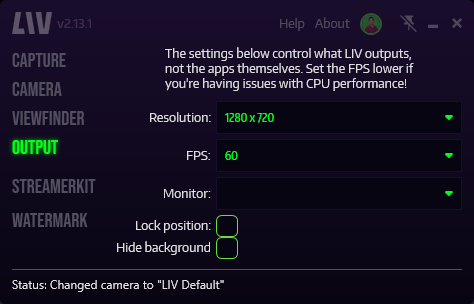
2.13.1 brings the beta features to the main branch
• Updates in 2.13.0 are now available in the main branch
• The Quest MRC tools are fully deprecated by Meta and have been removed from the LIV App.
• Fixed stuttering of the drone camera in avatar mode
• Reworked the control scheme for the drone camera
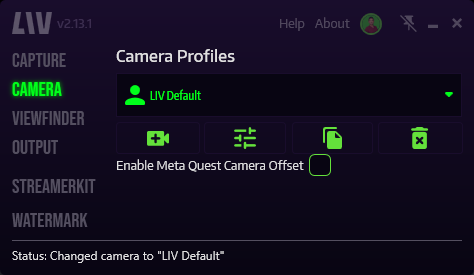
• Introduced a new option in the camera tab "Enable Meta Quest Camera Offset". This option, once enabled allows for correct placement of a camera defined by a SteamVR Tracker (Vive, Tundra, etc...) to be correctly represented within a game running under the Oculus runtime. It is disabled by default. This option must be manually enabled when using the LIV Compositor for capturing presence platform applications running on the Meta Quest PC runtime. If you're capturing a Steam game, this option should remain disabled.
We're excited to announce that Project Spatial, previously available as 'LIV Playtest', has graduated to its own dedicated Steam page ! What does this mean for you? The 'LIV Playtest' on this page has ended and is no longer availab.e Project Spatial is now available as a standalo
We're excited to announce that Project Spatial, previously available as 'LIV Playtest', has graduated to its own dedicated Steam page!
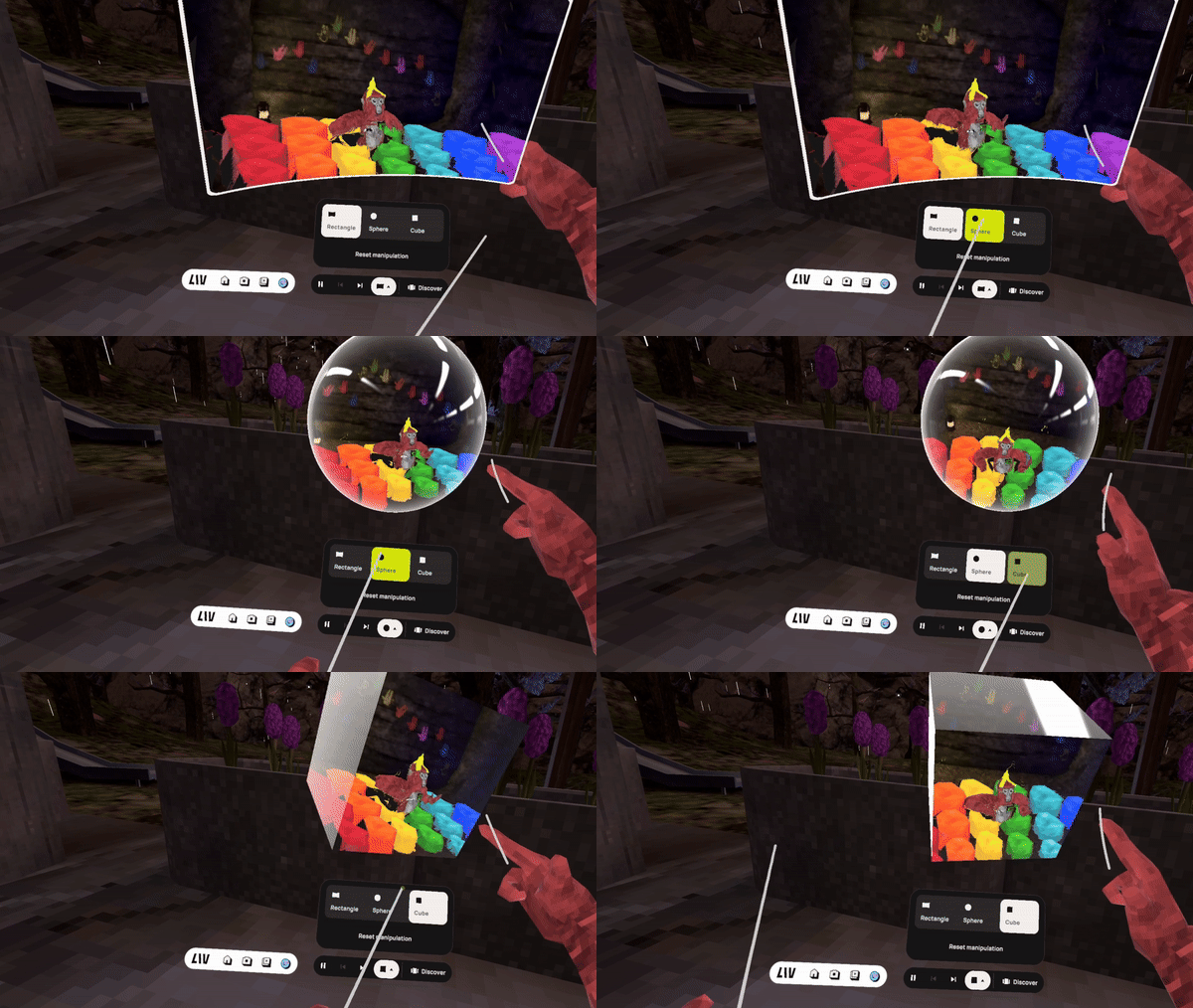
What does this mean for you?
🎉 Bonus Announcement: Public Recording Now Available! 🎉
With this move, recording capabilities are now publicly available in the new Project Spatial app. You can capture your Gorilla Tag adventures in full 3D and share them with the world!
How to access the new Project Spatial:
We want to thank everyone who participated in the 'LIV Playtest' phase. Your feedback has been invaluable in shaping Project Spatial into what it is today.We can't wait to see the amazing 3D content you'll create with Project Spatial!
The LIV Team
We're thrilled to announce that LIV has officially partnered with Meta to become the go-to PC capture solution for Meta Quest! 🤝 This multi-year collaboration will bring LIV's cutting-edge mixed reality capture and virtual camera technology to developers publishing on the Meta Q
We're thrilled to announce that LIV has officially partnered with Meta to become the go-to PC capture solution for Meta Quest! 🤝 This multi-year collaboration will bring LIV's cutting-edge mixed reality capture and virtual camera technology to developers publishing on the Meta Quest platform, and soon, to creators using Quest apps.
You can read more about this partnership on our blog post here!
This partnership will roll out in phases, beginning with the release of the LIV SDK version 2.0 beta, which introduces support for Meta Quest Presence Platform features like hand tracking, passthrough, anchors, and scene understanding.
Our primary goal is to enable the filming of mixed reality capture content in Meta Quest apps that leverage Presence Platform features, with an initial focus on trailer productions. If you're a production studio interested in getting onboarded with these tools, please reach out to us at [email protected]. 🎬
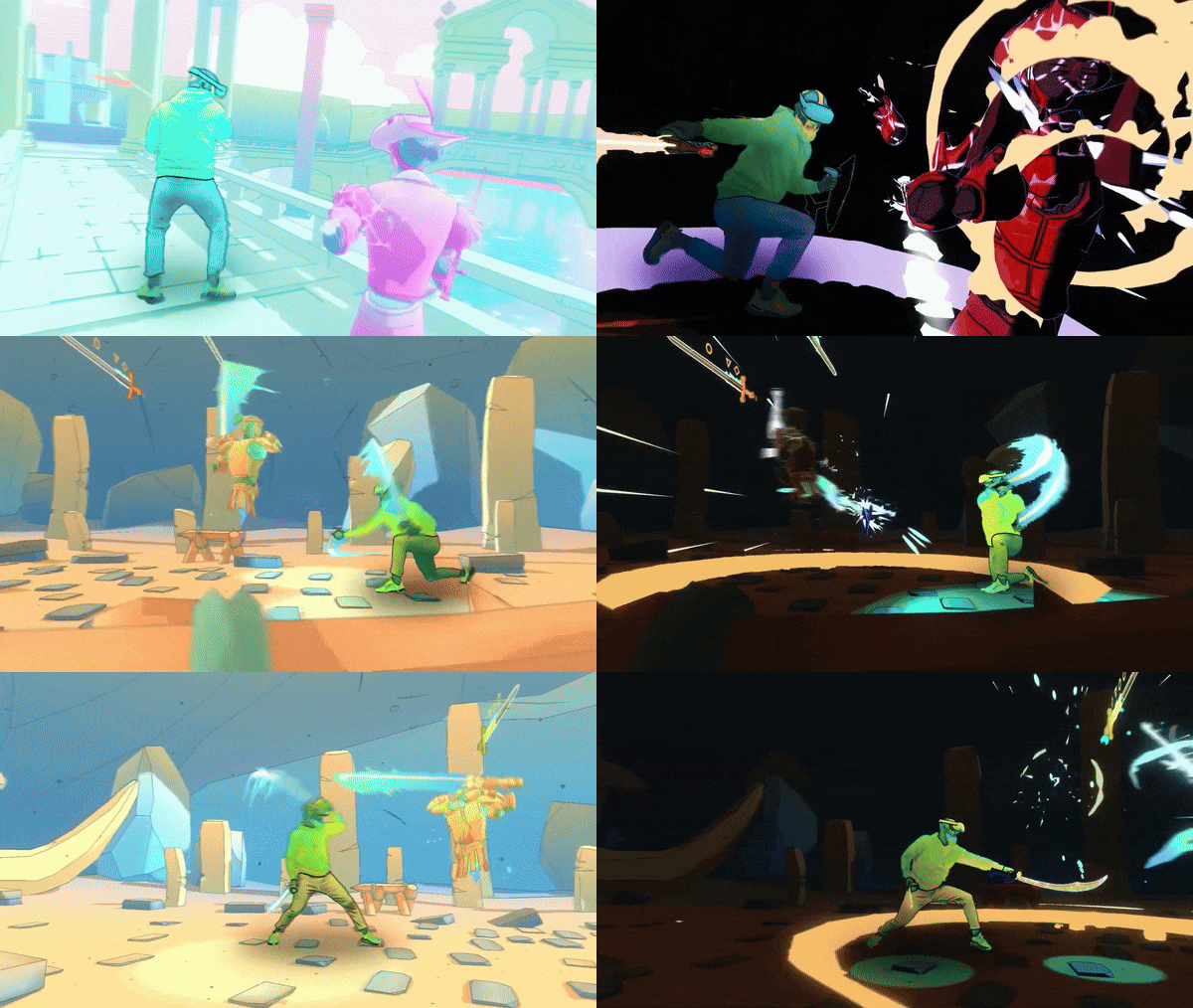
For Developers:
For Creators:
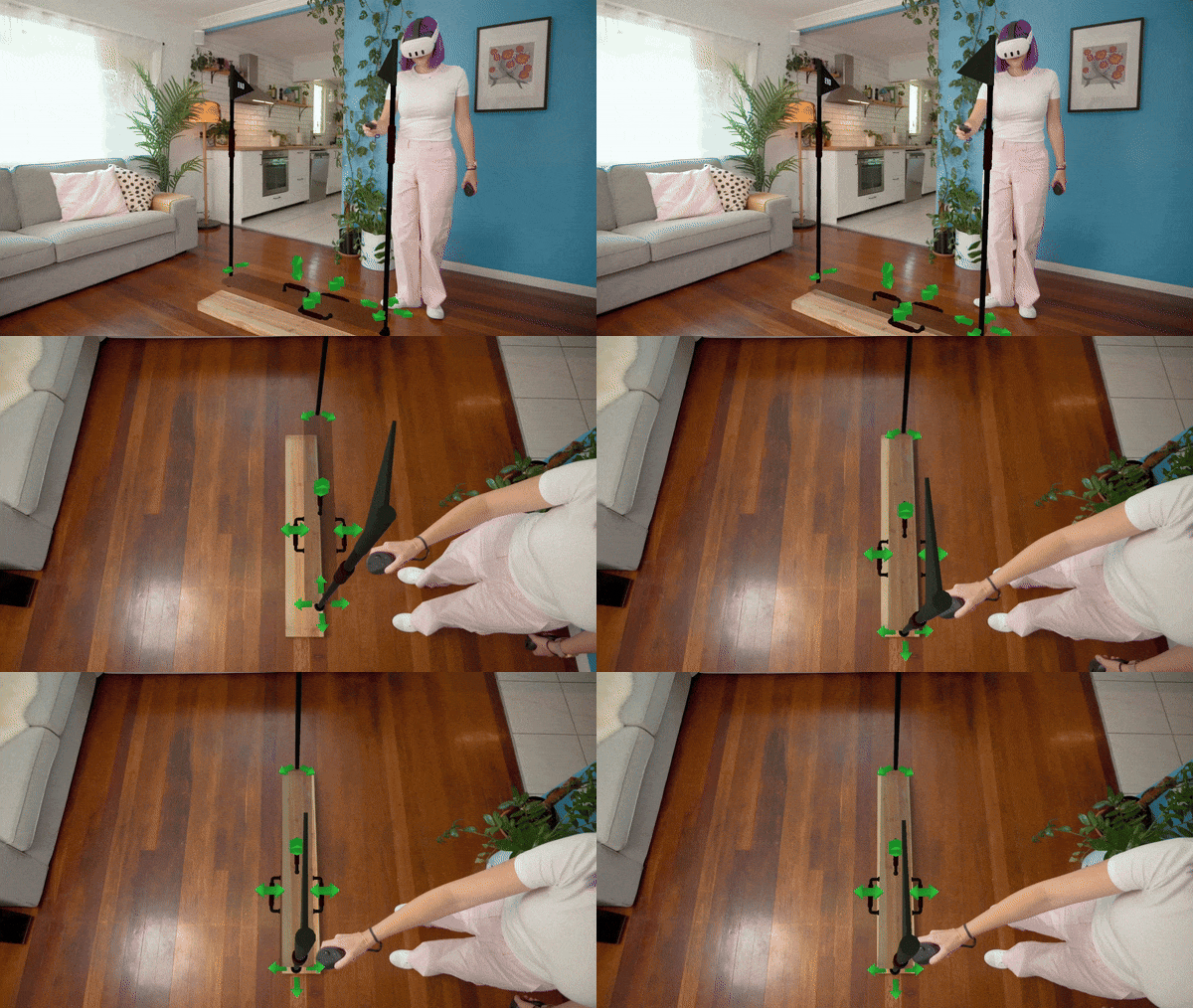
What's Next for Creators?
We're also developing Quest-native tools that will allow you to capture content directly on the Quest headset without the need for a PC. Stay tuned for more updates on this exciting development!
For those following our work on Project Spatial, we're focusing on enhancing rendering quality and performance, and we'll be inviting more creators to test the next build. If you'd like to stay up to date and help in future tests, join our Project Spatial Discord here.
📢 Other LIV App Updates: 📢
We're grateful for the opportunity to continue serving the VR community with Meta's support. This partnership will enable us to invest more resources into the LIV App on Steam and deliver even more powerful tools for capturing and sharing your VR experiences. 💪
Stay tuned for more updates and exciting developments in the world of VR content creation!
The LIV Team 💚

Changes: Code signing. Some of the main executables and libraries shipped with LIV are signed, helping avoid some of the false positives with anti-virus and anti-cheat solutions. Some behind the scenes housekeeping. Updated terms and conditions. Now properly referring to LIV Inc.
Changes:
The compositor may prompt you to reinstall an updated version of our SteamVR driver. This prompt is expected. Just follow the steps and restart SteamVR once!
Great news - Project Spatial is now available as a playtest on Steam for PCVR headsets! Project Spatial is an app that lets you view interactive VR volumetric gaming highlights in immersive 3D video formats. With these clips you can rotate around them, make them larger or smaller
Great news - Project Spatial is now available as a playtest on Steam for PCVR headsets!
Project Spatial is an app that lets you view interactive VR volumetric gaming highlights in immersive 3D video formats. With these clips you can rotate around them, make them larger or smaller, and truly experience the moment in time as the creator did.
The Steam version works as an overlay, allowing the clips to float inside your chosen SteamVR titles. Passthrough is only supported on the Quest app lab version currently.
If you want to be one of the first featured in our app, we’re still looking for more creators who would like to test making some recordings! You must have the Steam version of Gorilla Tag (for now) and be okay with the recorder having a bit of jank. Fill out this form here: https://bit.ly/4a4o505
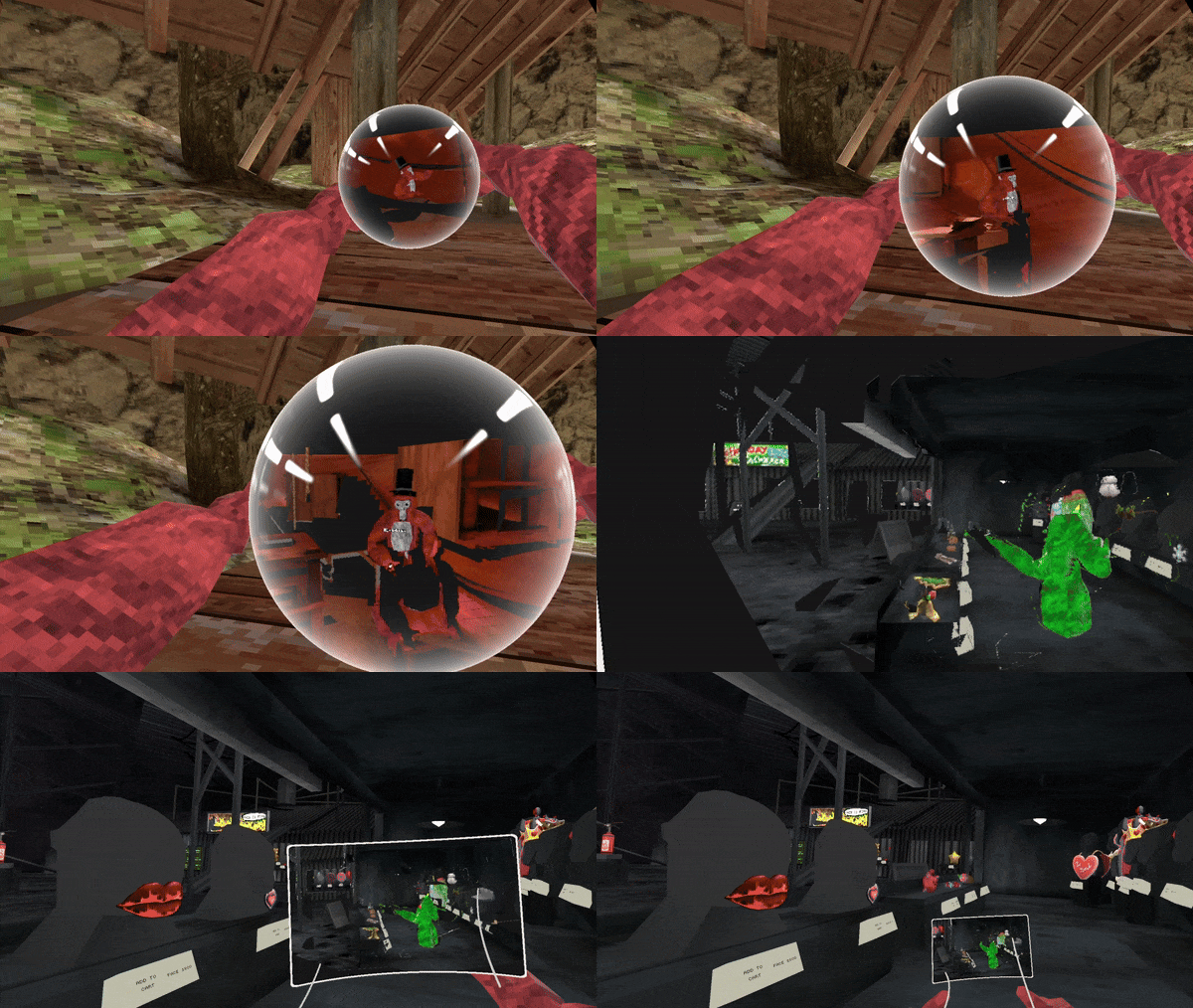
Since cross-platform support is still new, expect some bugs. If you check it out, please provide any feedback you have in #feedback on our Discord so we can squash issues and add some cool features!
As always, we’d love your feedback in #feedback or anonymously by form: https://bit.ly/48ElQjK
We're thrilled to invite you to join the alpha test of Project Calls, a groundbreaking social VR experiment that aims to revolutionize communication in virtual reality. This is an exclusive opportunity to be part of the very early stages of development and help shape the future o
We're thrilled to invite you to join the alpha test of Project Calls, a groundbreaking social VR experiment that aims to revolutionize communication in virtual reality. This is an exclusive opportunity to be part of the very early stages of development and help shape the future of social VR communication!
What is Project Calls?
Project Calls is a social VR experiment designed to redefine how you connect and communicate with friends while in virtual reality. Whether you're in VR or on your desktop, Project Calls enables cross-platform compatibility with the Steam or Quest version, providing you with unparalleled flexibility and accessibility.
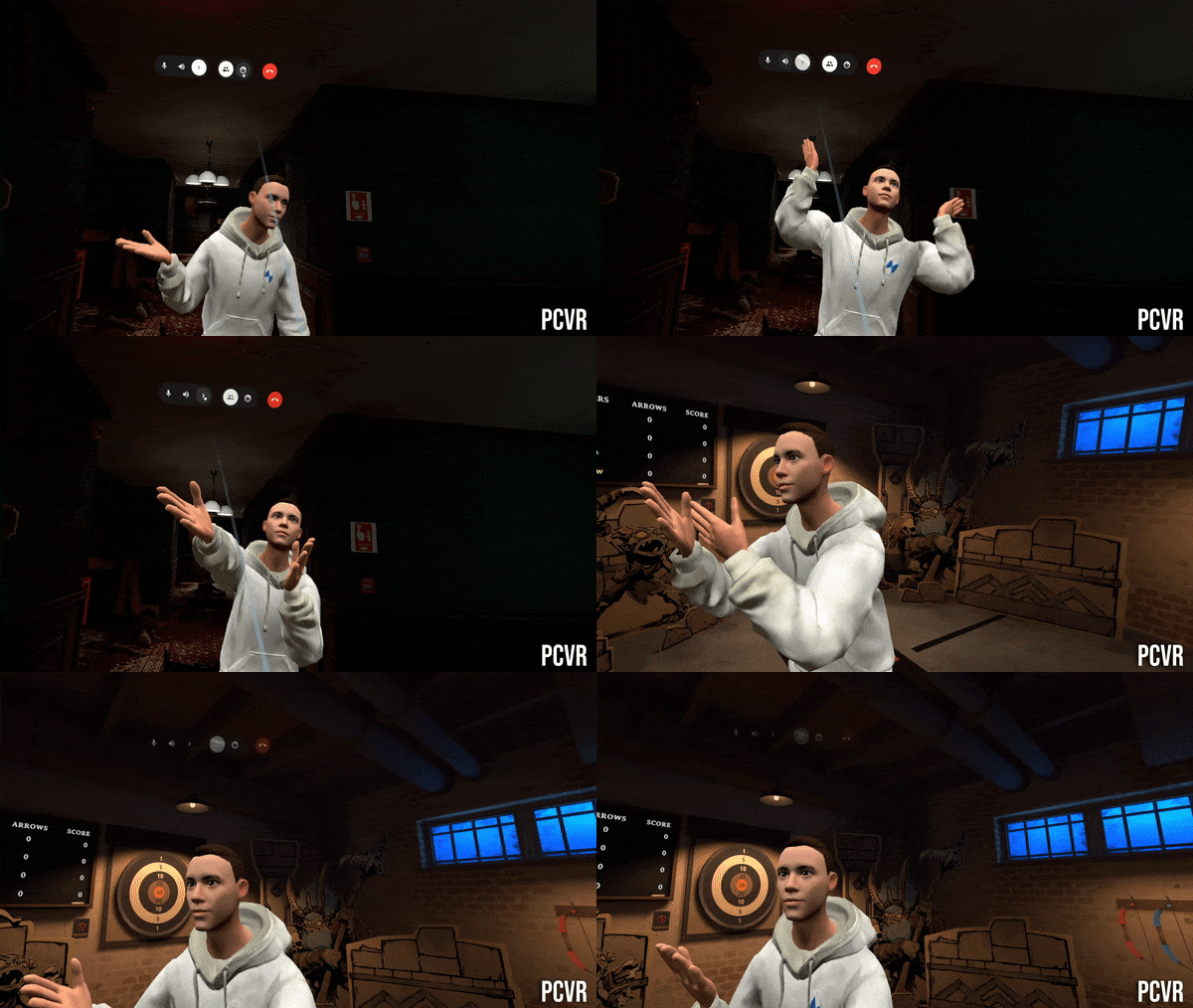
How to Participate:
To participate, all you need to do is fill out our participation form at liv.tv/waitlist. We're currently accepting testers for both the Steam and Quest versions, so choose the platform that suits you best.
Please note that for Quest users, we'll need your LIV profile username and Oculus email to provide you with the necessary instructions for participation.
Benefits of Testing:
By joining the Project Calls test, you'll gain exclusive access to this cutting-edge tool before it officially releases. This means you'll be among the first to experience its potential and provide valuable feedback to shape its development.
As a tester, you'll have the opportunity to:
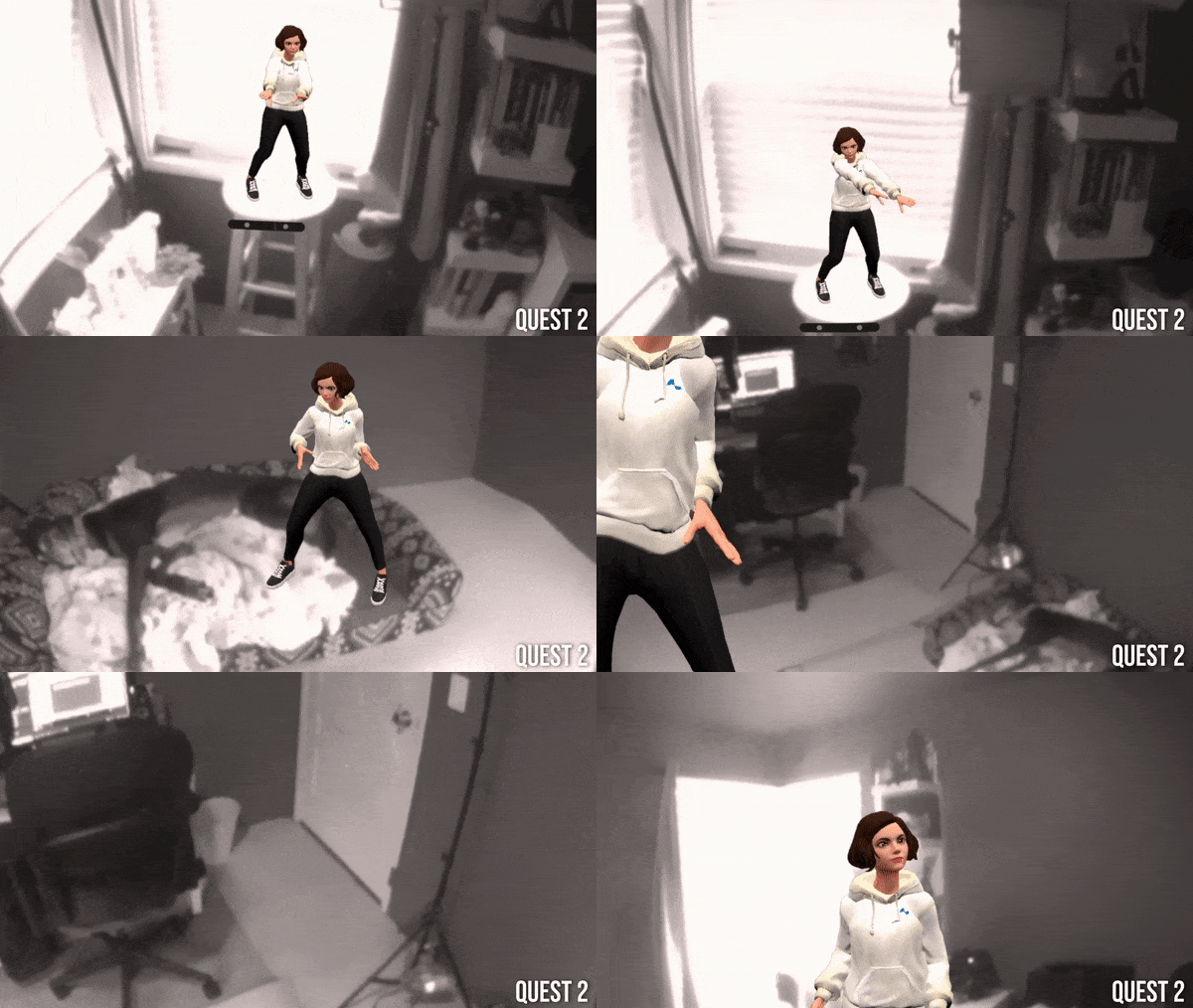
Feedback and Chance to Win:
Once accepted as a tester, you'll receive an email containing all the information you need to test, and a feedback form to share your thoughts and suggestions. We greatly appreciate your input and to show our gratitude, we’ll also be offering an incentive for high quality feedback!
Your feedback will play a vital role in refining Project Calls and making it the ultimate social VR communication tool.
Join Us Today!
Don't miss out on this exciting opportunity to be a part of the Project Calls test and help shape the future of social VR communication. Fill out the participation form at liv.tv/waitlist and embark on this incredible journey with us.
Thank you for your support, and we can't wait to hear your thoughts and experiences with Project Calls!
Maintenance update Bugfixes: The First Person Stabilizer can now capture ViveCraft without crashing either the game or LIV. This applies to both the standalone mod from the installer and the mod loaded via fabric or forge. Now you can show off your redstone contraptions *without
While this update might not necessarily be app related, we wanted to let everyone know about something we’ve been working on behind the scenes, the LIV Store ! Our goal is to create a one stop shop that hosts content built and optimized for VR. We’re starting with fully rigged 3D
While this update might not necessarily be app related, we wanted to let everyone know about something we’ve been working on behind the scenes, the LIV Store!
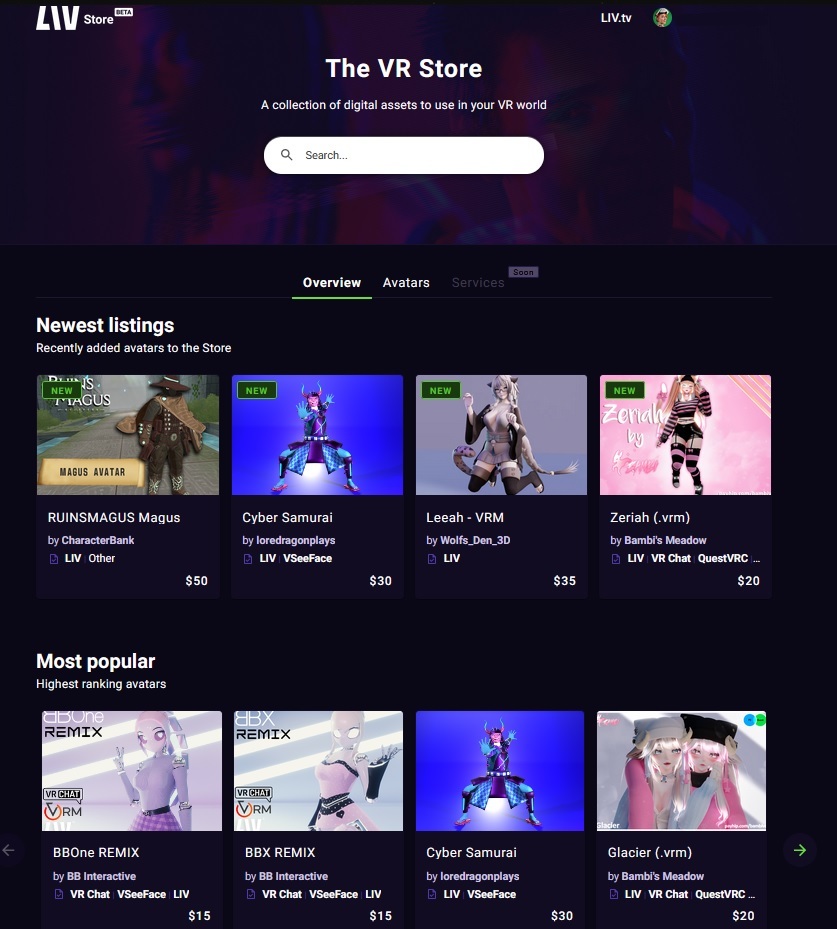
Our goal is to create a one stop shop that hosts content built and optimized for VR. We’re starting with fully rigged 3D avatars but have plans on expanding to other VR services such as file conversions, avatar optimizations and much more.
The avatars on our store are top notch, fully rigged, high quality, and will work with both LIV and other social apps that support the .VRM avatar format (all of the popular ones do). Simply purchase, download, and go! No need to fuss with Unity, Blender etc as our wonderful sellers have done all the heavy lifting for you.
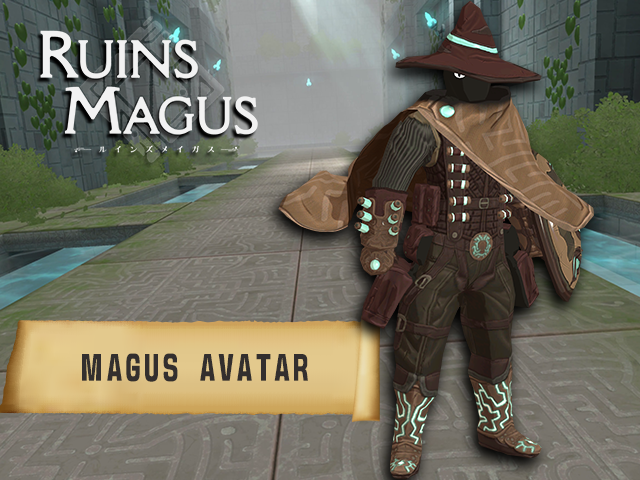
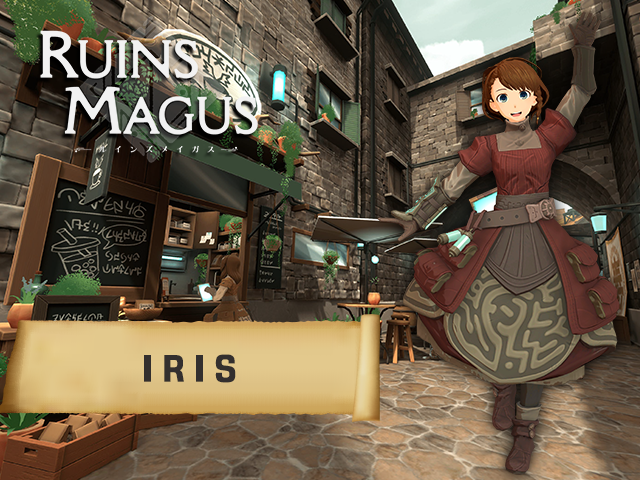
We are also working with game developers to bring VR characters you know and love to avatar format - starting off with Magus and Iris from Ruins Magus! Keep an eye out on socials for even more listing updates as they come, because we have even more assets not publicly available yet. ;)
If you are interested in potentially selling on the LIV store, we also have an application you can fill out here.
Selling on the LIV store is non-exclusive, meaning it's one additional location to potentially earn extra revenue! Your avatar listing does not have to be new and you can use one that you are selling on other platforms as well. We’re offering a preferred revenue share and increased advertising/marketing for the first few artists interested in partnering, so apply now!
We’d love to hear your feedback or answer any questions about the store either here in the comments, or at feedback.liv.tv!
Avatar and first person stabilizer users - Whether you prefer activating the LIV circle menu on the floor or from the SteamVR dashboard, the power to choose is now yours. LIV Menu Location Options Simply head over to the new General Settings tab of the LIV home menu, and under 'V
Avatar and first person stabilizer users - Whether you prefer activating the LIV circle menu on the floor or from the SteamVR dashboard, the power to choose is now yours.
Simply head over to the new General Settings tab of the LIV home menu, and under 'VR activation mode:' select either floor or SteamVR Dashboard activation. Note: If you'd like to swap these options you'll need to make sure the compositor is closed first in order to head back to this home screen.
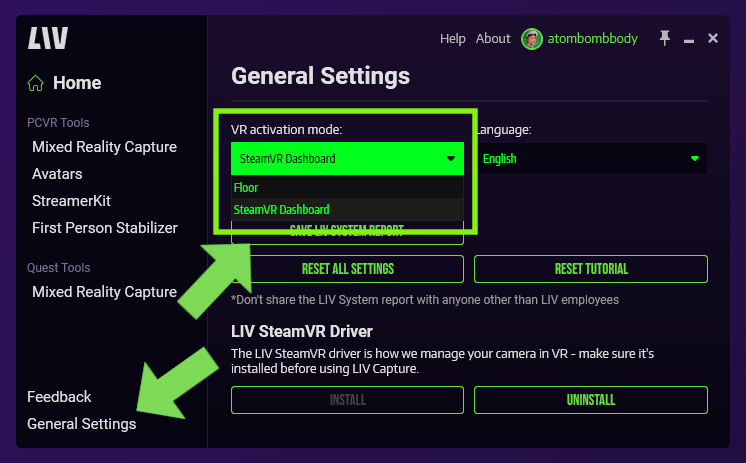
The traditional floor menu will be familiar to LIV veterans. With the LIV desktop app running (and avatars or first person stabilizer selected), head in headset and look down at the floor. When you see the LIV logo, take your cursor and hover it over the logo until it fills completely, then your menu will open. To exit the menu, simply go back to the LIV logo and hover over the circle until it fills and closes the menu.
With the LIV desktop app running (and avatars or first person stabilizer selected) open your SteamVR dashboard and you should see a new button on the lower left side. Click that to open the LIV menu! To close the menu you can click the ‘x’ in the top left corner (or click on the 'close menu' button in your SteamVR dashboard).
]
This activation mode is perfect to avoid those accidental menu toggles while playing a round of golf or picking up virtual objects off the floor.
These updates have lived in the public_beta branch for a little while for testing, but they're ready to graduate and become available to all
.avatar eye and mouth tracking changes:
.VRM eye and mouth tracking changes:
It's Prisma Sinclair!
You can find full documentation and more details of these new avatar updates here (for .avatar formats) and here (for .VRM) respectively!
We've created a new section on the LIV home menu labeled 'general settings' which contains functions pulled from the quiet 'about' page that frankly, just makes more sense.
Specifically:
...have all been moved over into this new tab.
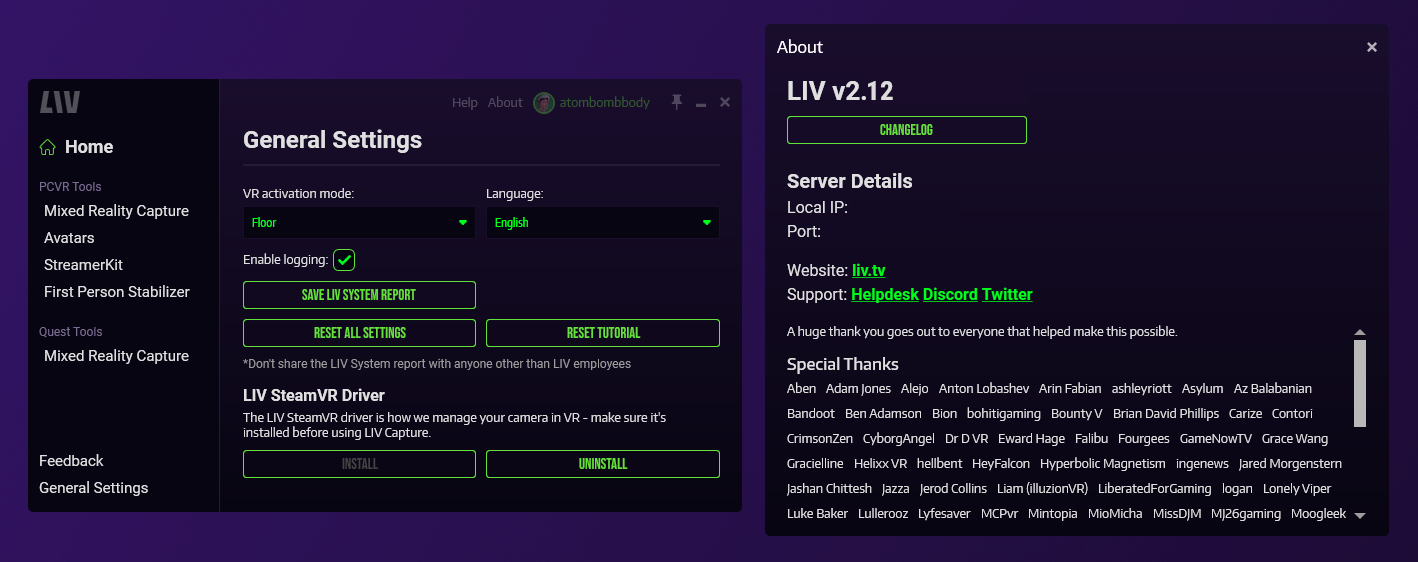
Also moving over from the public_beta branch, minor Beat Saber improvements with LIV!
Opaque objects are now actually opaque, the way they are meant to be!
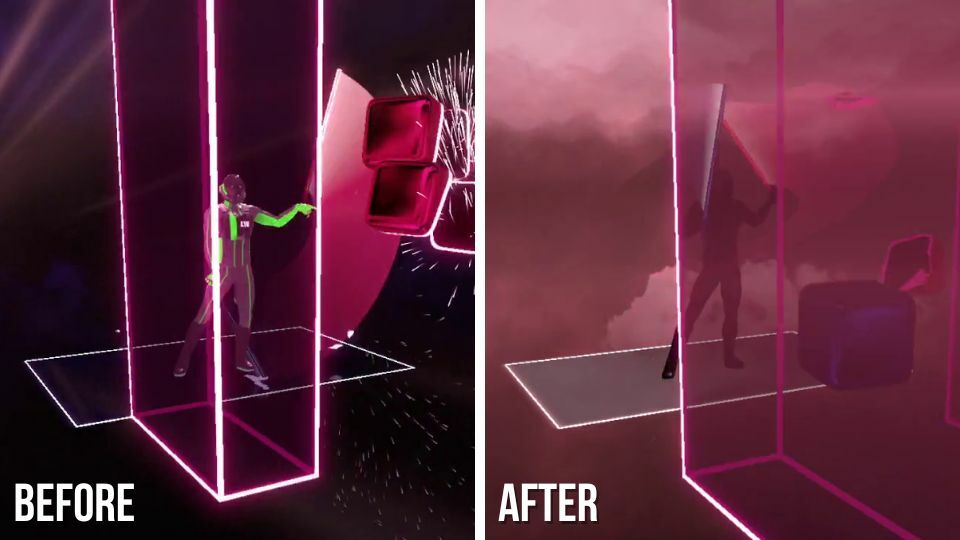
Let us know what you think, we'd love to hear your feedback on our Discord!
LIV on creators!
We've got some quality of life updates we’d love for you to try out in the beta branch! (Right click LIV in your Steam library -> properties -> betas -> select public beta in the drop down options and let LIV update) New LIV Menu Location This one’s for those of you who
We've got some quality of life updates we’d love for you to try out in the beta branch! (Right click LIV in your Steam library -> properties -> betas -> select public beta in the drop down options and let LIV update)
This one’s for those of you who use avatars and the first person stabilizer…the LIV UI circle menu (in headset) has moved!
No longer will it get be the way when playing golf or when trying to pick something up off the floor! We’re hoping this will help with a lot of those annoying ‘accidental’ toggles which can really be jarring if unexpected.
You can now access the in headset menu through the SteamVR dashboard. With the LIV desktop app running (and avatars or first person stabilizer selected) open the SteamVR dashboard and you should see a new button on the lower left side. Click that to open the LIV menu! To close it you can click the ‘x’ in the corner or the LIV circle on the ground.
Improved microphone, eye tracking gaze, and eye and face tracking blendshapes for .avatar and .VRM!
It's Prisma Sinclair!
.avatar eye and mouth tracking changes:
.VRM eye and mouth tracking changes:
You can find full documentation and more details of these new avatar updates here (for .avatar formats) and here (for .VRM) respectively!
In Beat Saber, opaque objects are now actually opaque, the way they are meant to be!
Give all these new features a test drive in the beta branch and let us know what you think, we'd love to hear your feedback on our Discord!
YouTube Support Is In! YouTube support has finally come to LIV StreamerKit! 🥳 Head over to the YouTube tab in StreamerKit and sign in with your Google Account & YouTube Channel. Once logged in, you'll just need to go live and StreamerKit will faithfully ferry your fervous fa
YouTube support has finally come to LIV StreamerKit! 🥳
Head over to the YouTube tab in StreamerKit and sign in with your Google Account & YouTube Channel. Once logged in, you'll just need to go live and StreamerKit will faithfully ferry your fervous fan messages!
We've not yet added all the notifications, but basic messaging is in. Enjoy!
You can now get LIV captures in BONEWORKS with our official mod!
We've implemented a brand new de-spill algorithm for LIV's chroma key that (we think) does an excellent job mopping up all that extra green from your body. If you've been using a LUT for de-spill, give our built-in solution a try. It's really quite good 😏
New:
Fixed:
If you love what we do, please chuck us a Steam review 💚
Well hello there you beautiful people you. We've got a stonker of an update here! Here're your headlines First-person stabilizer gets wider FoV, resolution settings and a fix for games that are too dark! 🔦 We've got you some estimated dynamic lighting and reflections for LIV ava
Well hello there you beautiful people you. We've got a stonker of an update here!
You'llve noticed we've updated our EULA. Along with that, we've also updated our privacy policy and terms of service. Please give it a thorough read through! It's for a good cause. We're working on getting YouTube integration ready for StreamerKit!
And to wrap things up - if you haven't heard already, we've created a Gorilla Tag mod that adds LIV support! Check it out via the home screen and become 🐒
If you love what we do, please chuck us a Steam review 💚