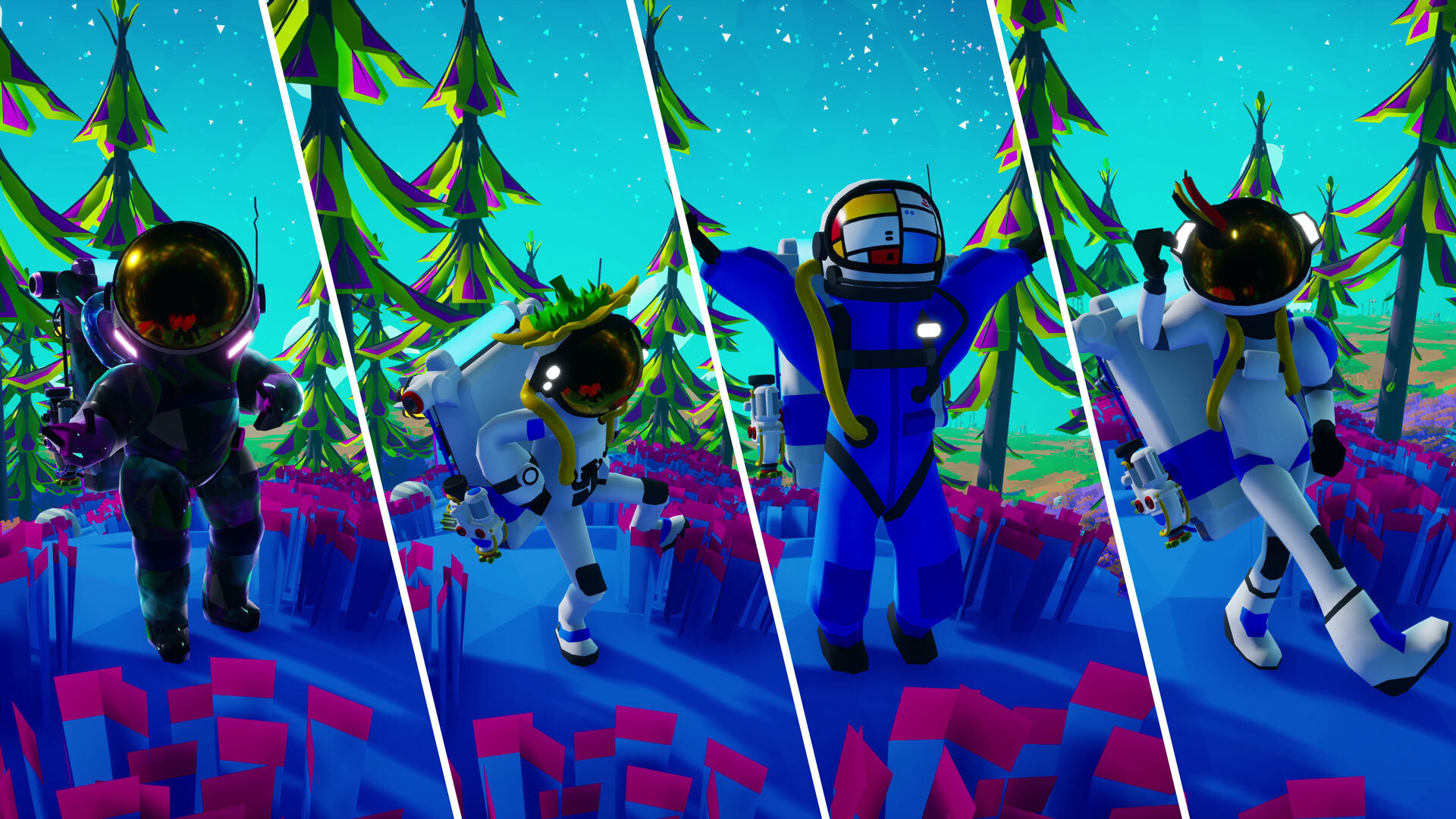
We're following the trend of lengthy Patch Notes with another chunky one today. Aside from the list of bug fixes and improvements at the end, we want to give a bit of a deep dive into one particular improvement going into this update and go into some extra detail on others. A lot
We're following the trend of lengthy Patch Notes with another chunky one today. Aside from the list of bug fixes and improvements at the end, we want to give a bit of a deep dive into one particular improvement going into this update and go into some extra detail on others.
A lot of the Patch Notes this week are provided by the dev team, so they may be a bit more technical than usual. We are hoping that the additional context is helpful in understanding these subtle, but broad reaching changes.
CHANGES TO POI SPAWNING
Fixed a legacy issue where certain Mission items, like the Vehicle Data Recorder that spawns on Desolo, could sometimes fail to spawn.
In this update, we fixed the above-mentioned legacy bug. It ended up being quite the technical undertaking, so here are some details about the issue itself, and how our fix could impact your game.
In ASTRONEER, we use a world generation system to procedurally generate new planets when you create a new save. During this process, the game determines the locations where specific objects should spawn, like the Vehicle Data Recorder (different items have different location requirements).
In very rare circumstances, the game would generate a planet without a viable location for certain items to spawn. If that happened, the options were to fail to place the items, or to keep loading indefinitely. Both of these situations are bad, but failing to place an item is better than sitting on the loading screen forever.
Affected POIs
The following is a list of the affected items, also known as POIs, or Points Of Interest:
Wanderer Probes
Vehicle Data Recorder
Material Analysis Transmitters (MAT’s)
Mission Data Caches
Satellite Wrecks
Vehicle Ports (previously Parkade Pad, where you find Data Circuits)
Space Ports
Mega-X Platforms (previously Installed Platform, where you find the Extra Large Resource Canister)
Storm Spawn Locations
Note: Storms will now spawn in new locations. In the base game, storms can be disabled in the Settings menu. Go to the Options tab and under General you can check the “Storms Disabled” checkbox.
To fix this issue, when the game fails to find a spawn location, we lower the POI’s spawn requirements. The game then continues retrying and lowering requirements until a spawn location is found. A trade-off to fixing a bug in a core system like world generation is that we have to apply it across the whole game, including existing save files.
Most players won’t notice any changes, but some of you may find the affected POIs in new locations. We've taken steps to prevent them from spawning on top of your existing items in-game. New POI’s are only spawned when a save has less of them than it was meant to!
MUSEUM DONATIONS PERK REPLACEMENT
Removed the Increased Backpack Capacity Perk and replaced it with a new Perk which increases Galastropod and EVA buff durations.
We're swapping the Museum Donation Perk for reaching the final Power donation milestone, which used to grant increased Backpack power capacity. There were issues that were making this Perk not work as intended, and we also saw the feedback that it wasn't an impactful enough Perk.
Because of this, we've swapped it out for a new Perk that grants up to 30% increased buff duration from any of the Galastropods or EVA. As a reminder, each active Perk consumes 5 U/s, and the Perk will decrease in effectiveness proportionally if the Museum is underpowered.
BUG FIXES
Megastructures
Intermodal Terminal (IMT):
Fixed an issue which caused the load mode on the IMT Rail Station C to revert after saving.
Fixed an issue which caused players to get stuck in their seat after being loaded onto and launched in an automated Shuttle.
Fixed an issue which caused settings made to the IMT Rail Station B & C to save without confirming.
Fixed an issue which forced players to manually relaunch empty Shuttles that are set to automatic launch, whilst on an IMT Landing Pad, on reloading a save file.
Fixed an issue for multiplayer clients where ‘Launch into Orbit’ would be displayed erroneously on a Shuttle’s tooltip while occupying a Shuttle placed on an IMT Landing Pad.
DLS:
Fixed an issue in multiplayer that could sometimes prevent client players from launching an Orbital Platform package on the DLS.
Orbital Platform:
Fixed an issue in multiplayer which caused the Orbital Platform’s MEGA-Mini Asteroid to disappear after being changed by the host.
Fixed an issue in multiplayer where client players could become stuck on the Orbital Platform launch cutscene if they rejoined the game.
Fixed an issue in multiplayer which caused the Orbital Platform’s Mega-Terrain Platforms to be invisible when viewed from a planet.
Fixed an issue where the Orbital Platform’s Mega-Terrain Platforms can become visually skewed when viewed from a planet.
Biodome:
Fixed an issue which caused a small visual error on the interior of the Biodome.
Miscellaneous
Fixed an issue on the Xbox and Xbox for PC App that prevented loading or saving saved games that were larger than 16MB in size.
Dev Note: We’ve been investigating this bug for quite a while, and we know it’s been a real pain to deal with for anyone affected by it. The way Xbox handles save file limits is pretty tricky, but we think this update should address it. We thank you for your patience, and if you continue to experience issues, please let us know:[email protected]
Fixed an issue that was preventing Solid Fuel Thrusters from being properly consumed and turned into Used Solid-Fuel Thrusters.
Fixed an issue which caused all Control Panels to be cut off and partially unviewable if FOV was set to -20.
Fixed an issue where Vehicle Port tooltips could appear as Mega-X Platform in saves created before Update 42.
Fixed an issue preventing the green light on top of the XL Resource Canister from lighting fully.
Fixed an issue where some seed resource levels could be hard to see inside Resource Canisters.
Fixed an issue which caused Wheezeweed and Spinelily plants to not drop Research Samples when dug up.
Fixed an issue in Creative Mode which caused the Simulated Aquarium to appear in the Medium Printer Plinth when it should only appear in Small Printer Plinths.
Fixed an issue which caused the leaves on the Robo Bonsai to become invisible if the player would set it to Growth Mode and then saved and reloaded the game.
Fixed an issue which caused some of the audio in the final Galastropod Mission cutscene to cut out.
Fixed an issue on PS5 which removed controller vibration feedback on the VTOL if a player rode a Hoverboard first.
IMPROVEMENTS
Added audio sound effects for turning on/off the Tether Dropper.
KNOWN ISSUES
The following issues were identified following the release of the previous patch. Most of those were already addressed in this patch; these will follow in an upcoming update. Check the Bug Tracker for more information.
#2245 – Shuttles that are placed on the IMT will not have a prompt to launch even when removed from the IMT. You can resolve this by packaging and then unpackaging the Shuttle.
#2122 – On the IMT (specifically Pad B), if the player removes a storage unit from a Shuttle while the IMT is in Loading mode, the items on the storage unit will incorrectly transfer over to the Shuttle instead of moving off with the storage.
Upcoming Changes to Data Circuits
In our previous update, we implemented a change to Data Circuits so that they would all be unscrappable and instead become destroyable with Dynamite. This was done as part of a set of fixes for instances where Mission-required Data Circuits could be lost and lock you out of completing those Missions, so we made the Data Circuits reclaimable at the POIs (Points of Interest) that generate them.
Since Data Circuits were scrappable, we worried it might be exploitable as an infinite source of free Scrap, so we also chose to make them unscrappable. This change was not intended to also affect the Data Circuits you get from LTEs, which can be pretty plentiful, but it did. Plenty of you rightly pointed out this inconvenience as well as a few other issues, so in our next update we're making the following changes to address this:
All Data Circuits will be made scrappable again.
All Data Circuits will no longer be destructible with Dynamite.
Reclaimed Data Circuits are limited to 1 per POI that generated them.
This means that only 1 reclaimed Data Circuit can exist at any given time per POI that generated them, not that you can only use the Reclaim action once per POI. Also, when you generate a new reclaimed Data Circuit, it will delete the previously reclaimed one. This measure is primarily to help with performance.
We look forward to hearing your feedback on the latest changes! Keep an eye on our Live Bug Tracker to check the status on other bugs present in the game, and if you run into an issue that isn’t listed or you have more information to share, please send us a bug report.
We have some lengthy Patch Notes today! In addition to the standard list of bug fixes and improvements at the end, we want to highlight and break down our first set of improvements for the Intermodal Terminal. The in-game Intermodal Terminal Tutorial is a good reference point for
We have some lengthy Patch Notes today! In addition to the standard list of bug fixes and improvements at the end, we want to highlight and break down our first set of improvements for the Intermodal Terminal.
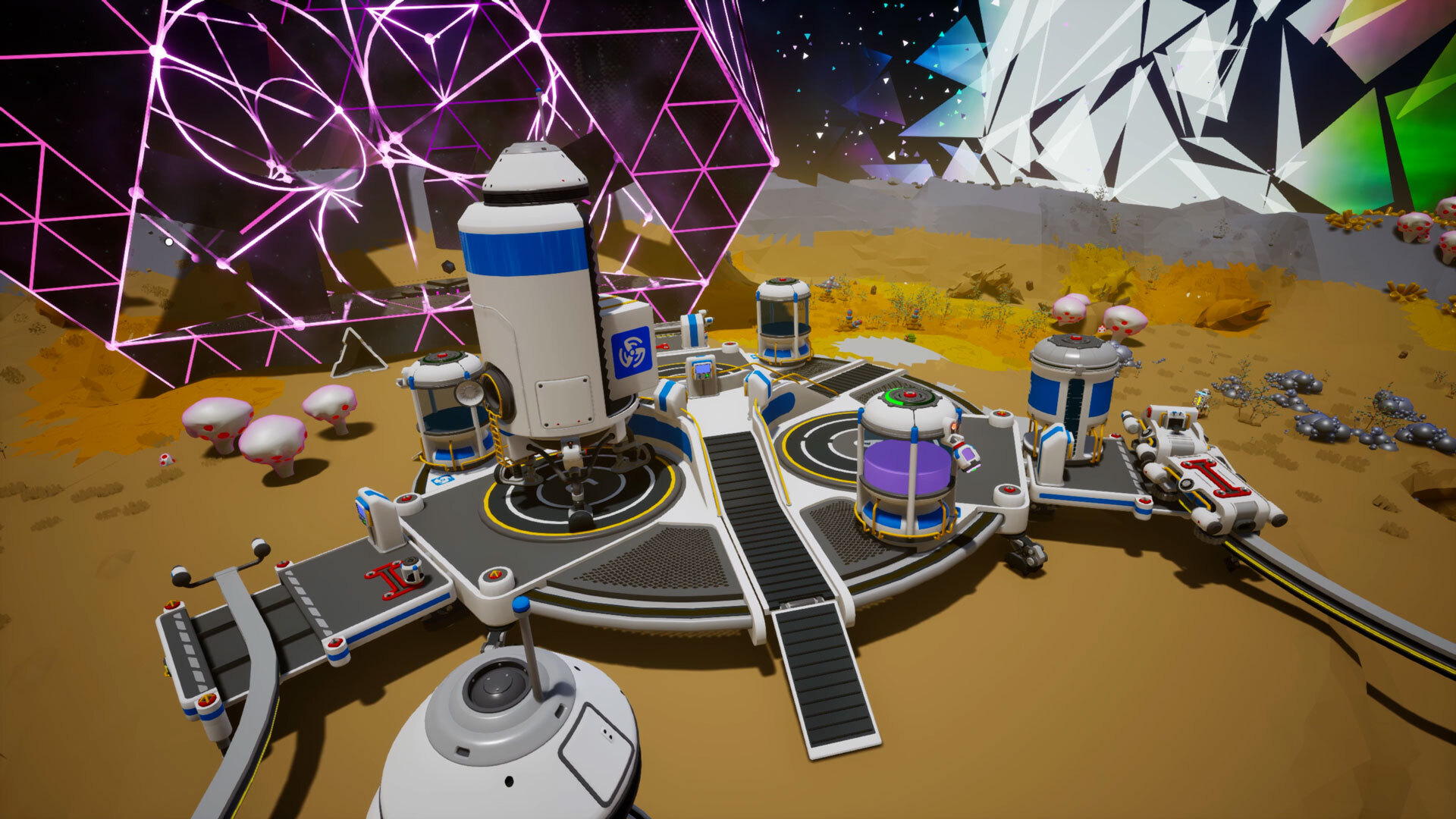
The in-game Intermodal Terminal Tutorial is a good reference point for identifying each of the components of this Megastructure.
FIRST SET OF IMT IMPROVEMENTS
We previously messaged that we would be making gradual improvements to the Intermodal Terminal (or IMT) over the course of multiple updates. This is the first of those updates, with substantial changes made to the IMT’s control panels and automated movement of items between slots, based on the feedback provided by the community.
Loading Modes
The IMT’s Shuttle Loading Mode and Rail Station Loading Mode control panel settings have been unified. Changing one now automatically changes the other to its opposite setting.
Now, when the Shuttle Loading Mode is modified on the Landing Pad control panel, the Loading Mode on the Rail Station control panel is modified as well to the opposite state. This prevents the player from choosing independent settings that can result in conflicting loading modes, which could block item transfer actions.
We have also added a “Loading Disabled” mode to the Landing Pad control panel to bring the settings into sync.
IMT Rail Station Unsaved Settings
Changing the settings on either the Landing Pad control panel or the Rail Station control panel now enters both into the Unsaved Settings state. If settings are saved on one control panel, they are saved on both.
With the unification of Loading Mode settings between the two IMT segment control panels, it has become possible to affect the state settings displayed on one control panel from the other. This means we had to bring the Landing Pad’s Unsaved Settings state to the Rail Station’s control panel.
Tier Filtering & Storage Transfers
The item Tier filter setting for automation now counts items of the selected Tier and below.
Fixed an issue that prevented the intended automated movement of storage items with slotted items of a lower Tier.
Items will no longer be automatically moved off a Shuttle if they no longer match the Tier filter setting.
Previously, the Tier filter for the IMT Rail Station control panel only affected items of the exact matching tier. This also caused a bug which prevented smaller storage tiers slotted onto larger tiers from being transferred properly at all.
The bug affecting slotted storage items has been resolved, and the Tier filter has been changed to account for items of a lower tier. This should allow for more complex storage set ups to be transferable or be filtered at lower tiers.
Additionally, before this update, the item transfer rules could potentially move items off the receiving vehicle if the item did not match the set Tier Mode. Now, the IMT’s inter-vehicle item transfer rules will never move items from the receiving vehicle’s storage slots.
We also have a couple more bug fixes for the IMT listed in the Patch Notes section below.
BUG FIXES
Megastructures
Intermodal Terminal:
Fixed an issue where the Landing Pad Activation Pins would not receive a signal when a Shuttle landed.
Fixed an issue where players were allowed to set a Shuttle’s destination in the Landing Pad control panel as the same planet that the IMT is currently on.
Dev Note: There are circumstances where setting the same planet as a destination would make sense when trying to use the Recall Shuttle function, but this could cause UI/UX issues with other functionalities. We have now improved the control panel status messaging around these scenarios so that it’s clearer when you are targeting a valid planet or not.
Orbital Platform:
Fixed an issue which prevented client players in multiplayer games from being able to create or place Walkways on the Orbital Platform.
Biodome:
Fixed an issue which caused Biodome Mega Modules to not play their audio SFX when picking them up, releasing them, or having them impact terrain or other objects.
Museum:
Fixed an issue which caused collections on the Museum Display Case to stop being considered as complete if players removed a duplicate item of the collection from the Display Case.
Fixed an issue which caused the Gold Milestone reward items to not play their audio SFX when picking them up, releasing them, or having them impact terrain or other objects.
Miscellaneous
Fixed an issue where upon depletion of a Solid Fuel Thruster, if the Shuttle had additional Solid Fuel Thrusters in storage, a second Solid Fuel Thruster would become depleted.
Dev Note: As a result of this bug fix, Shuttles will no longer attempt to replace consumed Thrusters in the Thruster slot with Thrusters from the Shuttle storage. Consumed Thrusters will remain on the Shuttle Thruster slot and must now be replaced manually by the player.
Made improvements to significantly reduce the likelihood of an issue which caused Tappers to float in the air and become uninteractable after destroying the plant they were attached to.
Dev Note: If you still encounter this issue after this patch, please contact our Support team: [email protected]
Fixed a rare issue where new Vehicle Ports could spawn without any items attached.
Partially fixed a rare issue where new Mega-X Platforms can spawn without any items attached.
Dev Note: Large and Extra Large (Tier 3 and Tier 4) items will now spawn as intended, but Small and Medium (Tier 1 and Tier 2) items can still fail to spawn. We’ll continue working on making additional improvements to address this rare issue.
Fixed a potential crash that could occur when players approached multiple Auto Extractors that were operating in close proximity.
Fixed an issue which caused small Tier 1 items to slot in an incorrect place on the MEGA-Mini Shuttle.
Fixed an issue which caused the hatch door and panel covering the Oxygenator on the Small and Medium Shuttles to be stuck open when launching into space.
Lowered the limit on some Custom Game biome modifier values, as loading into saves beyond these limits could cause the game to crash.
Fixed an issue which caused some text in several languages to be cut off when viewing the “Ready To Call Car” screen at a Rail Station.
Fixed an issue which caused multiple base decoration items to not play their audio SFX when picking them up, releasing them, or having them impact terrain or other objects.
Legacy Issues
Fixed a legacy issue which caused the Mysterious Mushrooms to only spawn in unexplored areas and despawn after closing and reloading a save.
Fixed a legacy issue which caused the Train Whistle Emote to not play audio when used.
Fixed a legacy issue that caused white icons to not appear on the green button of several control panels.
Fixed an issue which caused vehicles to not give haptic feedback through the controller on PS5.
Fixed an issue which would cause no audio to play through the controller when opening the Shelter/Landing Pad on PS5 at the beginning of the game.
Fixed a crash that could occur when loading saves with Rail Cars that have formed a cyclic train where they mistakenly link to themselves.
What is this? A Vehicle Port!
Renaming Miscellaneous Structures
Edit: We’re planning to update the names for the Vehicle Ports (previously Parkade Pad, where you find Data Circuits) and Mega-X Platforms (previously Installed Platform, where you find the Extra Large Resource Canister) in an upcoming patch. The current names aren’t very intuitive and don’t get mentioned often in-game, so we know players often ask about these. We’re trying to start using them to give an early heads up and Mission descriptions will soon use these new names too. We have a few fun ideas on what we’d like to do with these structures and hope to share more soon!
IMPROVEMENTS
Added a new “Reclaim” action to Vehicle Ports and Mega-X Platforms. You can now reclaim up to 3 Data Circuits of the same type. Existing Data Circuits do not count towards this limit.
Dev Note: This is meant to address Mission soft locks in rare cases where Data Circuits do not spawn on the structure.
All Data Circuit Models are now unscrappable. To remove them from your world, you must now explode them with a Dynamite.
Dev Note: This is to prevent an exploit that would allow generating infinite scraps by scrapping and reclaiming Data Circuits.
Edit: Originally, we messaged that only Data Circuits A and B have been made unscrappable. As a correction, all Data Circuits have received this change for consistency.
Mega-Printer Drones will now halt their printing if players are inside the hologram to prevent them from getting stuck.
Made improvements to runtime memory usage on all platforms. Most notably, Nintendo Switch players should have more success saving larger worlds.
Added a new Astropedia page with an overview of both free and paid Megastructures added to the game via the Megatech Update.
Updated some UI and item icons such as icons for Creative Mode and Vehicles.
KNOWN ISSUES
Edit: The following issues have been identified following the release of this patch and will be addressed in an upcoming update. Check the Bug Tracker for more information.
Some Vehicle Ports have an incorrect "Mega X-Platform" tooltip in save files that were created before Update 42.
In multiplayer, Solid-Fuel Thrusters may not convert to Used Solid-Fuel Thrusters if they're used by clients (non-hosts).
Shuttles that are placed on the IMT will not have a prompt to launch even when removed from the IMT. You can resolve this by packaging and then unpackaging the Shuttle.
On the IMT (specifically Pad B), if the player removes a storage unit from a Shuttle while the IMT is in Loading mode, the items on the storage unit will incorrectly transfer over to the Shuttle instead of moving off with the storage.
The Loading Mode settings on Rail Station C of the IMT will revert when the settings are saved by the player.
We've also heard the feedback about the changes to Data Circuits and making them unscrappable, which is especially troublesome for Data Circuits earned from LTEs. We'll be making tweaks in an upcoming update to address this, thank you for pointing these out!
We look forward to hearing your feedback on the latest changes! Keep an eye on our Live Bug Tracker to check the status on other bugs present in the game, and if you run into an issue that isn’t listed or you have more information to share, please send us a bug report.
Today we are launching our brand new title in the ASTRONEER universe, STARSEEKER: Astroneer Expeditions! To celebrate, Expedition Suit is live in ASTRONEER free for all players. Just log in to claim and you can Explore the Sol system as a member of the ESS Starseeker crew. If you
Today we are launching our brand new title in the ASTRONEER universe, STARSEEKER: Astroneer Expeditions! To celebrate, Expedition Suit is live in ASTRONEER free for all players. Just log in to claim and you can Explore the Sol system as a member of the ESS Starseeker crew.
If you want to learn more about STARSEEKER, we launched a brand new trailer for you all to check out:
While we are really excited about STARSEEKER, the ASTRONEER train keeps rolling! As mentioned previously, we will continue monthly updates for the forseeable future! If you want to hear more about plans, check out this post from the team: View game page Stay tuned for more details about our 10!!!!! year anniversary coming later this year <3
June’s patch is now available to download, with fixes and improvements for you to review in the patch notes below. There’s also plenty of good progress going into our upcoming updates, including some of the Intermodal Terminal improvements we mentioned in our last Patch Notes . I
June’s patch is now available to download, with fixes and improvements for you to review in the patch notes below. There’s also plenty of good progress going into our upcoming updates, including some of the Intermodal Terminal improvements we mentioned in our last Patch Notes.
In case you missed it, we recently posted a Mid-Year Dev Update with news about what’s coming to ASTRONEER for the rest of 2026. We will be continuing our monthly updates cadence until at least the end of 2026 and we’re also preparing something special for the game’s 10th anniversary at the end of this year. Make sure to give it a read for full details (and maybe a leek).
It would be really difficult for us not to share our excitement for releasing a whole new game! Starting tomorrow, on June 11th, STARSEEKER: Astroneer Expeditions will be out in Early Access on Steam, the Xbox for PC App, Xbox Series X|S, PlayStation 5, and Nintendo Switch 2! Maybe you can wear your free Expedition Suit to mark the occasion and join us in celebrating!
BUG FIXES
Megastructures
Orbital Platform:
Fixed a bug which caused the Orbital Platform hologram to clip through the ground when players were positioning it.
Fixed a bug which caused drilled items, such as Platforms, Rails, and Walkways to not detach when unslotting a Mega-Terrain Platform.
Dev Note: For existing saves players will need to pick up the following items and place them back for the fix to take effect: XL Wind Turbine, Solar Array, Auto Extractor, VTOL, and Landing Pads.
Biodome:
Fixed a bug which caused locked Biodome Expansion modules to become invisible if players leave their game and rejoin.
Fixed a bug which caused Activation Pins from Sensors or Repeaters attached to any Mega-Module to also trigger attached canisters.
Museum:
Fixed a bug which caused the Galastropod Shell Collection Perk to not function.
Fixed a bug which caused the Power Donation Station tooltip to not visibly update when the Donation Station is highlighted.
Glitchwalkers
Fixed an issue which occurred when entering the Glitchwalkers finale, causing the server to crash when attempting to pick up any of the Counterhack Keys from their Plinths.
Fixed a bug in multiplayer where a Counterhack Key would still be visible after a client player picks one up.
Miscellaneous
Fixed a bug on PS5 where Trophies wouldn’t unlock if players had been playing continuously on a single save for more than 2 hours.
Fixed a bug which caused the game to crash on PC while on the planet orbit screen for more than 2 minutes with High Quality Terrain enabled.
Fixed a bug in Co-op multiplayer and Dedicated Servers which caused the Drone Printer animation to appear jittery when players would move away from the Printer and then return.
Fixed a bug which caused the Tether Dropper to drill into a surface when placed.
Fixed a bug in the Mission Log where the UI showed the incorrect colors for rewards and other text.
Fixed a visual bug where the spinning part of the ship shown on the Menu would disappear during the launch sequence.
Fixed the text in the IMT Astropedia pages to correct “Actuator Pins” and “Actuator Signals” to “Activation Pins” and “Activation Signals” respectively.
Fixed a localization error which caused the Extra Large Storage Module to state it had Medium Slots instead of Small Slots when viewed in Polish.
Fixed a bug on Xbox which caused the game to crash when loading the Main Menu if played offline.
Fixed a bug which caused the MEGA-Mini Training Shuttle door to remain closed even when unoccupied.
IMPROVEMENTS
Removed a line from the DLS tooltip that stated it could store power, which could cause some confusion.
Made improvements in optimization of the ship model in the starting Menu screen, as well as the Snow Globe and Ship in a Bottle.
We look forward to hearing your feedback on the latest changes! Keep an eye on our Live Bug Tracker to check the status on other bugs present in the game, and if you run into an issue that isn’t listed or you have more information to share, please send us a bug report.
If you have been living under a space whale, you might have missed that System Era has been working on another game within the ASTRONEER universe! STARSEEKER: Astroneer Expedition is a new game focused on discovery, cooperative expeditions, and camaraderie. Exploring deep space o
If you have been living under a space whale, you might have missed that System Era has been working on another game within the ASTRONEER universe! STARSEEKER: Astroneer Expedition is a new game focused on discovery, cooperative expeditions, and camaraderie. Exploring deep space on the ESS Starseeker, players will need to work together with the entire crew of the space station to complete planet-wide objectives across a multitude of star systems using cutting edge technology.
It is not ASTRONEER 2! ASTRONEER is our take on the survival craft genre, and STARSEEKER is our take on an online cooperative multiplayer experience. Players are not stranded on a planet building bases, they live on a space station with a big crew going on short missions down to the planet. We dropped a FULL BLOG post with all of our Early Access details and a roadmap here: View game page If that seems exciting, you can wishlist here:
View game page Also if you are a visual learner, here is our new trailer:
And for those of you who love ASTRONEER, don't worry! ASTRONEER is still our first love and we are still space trucking along! We just released a mid-year update letting you all know what our plans are for the rest of the year.
View game pageWe are keeping up monthly updates, and are building up towards an end of year content update that lines up with our TEN YEAR anniversary!!!! Stay tuned for more details there, we have some really special plans to celebrate with you all.
Okay that is all for now! Thanks so much for sticking with us for all of these years <3
Hey all! Joe here again to share more news about what’s coming to ASTRONEER for the rest of the year. TLDR: We will continue our monthly updates cadence until at least the end of 2026. We’re also preparing something special for the game’s 10th anniversary at the end of this year.
Hey all! Joe here again to share more news about what’s coming to ASTRONEER for the rest of the year.
TLDR: We will continue our monthly updates cadence until at least the end of 2026. We’re also preparing something special for the game’s 10th anniversary at the end of this year.
Since then, we have made significant improvements to the game in addition to releasing the Megatech DLC for Nintendo Switch. Huge thanks to everyone who has continued to share feedback with while we have been working through these monthly updates!
Excited to now confirm that we will continue our monthly updates until at least the end of 2026. Although a lot of the team is working on our next title: STARSEEKER: Astroneer Expeditions, we felt like monthly updates should continue on ASTRONEER. Not much will change in terms of our focus, you can expect similar updates to the ones we’ve released these past few months; fixing bugs both old and new, and making quality-of-life improvements. That said, we do have a special update free for all players that’s planned for the end of the year to commemorate the game’s 10-year anniversary since the Early Access release.
For a better breakdown of our progress so far and what’s to come, I’ll hand it over to ASTRONEER producer, Sarah.
-jt
Hey Astroneers, Sarah here! I’m here to share a little about what our dev team is currently working on, and what we have planned for the year ahead. We’ve made steady progress on bug fixing and quality of life improvements to the game so far, but there’s still plenty more to do.
Here's some of my data showing the split between bugs and tasks completed so far this year! A task is an improvement or piece of work that made it into the game, like "update the credits", or "implement new Astropedia page."
FUTURE PLANS
Our work for the rest of 2026 can be roughly clustered into three categories (in priority order):
1) Bug Fixing (highest priority)
Fixing bugs in ASTRONEER remains our primary priority for this year. A bulk of this work is Megatech related, but we’ve also allocated a large chunk of the team’s time to try to fix “Legacy” bugs (issues that have been around for a while). Some of these issues are quite difficult to resolve and likely will take us some time, but we’re not giving up on them. You can track the progress on our bug fixing in the Live Bug Tracker. In case you missed it, we recently fixed the longstanding Rails bug.
2) Quality-of-Life Improvements
We’ve been collating player feedback about the overall game experience, and work has begun on some new features that will make meaningful improvements to ASTRONEER. Some of these features are things many of you have been suggesting for a long time (see the leek further down this page!). These will be released as soon as the work is complete and then tested. In our most recent patch notes, we shared an update about changes we’ll make to the IMT – this work is a combination of bug fixing, and work that falls into the QoL category!
3) December Update (New Free Content)
This December, ASTRONEER celebrates its 10-year anniversary of releasing in early access! We’re planning to release a FREE update to all players that will include some new gameplay content and be a bit bigger than our usual monthly updates. We’ll share more about this in the coming months – as much as we love making brand new stuff, our focus has to be on improving the overall stability of the game. I’m really excited about some of the ideas our designers are currently brainstorming, and I’m sure you all will be too! 😊
IMPROVING AUTOSAVES AND SAVE SETTINGS (LEEK TIME!)
As part of our QoL improvements, we’re currently working on overhauling the way that players can save their game. A piece of feedback we hear frequently from the community is that they want more flexibility to decide how their game is saved, and also to have it autosave on a regular basis (instead of needing to do it manually, like hopping into a vehicle or into a Shelter).
At a high level, here are some of the save-related improvements you can look forward to seeing soon!
Toggling on and off periodic auto saves, and choosing how frequently they happen.
Settings to change which gameplay moments trigger an auto save (like arriving on a new planet, entering a Shelter, or completing an achievement).
Introduction of “Save Slots” that will replace the current save file view in-game.
Save slots will expand to reveal the recent history of auto-saves for your game.
Here’s a development mock-up of how the save slots could look. Still very much a work in progress though, this isn’t indicative of the final look.
We hope you’re looking forward to these future improvements and additions, and that you’re as excited as we are for the new content and features we have lined up!
The patch for May is now available to download, with plenty of fixes and some improvements for you to review in the patch notes below. We also know that it’s been some time now since our last update to the community on the development plans for Astroneer in 2026 . We’re working o
The patch for May is now available to download, with plenty of fixes and some improvements for you to review in the patch notes below.
We also know that it’s been some time now since our last update to the community on the development plans for Astroneer in 2026. We’re working on another update to give you more context on plans for the remainder of the year, so keep an eye out for that.
That said, there’s one topic we’d like to cover now.
WORK ON THE INTERMODAL TERMINAL
We've seen a lot of questions being asked within the community about if and when we're going to be making changes to the Intermodal Terminal (or IMT for short), so we wanted to share an update about that! From the development side of things, we've decided to break down improvements to the IMT into smaller clusters of work that target specific issues, instead of delivering one huge overhaul in a single update. The primary reason for doing this is that it will allow us to get these improvements out incrementally, sooner than us delivering it all in one go!
The team has collated the community's feedback, and work is already in progress. Some of the things on our list to address are:
Improving the automated loading and unloading of storage with slotted items between Rail Car trains and Shuttles.
Dev Note: We’ve seen the most feedback over this topic in particular, so we’re starting by looking at this one first.
Unifying the Loading Modes of the IMT Rail Stations and Landing Pads. Currently one can be set to "Loading" and the other to "Unloading", resulting in nothing being loaded or unloaded.
Allowing refueling of Shuttles and the Landing Pad Fuel Tanks via the IMT Rail Stations.
Updating the IMT Landing Pad Control Panel experience.
We want to be as transparent as we can with you all, and the reality is that the IMT is a complicated and rather time-consuming Megastructure to work on. It interacts with multiple existing systems in the game, has a lot of edge cases, and can be used in many different ways by different players, which means it's taking us a bit longer than we had hoped. This isn't to say we aren't determined to fix it, though.
Please keep sharing your feedback with us - it's been monumentally valuable, and we'll be updating the game with these incremental improvements and fixes as soon as they're ready to release! You can also keep an eye on our public Bug Tracker to see when fixes to key issues are likely to make it into the game.
MEGATECH TUTORIALS ON ASTROPEDIA
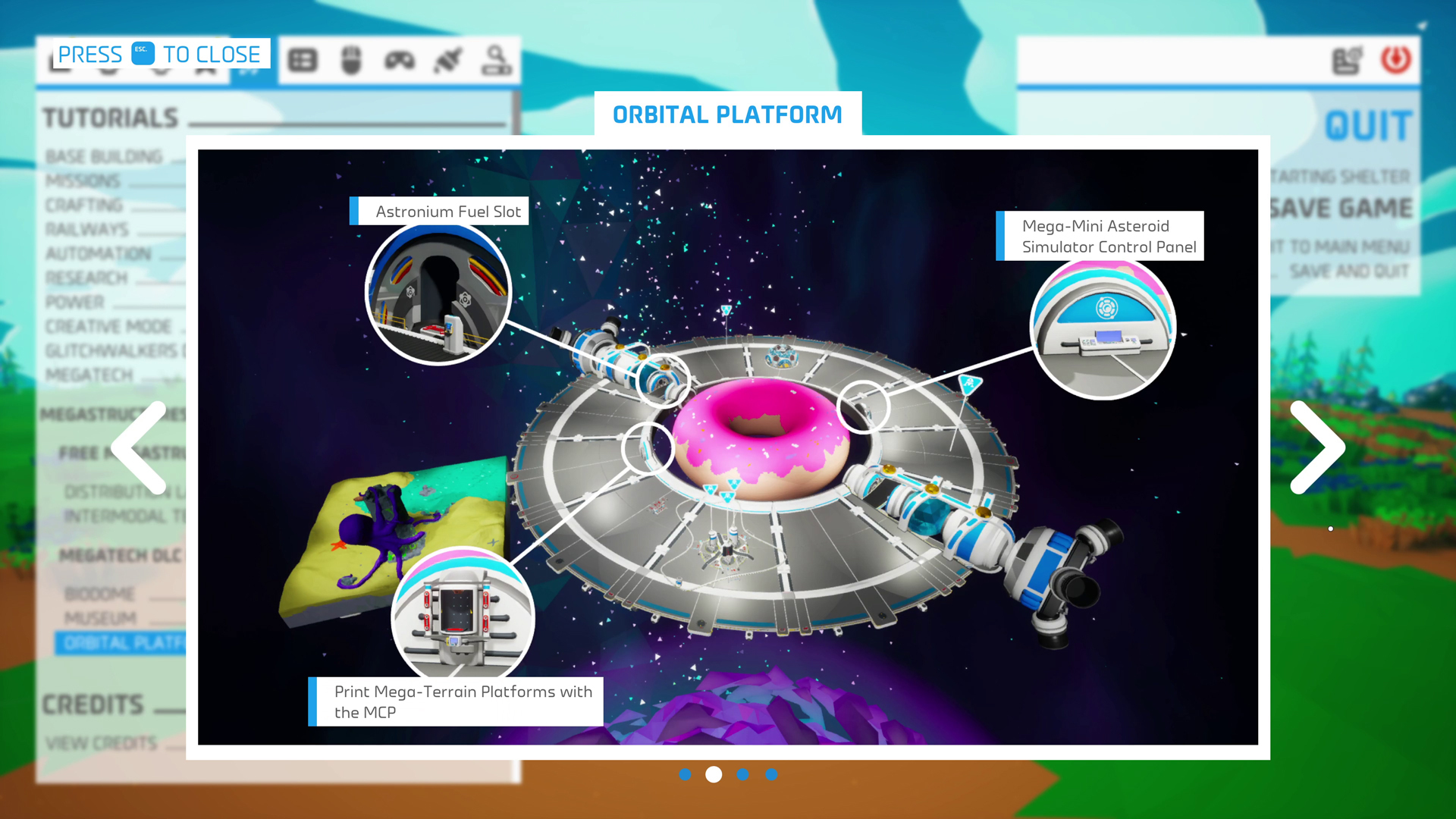
We’re excited to add new entries into the in-game Astropedia to help Astroneers get started on their Megastructure projects! We know there’s a lot to learn here through trial and error, so these new visual references should be a big help for that learning experience.
Click on the Menu’s rocket ship icon to enter the Astropedia and find these new entries near the bottom, under the Tutorials section and in the new Megastructures subsection.
BUG FIXES
Megastructures
Fixed an issue where the expanded control panels on Megastructure Component Printers and Mega-Printer Platforms appeared cut off when FOV was set to 45.
Fixed an issue which caused Megastructure Component Printers (MCP) to pull resources from used Canisters that have fallen off the Printer.
DLS:
Fixed an issue which caused the Print Sprint Mission to not complete after printing the DLS.
Orbital Platform:
Fixed an issue which caused the holograms for deployed Landing Pads to be too large.
Fixed an issue which caused the Orbital Platform launch cutscene to be played at unintended volume levels.
Fixed an issue which caused the Orbital Platform to become invisible after reloading a save.
Fixed an issue which caused the Mega-Terrain Platforms to lose applied patterned creative terrain paint when reloading the game.
Fixed an issue in Multiplayer which caused players who weren’t on the Orbital Platform to get stuck on a transition animation when landing on it if another player changed the shape of the MEGA-Mini Asteroid.
Biodome:
Fixed an issue where the Biodome Expansion module could still be placed when certain items would block the area.
Museum:
Fixed an issue where Display Case Platforms with completed collections wouldn’t grant Collection Perks correctly in older saves if the platform was connected to a power network.
Fixed an issue where the Resource Donation Station would pull resources from canisters slotted on the Museum Megastructure Component Printer if the canisters were set to output.
Fixed an issue where an unpowered Megastructure Component Printer would begin to print if the print was cancelled and then power was enabled.
Fixed an issue where the Museum tooltips wouldn’t display correctly when using a controller.
Miscellaneous
Fixed an issue that could cause Solid-Fuel Thrusters to automatically be transferred to a Shuttle’s storage or be ejected into space when they are fully exhausted.
Fixed an issue which caused the Unidentified Satellite and the Sun Room to not provide oxygen.
Fixed an issue which prevented the Musical Mushroom from being placed in diagonal T2 slots, such as the ones on Medium Platform A.
Fixed an issue on the Xbox for PC App where user game settings might not get saved if a player has played the game on multiple accounts on the same PC.
Fixed an issue on Xbox for PC App where user game settings were not syncing to the cloud.
Fixed a multiplayer issue on PS4 and PS5 which caused the host to crash when they tried to load another save whilst clients were connected.
Fixed an issue where the Megatech Save Icon on PS4 and PS5 was displayed inconsistently.
Dev Note: Players will need to first load into a saved Megatech game to enable the icon.
IMPROVEMENTS
Added new Astropedia pages for Megatech content.
Added a visual effect that shows printing progress to the Megastructure Component Printers.
Updated the Auto-Fertilizer tooltip to state that it needs Organic to function.
Improved the wording for Missing Collection Items in the Display Case Platform tooltips.
Added new and improved animations for the Mega-Printer Drone.
Decreased the time it takes to print Mega-Modules and the Construction Anchor’s Deployable Landing Pad from the Megastructure Component Printer.
The Orbital Platform now has an improved Shuttle destination icon in the Intermodal Terminal control panel.
Renamed the Orbital Platform Launch Tube to Orbital Platform Loading Chamber.
KNOWN ISSUES
The following issue was identified late into the review process for this update, and we will aim to address it in our next patch in June.
During multiplayer, Mega-Terrain Platforms are not visible to clients when viewed from a planet's surface.
We look forward to hearing your feedback on the latest changes! Keep an eye on our Live Bug Tracker to check the status on other bugs present in the game, and if you run into an issue that isn’t listed or you have more information to share, please send us a bug report.
April’s patch is now available to download and there’s plenty of fixes and improvements for you to review in the patch notes below. We recently had some exciting STARSEEKER news to share at our Triple-i Initiative showcase appearance , including an update on the Open Beta startin
April’s patch is now available to download and there’s plenty of fixes and improvements for you to review in the patch notes below.
We recently had some exciting STARSEEKER news to share at our Triple-i Initiative showcase appearance, including an update on the Open Beta starting later this month! That said, it bears repeating that nothing has changed as far as our commitment to continue our monthly patches of fixes and improvements for ASTRONEER.
And don’t forget that the EXO Cares Initiative is currently running. So, if you want to make the SOL system neat & tidy while earning some sweet rewards, then make sure you check it out.
Something else I wanted to highlight is our Live Bug Tracker. As mentioned last month, we’re using this to track legacy bugs that have been around since before the release of Megatech. If you run into a bug that’s not already on there then be sure to report them by emailing [email protected].
Note: This update is not backwards compatible, meaning that saves in this version won't run on older versions of the game. If this is relevant to you, you may want to create a backup duplicate of your save file.
FREE STARSEEKER EXPEDITION SUIT
Unless you have been under a research module for the last year, you probably know that we are working on a brand-new game in the Astroneer universe, STARSEEKER: Astroneer Expeditions!! Learn all about it and sign up for our beta tests here: www.starseekergame.com
While we gear up for the launch of STARSEEKER in 2026, we wanted to make sure the Astroneer crew could get in on the fun! Log in (open up ASTRONEER) at any time for the next few weeks to automatically unlock STARSEEKER's Expedition Suit. Just head to the customization menu and equip it and you are good to go! (It might take a few minutes to unlock).
BUG FIXES
Megastructures
Fixed an issue where Megastructure holograms would rotate 90° from their Anchor holograms.
Fixed an issue where the Mega-Deconstructor would appear in the Creative Catalog on Aeoluz.
DLS:
Fixed an issue where the DLS hologram would face away from the player.
Fixed an issue which caused an incorrect version of the Construction Anchor Landing Pad Hologram to appear when trying to place it.
Removed the DLS Anchor from the Research Catalog in the Adventure Mode as it’s not printable in this mode.
Fixed a bug where players would see the Launch Tube door animate open even though it was already open when placing an Orbital Platform Package.
Fixed an issue where the Orbital Platform Construction Anchor would be available before the mission 'Constellation Prize' is unlocked.
Orbital Platform:
Resolvedan issuewhich caused power plugs to not extend when pulled.
Fixed an issue which could cause the Backpack UI to display when choosing which planet the Orbital Platform orbits.
Fixed an issue where players could get more than one Orbital Platform Construction Anchor.
Repositioned cable plugs that were incorrectly placed inside the MEGA-Mini Asteroid on the Orbital Platform to their correct positions.
Biodome:
Fixed an issue in multiplayer where the host and client saw different timers on the tooltip for growing seeds in the Biodome.
Resolved a bug which removed thetimerfor plants grown in the Biodome after saving a game and reloading.
Fixed an issue where the Auto-Harvester would not harvest grown seeds in the Biodome Expansion module, if the module was slotted in a specific Mega-Module slot.
Fixed a problem where sometimes the countdown for planted seeds would go back to its original timing after hitting zero.
Fixed an issue where non-Mega-plants could clip through the Biodome roof.
Resolved a problem where Spine Lily Seeds couldn’t be placed into Medium-Resource Canisters.
Museum:
Fixed an issue where the Museum control panels and donation buttons can’t be interacted with properly via automatic targeting when using a controller.
Fixed multiple issues where players couldn’t claim donation milestone rewards from the Museum.
Fixed issues that were preventing some Collection Perk effects from scaling correctly with additional duplicate collections.
Fixed an issue which caused power plugs to remain attached to the Display Case Platform, extending beyond typical cable length and not detaching.
Resolved an issue where a player’s Backpack power capacity wasn’t increased after claiming the Milestone 3 Donation perk from the Museum.
Fixedan issuewhere the increased Backpack power capacity Museum Donation Perk would still be active when the Museum had insufficient power.
Fixed a problem where the increased Backpack power capacity Museum Donation perk would become inactive after saving and reloading a save.
Fixed a problem in Multiplayer where client players would see the oxygen capacity Museum Donation Perk rapidly flicker on and off when their oxygen capacity was at the halfway point.
Resolvedan issue where players would be prompted to claim a Museum Milestone reward they had already claimed.
Fixed an issue which caused the final objective in the Donation Drive Mission to show as completed when it wasn’t.
Fixed an issue which caused packaged Display Cases to appear smaller in the Hologram than they would be when unpackaged.
Miscellaneous
Fixed an issue in multiplayer where players may get stuck inside their shuttle when trying to travel to different planets.
Fixed an issue on Switch where landing zones may not appear on Vesania.
Fixed a problem where collision remains in place after a Walkway is stowed in a backpack or removed on dedicated servers and multiplayer.
Fixed an issue where the Simulated Aquarium was no longer showing in the Research Catalog, preventing players from unlocking it in Adventure Mode.
Removed collision from Walkway holograms when trying to place them.
Removed the term “DLC” from the Glitchwalkers Astropedia for consistency.
Fixed a crash when loading a save if it contains Terrain Anchors that were out of bounds.
Fixed an issue where players couldn’t walk on redeployed constructed Walkways if they removed the middle Walkway Post.
Fixed an issue where a Walkway can’t be redeployed if the player moves the middle Walkway Post out of range of the existing Walkways.
Fixed an issue where the Tether Dropper would not draw power.
Fixed an issue where if a player removed a middle Rail post between two other Rail posts that were in connection range of each other, the Railway would not redeploy.
Fixed an issue where players who had launched the game from the Xbox app on PC would visually display as PlayStation players, when they connected to the Dedicated Server.
Added tooltip subtitles for several Megatech items.
Fixed an issue which caused some saves to crash on loading the game if canisters were attached to a Megastructure Component Printer.
Fixed an issue in Creative Mode which gave the Mini Shuttle unlimited fuel even when the Unlimited Fuel option was disabled.
Legacy Issues
Fixed a legacy issue where large rail networks in multiplayer would stop functioning once they reached a certain level of rail connections.
Dev Note: This issue has been around for a while and has been a significant source of frustration for players. We're excited to get a fix out in players' hands and look forward to hearing your feedback!
Fixed an issue on PS5 where the suffocation vibration on controllers doesn’t stop when reconnecting to oxygen with Air Filters, Gateway Chambers/Engines or switching to Creative Mode. This also fixes the suffocation audio not stopping on all other platforms.
Fixed a set of issues that could occur when slotting small items onto vehicle Drills. As a result, the slots on Vehicle Drills are only output slots now.
Fixed an issue where Base Game custom game configs were shown in Glitchwalkers, and vice versa.
IMPROVEMENTS
Added a "Return" option that shows up when launching the Orbital Platform in case players want to cancel the launch and exit the planet selector.
Added a new secondary action onto the tooltipfor the Construction Anchor Landing Pad which can recall loaded Anchors.
Added an On/Off function to the Auto Fertilizer.
We look forward to hearing your feedback on the latest changes! Keep an eye on our Live Bug Tracker to check the status on other bugs present in the game, and if you run into an issue that isn’t listed or you have more information to share, please send us a bug report.
Unless you have been under a Research Module for the last year, you probably know that we are working on a brand new game in the Astroneer universe: STARSEEKER: Astroneer Expeditions!! (learn all about it and sign up for our beta tests here: www.starseekergame.com View game page
Unless you have been under a Research Module for the last year, you probably know that we are working on a brand new game in the Astroneer universe: STARSEEKER: Astroneer Expeditions!! (learn all about it and sign up for our beta tests here: www.starseekergame.com
View game pageWhile we gear up for the launch of STARSEEKER in 2026, we wanted to make sure the Astroneer crew could get in on the fun! Log in (open up Astroneer) at any time for the next few weeks to automatically unlock STARSEEKER's Expedition Suit. Just head to the customization menu and equip it and you are good to go! (It might take a few minutes to unlock).
Stay tuned for more info on our next Astroneer monthly update!!!
Note : We're currently investigating some player reports over a couple of the items in the Patch Notes and have made some edits for awareness. Keep an eye on the Live Bug Tracker for updates. Another month and another patch is out, bringing some notable improvements and a lengthy
Note: We're currently investigating some player reports over a couple of the items in the Patch Notes and have made some edits for awareness. Keep an eye on the Live Bug Tracker for updates.
Another month and another patch is out, bringing some notable improvements and a lengthy list of bug fixes. And before we get into it, we have some updates to share.
For starters, Megatech finally saw its release on the Nintendo Switch last week! This brought the platform back into parity with all others and added all of the patches released for the game since the original Megatech release. As we hoped, this seems to have been a much smoother release, and there are still further improvements to be made in these monthly patches. If you’re a Switch player, don’t forget to claim your free anniversary hat in the EXO Outfitters store!
Another thing worth highlighting is that we made a final update to the Megatech Troubleshooting Report. At this point, most of the work going into Megatech is related to either fixing bugs or making improvements in response to the community’s feedback. For bugs, we’ll continue to use the Live Bug Tracker, which we’re now using to also track legacy bugs present before the release of Megatech. We want to continue using this tool to give more transparency into the work we’re doing, but do consider that this isn’t a fully comprehensive list of every bug we’re working on, just the ones that get reported the most or will have the most impact on players.
As for addressing feedback and implementing more quality-of-life improvements, we’ll continue to share news as we make progress, as there’s plenty that’s still being worked on. The Megatech Troubleshooting Report is no longer a good place to address this simply because its information would quickly fall out of date without regular updates. For example, we listed the feedback we’d received over the high cost of Megastructure recipes, and we’re already addressing that in this patch.
Another feedback item we listed was related to the Megastructures themselves. In this patch, we also include some Megastructure improvements made in response to player feedback, like the changes to the Biodome’s Mega Oxygenator that makes it so now its perk can scale and completely negate suffocation planet-wide. Let us know what you think about these changes, we’re curious to hear your feedback and look forward to sharing more of what we’re working on!
MEGATECH CUSTOM GAMES
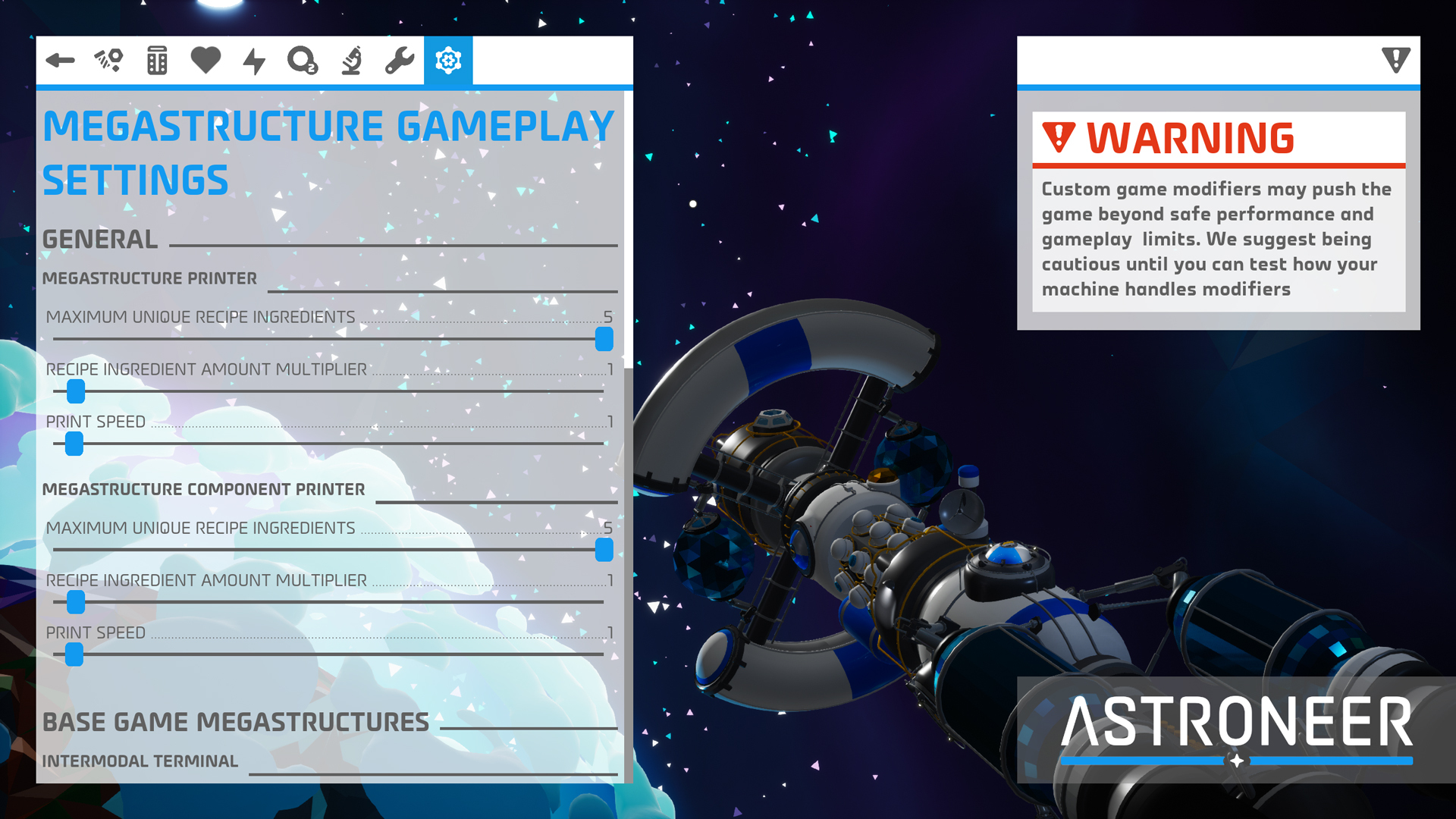
With this update we’ve added new Custom Game options to tailor your gameplay experience with Megatech content to your liking. These settings include:
Mega Printer Platforms & Megastructure Component Printers:
Ability to adjust the recipes for Megastructures and their Mega Modules, both in the number of ingredient types in recipes and the quantities of required ingredients.
Ability to adjust print speeds.
Intermodal Terminal:
Ability to set fuel in the integrated Hydrazine canisters to be infinite.
Orbital Platform:
Ability to adjust the limit to how many Mega Terrain Platforms can be chained together.
Ability to adjust the intensity of gravity on the Orbital Platform.
Biodome:
Ability to adjust the growth rates for plants in the Biodome.
Ability to adjust the wilting times and time for plants to die that are planted in the Biodome.
Museum:
Ability to adjust the requirements for donation milestones.
Note: Some Custom Game Modifiers can negatively impact performance and block access to parts of the game, including missions and items. Edit: This disclaimer refers to Custom Games in general, where some settings can affect the spawning rate of Mission items.
MEGATECH RECIPE REWORKS
We’re addressing the feedback that some Megastructure recipes were too costly, especially for Megastructures you can build multiples of like the Biodome or that have a function that’s dependent on having multiples like the Intermodal Terminal. We still want to ensure these construction projects represent a challenge while still being a worthwhile investment of resources, so we think these new values will strike a better balance, but please let us know what you think. We’ll be keeping a close eye on your feedback.
The following recipes have been changed:
Intermodal Terminal:
50 Resin (Down from 150)
20 Aluminum (Down from 30)
10 Ceramic (Down from 30)
5 Steel (Down from 15)
2 Titanium Alloy (Down from 5)
Biodome Stage 1:
100 Resin (Down from 250)
150 Organic (Unchanged)
30 Steel (Unchanged)
40 Glass (Unchanged)
40 Ammonium (Down from 100)
Biodome Stage 2:
100 Resin (Down from 150)
20 Graphene (Down from 25)
20 Aluminum Alloy (Down from 30)
75 Glass (Down from 150)
80 Nitrogen (Down from 160)
Biodome Stage 3:
150 Resin (Down from 300)
20 Rubber (Down from 30)
20 Plastic (Down from 30)
50 Glass (Unchanged)
Museum Stage 1:
200 Compound (Down from 300)
30 Copper (Down from 50)
30 Glass (Down from 50)
15 Silicone (Unchanged)
10 Titanium Alloy (Unchanged)
Museum Stage 2:
50 Compound (Unchanged)
30 Silicone (Unchanged)
30 Rubber (Unchanged)
20 Aluminum (Down from 30)
5 EXO Chip (Down from 10)
BUG FIXES
Megastructures
Fixed an issue that would cause the placement of Construction Anchors to mistakenly show as invalid despite being on valid terrain.
Fixed an issue where Megastructures were forced to be placed at the same elevation as the Construction Anchor. The preview hologram will now better match the terrain alignment it's placed on.
Fixed an issue that would cause the preview hologram of Construction Anchors to always display red if they were spawned but never picked up before saving and exiting the game, though this would get fixed by interacting with its buttons.
Fixed an issue that would prevent the preview hologram from displaying when picking up a Construction Anchor for the first time.
Fixed an issue that could cause a Construction Anchor to spawn upside down if the player wasn’t looking when it landed on the landing pad.
Fixed a multiplayer issue where the Megastructure Component Printer could fail to display a recipe and instead simply replace ingredient names with the word “Ingredient”.
DLS:
Fixed an issue that could cause the button prompt on the tooltip for the DLS Construction Anchor tubes to not display after saving, exiting, and reloading a game.
Fixed an issue that would allow resources to be slotted into the DLS Mega-Component Printer despite not being called for by a recipe.
Fixed an issue where non-host players in multiplayer were unable to load or unload Construction Anchors from the DLS with a controller using the prompted interaction button but were still able to do so with the trigger button.
Fixed an issue where the DLS model shown while the Megastructure is being printed was an older version of the final DLS model.
Intermodal Terminal:
Fixed a game crash that could be triggered by unpacking a shuttle on an Intermodal Terminal.
Fixed an issue with the Intermodal Terminal’s Rail Station Control Panel displaying the incorrect text string for its Tier Mode setting.
Fixed an issue that could cause resources in canisters slotted into an Intermodal Terminal’s integrated Rail Station to move to the shuttle on its associated landing pad even after moving the shuttle and canister off of the Intermodal Terminal.
Orbital Platform:
Fixed an issue preventing Repeaters and Power Sensors from drilling into the surface of the Orbital Platform.
Biodome:
Fixed an issue where using a Mega Deconstructor on a Biodome would leave behind all plants within standing. Now, plants turn back into seeds that can be recovered.
Fixed an issue where seeds could be planted in an occupied plot in the Biodome Expansion under certain circumstances.
Fixed an issue where some of the oxygen display lights on the outside of the Biodome would not light up correctly.
Museum:
Fixed an issue that would prevent players from claiming their rewards after reaching the third milestone in donating power or bytes.
Edit: We're receiving reports from players that this fix may not be working as intended. If this is the case for you, please reach out to our support team with a copy of your save file: [email protected]
Fixed an issue that was preventing Storm Data from being able to be donated as a resource for the Museum.
Fixed an issue where tapping the interaction key/button while holding the cursor over the Display Case Platform would also activate your Backpack’s auxiliary slot.
Fixed an issue where packaged Display Cases and Display Case Platforms didn’t display the correct icon.
Fixed an issue preventing Display Cases from being repackaged after unpackaging.
Fixed an issue preventing packaged Display Cases slotted into a platform from being unpackaged.
Fixed an issue where the tooltip that shows while holding the cursor over the Museum didn’t include the Museum icon.
Fixed an issue where the Galastropod collection could still be activated on a Display Case Platform if the displayed shells were consumed for research directly from the Display Case.
Miscellaneous
Fixed an issue that would mistakenly pop up the “Completed Megatech” message every time you enter the main menu for players who own the Megatech DLC.
Fixed an issue where Nubcap seeds could grow into Conepod plants.
Fixed an issue preventing platforms from attaching to the surface of the Unidentified Satellite and Sun Room.
Fixed an issue where Hydrazine Canisters slotted into a Shuttle’s Oxygenator slot would not refuel Hydrazine Thrusters if they were set to Enable Output.
Fixed an issue where players could get stuck indefinitely when trying to load into a game on dedicated servers.
Fixed an issue that could cause Wheezeweed vegetation to rapidly flicker in and out of view when approached.
Fixed an issue where packaged Melodic Mushrooms didn’t display the correct icon.
Fixed an issue where the Mega-Mini Training Shuttle could display a placeholder hologram in Creative Mode when selecting it in the research catalogue or while being printed.
Fixed a UI issue on the Xbox for PC App where the displayed keys/buttons to close an Astropedia entry would show the corresponding buttons for every platform.
Fixed an issue where the Power settings UI in a Custom Game’s configuration menu within the Astropedia would be slidable instead of static.
Fixed an infinite oxygen exploit.
Legacy Issues
Implemented a fix for a legacy issue where placing two or more Proximity Repeaters close to each other could prevent non-host players from rejoining a multiplayer game.
Implemented a fix for a legacy issue that could cause some players to not receive their final set of rewards for completing the Glitchwalkers final story mission.
Fixed a legacy issue where resources produced by a Portable Smelter that would later get moved over to an open slot would be missing their tooltip.
Fixed a legacy issue where the main menu's right-side panel would still show the Glitchwalkers DLC as “Not Owned” after buying the DLC.
Fixed a legacy issue where part of the Shelter handle was missing when seen through the opened hatch door window.
IMPROVEMENTS
Changed the functionality of the Biodome’s Mega Oxygenator so that its benefit now scales with the number of living plants planted within. A full Biodome will now provide a 100% reduction to the planet-wide suffocation rate. Plants planted in Biodome Expansions will also contribute to this scaling, but it cannot exceed 100%.
Updated Icon Signs so that now all icons will be mirrored on either side, so now you can use the arrow icons to give directions no matter where you look at them from.
Changed how Display Case Platforms work so that you can now stack perks with multiples of the same collection. The associated collection perk will have its effect increased for each active full collection, but the effect will have diminishing returns, with each new collection providing half the benefit of the last one.
Edit: We're receiving reports from players that collection perks may not be working as intended and are currently investigating.
Added the power consumption rates to tooltips for Display Case Platforms with full collections.
Added collision to the yellow railings around the edges of the Orbital Platform for added safety, but you can still jump over them.
Made changes to how Megastructures get placed down so that they now clear all foliage and debris, making them easier to deploy.
Made improvements to the UI of the Megastructure Component Printer’s Control Panel.
Added new icons for packaged Megatech items.
Changed the color of the Megatech icon next to save files to be light blue instead of the previous magenta.
Made various animation improvements.
KNOWN ISSUES
The following issues were identified late into the review process for this update and will be addressed in our next patch in April.
In multiplayer, when a player places a Walkway post and then quick stows it to their backpack, collision will remain for non-host players. This can be reset by saving and reloading.
The Simulated Aquarium is no longer showing in the Research Catalog, preventing players from unlocking it or placing it down in Creative Mode unless through the use of a Small Printer Cheat Plinth. If you’ve already unlocked it, then it can still be printed as normal.
We look forward to hearing your feedback on the latest changes! Keep an eye on our Live Bug Tracker to check the status on other bugs present in the game, and if you run into an issue that isn’t listed or you have more information to share, please send us a bug report.
The February patch is now available, and we have a sizeable list of fixes and improvements for you to review in the patch notes below. And while you’re here, we also have some more news to share. For starters, work is already underway for the March patch, and with this one we’ll
The February patch is now available, and we have a sizeable list of fixes and improvements for you to review in the patch notes below.
And while you’re here, we also have some more news to share. For starters, work is already underway for the March patch, and with this one we’ll start trying to address not just recent issues in the game but also legacy ones that have been around for some time. It’s worth noting, however, that one reason these legacy issues have stuck around for so long is that they are tricky to figure out. Some of these fixes might end up making it into later patches, but we still thought it worth sharing that work is underway.
We’re also working on getting some quality-of-life improvements into the game, as we’ve communicated previously. These should trickle out over the coming months, and we already have a lengthy list of ideas thanks to everyone sharing their feedback and suggestions, so big thanks to you all! We won’t be able to get the whole list implemented into the game in the short term, but we have high hopes that you’ll like what we’re focusing on first, and we know where to focus on in the future.
And lastly, for our Nintendo players wondering when the Switch port will get some love, I can confirm Megatech and all our patches since its release will be going out for the Switch later this same month (though a tad later for Asia). And I do want to highlight that all of the fixes that have gone into the game since the Megatech release will be available at launch. We still have some more bugs to squash, but this should be a much smoother launch experience.
BUG FIXES
Megastructures
DLS:
Fixed an issue that could prevent printing a Construction Anchor Landing Pad from the DLS Mega Component Printer if resources were slotted in the output slots.
Fixed an issue with the DLS where slotting an Orbital Platform package into its launch tube, exiting the game, and reentering would display the launch tube’s status light as green when it should be blue.
Intermodal Terminal:
Fixed an issue where the integrated fuel canisters of the Intermodal Terminal would not be removed and become non-interactable when destroying the Intermodal Terminal with a Mega-Deconstructor. Any previously leftover canisters can be removed by destroying them with Dynamite.
Fixed an issue that could cause shuttles on the Intermodal Terminal to become duplicated in multiplayer games.
Fixed an issue where client players on dedicated servers might not be able to interact with and use the Intermodal Terminal as intended.
Fixed an issue that would cause shuttles to lose launch functionality after placing them on the Intermodal Terminal, entering & exiting them, and removing them from the Intermodal Terminal.
Orbital Platform:
Fixed a couple of issues where plants that were planted on to the soil of the Orbital Platform’s Mega-Terrain Platforms could not be dug up and would persist when removing the Mega-Terrain Platform module.
Fixed an issue where saving and exiting while in mid-flight on a stage 3 Orbital Platform would disable and prevent flight upon reloading the game.
Fixed an issue that would cause plants that aren’t fully grown and planted on to the soil of the Orbital Platform’s Mega-Terrain Platforms to teleport away when dug up.
Fixed an issue with a gap in the floor of the Orbital Platform that players could fall through.
Fixed an issue where increasing the flight speed in Creative Mode would not apply to flight on the stage 3 Orbital Platform.
Fixed an issue where teleporting too many items that fell off the side of the Orbital Platform could get stuck in the air and burst into multiple directions when attempting to retrieve any of them.
Biodome:
Fixed an issue where Nubcap plants wouldn’t drop Mega Seeds when harvested in the Biodome.
Fixed an issue where a Biodome’s Auto Harvester could place harvested items into a fixed space in the air in the middle of Biodome Expansions.
Museum:
Fixed an issue preventing Display Case Platforms from being repackaged.
Construction Anchors:
Fixed an issue where there was missing text in the tooltip for the Construction Anchor’s deployment button.
Fixed an issue preventing players from exiting a Construction Anchor’s control panel by hitting the escape key on their keyboards.
Fixed an issue where players could interfere with resources being used by a Mega-Printer Platform while printing.
Made some improvements to multiplayer experience with Construction Anchors.
Miscellaneous
Corrected the storage capacity of pre-existing Large Fluid & Soil Canisters and Large Gas Canisters to match the new increased values introduced with Hotfix 3.
Note: If this doesn’t show correctly at first, then reloading your save file should display it correctly. Trying to store or withdraw items from the canister might also work.
Fixed an issue where gravity wasn’t working properly for items in the Sun Room or the Unidentified Satellite.
Fixed an issue where a partially loaded world could be seen briefly when loading into a save file or saving and exiting.
Fixed an issue where all save files on dedicated servers would have the Glitchwalkers icon next to them.
Fixed an issue causing players to be kicked out of dedicated servers when attempting to claim a mission reward if they didn’t own the Glitchwalkers DLC.
Fixed an issue where it would fail to show the Megatech DLC as being owned on the starting Main Menu’s right-side panel for players on Xbox and the Xbox PC App.
Fixed an issue where storing Conepod seeds into any container would return them as Nubcap seeds when withdrawn.
Fixed the animation and sound effects that play for unpackaging a Construction Anchor.
Fixed a typo in the unlock description for the Haywire mask cosmetic.
Fixed additional game crash instances.
IMPROVEMENTS
Made improvements to the eligibility of compatible items for the Museum’s Display Case collection. For example:
Now, any different mineral researchable item per planet will count towards the Medium Research Item collection.
Note A: The collection tooltip might not display the updated new list of compatible items right away. If this is the case, try removing the Display Cases and placing them back on.
Note B: Some pre-existing collections might now have more of certain items than needed. If collections aren’t registering correctly, try removing the collection items and placing them back on as requested by the tooltip.
Added locking functionality to the Museum’s Display Case Platforms.
Made some tweaks and improvements to the sounds, colors and interactions of the Musical Mushroom, including the ability to activate them with target pins.
Updated the visuals of wilted plants and added a pulsating effect for fully grown plants in the Biodome.
Made additional improvements and added polish to some Megatech art assets, including power visualization for megastructures, adding collision where it was missing, animation improvements, and more.
UNDER INVESTIGATION
Some of the issues we’re tracking have proven to be trickier to figure out than others, so we’ve created a new channel in our Discord server to help gather more information. The channel is called #bug-investigations, and if you’re running into either of these high-profile bugs, please share your information with us.
Bug Number 1337: The DLS can fail to launch one of the Orbital Platform packages and get locked into a state of "Launch in progress" which stops it from deploying more Construction Anchors.
We believe this patch should significantly reduce the likelihood of this issue occurring, so if you run into this issue after Patch 1.37.4, please join the #bug-investigations channel and share your report.
Bug Number 1335: Specific save files on both Xbox consoles and the Microsoft Store/Xbox App for PC are not saving properly, resulting in lost progress.
Keep an eye out on the Megatech Troubleshooting Report for the latest news on emerging issues, fixes, and the state of the game. And if you run into a bug, have a look at our Megatech Live Bug Tracker to check if it’s there. Please send us a bug report to [email protected] if you don’t see it (or if we’re requesting more info). We’re keeping these up to date as we have more information to share.
UPDATE : Looks like we missed a few more fixes that went into this Hotfix and weren’t noted here when we initially shared these Patch Notes. The previously unlisted fixes have been added in italics to better help distinguish them. Hello everyone! I hope you all had a great holida
UPDATE: Looks like we missed a few more fixes that went into this Hotfix and weren’t noted here when we initially shared these Patch Notes. The previously unlisted fixes have been added in italics to better help distinguish them.
Hello everyone! I hope you all had a great holiday season.
We’re starting the year with a new hotfix tackling more Megatech bugs, and we’re already making good progress for the next patch in February.
For some context, before the end of the year we shared a message to the community with insight into our plans for ASTRONEER in 2026. We stated that for the first half of this new year we’re committing to monthly updates focused on bug fixes and quality-of-life improvements to the game. You should see more of the latter after the first couple of patches this year, since we already had some prior work in progress towards this hotfix and the update that will be coinciding with the release of Megatech for the Switch.
In the meantime, if you have other issues that you want to report that you don’t see on the Megatech Live Bug Tracker, please send us an email at [email protected] so we can get a ticket started to keep track of it. Please include as much info as possible, including which platform you play on, your in-game username, and a description of the problem encountered.
BUG FIXES
Megastructures:
Fixed an issue where attempting to pick up a Display Case from a Museum’s Display Case Platform with four Display Cases and a partial collection would cause a game crash.
Fixed an issue that could cause players exiting from a Shuttle on an Intermodal Terminal’s landing pad to be placed under the Intermodal Terminal.
Fixed an issue where the indicator light of a DLS launch tube with a loaded Construction Anchor would revert from blue back to green after exiting the game and reloading.
Fixed a frame drop that would occur when launching or obtaining specific Construction Anchors from the DLS.
Fixed an issue that could cause the DLS to get stuck with a second Museum Construction Anchor in its launch tube after already receiving a first Museum anchor. This could also prevent the Orbital Platform anchor from being launched.
Fixed an issue that prevented Museum collection perks from activating for Museums built on the Orbital Platform.
Fixed an issue where items slotted into certain slots near the Orbital Platform’s thrusters would flip sideways.
Fixed gaps in the Orbital Platform’s collision mesh that could cause players to fall through the floor.
Fixed an issue where the caging around the Orbital Platform’s thrusters could be misaligned and rotated over the ring platform instead.
Fixed an issue that could cause fallen items on the Orbital Platform to be teleported above it and stay stuck there or get scattered.
Fixed an issue where players who exited the game while in orbit of the Orbital Platform would reload into the game without being able to interact with anything.
Fixed an issue where some Target Pins in the Intermodal Terminal couldn’t be segmented or attached to anything.
Fixed an issue where saving and exiting a game while being inside a shuttle on one of the Intermodal Terminal landing pads could make it so that, after reloading that game file, exiting that shuttle would place you at the bottom of the Intermodal Terminal and be stuck.
Fixed an issue that could cause wireframes to be visible around Medium Storages attached to a Biodome.
Improved the wording of the “Light Bloomer” Biodome Mission to be clearer.
Fixed an issue where the Megastructure Component Printers would continue to make printing sounds despite being unpowered.
Miscellaneous:
Fixed an issue that could cause Packagers to delete the packaged item and become stuck in mid-air without being interactable.
Fixed an issue where Solid Fuel Thrusters could disappear from a Shuttle after running out of fuel, rather than leaving behind scrapable debris.
Fixed an issue where Stacked Platforms would not adjust their height to accommodate certain storage modules.
Made improvements to the functionality of the Musical Mushroom. Now it will cycle through musical tones upon activations, with different colored lighting per tone. It also changed from “Hold to Interact” to a single tap activation and will now be activated by Target Pins from other modules.
Fixed an issue where the tones of the Musical Mushroom could become out of sync between players on multiplayer.
The Musical Mushroom has been removed from the Creative catalogue for accounts without the Megatech DLC.
Fixed an issue where the walkable surfaces of Walkways could be left behind for clients on multiplayer after stowing them.
Fixed a missing text string in the research settings for Custom Games.
Added the Large Gas Canister and Large Fluid & Soil Canister to the list of printable items for legacy printers.
Fixed an issue where resources in the output slot of the Extra Large Resource Canister appear very tiny and are nearly impossible to interact with.
Fixed an issue where Icon Signs would be slightly offset when slotted into T1 slots.
Fixed an issue where the cursor for the Drill and Paver were casting a shadow.
Keep an eye out on the Megatech Troubleshooting Report for the latest news on emerging issues, fixes, and the state of the game. We’ll keep it up to date as we have more information to share.
Hey all! Joe here to follow up on our earlier message regarding the plan forward for Megatech and beyond. Now that we have released Hotfix 3, the work continues! Let's talk about where we go from here: TLDR: We are moving to a monthly patch cadence to fix bugs, longtime issues, a
Hey all! Joe here to follow up on our earlier message regarding the plan forward for Megatech and beyond. Now that we have released Hotfix 3, the work continues! Let's talk about where we go from here:
TLDR: We are moving to a monthly patch cadence to fix bugs, longtime issues, and make quality of life changes for the first part of 2026 instead of focusing on new content. Megatech bugs and releasing Megatech on Switch will be first on the list, and then we will move on to things we should have fixed/changed a long time ago. Now for the full explanation:
The team has been answering tickets, reading online posts, and working with community members to take feedback in the month since Megatech has been out. That being said, releasing any game content this late in the year carries one significant risk barrier: shutdown dates for platforms. Because we are a multiplatform game, we need to prepare patches and then send them out to our platform partners for certification, and platforms have outages for the holidays in December. We worked right up until the deadline to release the first three hotfixes and have continued working on the next updates since then, but additional patches won’t come out till early January, after our platform partners come back from the holiday break. This is standard practice, but we just wanted to be transparent with you all. We haven’t stopped working! We just need to wait a bit while everyone gets a much-deserved rest.
The Plan for 2026:
That being said, I have some info about how things in the new year will work, which is a significant change from the last 3 years of development. Since 2022-ish, we have been doing two updates a year: One smaller one in the spring/summer, then work to deliver something BIG in the fall. That cadence worked for the team but required us to go dark for extended periods while we cooked up our big updates for the latter half of the year. That just isn’t going to work this time around, so we are swapping to a monthly cadence with more frequent patches for the first half of 2026. Longtime players might recognize this style, it is how we used to operate in the years around our 1.0 launch, and should help us feel more connected with you all. We can figure out the rest later, but for now, it is clear that we have prioritized new content over fixing long-term bugs and quality of life updates that the game desperately needs. While this isn’t as exciting as announcing a big new content update, I hope that this reprioritization is welcome news for the community who just wants to enjoy what is already in ASTRONEER.
Timeline:
The first patch of 2026 will happen in early January, and then we will keep rolling with regular updates after that, keeping you all updated along the way. I don’t have any shiny graphics, my producer Sarah would be frustrated with me if I shared the raw internal calendar she sent me, but it is basically:
JANUARY – QOL UPDATE
FEBRUARY – QOL UPDATE
MARCH – QOL UPDATE
APRIL – QOL UPDATE
MAY – QOL UPDATE
But with a lot of other small details in there and some MS paint arrows drawn over it all. The first prioritization is fixing up Megatech and releasing it on Nintendo Switch, and then we will start to triage long term issues and get them on the docket.
A note: QOL or quality of life means that we are focused on “updates” to the game that make the current experience better. That might mean fixing a long-term bug, or balancing a recipe, or adding/fixing functionality of an existing item to make it more usable. Feel free to suggest things that you think might be candidates for this kind of focused work, but this time will be focused on content already in Astroneer, not new stuff.
What happened?
While I think we addressed it in our apology note, I wanted to be transparent and shed light on some of the factors that got us here in the first place. Astroneer is a nearly 10 year old game, and the underlying technology is so outdated that the very platforms and core code the game was built on are no longer supported by current standards. The engine version that the game had been running was Unreal 4.23, (released in 2019!!!!) before the PS5 platform had even been released. The Xbox platform we released on in 2016 (UWP) has been phased out for a new system. That made continued development of Astroneer very difficult, but we managed for a while.
Nearly halfway through developing Megatech, we realized that the game would need an engine upgrade to continue feature development. The upgrade process can sometimes take months because you must upgrade and test all existing content, then verify everything is working across all shipping platforms before moving on to new work. Engine upgrades often introduce tons of bugs on their own, and this year was already full developing Megatech content and getting the PS5 version of the game out, which have their own bug loads. This meant our very methodical process for bugfixing and testing became much more complex, and ultimately led to a rough launch. We weren’t just finding issues with Megatech, we missed some crucial bugs that were introduced in the upgrade, and that made fixing things quickly even harder. We really like Megatech conceptually, but it is plagued by bugs and a lack of polish that is stopping some players from enjoying it, which is where we are now.
We are committing ourselves to:
Getting back to our process that leaves us with dedicated time to bugfix without new changes going in.
Be more malleable about dates. If things aren’t ready, delay, apologize for the delay and deliver higher quality later.
Focus on fixing issues in the game now before adding new content, so future content updates will go smoother.
I could go on about this year, but I think I will leave it there. I appreciate everyone who has been giving us constructive feedback during this process. Please know that our main focus as a studio is to deliver fun stuff for you all to enjoy, and as a studio we’ve internalized that we didn’t deliver the quality you all expect from us. We can’t change our past decisions, but I hope being transparent about what brought us to this point and how we are working to learn from those mistakes helps. Keep holding our feet to the fire, keep the feedback coming, and we will see you in 2026.
Our latest Hotfix is now available, addressing some of the more persistent issues present in the game along with a few more fixes we were able to fit in. Of particular note are the improvements for the partial nuggets issue and the issue where Xbox players who purchased Megatech
Our latest Hotfix is now available, addressing some of the more persistent issues present in the game along with a few more fixes we were able to fit in. Of particular note are the improvements for the partial nuggets issue and the issue where Xbox players who purchased Megatech via a bundle were not getting access to that content as intended. We also buffed the storage capacity of the new Large Canisters, so thank you for sharing your feedback.
As we mentioned on our recent statement, we will continue to work on additional fixes in order of severity, but please continue to send your bug reports for any issues you encounter as you run into them. We’ll update you with a more specific time frame as soon as we’re able to and thank you for your patience as we work on resolving these issues.
If you have other issues that you want to report, please send us an email at [email protected] so we can get a ticket started to keep track of it. Please include as much info as possible, including which platform you play on, your in-game username, and a description of the problem encountered.
*Modding Reminder: We’ve seen reports of the game crashing upon launch, and in most cases following the launch of Megatech this was because the game was modded. We do not officially support mods, so if you have used them on any of your old saves, you are likely going to crash. We recommend removing all mods and starting a new save if you want to enjoy the content. Use mods at your own risk!
A quick update to help clear up any misconceptions: Mods are not THE source of crashes here. They do, however, historically contribute to them. We're addressing the issues we can internally but unfortunately cannot address issues caused by external Mods and recommend you uninstall them to see if that helps with any issues you might be experiencing.
BUG FIXES
Fixed an issue on Xbox and the Microsoft Store where content would not unlock correctly if you purchased the Glitchwalkers and Megatech bundle. This fix should retroactively unlock the content. Please email our Support team if the issue persists.
Fixed an issue preventing PS4 save files from being imported to the PS5 version of the game in regions outside of the Americas. For anyone else finding trouble with importing save files from the PS4 to the PS5, please consult this guide.
Fixed an issue where attempting to cancel a print on a Mega-Component Printer could result in the creation of unremovable partial nuggets.
Fixed an issue where attempting to cancel a print on a Mega-Component Printer could result in losing all resources and canisters attached at the time of the print.
Fixed a handful of DLC ownership related issues that occurred in multiplayer games.
Fixed an issue where the Biodome’s Mega-Oxygenator could lead to consuming more oxygen than intended.
Fixed an issue where slotting a small soil canister on to the Resource Donation Station of the Museum or removing it could cause a crash.
Fixed an issue where trying to pick up a canister slotted to the Museum while donating resources could cause a crash.
Fixed an instance of the game crashing shortly into loading a game save file.
Fixed an issue that prevented some players from being able to build the Stage 3 for the Biodome.
Fixed an issue where the Mega-Modules in a Biodome would stop working after reloading a save file unless they were removed and re-slotted into the Biodome.
UPDATE: We originally listed a fix for a bug preventing resource nuggets dispensed from XL Canisters from being grabbed by players. This was an error in our notes and this fix is actually coming in a future update.
NEW CANISTERS STORAGE INCREASE
Thank you to everyone who shared their feedback on the new Large Canisters storage not being as high as they should; you did the math and you were right.
The storage capacity of the Large Gas Canister has been increased to hold 400 Small Canisters worth of a single atmospheric resource.
The storage capacity of the Large Fluid & Soil Canister has been increased from 72 Small Fluid & Soil Canisters to 300 Small Fluid & Soil Canisters.
These changes also apply to the Intermodal Terminal's fuel canisters.
UPDATE: This change has not applied retroactively to Large Canisters built prior to this Hotfix. Building new canisters should reflect these new values, and as a workaround, emptying a canister, packaging them and then unpackaging them should correct their storage values.
PARTIAL NUGGETS FIX
Some issues in the game could create “partial nuggets” of resources that cannot be interacted with and block access to the slots they’re in. We've issued a fix that should address this bug on all newly generated resource deposits, though you may still experience partial nuggets that persist from prior to this fix.
For this reason, we have updated the Save File Repair Tool so that it now has the option to remove partial nuggets from a save file. If your save has been affected by this issue, follow the link to this guide for steps to follow and look for the “Delete Partial Nuggets” setting.
We're keeping our ear to the ground and continuing to track down issues as they get reported, so don't hesitate to keep those reports coming and join our Discord for the latest updates.
Keep an eye out also on the Megatech Troubleshooting Report for the latest news on emerging issues, fixes, and the state of the game. We’ll keep it up to date as we have more information to share.
To Our Community All of us here at System Era and the ASTRONEER development team apologize to you, our players. The Megatech update does not reflect the experience we want our community to have. It also does not reflect our profound appreciation for the support you have shown us
To Our Community
All of us here at System Era and the ASTRONEER development team apologize to you, our players. The Megatech update does not reflect the experience we want our community to have. It also does not reflect our profound appreciation for the support you have shown us and ASTRONEER through the years.
We were overly ambitious with our desires for Megatech and that bit us. Ambition is good when kept in check but disastrous when it impacts our ability to deliver a great experience at launch. This has been a painful but important lesson for our team. We are committed to fixing the game in both the short and long term. We are also focused on repairing the trust we've broken with all of you.
Alongside providing stable fixes for the content that you've purchased, we owe you all a greater degree of transparency in our communications as we work to rectify this situation. We will update you with more information and schedules as soon as we have concrete information to give.
Megatech obviously has many issues that require immediate attention. Below is our immediate plan to address these critical issues.
Hotfixes So Far
Our immediate action has been to provide hotfixes as quickly as possible to address the worst issues we can fix right now. Hotfixes 1 and 2 are live, and Hotfix 3 is targeted for release next week. The complete list of fixes for Hotfix 1 and 2 can be found online, and we will post notes for Hotfix 3 when released. Below are highlights from those hotfixes.
Fixed a memory leak issue associated with storing an abundance of specific LTE-related resources.
Fix for an issue preventing Xbox players who purchased Megatech from receiving this content.
Fixed inaccessible Megastructures in Creative Mode.
Fixed an issue limiting multiplayer to 3 players.
Fix for an issue preventing PS4 save file import to PS5 for players in regions outside of the Americas.
Fixed unwalkable Walkways.
Corrected a change to canister settings needed for Mega Printers to work.
Fix for issues that could create “partial nuggets” blocking Mega Component Printer slots.
Fixed Megastructures being destructible with Dynamite.
Updating the Save File Repair Tool to remove “partial nuggets” from affected save files.
If you’re still having issues importing save files from the PS4 to the PS5 after Hotfix 3, please refer to this guide we created and contact support if the problem persists.
After the Hotfixes
While the hotfixes address a bulk of the worst offenders from the issues reported, we are by no means done. The first 3 hotfixes will not fix everything; they are a stopgap we're applying to address some immediate concerns while we continue working on larger and much more time intensive repairs.
These wider reaching repairs will begin releasing in early 2026 with the goal of drastically improving the quality of the game. While we are focused on bugs, we are and will continue reviewing player feedback on the content itself. Discussions around what changes we may decide to make to that content continue as more feedback comes in and fixes are solidified.
We are planning many changes for ASTRONEER in 2026 but are first and foremost committed right now to fixing the game. This update has given the team a lot to consider regarding our future plans for ASTRONEER. We are going to refocus the way we work to seriously prioritize quality and will have more to share with you all in the new year regarding this promise.
Where to Stay Informed
If you’re looking to stay informed of the ongoing work in fixing issues with the Megatech Update, keep an eye on the Megatech Troubleshooting Report, which we have been keeping up to date throughout the post-release window for this update. It’s also a good place to find workarounds for lingering issues.
We want to encourage everyone to join our Discord server, where we share news and updates about the game. In the next few weeks, you'll notice more SES representatives will be engaged and visible in the server as part of our commitment to increase transparency and to keep you all informed.
Keep an eye on our socials, website, and discord. We want to make certain everyone in the community receives the most updated information as it's being released.
Thank You for Your Reports
We'd like to express our deepest gratitude to everyone in the community who shared their bug reports with us. Your diligent reporting has allowed our small team to identify and prioritize the most pressing issues in the game and target the necessary fixes we've been working to address.
We would like to encourage everyone to continue to share reports with us: We are reading and discussing it all, but it will take some time for us to get back to everyone and respond to every message personally.
To improve response time on our end, we are asking everyone to please include as much information about the issues you are experiencing as possible. This includes what platform you're playing on, your version number, screenshots or video, your username, and a detailed description of what occurred.
In Closing
We're not going to defend the Megatech release: Its problems are bad, and we are acknowledging the truth of that. Your frustrations with this update are understandable. We not only failed to deliver on the quality of the update, but we also failed all of you as our fans.
We can, should, and will do better. We love ASTRONEER and we want it to thrive.
Our team has been diligently looking at all the feedback and reports coming from the community, and we have valuable information to share that we hope will be of help. * LAST UPDATED : February 25th, 2026 – Any changes from the previous version of this report will be added in ita
Our team has been diligently looking at all the feedback and reports coming from the community, and we have valuable information to share that we hope will be of help.
*LAST UPDATED: February 25th, 2026 – Any changes from the previous version of this report will be added in italic lettering to facilitate distinguishing new updates. This is the final update for this report, as we transition over to using the Live Bug Tracker in its place.
Modding Reminder
We’ve seen reports of the game crashing upon launch, and in the vast majority of early cases this was because the game was modded. We do not officially support mods, so if you have used them on any of your old saves, you are likely going to crash. We recommend removing all mods and starting a new save if you want to enjoy the content. Do consider that simply reinstalling the game can still leave mod files behind.
Note: To help clear up any misconceptions, mods are not THE source of crashes here. They do, however, historically contribute to them. We're addressing the issues we can internally but unfortunately cannot address issues caused by external Mods and recommend you uninstall them to see if that helps with any issues you might be experiencing.
Platform Parity
All platforms have returned to version parity.
Newest Patch - 1.37.4.0: Steam, Xbox, Microsoft, PS4 & PS5, and Nintendo Switch.
Patch Schedule
Starting in February, with Patch 1.37.4, we've entered a schedule of monthly patches for the first half of 2026. We will continue to work on fixing Megatech issues in parallel to addressing longstanding issues and other feedback to bring quality-of-life improvements to the base game.
Work continues on fixing the remaining issues in the game. For added visibility, you can find a list of known issues in our Live Bug Tracker, along with the expected patches we plan to get a fix out for them and other information worth sharing. This isn’t a completely comprehensive list of every bug present in the game, largely the ones that get reported the most to our support team.
Players who purchased the Megatech Deluxe Bundle for the PS4 version of the game on December 11th or before did not retain access to said DLC after upgrading to the PS5 version. We contacted PlayStation to remedy the situation and heard back that as of mid-January, all affected players should have correctly received their DLC. If for whatever reason this wasn’t the case for you, please contact our support team: [email protected].
Save File Repair Tool Addition – Partial Nuggets
Some issues in the game could create “partial nuggets” of resources that cannot be interacted with and block access to the slots they’re in. We've issued a fix that should address this bug on all newly generated resource deposits, though you may still experience partial nuggets that persist from prior to this fix.
For this reason, we have updated the Save File Repair Tool so that it now has the option to remove partial nuggets from a save file. If your save has been affected by this issue, follow the link to this guide for steps to follow and look for the “Delete Partial Nuggets” setting.
Thank you to everyone for sending in your bug reports and for your patience while we work out these issues. For anyone encountering issues, please send us an email bug report to [email protected] with as much info as possible, including which platform you play on, your in-game username, and a description of the problem encountered so we can sort it all and work on it.
Set your Megastructure projects aside for a few minutes to join us in looking back at the big week we’ve had since the launch of the Megatech update. YOU Made it Mega! Ever since we announced the Megatech update, we’ve been both humbled and excited by the overwhelming reaction we
Set your Megastructure projects aside for a few minutes to join us in looking back at the big week we’ve had since the launch of the Megatech update.
YOU Made it Mega!
Ever since we announced the Megatech update, we’ve been both humbled and excited by the overwhelming reaction we got from you, our community. Our goal was to make something that the ASTRONEER community could sink its teeth into and add new dimensions of fun to the game, and judging from your enthusiasm it seems we must have done something right!
Since the launch of Megatech last week, we’ve had over 100,000 new players (And that’s on Steam alone) jumping into ASTRONEER for the first time! We’re incredibly grateful for your ongoing support of our quirky little space game and hope you continue to look forward to what we bring in the future; we still have plenty more plans for ASTRONEER.
Ongoing Megatech Work
That said, there’s still more work to be done for Megatech. We have more bugs to squash and other kinks to iron out, not to mention a few ideas that got set aside on the cutting room floor that we might want to revisit.
We plan to continue to hotfix in the short term, and we have an update scheduled for early 2026 to balance and respond to feedback from Megatech launch just like we did last year with the Glitchwalkers Unlocked update. Keep an eye on our social channels and join the Discord if you haven’t already.
Community Roundup
It’s time for a new roundup of community content to shine the spotlight on. We're mixing it up a bit again by also including the emote reactions by the community on Discord, in addition to those from the SES team shared on our internal Slack.
Butterfly_Banana’s artwork made quite an impression over at the Discord server, and rightly so! I love the message, and the design hits me right in the Astroneer pudding, but it also makes me think a lot of Starseeker, I don’t know why. Maybe those cute carrotlings know why. Find more of her work here.
Little Victories
For a second there I was wondering why coolkid (very apropos name) decided to share a picture of the moon landing as an ASTRONEER screenshot, until I noticed the voxel terrain and top hat. Good use of filters to recreate a historic milestone in space exploration!
⠀⠀⠀⠀⠀⠀⠀⠀⠀⠀⠀⠀⠀
⠀⠀⠀⠀⠀⠀⠀⠀⠀⠀⠀⠀⠀⠀⠀⠀⠀⠀⠀⠀
Keromas not only seemed to have had a great time with ASTRONEER but also endeavored to get all the achievements, sharing this screenshot along with an encouraging message in order to celebrate. We look forward to seeing you take on Megatech next!
⠀⠀⠀⠀⠀⠀
⠀⠀⠀⠀⠀⠀⠀⠀⠀⠀⠀⠀⠀⠀⠀⠀⠀⠀⠀⠀⠀⠀⠀⠀⠀
Sneak Leek
The crew of the Starseeker gathers lots of precious resources, scientific samples, and all manner of findings when they return from their expeditions, so these snazzy stash boxes come in handy for storing and sorting it all out.
Thank you once again for tagging along with us. Now, those Megastructures aren’t going to build themselves! (The Mega-Printer Drone will do that, but someone needs to feed it the copious amounts of resources it needs!)
Once again, thanks so much for your feedback and bug reports! We chased down several fixes today that were reported by the community. If you run into new bugs or issues that you want to report, shoot us an email at [email protected] and we can get a ticket started to track it
Once again, thanks so much for your feedback and bug reports! We chased down several fixes today that were reported by the community. If you run into new bugs or issues that you want to report, shoot us an email at [email protected] and we can get a ticket started to track it! Hotfix 1 & 2 will be deployed to consoles in the coming days.
We do want to call out once again - We do not officially support mods, so if you have used them on any of your old saves, you are likely to crash. We are a small team and will not be able to fix that for you, so please don't inundate the support line with reports on modded saves. We recommend installing fresh and starting a new save if you want to enjoy the content and use mods at your own risk! NOTE: This version will break crossplay compatibility for dedicated servers while we wait for this patch to pass certification on consoles. Steam players should be unaffected.
BUG FIXES
Fixed a memory leak associated with seeds from previous LTEs, because some of you had way too much Resipound.
Fixed Multiplayer limit bug, you are now allowed to have more than 3 friends.
Fixed the mission that triggers when you purchase the DLC, confirming your purchase.
Pardon Our Dust hat reward should trigger with the correct mission now.
Fixed a bug where canisters on the Megaprinter needed to be set to output to start the print process. (DO NOT MOVE CANISTERS WHILE THE PRINT IS HAPPENING!)
We will be keeping our ear to the ground this weekend and tracking more issues down, so don't be afraid to share with us on Discord! We are tracking known issues here: https://blog.astroneer.space/p/megatech-troubleshooting/
Thanks for all of the feedback today, we prioritized several fixes in this Day 1 patch that were the most reported! Keep the feedback coming and hit us up at [email protected] with any new bugs you are seeing. These fixes will be deployed to consoles in the coming days. We do
Thanks for all of the feedback today, we prioritized several fixes in this Day 1 patch that were the most reported! Keep the feedback coming and hit us up at [email protected] with any new bugs you are seeing. These fixes will be deployed to consoles in the coming days.
We do want to call out one thing - We do not officially support mods, so if you have used them on any of your old saves, you are likely going to crash. We are a small team and will not be able to fix that for you, so please don't inundate the support line with reports on modded saves. We recommend installing fresh and starting a new save if you want to enjoy the content and use mods at your own risk! NOTE: This version will break crossplay compatibility for dedicated servers while we wait for this patch to pass certification on consoles. Steam players should be unaffected.
BUG FIXES
Fixed multiplayer crash caused by the Terrain Tool.
Fixed walkways not existing even though they existed.
Fixed incorrect tooltip on Walkway.
Fixed Reward string localization.
Fixed the Mega-Mini Asteroid voxels flickering on consoles.
Fixed the byte milestone on the museum having the wrong value.
Fixed the Research collection on the Display Cases, and added the Seed collections.
Added a missing cosmetic for the DLS, and retroactively gave it to players that didn't receive it.
Fixed a crash with the Biodome.
Added the DLS Anchor to the creative catalog (you can spawn anchors via the DLS for the other Megastructures).
Fixed a crash when loading a save with seeds in a specific slot in the Biodome.
Fixed certain cases of partial nuggets with the Museum.
Prevented Megastructures, Megamodules, Mega Component Printer from being destroyed by Dynamite.
Fixed an exploit caused by building the Intermodal Terminal and then the Orbital Platform not adding entitlement to the save.
We are continuing to work through things as they come in, this is the biggest update we have ever shipped so we appreciate everyone's patience while we continue to hotfix issues!
UPDATE : If you're encountering issues following this update, please review the Troubleshooting Report for the latest information on emerging issues and incoming fixes. Modding Disclaimer : We do not officially support mods, so if you have used them on any of your old saves, you
UPDATE: If you're encountering issues following this update, please review the Troubleshooting Report for the latest information on emerging issues and incoming fixes.
Modding Disclaimer: We do not officially support mods, so if you have used them on any of your old saves, you are likely going to crash. We recommend removing all mods and starting a new save if you want to enjoy the content.
Today finally marks the release of the long-awaited Megatech update! There’s a lot of content packed into this one, even beyond all the content pertaining to the new DLC. Speaking of which, that’s a good place to start.
Note: Our Nintendo Switch release for this update will arrive in early 2026. We’ll share an update once we have more to share.
The following is an exhaustive list of the changes and new content being added to the game. Steer clear if you’d prefer to go in blind and discover everything for yourself.
Megatech DLC
Those who bought the new expansion and completed the pre-requisite missions will be welcomed by a new Mission in their log, where a new virtual assistant by the name of Beepy will walk you through the steps to unlock the exciting new Megastructures technology of Megatech! Give this guide a look to ensure you’ve progressed enough to get started.
New Mission lines have been added to guide Astroneers through unlocking all of the new Megastructures.
New Megastructures
The following three Megastructures are exclusive to the DLC.
Orbital Platform: Space-based observation and science platform developed by the Vastar Infrastructure Research Institute. A Megastructure that can be launched to orbit a planet of choice, offering a vast ring-shaped build space with special conveniences and the MEGA-Mini Asteroid at its center. You only get one, so choose wisely, it's not an easy thing to move around. Features:
Gravity: This remains consistent throughout the top side of the platform, even when you jump onto the Asteroid. Walking off the edge will result in falling into space, but you’ll be safely recovered and placed right back.
Power & Oxygen: The orbital platform contains its own oxygen supply, so no tethers are needed here. As for power, you’ll need to provide that, but there are convenient cable ports through the whole platform to help distribute power.
Megaception: With a few limitations, you can build other Megastructures on top of the Orbital Platform, as long as you build it on the ring itself. Just keep in mind that some Megastructures are limited to either just one or one per planet.
Orbital Relocation: You can spend Astronium as fuel in order to move the Orbital Station into orbit of another planet if you change your mind.
MEGA-Mini Asteroid: An Asteroid of pure soil that can be infinitely reshaped into one of various shapes: Asteroid in two different variants, Sphere, Donut, Flat Platform, Resin and Compound.
Upgrade Stages: Upgrading the Orbital Platform to Stage 2 adds a Megastructure Component Printer. Stage 3 unlocks free flight on the Orbital Platform, even in Adventure Mode.
Megastructure Component Printer: A Stage 2 Orbital Platform will have the ability to print Construction Anchor Landing Pads and its associated Mega Module, the Mega-Terrain Platform.
Orbital Platform Mega-Modules:
Mega-Terrain Platforms: Can be placed on the edge of the Orbital Platform or another Mega-Terrain Platform to extend the edge with flat platforms made of terrain.
Biodome: A peaceful place to plant and harvest plants. Automate the process and gain planetary buffs. Only one per planet. Features:
Seed Harvest: Biodome harvests are a bit different compared to what you get out in the wild. Instead of Organic, you can harvest Seeds from most regular plantable plants in the Biodome (excluding hazardous plants, LTE Plants and Fractal Roses). Plants will require more care and attention, but their yields will be greater. Seeds are a resource that plays into one of the Museum’s Donation Station rewards.
Rare Drops: There’s a small chance for harvested plants in the Biodome to drop extra goodies for you to discover. Only the newly added seeds are capable of this (more info on the new seeds further down in the free content section).
Upgrade Stages: Upgrading the Biodome to Stage 2 adds the Mega-Grow Lamp, which boosts plant growth rate within the Biodome. Stage 3 adds a Megastructure Component Printer.
Megastructure Component Printer: A Stage 3 Biodome will have the ability to print its associated Mega Modules, listed below.
Biodome Mega-Modules:
Auto-Planter: Automatically plants seeds in the Biodome from canisters attached to it.
Auto-Fertilizer: Automatically applies fertilizer to plants in the Biodome periodically. Fertilized plants retain the “fully grown” state longer. Uses Organic.
Auto-Harvester: Automatically harvests plants in the Biodome. Prioritizes fully grown plants. Harvested items will fill attached storage canisters if available.
Biodome Expansion: Expands the biodome with more planting space and an additional Mega Module slot. Up to five of these can be added.
Resource Pod: Allows the installation of canisters on the Biodome to grant it storage options for automation operations like harvesting and planting.
Mega Oxygenator: Provides a planet-wide buff that slows down suffocation rate.
Museum: A Megastructure that provides rewards in exchange for donations of resource nuggets, power, bytes, and seeds. The advanced model of the Museum also allows Astroneers to display collections of items in themed groups for rewards. You only get one, so think twice before you place it. Features:
Donation Stations: Donate spare Research Bytes, Power, Resources, and Seeds that can unlock valuable and unique rewards as you reach their milestones. Holographic displays at the center will grow to display your donations.
Donation Perks: Reaching the final milestone for each donation station provides helpful perks that boost your Astroneer kit. Each active perk consumes 5 U/s, and the boosts will decrease in effectiveness proportionally if underpowered.
Research Bytes grant increased Backpack power recharge speed.
Power grants increased Backpack power capacity.
Resources grant increased Terrain Tool drill speed.
Seeds grant increased Backpack oxygen tank capacity.
Collection Perks: Place your collections into themed Displays in order to unlock unique perks. Only one type of collection can be held on a single themed Display Case Platform with a full collection, otherwise items will be dropped from their Cases. Each active perk consumes 5 U/s, and the boosts they provide will decrease in effectiveness proportionally if underpowered.
A full collection of LRDs grants increased soil use efficiency.
A full collection of Composite Resources grants increased effectiveness against hard terrain.
A full collection of Hazardous and Harvestable Seeds grants increased run speed.
A full collection of the Mega Seed variants of the newly introduced seeds grants increased jump height.
A full collection of Galastropod Shells grants increased rover speed.
A full collection of Medium Research Items grants increased research speed.
A full collection of Chess Pieces grants increased print speed.
Upgrade Stages: Upgrading the Museum to Stage 2 unlocks the ability to display collections of items in themed groups for unique perks.
Megastructure Component Printer: A Stage 2 Museum will have the ability to print its associated Mega Modules, listed below.
Museum Mega-Modules:
Display Case Platform: Can be placed on terrain around the Museum and connected back to it with Walkways. Fill with appropriate collection items to gain access to the Display Case’s reward. You’ll be able to toggle Collection Perks on and off for full collections on a Platform by interacting with it.
Display Cases: Offering a place to display your collection of curios and oddities, you can print a Display Case for small items or a Case for medium items, which can be slotted on to the Display Case Platform.
DLC Rewards
Each Megastructure has its own Mission line with its own rewards:
Orbital Platform: Launching the Stage 1 Package for this Megastructure will reward you with the “Cosmopolitan” palette, shown above.
Biodome: Planting and successfully harvesting your first plant on a Stage 2 Biodome will reward you with the “Under the Sun” hat, shown above. Completing the Mission line will also unlock the whimsical Melodic Mushroom, which plays a tone when activated or bumped into it.
Museum: Completing the final milestone for all four of the Museum’s Donation Stations will reward you with the “Tableau” visor, shown above.
All Megatech Missions: Completing all Megatech Missions will reward you with the “Haywire” mask, shown above.
All ASTRONEER players will gain access to the following new content.
The initial Megatech Missions that walk you through building the Distribution Launch System and subsequent Missions to build the Intermodal Terminal will be available for all players.
New Megastructures
The following two Megastructures are included in the Free Megatech Update.
Intermodal Terminal: An interplanetary transportation facility where cargo from trains can be transferred to automated shuttles, allowing for the automation of moving resources between planets. Only one per planet, including the Orbital Platform. Features:
Landing Pads: Labeled A, B, and C, each pad has its own control panel, allowing you to set its respective shuttle “Loading Mode”, an “Automation Mode” in case you want to set it to manual, and a “Destination”. A shuttle launching from one pad will land on another under the same letter label.
Integrated Rail Stations: Each Pad has its own attached rail with automation controls for loading and unloading resources to their respective shuttles. No auto-arms needed; resources will be moved until they fill up their available space.
Fueling: Each Pad has an integrated Large Fluid & Soil Canister slot for holding Hydrazine to refuel your Shuttle’s Hydrazine Thrusters.
Distribution Launch System (DLS): A Megastructure that enables the construction of other Megastructures via Construction Anchors it can launch to locations near and far. You only get one, so think twice before you place it. Features:
Construction Anchors: A deployable Megastructure construction kit. These are launched from the DLS to anywhere in the system that you want to build a Megastructure in. Once deployed they unfold into a Mega-Printer Platform.
Mega-Printer Platform: Platform for the Mega-Printer Drones. Provide canisters of resources on platform slots for Drone Printing to commence on the site marked by the Construction Anchor. They will only initiate once all resources are provided.
Megastructure Component Printer: The DLS already comes fitted with its own printer in order to be able to print Construction Anchors Landing Pads.
Construction Anchor Landing Pad: Destination for Construction Anchors. Place at the desired location and activate a button to call a Construction Anchor from the DLS.
Megatech Rewards
Completing the Megatech Missions associated with the DLS and Intermodal Terminal, included in the Free Update, will grant the following rewards.
*DLS: Completing these Missions will reward you with the “Pardon Our Dust” Hat, shown above.
Intermodal Terminal: Completing these Missions will reward you with the plans for printing the Mega-Mini Training Shuttle, a personal shuttle that consumes less fuel at the expense of lacking any cargo capacity.
Mega-Deconstructor: Unlocked after printing the DLS. Destroys Megastructures and Mega-Printer Platforms. WARNING: Resources not refunded.
*Check the Known Issues section for more information.
New Items
The following items have been added to the base game, unlockable in the traditional way through research.
Tether Dropper: Deploys tethers from storage slots at regular intervals.
Icon Sign: Small Drillable Item. Choose an icon to display from icon collection in item’s list. It has almost 30 different icons to choose from.
Large Gas Canister: Holds more than a substantial amount of gas.
Large Fluid & Soil Canister: Holds more than a substantial amount of fluid or soil.
Walkways: Creates and extends walkways that transfer power and oxygen. Can tunnel through terrain like rail posts.
New Decoration Items: A set of 7 new decorative items that can be used to spruce up your base. These include:
Snow Globe: Small slot Decorative Item. A space souvenir.
Ship in a Bottle: Small slot Decorative Item. How did they get that in there?
Model Planet: Small slot Decorative Item. It’s like a planet, but smaller. It can be cycled to change its appearance to that of any of the 7 different planets in the game, excluding Aeoluz.
Robo Bonsai: Small slot Decorative Item. A soothing simulation of a plant that glows and grows over time.
Lava Lamp: Small slot Decorative Item. Can change colors and effects for more groovy results. Cycle to change colors to either yellow, green, or magenta.
Helmet Lava Lamp: Small slot Decorative Item. When arts and crafts time goes too far and spare helmets are lying around. It can be cycled to change colors to either yellow, green, or magenta.
Simulated Aquarium: Medium slot Decorative Item. Now with Robo Fish! No water required.
New Features & Changes
The following changes and additions have been added to the base game.
New Plantable Plants: A set of 7 new plants you can grow and harvest have been added to the game. These are best suited to the Biodome but can also be planted normally. The new plants include: Nubcap (Glacio), Arctichoke (Glacio), Bubbulb (Desolo), Dewtrunk (Atrox), Conepod (Calidor), Hornstalk (Vesania), and Finwheel (Sylva).
Encumbrance walk speed has increased. This means you’ll generally walk a bit faster while carrying a large object.
EXO Chips and Seeds have been added to the list of resources that can be contained in Resource Canisters.
Train stations can now be set to pull items off of trains based on size tier.
UI Changes
The UI for the game’s Main Menu has undergone some small changes.
The Main Menu UI has had the Quit button moved to a separate panel on the right of the screen. This right-side panel has two new tabs for showing the News Widget and another for listing Players in Session.
PS5 Port Now Available
It’s been a long time coming, but the official PS5 Port of ASTRONEER is finally here. This version includes the following features:
Added support for 4K resolution and HDR displays.
Added higher framerate support with 60 FPS.
Added Advanced Haptics along with Lightbar and Audio interactions for controllers.
Upgrading from PS4 to PS5
If you already own the PS4 version, then you can upgrade to the PS5 version for *free! This upgrade won’t happen automatically; it’s an option you can opt into by following the steps on this guide. After upgrading to the PS5 version you’ll be able to import your PS4 save files by selecting the option “Import PS4™ Console Save”, listed under the Saved Games menu.
*The only exception is for players in Japan, due to local regulations.
Engine Upgrade
The game has undergone an engine upgrade. This is a necessary part of maintaining parity across multiple platforms.
Known Issues
The following issues have been identified and will be targeted for fixes in upcoming patches.
Orbital Platform:
Rail Posts and Walkways are unable to connect as intended on the Orbital Platform’s ring. They work as intended on the MEGA-Mini Asteroid and the Mega-Terrain Platforms.
Some items that fall off the edge of the Orbital Platform and get teleported back on can sometimes stay afloat and hidden.
If a large number of items are teleported back on to the Orbital Platform they can get stuck inside each other.
If a player saves their game while in flight on a Stage 3 Orbital Platform, they will not be able to fly upon reloading that save file, causing the player to fall from where they last saved. This can be reset by entering and exiting a vehicle or by player death.
Museum:
Neither of the Seed collections are currently registering correctly when placed in the Museum’s Display Cases, making their collection perks unavailable.
Creative Mode:
The DLS Construction Anchor is currently not available in the Creative Mode catalogue.
The Melodic Mushroom can be found in the Creative Mode catalogue, regardless of owning the Megatech DLC. This is meant to be a Megatech DLC reward and will be amended in an upcoming update.
Rewards:
The “Pardon Our Dust” Hat rewarded for completing the DLS missions is unavailable at launch. It will be enabled in an upcoming patch and retroactively be awarded to anyone who completed its associated missions.
Miscellaneous:
The Icon Sign isn’t listed in the Small Printer recipes after unlocking it.
Most Megastructures and their components are unintendedly destructible via Dynamite. This is capable of causing permanent damage to the Orbital Platform or soft locking you out of rebuilding the DLS.
Compiled Hotfix Patch Notes
Fixed multiplayer crash caused by the Terrain Tool.
Fixed walkways not existing even though they existed.
Fixed incorrect tooltip on Walkway.
Fixed Reward string localization.
Fixed the Mega-Mini Asteroid voxels flickering on consoles.
Fixed the byte milestone on the museum having the wrong value.
Fixed the Research collection on the Display Cases, and added the Seed collections.
Added a missing cosmetic for the DLS, and retroactively gave it to players that didn't receive it.
Fixed a crash with the Biodome.
Added the DLS Anchor to the creative catalog (you can spawn anchors via the DLS for the other Megastructures).
Fixed a crash when loading a save with seeds in a specific slot in the Biodome.
Fixed certain cases of partial nuggets with the Museum.
Prevented Megastructures, Megamodules, Mega Component Printer from being destroyed by Dynamite.
Fixed an exploit caused by building the Intermodal Terminal and then the Orbital Platform not adding entitlement to the save.
Fixed a memory leak associated with seeds from previous LTEs, because some of you had way too much Resipound.
Fixed Multiplayer limit bug, you are now allowed to have more than 3 friends.
Fixed the mission that triggers when you purchase the DLC, confirming your purchase.
Pardon Our Dust hat reward should trigger with the correct mission now.
Fixed a bug where canisters on the Megaprinter needed to be set to output to start the print process. (DO NOT MOVE CANISTERS WHILE THE PRINT IS HAPPENING!)
Fixed an issue on Xbox and the Microsoft Store where content would not unlock correctly if you purchased the Glitchwalkers and Megatech bundle. This fix should retroactively unlock the content. Please email our Support team if the issue persists.
Fixed an issue preventing PS4 save files from being imported to the PS5 version of the game in regions outside of the Americas. For anyone else finding trouble with importing save files from the PS4 to the PS5, please consult this guide.
Fixed an issue where attempting to cancel a print on a Mega-Component Printer could result in the creation of unremovable partial nuggets.
Fixed an issue where attempting to cancel a print on a Mega-Component Printer could result in losing all resources and canisters attached at the time of the print.
Fixed a handful of DLC ownership related issues that occurred in multiplayer games.
Fixed an issue where the Biodome’s Mega-Oxygenator could lead to consuming more oxygen than intended.
Fixed an issue where slotting a small soil canister on to the Resource Donation Station of the Museum or removing it could cause a crash.
Fixed an issue where trying to pick up a canister slotted to the Museum while donating resources could cause a crash.
Fixed an instance of the game crashing shortly into loading a game save file.
Fixed an issue that prevented some players from being able to build the Stage 3 for the Biodome.
Fixed an issue where the Mega-Modules in a Biodome would stop working after reloading a save file unless they were removed and re-slotted into the Biodome.
Fixed an issue where attempting to pick up a Display Case from a Museum’s Display Case Platform with four Display Cases and a partial collection would cause a game crash.
Fixed an issue that could cause players exiting from a Shuttle on an Intermodal Terminal’s landing pad to be placed under the Intermodal Terminal.
Fixed an issue where the indicator light of a DLS launch tube with a loaded Construction Anchor would revert from blue back to green after exiting the game and reloading.
Fixed a frame drop that would occur when launching or obtaining specific Construction Anchors from the DLS.
Fixed an issue that could cause the DLS to get stuck with a second Museum Construction Anchor in its launch tube after already receiving a first Museum anchor. This could also prevent the Orbital Platform anchor from being launched.
Fixed an issue that prevented Museum collection perks from activating for Museums built on the Orbital Platform.
Fixed an issue where items slotted into certain slots near the Orbital Platform’s thrusters would flip sideways.
Fixed gaps in the Orbital Platform’s collision mesh that could cause players to fall through the floor.
Fixed an issue where the caging around the Orbital Platform’s thrusters could be misaligned and rotated over the ring platform instead.
Fixed an issue that could cause fallen items on the Orbital Platform to be teleported above it and stay stuck there or get scattered.
Fixed an issue where players who exited the game while in orbit of the Orbital Platform would reload into the game without being able to interact with anything.
Fixed an issue where some Target Pins in the Intermodal Terminal couldn’t be segmented or attached to anything.
Fixed an issue where saving and exiting a game while being inside a shuttle on one of the Intermodal Terminal landing pads could make it so that, after reloading that game file, exiting that shuttle would place you at the bottom of the Intermodal Terminal and be stuck.
Fixed an issue that could cause wireframes to be visible around Medium Storages attached to a Biodome.
Improved the wording of the “Light Bloomer” Biodome Mission to be clearer.
Fixed an issue where the Megastructure Component Printers would continue to make printing sounds despite being unpowered.
Fixed an issue that could cause Packagers to delete the packaged item and become stuck in mid-air without being interactable.
Fixed an issue where Solid Fuel Thrusters could disappear from a Shuttle after running out of fuel, rather than leaving behind scrapable debris.
Fixed an issue where Stacked Platforms would not adjust their height to accommodate certain storage modules.
Made improvements to the functionality of the Musical Mushroom. Now it will cycle through musical tones upon activations, with different colored lighting per tone. It also changed from “Hold to Interact” to a single tap activation and will now be activated by Target Pins from other modules.
Fixed an issue where the tones of the Musical Mushroom could become out of sync between players on multiplayer.
The Musical Mushroom has been removed from the Creative catalogue for accounts without the Megatech DLC.
Fixed an issue where the walkable surfaces of Walkways could be left behind for clients on multiplayer after stowing them.
Fixed a missing text string in the research settings for Custom Games.
Added the Large Gas Canister and Large Fluid & Soil Canister to the list of printable items for legacy printers.
Fixed an issue where resources in the output slot of the Extra Large Resource Canister appear very tiny and are nearly impossible to interact with.
Fixed an issue where Icon Signs would be slightly offset when slotted into T1 slots.
Fixed an issue where the cursor for the Drill and Paver were casting a shadow.
NEW CANISTERS STORAGE INCREASE
Thank you to everyone who shared their feedback on the new Large Canisters storage not being as high as they should; you did the math and you were right.
The storage capacity of the Large Gas Canister has been increased to hold 400 Small Canisters worth of a single atmospheric resource.
The storage capacity of the Large Fluid & Soil Canister has been increased from 72 Small Fluid & Soil Canisters to 300 Small Fluid & Soil Canisters.
These changes also apply to the Intermodal Terminal's fuel canisters.
UPDATE: This change has not applied retroactively to Large Canisters built prior to this Hotfix. Building new canisters should reflect these new values, and as a workaround, emptying a canister, packaging them and then unpackaging them should correct their storage values.
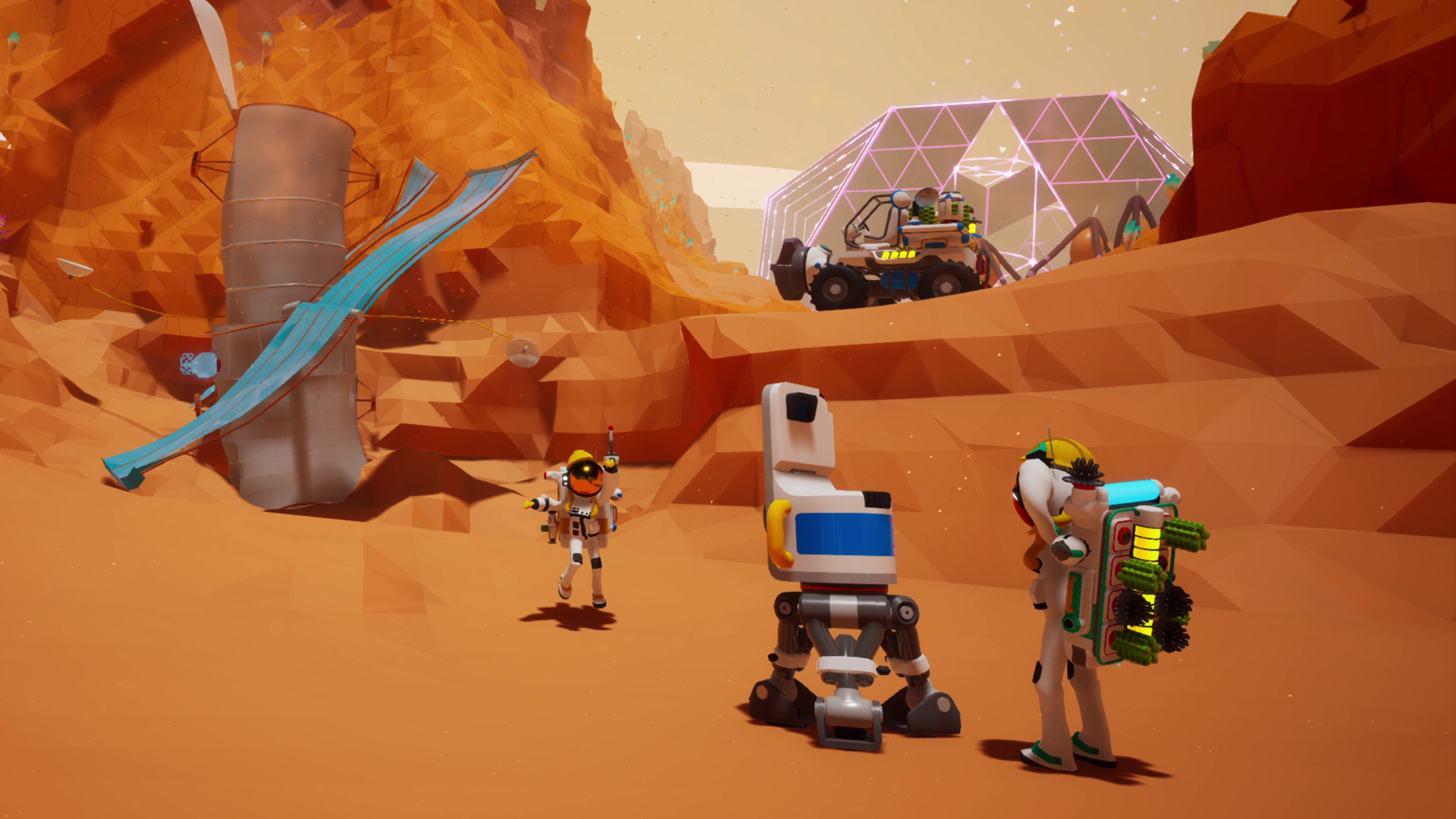
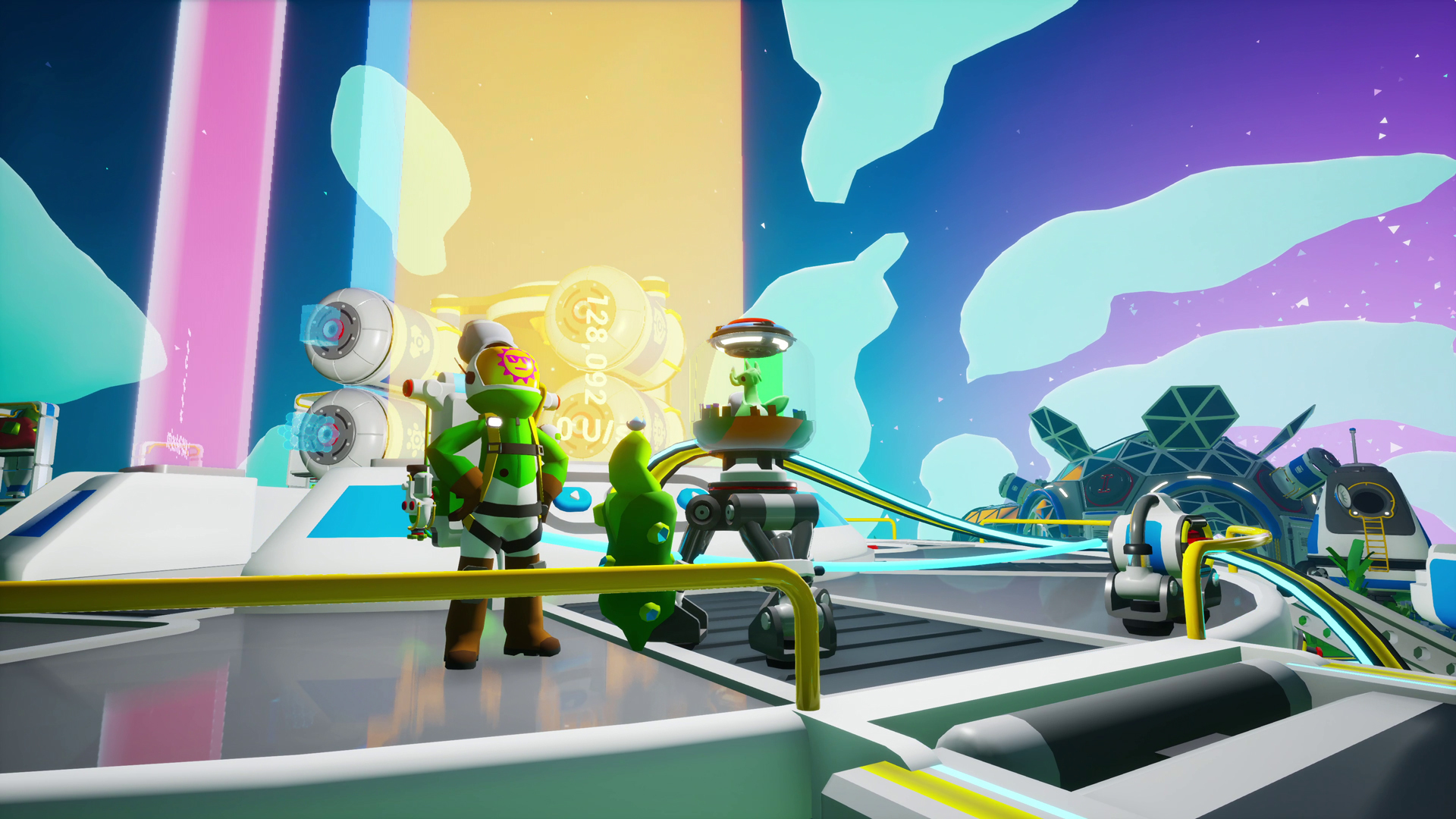

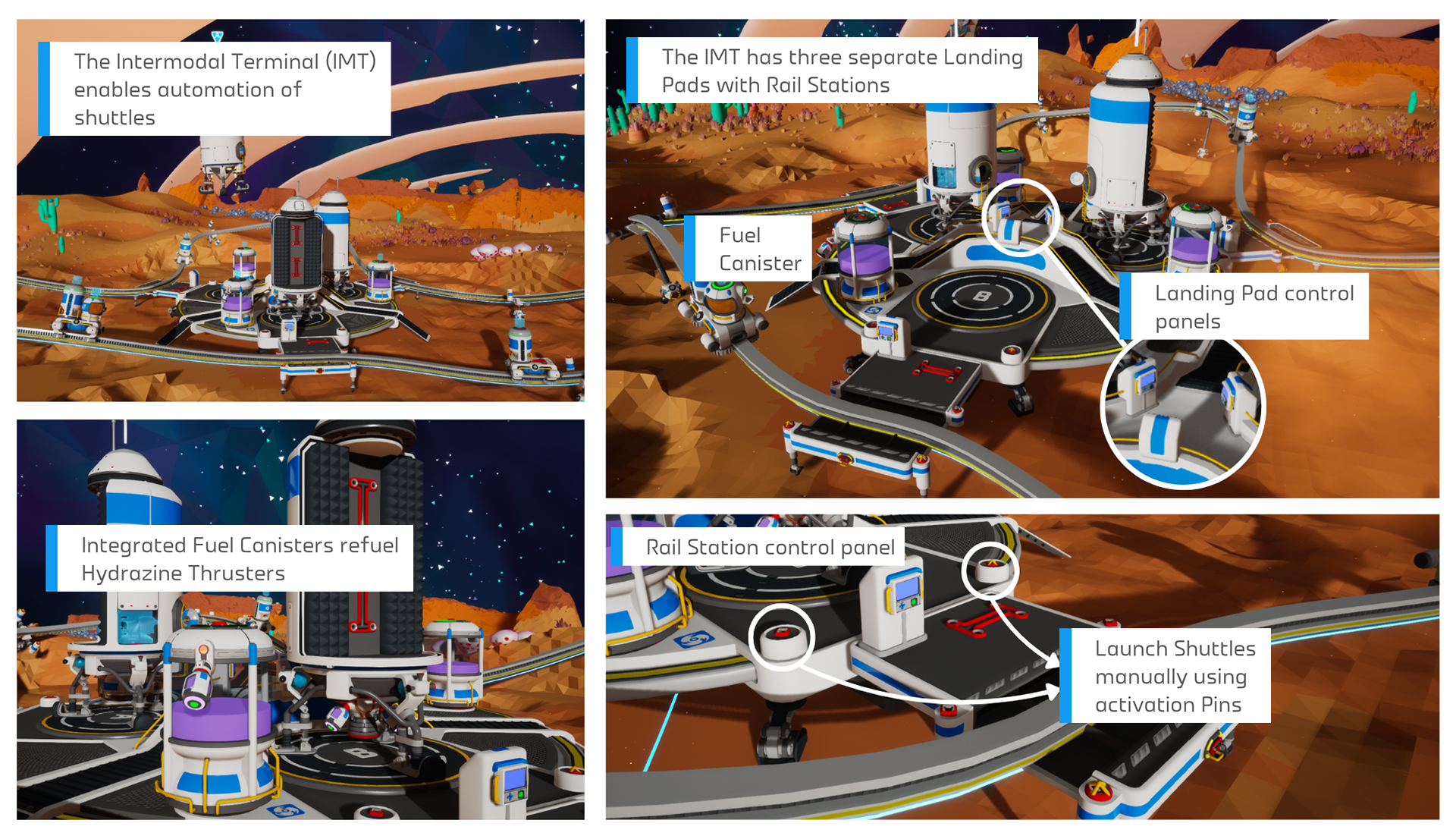 The in-game Intermodal Terminal Tutorial is a good reference point for identifying each of the components of this Megastructure.
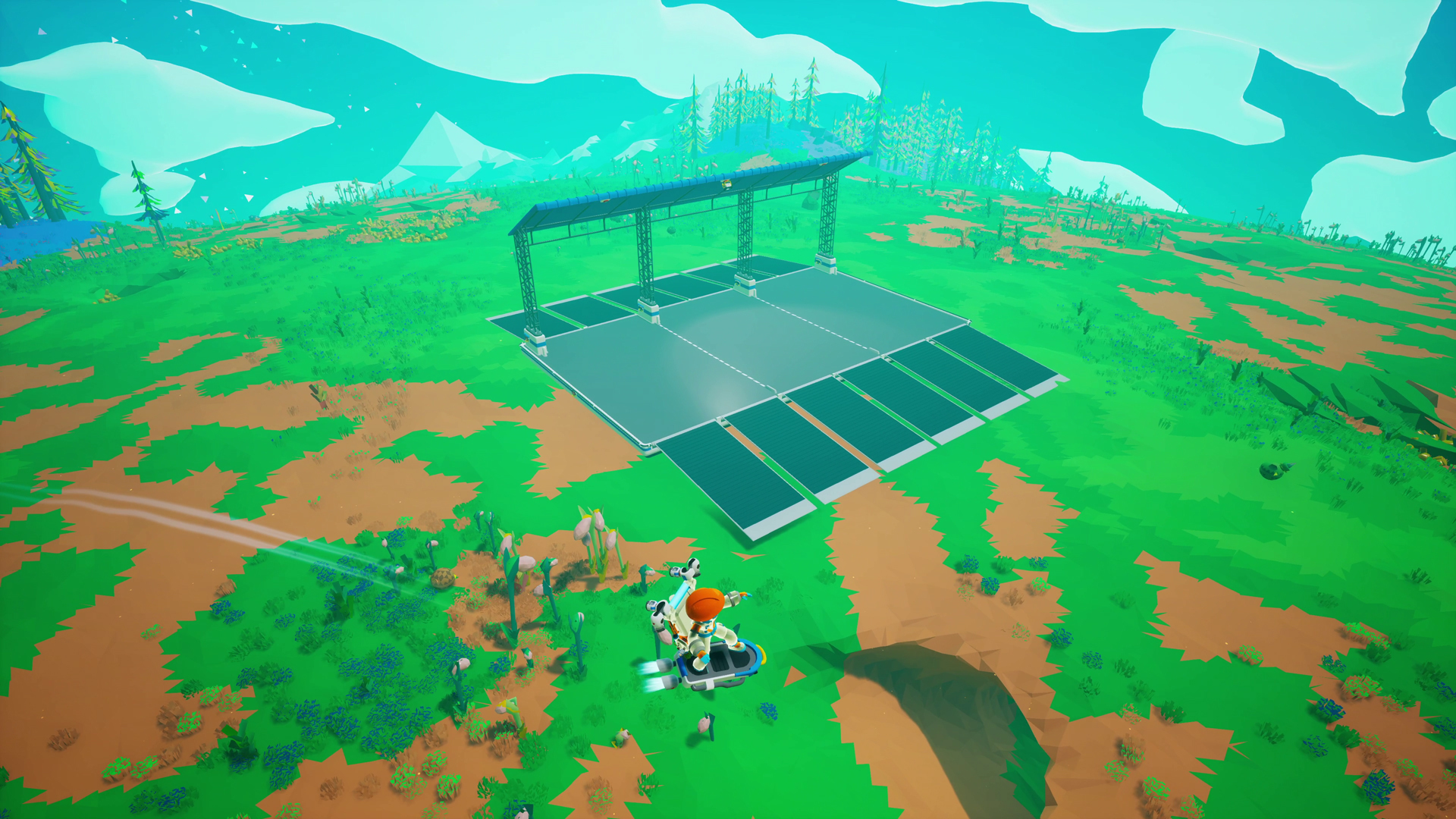 What is this? A Vehicle Port!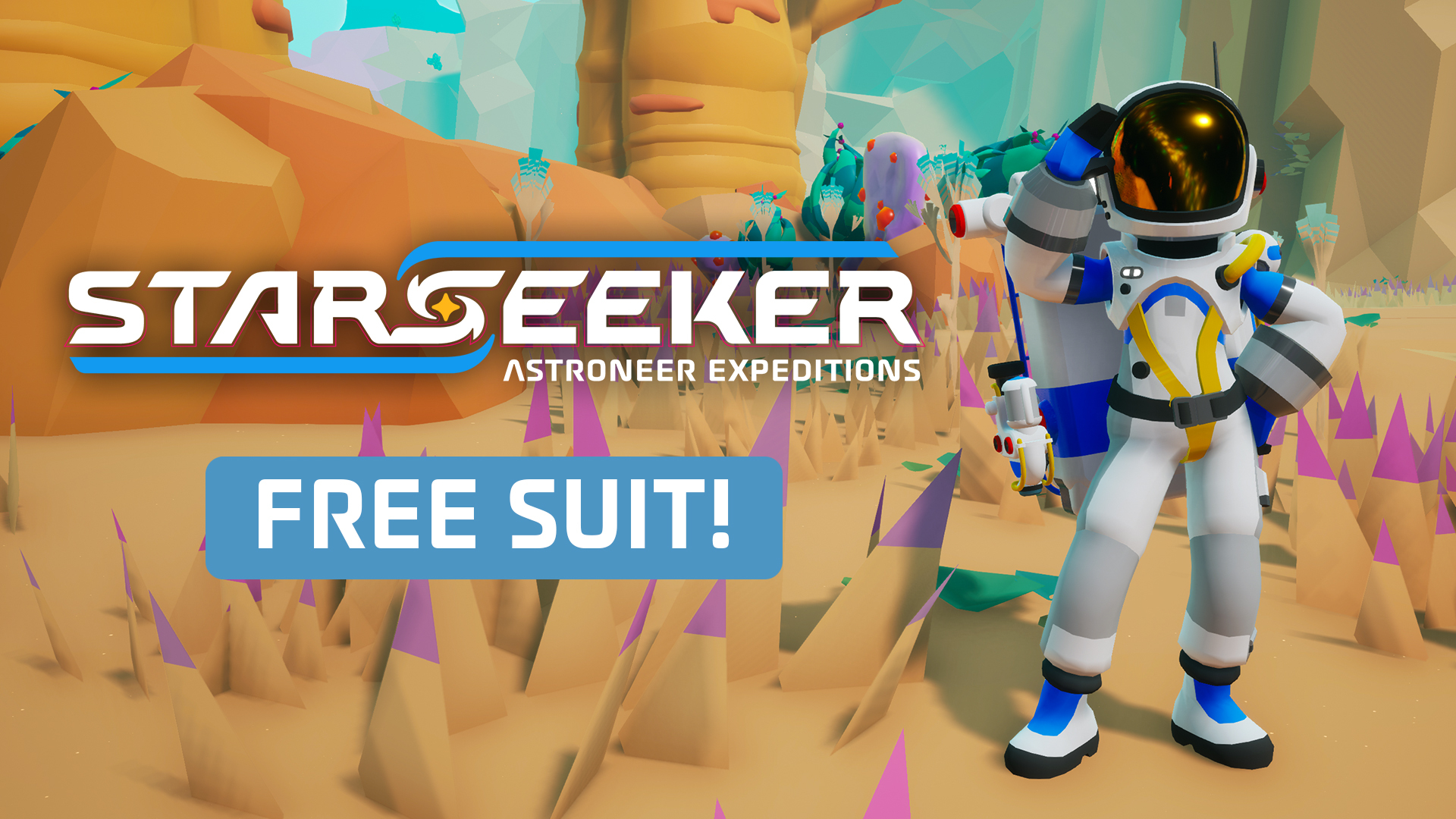
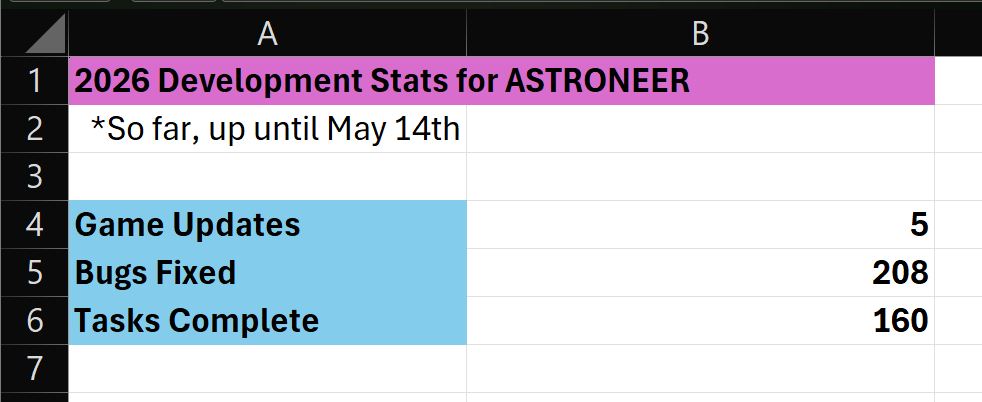 Here's some of my data showing the split between bugs and tasks completed so far this year! A task is an improvement or piece of work that made it into the game, like "update the credits", or "implement new Astropedia page."
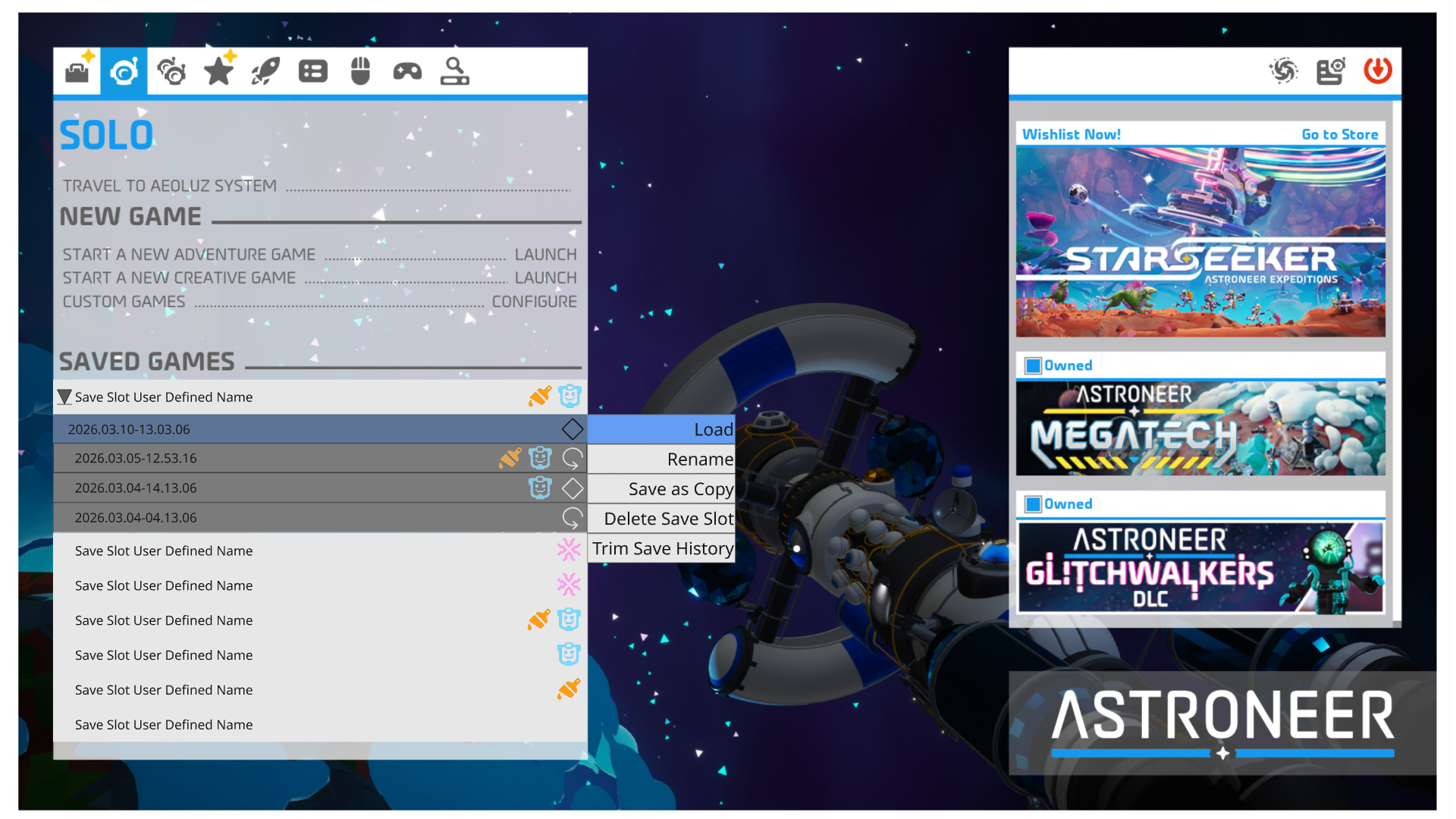 Here’s a development mock-up of how the save slots could look. Still very much a work in progress though, this isn’t indicative of the final look.