Patch v1.1b: visualizers bug fix Changes Reverted the Unity Engine to its previous version in order to fix a bug with visualizers bars Bug Fixes Fixed visualizers bars not displaying with the Moon and Eclipse visualizers Please join our Discord or the Discussions Forum to share y
Patch v1.1b: visualizers bug fix
Changes
Reverted the Unity Engine to its previous version in order to fix a bug with visualizers bars
Bug Fixes
Fixed visualizers bars not displaying with the Moon and Eclipse visualizers
View game page Melody's Escape is a solo-developer project, and your support is incredibly valuable to me in order to keep working on the franchise. ːmeloblueː With this Supporter DLC, you will unlock a mesmerizing Galaxy Effect to change the look of Melody: " Galaxy Effect " ava
View game pageMelody's Escape is a solo-developer project, and your support is incredibly valuable to me in order to keep working on the franchise. ːmeloblueː
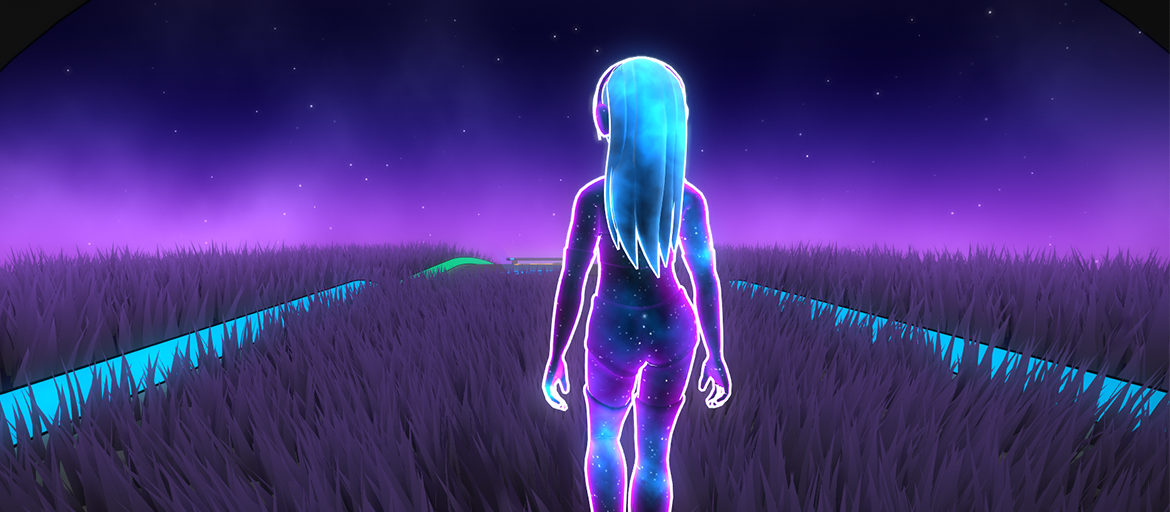
With this Supporter DLC, you will unlock a mesmerizing Galaxy Effect to change the look of Melody:
"Galaxy Effect" available in the Customization menu, to radically alter the look of Melody
Compatible with all the cosmetics in the game, as well as most Workshop content
Customizable galaxy colors, using the the "Melody Colors" settings
Become one with the universe as you escape!
Thank you so much for playing my game and for your support! ːmeloblueː ːmelogoldː
Patch v1.1: new Galaxy Effect Supporter DLC Changes Added support for the new " Galaxy Effect " Supporter DLC, as well as a button on the main menu if you would like to check it out Updated the internal Unity Engine to v6000.0.82f1 Bug Fixes Fixed Workshop skins with multiple mat
Patch v1.1: new Galaxy Effect Supporter DLC
Changes
Added support for the new "Galaxy Effect" Supporter DLC, as well as a button on the main menu if you would like to check it out
Updated the internal Unity Engine to v6000.0.82f1
Bug Fixes
Fixed Workshop skins with multiple materials not all being set properly to the in-game materials
Bug Fixes While in "Playlist" mode, a music failing to load due to an error like "duration too short" will not interrupt the playlist anymore (by showing the Error screen), and instead will skip to the next track Fixed a bug where using a PlayStation-type gamepad while forcing "X
Bug Fixes
While in "Playlist" mode, a music failing to load due to an error like "duration too short" will not interrupt the playlist anymore (by showing the Error screen), and instead will skip to the next track
Fixed a bug where using a PlayStation-type gamepad while forcing "Xbox" icons type in Gamepad Settings would still incorrectly use the PlayStation-themed colors during a track
Melody's Escape 2 v1.0 is now officially out!! The game has improved tremendously since it's initial Early Access release, and while it took * slightly * longer than I initially anticipated, I'm incredibly proud of the progress achieved during this Early Access period! Here is a
Melody's Escape 2 v1.0 is now officially out!!
The game has improved tremendously since it's initial Early Access release, and while it took *slightly* longer than I initially anticipated, I'm incredibly proud of the progress achieved during this Early Access period!
Here is a recap of the biggest milestones achieved during this timeframe:
Added "flying" as the highest intensity movement mode (replacing sprint)
Greatly improved the feeling of speed, and Melody's movements, especially with the "running" intensity section
2 new interactive track environments: Sky Walkway and Grasslands
The input areas indicators on the floor are now much bigger, more intuitive to hit, and much easier to anticipate
Improved music detection to support very high tempo energetic music, up to 220 BPM
Complete overhaul of the music analysis algorithms, with vastly improved held voice detection and "intensity" movement mode selection, and better slow-motion jumps placement
Plenty of new hairstyles and skins cosmetics
Steam Workshop support, to access cosmetics created by the community
Bonus feature: audio visualizers
Now available in 10 languages
Thank you so much to the Melody's Escape community for the valuable feedback and support along the way, that helped shape the game into its current form!
I hope that you will enjoy the full release of Melody's Escape 2!
Patch v0.9.9e: Steam Deck Improvements Changes Moved the " My Music " folder target on Steam Deck to " Z:/home/deck/music/ " (a folder that is easy to access via Desktop Mode on the Deck, instead of pointing to the previously incredibly long and hidden internal path of the game i
Patch v0.9.9e: Steam Deck Improvements
Changes
Moved the "My Music" folder target on Steam Deck to "Z:/home/deck/music/" (a folder that is easy to access via Desktop Mode on the Deck, instead of pointing to the previously incredibly long and hidden internal path of the game in home/.local/share/)
Enabled the "Steam Music" folder item functionality on Steam Deck. It will list music from your downloaded/installed Steam Soundtracks (but due to access restriction reasons it will not attempt to list music from any installed game folders, unlike on the PC counterpart)
The "Play" button is now auto-selected and focused on Steam Deck when you launch the game
The "Visualizers" UI now pop-ups for a few seconds when opening and switching visualizers on a gamepad-type input device
Changed the default order of visualizers
Bug Fixes
Fixed a very rare infinite loop occurence during the loading of a track on the Grasslands environment
Patch v0.9.5: 6 new languages support and a new visualizer Changes Added 6 new language translations: Simplified Chinese, Traditional Chinese, Japanese, Korean, Russian and Thai Added a new Visualizer: "Fluidityk". This is an audio-reactive fluid simulation Added a "Steam Music"
Patch v0.9.5: 6 new languages support and a new visualizer
Changes
Added 6 new language translations: Simplified Chinese, Traditional Chinese, Japanese, Korean, Russian and Thai
Added a new Visualizer: "Fluidityk". This is an audio-reactive fluid simulation
Added a "Steam Music" menu entry to the File Selection Menu. This will try to locate the /steamapps/ parent folder and search for any .mp3, .flac or .ogg file from any installed Soundtracks and Games. This function's first call can be slow if you have many games installed, but is cached for future calls for as long as the game is running
Improved the visual effect for crouch landing after a slow-mo jump (and the way it also impacts the grass in Grasslands)
Added the ability to skip Audio Calibration steps, in order to quickly change numerical latency values without going through the calibration process
Updated missing text strings in the French translation
Added some UI animations to the current chain value and score multiplier
Bug Fixes
Fixed a track cache issue when two files had an identical name but different music duration. The cache will now be correctly re-generated when such a mismatch is detected
Patch v0.9.2: New Track Environment This patch features a brand new Track Environment, the Grasslands ! This environment uses a Compute Shader to display hundreds of thousands of grass blades calculated on your GPU, and as such is gonna be more hungry with resources than the othe
Patch v0.9.2: New Track Environment
This patch features a brand new Track Environment, the Grasslands!
This environment uses a Compute Shader to display hundreds of thousands of grass blades calculated on your GPU, and as such is gonna be more hungry with resources than the other stages. Please consider changing the "Side Visualizer Quality" in "Graphics" Settings if you notice a slow down in FPS. You can also try "Ultra" quality if your computer can handle it, as it features significantly lushier grass!
Changes
Added a new Track Environment: "Grasslands"
Added the total score percentage display for your current score at the end of a track (to avoid confusion with the highscore percentage below it)
Bug Fixes
Fixed incorrect control tooltips for keyboards using uncommon AZERTY/QWERTZ layouts (like Belgian AZERTY or Swiss QWERTZ)
Patch v0.9: Score update and new "Visualizer" bonus mode! This patch features improvements to the scoring system, and a brand new passive "Visualizer" mode that reacts to *any* audio playing on your computer. Great as second-monitor content while listening to your favorite music
Patch v0.9: Score update and new "Visualizer" bonus mode!
This patch features improvements to the scoring system, and a brand new passive "Visualizer" mode that reacts to *any* audio playing on your computer. Great as second-monitor content while listening to your favorite music streaming app, or even for singing into your microphone!
Changes
Added 2 new hidden achievements
Added a bonus experimental feature: "Visualizer" mode. This mode features various passive effects (with more to come) that react to *any* audio playing on your computer. Great as second-monitor content while listening to your favorite music streaming app, or even for singing into your microphone!
Changed the input method of "Relaxing" difficulty to "Duo Color". This constantly alternates between the same 2 colors and makes the starting difficulty more enjoyable and engaging, while keeping it just as simple. If you prefer the previous "Mono Color" mode, it is still available in the "Custom Difficulty" menu as an "Input Method"
Added a music visualizer to the main menu
Added some new effects and polish to the end-of-track score menu
Your numeric highscores are now tracked (instead of just the heart score)
Added numeric score and highscore display to the end-of-track score menu
Added a time progress bar to the in-game UI
Added the score multiplier back to the in-game UI
Re-introduced the ability to change the music volume in the interface (this time as a multiplier of the default value, to avoid confusion)
Changed some of the default sky colors (I missed the blue sky!)
Added 2 new languages: Spanish and Portuguese (Brazil). Some text may still be in English due to last-minute additions for the visualizer mode
Added a "Credits" menu entry
Bug Fixes
Fixed a bug with Files listings that didn't get their listed score updated correctly if you switched difficulty
Modding: the start and end objects of a track are now colorized based on the Obstacle Color of the track
Additionnal Changes
v0.9.0b: Reverted the changes to Relaxing Difficulty and its input color mode. The duo-color mode is still available in Custom Difficulty.
Patch v0.8.4: Sky Walkway rework and Audio Normalization This patch features a full rework of the Sky Walkway visualiser, as well as Audio Normalization feature to achieve a consistent perceived loudness accross all music tracks Changes Entirely reworked the Sky Walkway's visuali
Patch v0.8.4: Sky Walkway rework and Audio Normalization
This patch features a full rework of the Sky Walkway visualiser, as well as Audio Normalization feature to achieve a consistent perceived loudness accross all music tracks
Changes
Entirely reworked the Sky Walkway's visualiser for better visual fidelity and performance. It now features a neutral "cloud" color palette to blend with any custom Track Color Scheme
Flipped the visualiser on Sky Walkway to show bass on the outer edge and leading to higher frequencies near Melody
Reworked the Audio Normalization feature, it is now using industry standard loudness detection (with a target of -14 LUFS). This will adjust the volumes of in-game tracks to always be at a consistent perceived loudness
Removed the Menu Music Volume settings, in order to unify music volume, as it was leading to confusion
Added an option to automatically adjust Audio Latency when your output audio device is a Bluetooth wireless device (since their Windows drivers usually have a latency of 100+ms)
Moved additional audio and video latency settings to the calibration menu, as they are now very rarely required for standard PC setups and Steam Deck
Changed the layout of music files in the File Selection menu (again)
Updated BASS DLLs to their latest version
v0.8.4b: fixed a bug with Sky Walkway visualiser updating way too fast when V-Sync was disabled
Patch v0.8.3: French language support and UI improvements This patch features further improvements to the User Interface, as well as the first officially supported additional translation: French! Changes Added support for multiple languages (with auto-detection upon first startup
Patch v0.8.3: French language support and UI improvements
This patch features further improvements to the User Interface, as well as the first officially supported additional translation: French!
Changes
Added support for multiple languages (with auto-detection upon first startup, as well as dynamic change in Settings)
Added French language support (more languages will be added in the future)
Improved the layout and readability of the user interface
Added a separate "Menu Music Volume" option, that only applies to the main menu's song as well as any previewed music played while in the interface
Cleaned-up the settings menu to remove rarely ever used settings, in order to improve the interface as we move towards 1.0
Added a Discord button on the main menu. Feel free to join the Melody's Escape community on Discord!
Bug Fixes
Selecting the "Custom" difficulty from the Pause menu now properly brings up the Custom Difficulty settings menu
Changing the volume during gameplay by using the mouse wheel or the gamepad shoulder buttons now properly saves the volume value for the next session
Fixed changing the volume during the intro walk sometimes causing audio pop
Changes The File Selection list will now display the music's "Title" tag instead of its filename The tag lookup feature, aswell as the score lookup feature, is skipped for huge folders to avoid tanking performance when listing hundreds of music files at once The font size of the
Changes
The File Selection list will now display the music's "Title" tag instead of its filename
The tag lookup feature, aswell as the score lookup feature, is skipped for huge folders to avoid tanking performance when listing hundreds of music files at once
The font size of the File Selection menu is now bigger, to improved readability (especially on Steam Deck)
Improved the performance of the File Selection menu, especially for huge folders
Improved memory management of the listed items
Bug Fixes
Fixed achievements related stats not being initialized properly (bug introduced in v0.8.2)
Added additional input data on the Debug menu (F1 key while in-game)
Patch v0.8.2: Unity engine major upgrade This patch features a major internal game engine upgrade from Unity version 2019 to Unity 6 (2025). Ideally no in-game features should be impacted, but please let me know if you notice any strange behaviour after the upgrade. This patch al
Patch v0.8.2: Unity engine major upgrade
This patch features a major internal game engine upgrade from Unity version 2019 to Unity 6 (2025). Ideally no in-game features should be impacted, but please let me know if you notice any strange behaviour after the upgrade.
This patch also introduces a tentative fix for Playstation and Nintendo Switch controllers not being indentified as such by the "Auto-Detect" features of the Gamepad settings.
Changes
Upgraded the internal game engine from Unity 2019 to Unity 6
Updated the Steam API
Changed the way that files are read from a directory (this will hopefully have a positive impact on huge folders read time)
Bug Fixes
Added additionel checks to try auto-detecting gamepad types by first querying Steam Input, and then the Unity Input System if the first step returned no result
Patch v0.8.1: Speed improvements, intensity rework and polish This patch introduces a change to significantly speed up the "Running" (yellow) intensity, plus a complete rework of the algorithms for intensity detection, as well as slow-motion jumps placement. The feeling of speed
Patch v0.8.1: Speed improvements, intensity rework and polish
This patch introduces a change to significantly speed up the "Running" (yellow) intensity, plus a complete rework of the algorithms for intensity detection, as well as slow-motion jumps placement.
The feeling of speed of the "Running" mode has been greatly improved to feel like the old "sprint" mode instead, with a new animation and faster speed! It now offers a much better contrast between Jogging and Flying.
I wasn't entirely satisfied with the current detection of music intensity (corresponding to Melody's various movement modes) and this complete algorithm rework should be more faithful to the human perception of the energy of a music track at any given moment. Of course with only 4 different modes (walking, jogging, running and flying) it won't always be perfect, but I'm much happier with this version!
As for slow-mo jumps, it has always been my favorite feature of the Melody's Escape franchise, and while the first game had way too little of them, I had overcorrected course for the second instalment, and it would sometimes generate them in instances where it felt out place. Long volume fade-outs at the end of a song could also sometimes be misrepresented with a slow-mo jump instead of a smooth animation transition. Slow-mo jumps placement has been reworked, and now feel more appropriate while still keeping their epic feeling! It also fixes some cases of jumps that were not correctly detected.
Changes
Speed up the Running sections, and changed the Running animation to a sprinting-type one, to greatly enhance the feeling of speed
Track intensity detection rework
Slow-mo jumps detection rework
Improved multiple existing animations to be smoother (especially the looping "held" ones)
Modified the "Held Note" ground indicator
Improved the size of ground indicators to match the new speeds (and visibility)
Slightly speed up Jogging and Flying speed (by about 5%)
Bug Fixes
Updated the internal Unity engine to version 2019.4.41f1 for security purposes
The "Heart Filling Up" sound effect at the end of a track now correctly uses the UI volume slider
Patch v0.8: Music analysis overhaul This patch features a complete overhaul of the "held voices" detection algorithms , as well a revamped look for the "Walking" intensity mode ! Vocals are an extremely important part of the game for me, as it is where my mind focuses the most du
Patch v0.8: Music analysis overhaul
This patch features a complete overhaul of the "held voices" detection algorithms, as well a revamped look for the "Walking" intensity mode!
Vocals are an extremely important part of the game for me, as it is where my mind focuses the most during a listening experience. I wasn't satisfied with the old algorithm and I've always wanted to improve on it. So I've spent months rewriting a completely new algorithm for detecting held human voices (starting from scratch) and I'm extremely happy with the results!
My new algorithm is now far more accurate, improves detection of deeper voice pitches, and also results in much less false positives than before (where it would confuse instruments for human voices).
Changes
The "Held Voices" detection algorithm has been entirely rewritten, and is now far more accurate
Changed the look of the falling bubbles in Walking intensity. The arrow indicators should now be more obvious.
Modified the "Sky Walkway" environment side visuals to focus more on audio frequencies in the voice range, as well as modifications to the color palette
Improved music intensity sections detection
Improved arrow visibility on obstacles indicators
Improved the animations of the held obstacle "sliding while standing up"
Changed the output Music Volume curve to "ease-in" at lower values (instead of being linear), in order to provide finer control of low volumes
Bug Fixes
Fixed the Sky Walkway visuals sometimes updating in a choppy fashion
Fixed an aspect ratio UI issue on Steam Deck
Audio and Video latency sliders now increment in steps of 5ms, in order to be useable with a controller and on Steam Deck
Patch v0.7.1b: Hotfix Changes Updated the design of some character skins to feature a bit more color patterns Removed the noise pattern on the road from Sky Walkway Renamed the skin "Yoga" to "Runner" Bug Fixes Modified all character skins to lessen an outline effect glitch with
Patch v0.7.1b: Hotfix
Changes
Updated the design of some character skins to feature a bit more color patterns
Removed the noise pattern on the road from Sky Walkway
Renamed the skin "Yoga" to "Runner"
Bug Fixes
Modified all character skins to lessen an outline effect glitch with some character color schemes
Fixed the position of the "Back" input prompt on the loading screen
Patch v0.7.1: Additional polish Changes The album art is now displayed on the loading screen Removed the safety rails over holes in the track on Sky Walkway The visualization effect in Sky Walkway now starts a bit closer to the camera Updated the early character skins to fix the
Patch v0.7.1: Additional polish
Changes
The album art is now displayed on the loading screen
Removed the safety rails over holes in the track on Sky Walkway
The visualization effect in Sky Walkway now starts a bit closer to the camera
Updated the early character skins to fix the wide variance in polygon count compared to the new ones, and to update some designs
Improved the GPU-related performance of the visualization effect in Sky Walkway
Improved the obstacles fade-in effect
Long solid obstacles now fade-in progressively accross their lenght, instead of fading the entire obstacle at once
Improved the fading out of the road at the end of Sky Walkway
Modified the way that Cosmetics preferences are stored. This patch will reset your Cosmetics preferences to default upon first launch.
Bug Fixes
Potentially fixed a bug where a dropdown panel in the Customisation menu would sometimes lose focus when navigating the interface with a gamepad (as I haven't found a reliable way to reproduce this issue, it is hard to confirm that it is gone)
Fixed a distortion effect with the visualization effect in Sky Walkway when playing on Ultra Wide resolutions
Fixed inconsistencies between ground indicators fade-in times
Fixed the Flying mode's flare horizontal light persisting for a few frames when jumping over a hole in the track
Fixed a bug where walking mode bubbles could appear in the Customisation preview
Patch v0.7b: Small hotfix Please join our Discord or the Discussions Forum to share your feedback about this new patch! Changes Raised the contrast on ground input indicators, in order to be more visible when the road is translucent Slightly sped up the Sky Walkway visualization
Patch v0.7: New Environment! This content update adds a brand new environment, Sky Walkway, featuring a mesmerizing audio visualization effect! It is a visualization that I've been wanting to add to the game ever since I've started working on it years ago, and I'm extremely pleas
Patch v0.7: New Environment!
This content update adds a brand new environment, Sky Walkway, featuring a mesmerizing audio visualization effect! It is a visualization that I've been wanting to add to the game ever since I've started working on it years ago, and I'm extremely pleased with how it turned out, with its ethereal look. This visualization is based the sound spectrum of the music in the frequency domain, with the bass close to the road, ranging up to higher frequencies on the outside, allowing you to visualize the unique "texture" of your music.
Please remember that the game also features an "Autoplay" mode, if you would like to enjoy the full intricacies of that effect without any distraction ːmeloblueː
Added support for multiple environments (this feature is not available as a mod option due to the complex elements involved that are outside the scope of the modding systems).
Added a new environment, Sky Walkway. It is randomly selected by default, but you can manually select your favorite environment in the Cosmetics menu.
Added an "Ultra" quality setting for side visualizations. This setting is mainly there for "future-proofing" the game, and it is not recommended unless you have a beefy computer, as it will double loading times and impact in-game processing power.
Changed the sky shader to feature a dark gradient fade in at the top and bottom, and to properly wrap around without distortion when the camera is moved
The water inside road holes is now colored based on the sky color's reflection (and is thus now affected by track color themes)
Changed the UI of "Autoplay"'s mode to hide automatically; the in-game score is not displayed anymore in this mode, and the right part of the UI will only be visible when the mouse cursor isn't hidden
Added a fading effect to the Flying yellow held obstacle's transparent window, so that it isn't jarring when the camera moves below the window during long held notes
Improved the randomization feature for track-specific seeds
Bug Fixes
Fixed a rare bug where an input could fail as "Too Early" even if you were on time, when two obstacles input zones were slightly overlapping each others (usually an arch obstacle immediately followed by a circle)
Fixed the "medium" visualizer quality setting having no effect on the Ocean environment
Patch v0.6.2: Hair Simulation and interface improvements This patch improved the hair and cloth simulation to feel more natural and added improvements to the File Selection interface when using a gamepad Please join our Discord or the Discussions Forum to share your feedback abou
Patch v0.6.2: Hair Simulation and interface improvements
This patch improved the hair and cloth simulation to feel more natural and added improvements to the File Selection interface when using a gamepad
Improved Melody's hair movement against air friction, especially during sliding obstacles where it now flows more naturally in the wind
Adjusted the angle of the cinematic panning for very long held Flying "X" (left) obstacles
In the File Selection menu, you can now go back to a parent folder by pressing Select on gamepad (or Backspace on keyboard). The "Refresh directory" function has been changed to Right Trigger on gamepad.
The File Selection menu now remembers the previously selected folders, and will auto-scroll to them when going back to said folders while in gamepad or keyboard navigation mode
In the File Selection menu, using the trigger buttons LB and RB on gamepad can now scroll past the first and last item to loop around items in long lists
If "Show input timing" is enabled in the Gameplay Settings, you will now get a popup with "♥" for perfect timings too, instead of just "late" and "early" popups
Bug Fixes
Fixed Hair and Cloth simulations behaving improperly when the game was not running at 60 FPS
Fixed Cosmetic's menu's left-mouse dragging, to rotate Melody's character model, behaving improperly when the game was not running at 60 FPS