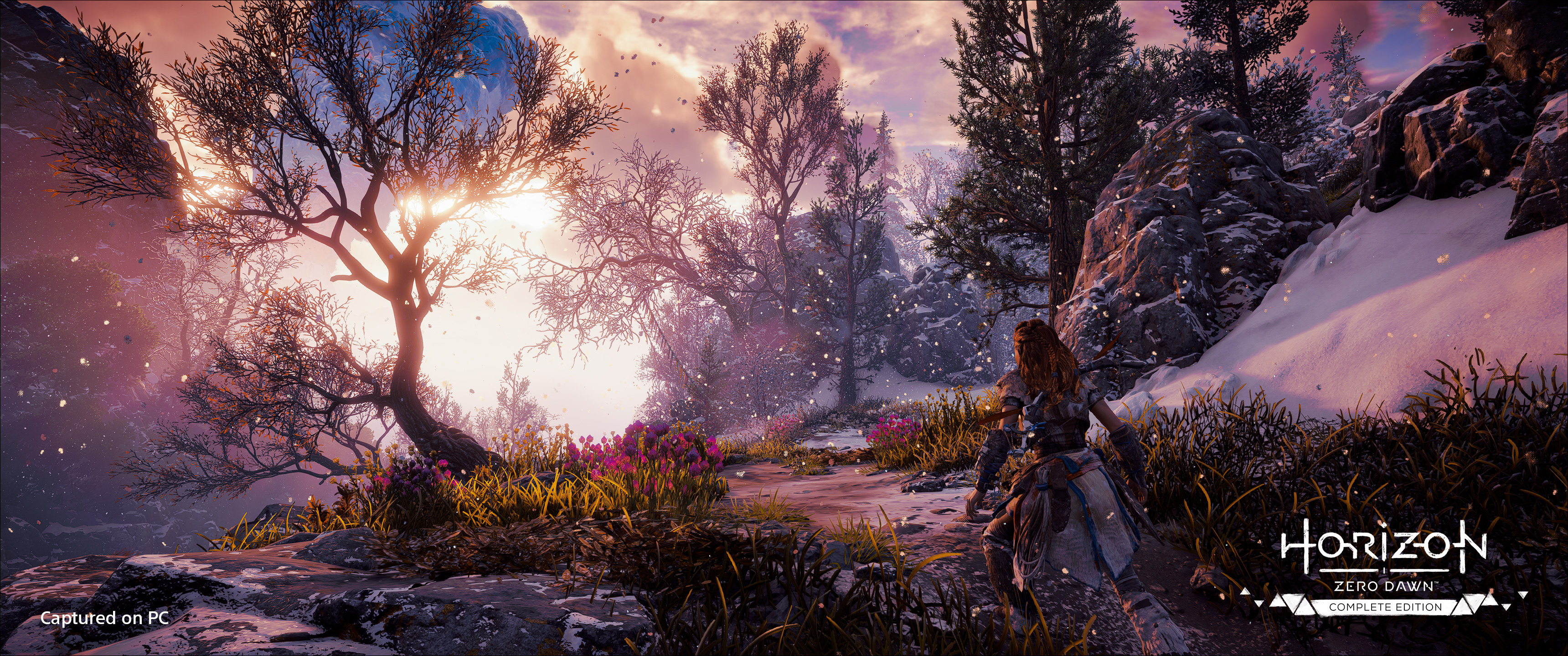
On behalf of everyone at Nixxes and Guerrilla, we are excited to bring Horizon Forbidden West Complete Edition – the sequel to Horizon Zero Dawn – to a new audience. We welcome you to discuss the game on the Steam forums . Here you'll also find answers to frequently asked questio
On behalf of everyone at Nixxes and Guerrilla, we are excited to bring Horizon Forbidden West Complete Edition – the sequel to Horizon Zero Dawn – to a new audience. We welcome you to discuss the game on the Steam forums. Here you'll also find answers to frequently asked questions and support information. If you want to report a bug or require technical support with the game, please follow the instructions outlined here.
We can't wait to hear about your experiences with Horizon Forbidden West Complete Edition on PC and look forward to seeing your amazing Photo Mode results. Be sure to share your best shots on the Steam Community Hub and on social media using the hashtag #HorizonForbiddenWestPC.
Hey everyone, Horizon Forbidden West Complete Edition is coming to PC soon! Last month, we've detailed the main PC features and now that we are getting closer to launch on March 21, we can share the system requirements and give you more details about some of the customization opt
Hey everyone,
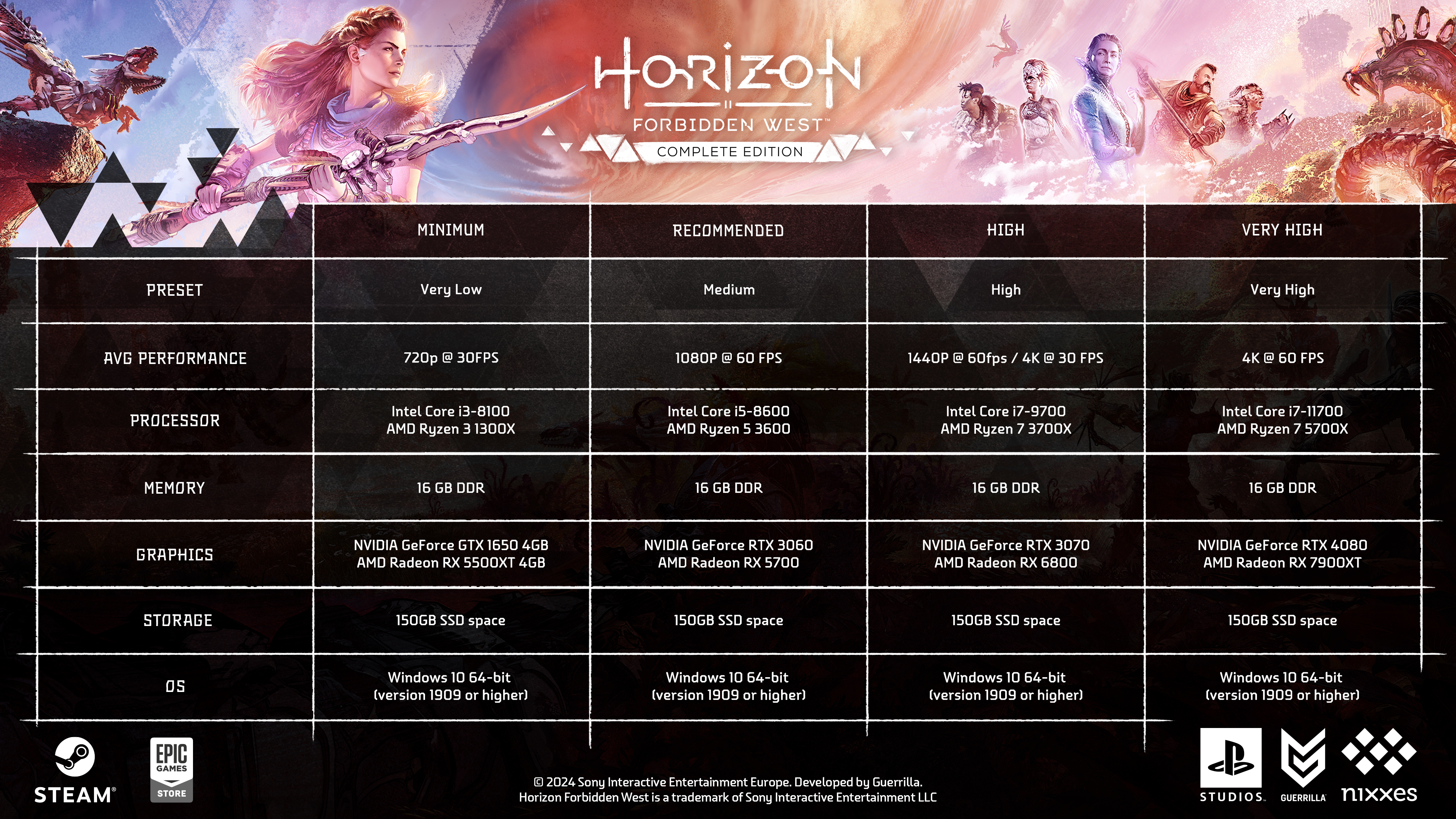
Horizon Forbidden West Complete Edition is coming to PC soon! Last month, we've detailed the main PC features and now that we are getting closer to launch on March 21, we can share the system requirements and give you more details about some of the customization options that we have added to the PC version.
To ensure the game runs on a wide variety of PC hardware, including portable gaming devices, we've included graphics presets ranging from very low to very high. This allows gamers with the latest hardware to push their systems, while also providing a great experience on less powerful PCs. Below you'll find an overview of the specifications we recommend for a variety of presets available in the game.
If you prefer to tweak settings and visuals to your own liking, you'll find plenty of options in the launcher and in the game menus. Next to individual quality settings for textures, level of detail, shadows, water, terrain and more, you can use sliders to adjust the field of view and visual effects like motion blur. You'll also find toggles to adjust full screen effects like radial blur, lens flares, bloom and vignette to taste.
On behalf of the teams at Nixxes and Guerrilla, we are excited and looking forward to bringing Aloy’s latest adventure to a new audience on PC!
Hey everyone, Are you ready to continue Aloy's epic adventure on PC? On March 21, you'll be able to explore the Forbidden West, battle awe-inspiring machines and encounter new tribes. Horizon Forbidden West is the beloved follow up to Guerrilla's critically acclaimed Horizon Zero
Hey everyone,
Are you ready to continue Aloy's epic adventure on PC? On March 21, you'll be able to explore the Forbidden West, battle awe-inspiring machines and encounter new tribes. Horizon Forbidden West is the beloved follow up to Guerrilla's critically acclaimed Horizon Zero Dawn, and this Complete Edition for PC also includes the Burning Shores expansion, which continues Aloy’s journey and takes players to a treacherous volcanic archipelago after completing the main quest.
Today we are excited to announce that the PC version of Horizon Forbidden West Complete Edition is now available for pre-purchase with bonus content, including:
Blacktide Outfit and Blacktide Bow* (available only with pre-purchase)
Nora Legacy Outfit and Nora Spear* (available only when linking your Steam account to PlayStation Network)
2 Special Outfits (Carja Behemoth Elite and Nora Thunder Elite)
2 Special Weapons (Carja Behemoth Short Bow and Nora Thunder Sling)
In-game Resources Pack including ammunition, potions, and travel packs
In-game Apex Clawstrider Machine Strike Piece
Exclusive Photo Mode pose and face paint
Horizon Forbidden West Complete Edition on PC features unlocked frame rates, customizable graphics settings and a broad range of performance-enhancing technologies, including NVIDIA DLSS 3 upscaling and frame generation. AMD FSR and Intel XeSS are also supported. For players with high-end hardware and extra headroom, image-enhancing NVIDIA DLAA is also available. The game leverages DirectStorage for quick loading times on PC.
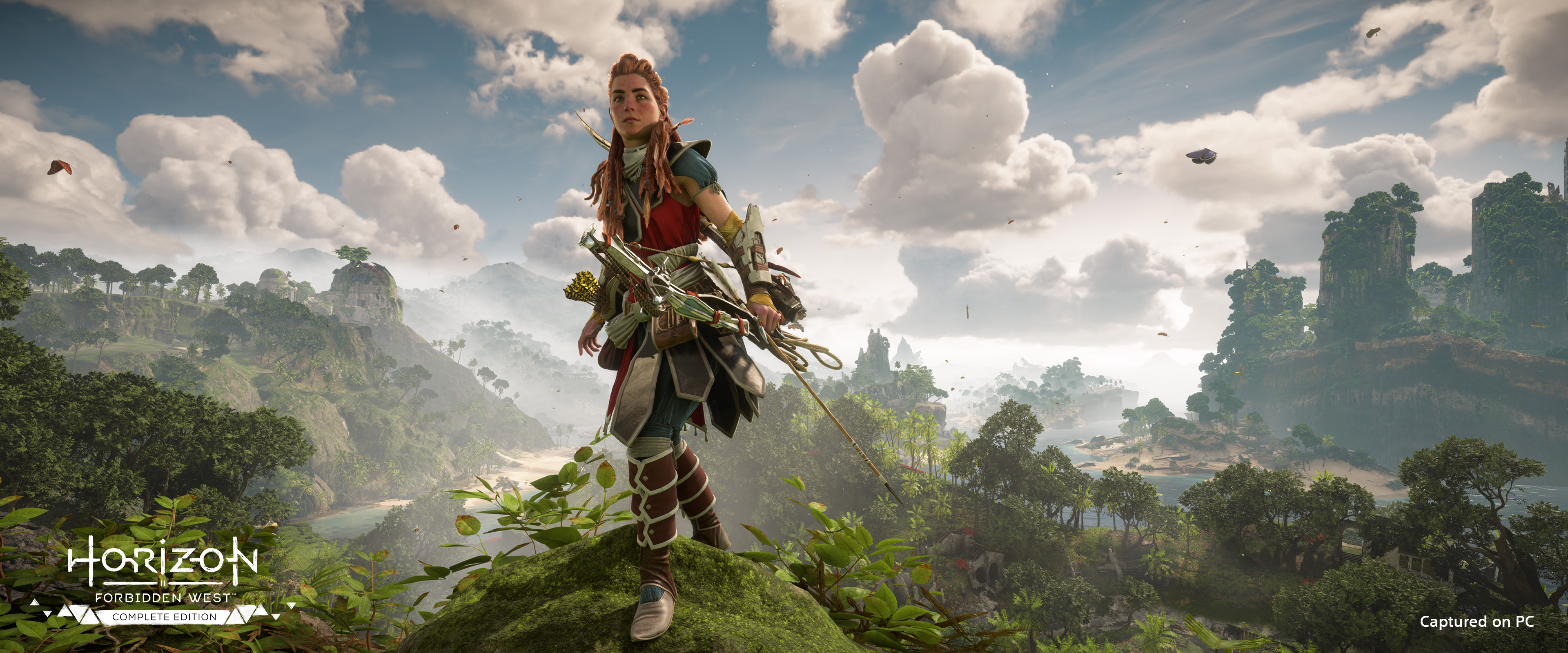
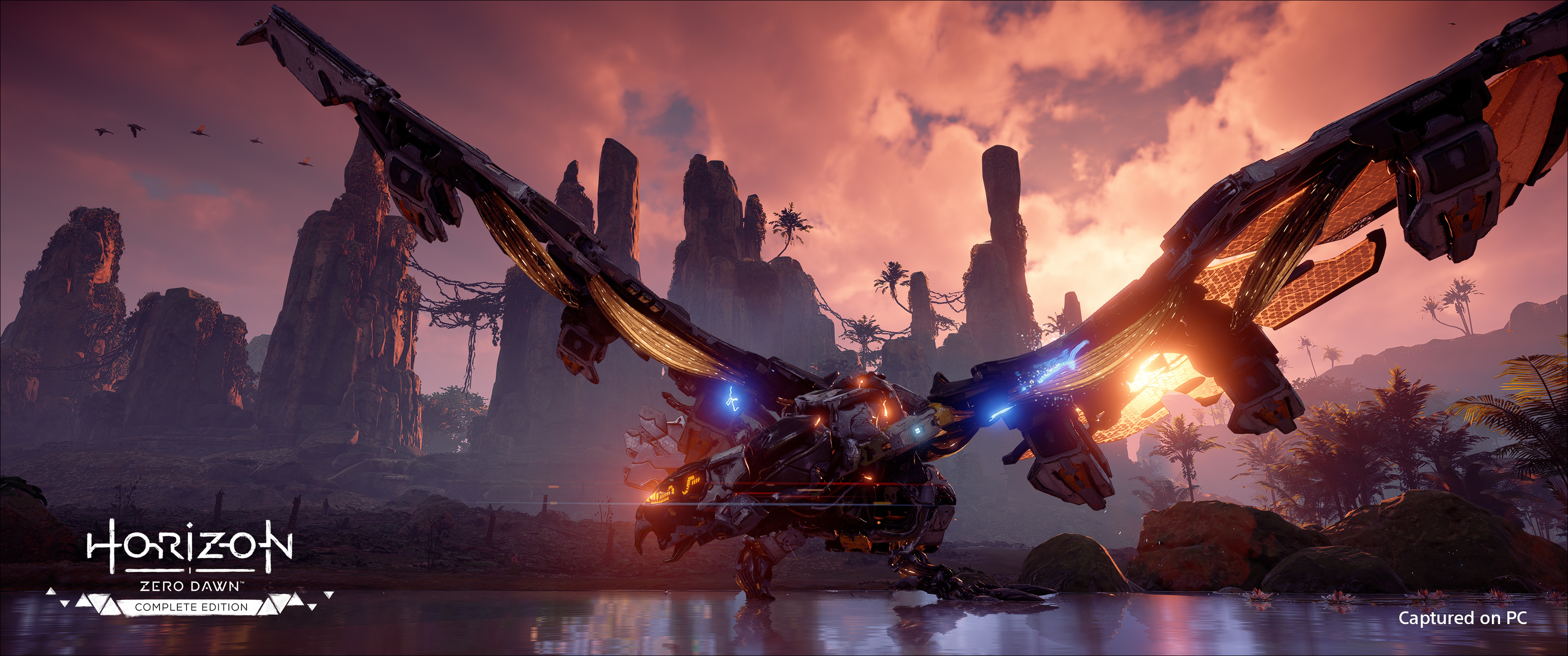
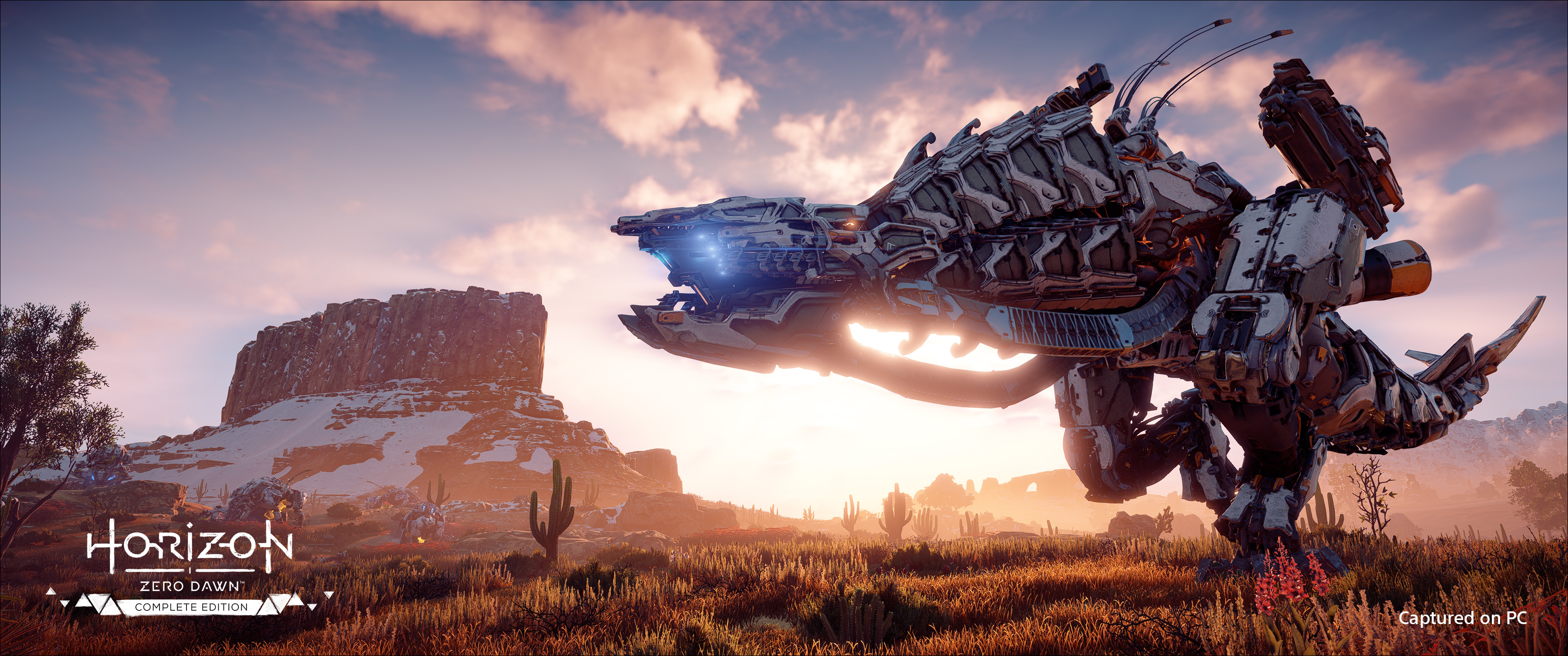
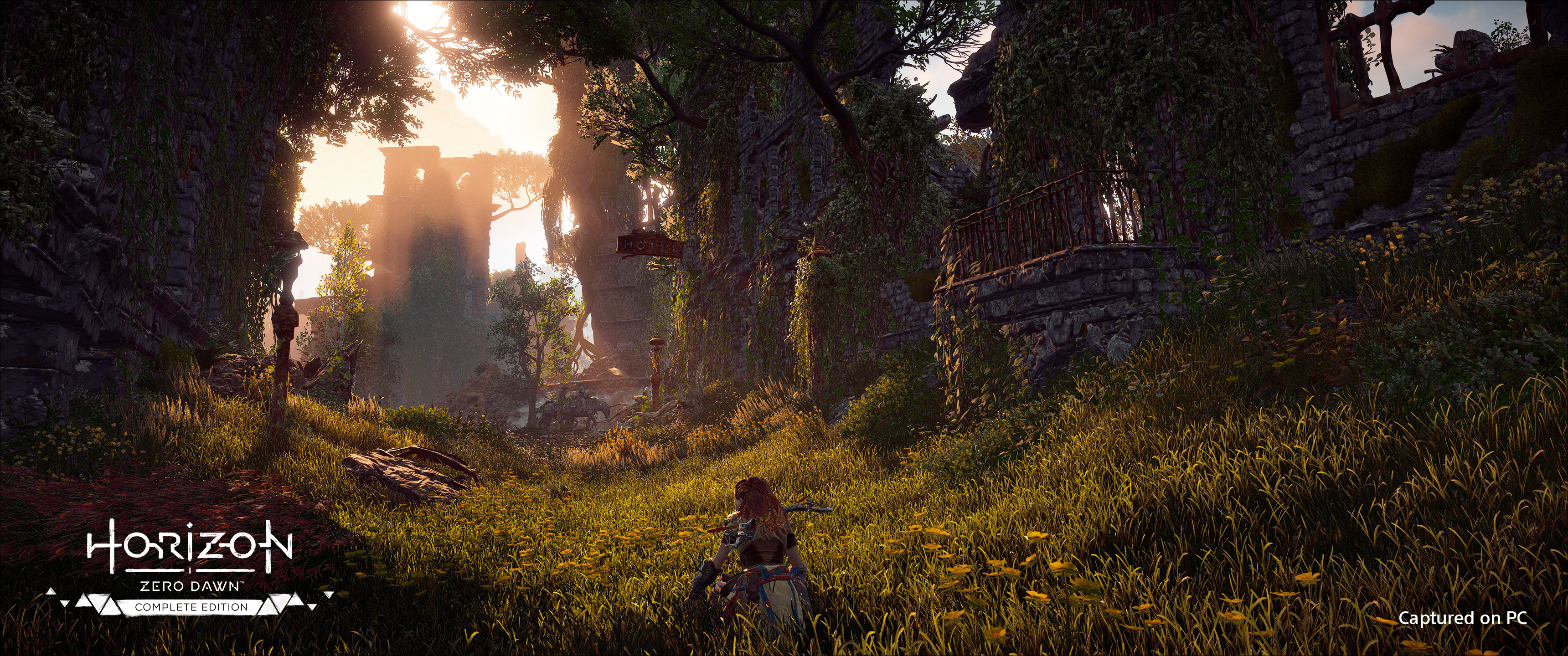
On your journey in the far-future post-apocalyptic world of Horizon, you will discover a variety of highly detailed environments, including lush forests, sunken cities, vast deserts and impressive mountain ranges. With ultra-wide support, you'll be able to take in the vistas in a panoramic view. Gameplay is supported in 21:9 ultra-wide, 32:9 super ultra-wide and even 48:9 resolutions with compatibility for triple-monitor setups.
Fully customizable mouse and keyboard controls let you traverse the Forbidden West and fight ferocious machines on your PC the way you want to. The game also features extensive controller support, including Steam Input support for remapping and customization of your peripheral of choice to your preferences. Use a PlayStation DualSense controller for the most immersive experience, with adaptive triggers that let you feel the tension in the string of your bow and haptic feedback that makes you feel the impact when you’re engaging in melee combat.
On behalf of everyone at Nixxes Software and Guerrilla, we can't wait for you to jump back into the world of Aloy on PC!
In the coming weeks we will reveal more details about the system requirements for Horizon Forbidden West Complete Edition on PC.
Wishlist now and start joining the discussions there!
Hi Horizon community, With Horizon Zero Dawn currently on sale on Steam, we wanted to remind you that the sequel Horizon Forbidden West will soon arrive on PC ! After you wrap up the adventure with Aloy in Horizon Zero Dawn, follow along with the next part of her journey as she t
After you wrap up the adventure with Aloy in Horizon Zero Dawn, follow along with the next part of her journey as she travels to the Forbidden West, arriving on PC in early 2024.
Hello everyone! We appreciate all your feedback following update 1.11.1, and have just released update 1.11.2: Improved VRAM management when changing resolution or upscale mode, which could cause performance issues that were only fixed by restarting the game Fixed various assets
Hello everyone!
We appreciate all your feedback following update 1.11.1, and have just released update 1.11.2:
Improved VRAM management when changing resolution or upscale mode, which could cause performance issues that were only fixed by restarting the game
Fixed various assets using the wrong quality level while using DLSS/FSR
Fixed visual artifact issue when clipping the camera through a surface like pushing against a wall (ie with large FOVs or ultrawide screens) while using DLSS/FSR
Fixed visual corruption and reduced foliage flickering issues on certain AMD GPUs
Please ensure your game is up-to-date before jumping back in to the world of Horizon! Let us know if you have any feedback down below. Now, get back out into the wilds!
Hey everyone, Thanks for your feedback following patch 1.11! We’ve applied some changes, please take a look: TAA crash fix on NVidia GTX 600/700 series Crash fix for when you open a savegame with DLSS ON on a non-DLSS supporting machine Fix to change the default DLSS quality leve
Hey everyone, Thanks for your feedback following patch 1.11! We’ve applied some changes, please take a look:
TAA crash fix on NVidia GTX 600/700 series
Crash fix for when you open a savegame with DLSS ON on a non-DLSS supporting machine
Fix to change the default DLSS quality level from ultra performance to quality
Fix for a black rendered frame right after enabling DLSS
Fix to apply the auto-detected setting preset on a first/clean run of the game
Make sure your game is updated with the latest version before jumping back into the world of Horizon! Let us know down below if you’re still experiencing any issues. Take care, stay healthy, and have a fantastic festive period! – Guerrilla
Hi everyone! We’re happy to announce we’ve just released Patch 1.11 for our PC players. Here’s what this patch contains: Graphical Improvements Added Nvidia’s DLSS upscaling technology. Added AMD’s FidelityFX Super Resolution, replacing FidelityFX CAS. UI Changes Adjusted setting
Hi everyone!
We’re happy to announce we’ve just released Patch 1.11 for our PC players. Here’s what this patch contains:
Graphical Improvements
Added Nvidia’s DLSS upscaling technology.
Added AMD’s FidelityFX Super Resolution, replacing FidelityFX CAS.
UI Changes
Adjusted settings screen to facilitate the addition of DLSS and FSR.
Render Scale option has been removed but same result can now be accomplished by adjusting setting Upscale Method to Simple and adjusting Upscale Quality.
Performance Improvements
Improvement to the shader management system. This will result in a few noticeable differences:
There is no longer a shader pre-compilation step on startup. The game will always compile shaders during loading and in the background.
Stutters during gameplay that used to occur due to background shader compilation have now been significantly reduced.
Because shader compilation is still happening in the background you may notice the game having a higher CPU utilization while that is happening.
Loading screens will wait for the required shaders to be fully compiled. This may cause loading screens to take somewhat longer on certain systems.
On higher spec machines with faster CPUs the loading screens will typically be shorter, due to more efficient shader compilation that better leverages high-end CPUs.
Please ensure your game is up-to-date before heading back out into the wilds, and reach out to us if you’re still experiencing any issues. We appreciate all of your wonderful support and feedback; we wish you a fun-filled festive period!
Experience Aloy’s legendary quest to unravel the mysteries of a future Earth ruled by Machines. Use devastating tactical attacks against your prey and explore a majestic open world in this award-winning action RPG! Save 40% on Horizon Zero Dawn™: Complete Edition for a limited ti
Experience Aloy’s legendary quest to unravel the mysteries of a future Earth ruled by Machines. Use devastating tactical attacks against your prey and explore a majestic open world in this award-winning action RPG!
Save 40% on Horizon Zero Dawn™: Complete Edition for a limited time.
Hi everyone, We released a hotfix today that addresses more vegetation issues, this time ones that were specific to the AMD 6000 GPU series. We’ll continue to look into other vegetation issues introduced in Patch 1.10, so thank you for submitting your reports! – Guerrilla
Hi everyone,
We released a hotfix today that addresses more vegetation issues, this time ones that were specific to the AMD 6000 GPU series. We’ll continue to look into other vegetation issues introduced in Patch 1.10, so thank you for submitting your reports!
Hi everyone, We discovered that Patch 1.10 for Horizon Zero Dawn for PC introduced a new issue with vegetation where grass patches could disappear entirely on certain AMD GPUs. Hotfix 1.10 addresses this issue and is now available on all platforms. – Guerrilla
Hi everyone,
We discovered that Patch 1.10 for Horizon Zero Dawn for PC introduced a new issue with vegetation where grass patches could disappear entirely on certain AMD GPUs. Hotfix 1.10 addresses this issue and is now available on all platforms.
Hi everyone, We’re happy to announce that Patch 1.10 for Horizon Zero Dawn Complete Edition on PC is now live! This patch introduces crash fixes and performance improvements that were reported by our community. You can find the full Patch Notes for Patch 1.10 below; please update
Hi everyone,
We’re happy to announce that Patch 1.10 for Horizon Zero Dawn Complete Edition on PC is now live! This patch introduces crash fixes and performance improvements that were reported by our community.
You can find the full Patch Notes for Patch 1.10 below; please update your game and let us know what you think!
– Guerrilla
Patch Notes Crash Fixes
Crash fix for when players continuously pressed the windows key;
Crash fix for when you press the LMB on the ESC button in the Benchmark Results;
Performance Improvements
Fixed an issue which saves up to 250MB of VRAM on all AMD GPUs;
Graphical Improvements
Fix for negative values in cubemap relighting shader (fixes for example the red graphical glitches in the Hades fight if you let the timer run out);
Fix for the graphics settings preset name not updating when you pressed Auto-Detect;
Fix for the menu (and loading screen) being displayed at incorrect scale when changing AF in borderless mode;
Fix for the resolution sometimes being too low in windowed mode;
Fix for the errands quest list overlapping with tutorial quest list;
Other Changes
Graphics settings are now stored in a text file instead of a binary file to facilitate easier tweaking.
Hi everyone, We’re happy to announce that Patch 1.09 for Horizon Zero Dawn Complete Edition is now live! This patch introduces crash fixes and performance improvements that were reported by our community. You can find the Known Issues and full Patch Notes for Patch 1.09 below; if
Hi everyone,
We’re happy to announce that Patch 1.09 for Horizon Zero Dawn Complete Edition is now live! This patch introduces crash fixes and performance improvements that were reported by our community.
You can find the Known Issues and full Patch Notes for Patch 1.09 below; if your issue isn’t among them, you can continue to send us your reports here. Please update your game and let us know what you think!
– Guerrilla
Known Issues
Some players are experiencing performance issues on specific GPUs or hardware combinations.
We're aware of and continue to investigate issues that are not yet solved on both the player-compiled lists by u/EvilMonkeySlayer and u/Rampage572 – thank you!
Patch Notes Crash Fixes
Fixed a crash that could occur when switching resolutions
Fixed a crash that occurred during the cutscene during main quest “The Face of Extinction” after objective “Defend The Ridge”
Fixed a cause of GPU hangs on certain combinations of GPU/driver/memory
Performance Improvements
Improved the automatic Shader Optimization step in the menu – The optimization step *message* should now show less frequently on mid-/higher spec machines (please note you are also able to skip it on most machines!)
Added a VRAM Gauge that indicates amount of VRAM available and used, to help you optimize graphical settings for your hardware
Fixed RenderTarget aliasing, which reduces VRAM usage which may improve performance, texture quality and model quality
Graphical Improvements
Fixed HDR looking washed out on certain HDR configurations
Fixed Depth Buffer Copies which should fix multiple graphical glitches
Fixed graphical glitches due to RenderTarget aliasing not working correctly
Fixed that fog turned off when you turn off shadows in graphical settings
Fixed plant simulation at frame rates higher than 30FPS
Gameplay Improvements
Fixed that holding W when looting no longer stops registering other keys until release
Other
Fixed several warning message localization issues on Windows
Hi everyone, A quick update for our community playing Horizon Zero Dawn on PC: after releasing Patch 1.08 yesterday, we started seeing reports from players who were experiencing crashes on game startup. We have now released 1.08.6, which contains a fix for these crashes! Please u
Hi everyone,
A quick update for our community playing Horizon Zero Dawn on PC: after releasing Patch 1.08 yesterday, we started seeing reports from players who were experiencing crashes on game startup.
We have now released 1.08.6, which contains a fix for these crashes! Please update your game on your preferred platform; you can check that you’re in the correct build via Main Menu - Extras - Copyright Menu (the correct build number after today should be HRZ-PCR 142/6118783 18:05 - Tue Nov 24 2020).
Our apologies for the inconvenience! Please do let us know if you are still experiencing start-up or other crashes after this; you can continue to report issues here as well.
Thank you for your support, Guerrilla.
PATCH NOTES Crashes
Fixed a crash that occurred when starting up the game
Hi everyone! We’re happy to announce that Patch 1.08 for Horizon Zero Dawn Complete Edition is now live! With this patch, we’re introducing several crash fixes and performance improvements that were reported by the community. Be sure to restart your game and client when you’ve up
Hi everyone!
We’re happy to announce that Patch 1.08 for Horizon Zero Dawn Complete Edition is now live! With this patch, we’re introducing several crash fixes and performance improvements that were reported by the community. Be sure to restart your game and client when you’ve updated to 1.08!
You can find the Known Issues and full Patch Notes for Patch 1.08 below; if your issue isn’t among them, you can continue to send us your reports here. Please update your game and let us know what you think!
–Guerrilla
Known Issues
Some players are experiencing graphical settings issues, such as HDR not working correctly.
Some players are experiencing performance issues on specific GPUs or hardware combinations.
We're aware of and continue to investigate issues that are not yet solved on both the player-compiled lists by u/EvilMonkeySlayer and u/Rampage572 – thank you!
Patch Notes Crash Fixes
Fixed an audio crash when using mono audio devices
Fixed a crash that could happen in certain circumstances on 5.1 audio devices
Fixed a crash in NetPresenceManager
Fixed multiple crashes that could occur during Shader optimization
Fixed a crash in PlacementMeshUpdateJob that occurred on machines with more than 16 cores
Fixed a start-up crash for CPUs that do not support AVX instructions
Audio Improvements
Potential fix for dialogue sounding metallicy and blown out for some users
Performance Improvements
Improved VRAM budgeting which should help prevent VRAM-related instability and improve general performance and reduce micro-stutters
Improved Clouds performance on high and ultra settings
Improved swap-chain buffering to allow for smoother frame-pacing
Graphical Improvements
Fixed clouds looking pixelated in certain windowed resolutions
Added FidelityFX Contrast Adaptive Sharpening functionality to Graphics Settings
Hi everyone! We’re happy to announce that Patch 1.07 for Horizon Zero Dawn Complete Edition is now live! As we mentioned in our previous update, our team has been hard at work on some of the trickier graphical issues, which needed some more time in development. With Patch 1.07 th
Hi everyone!
We’re happy to announce that Patch 1.07 for Horizon Zero Dawn Complete Edition is now live! As we mentioned in our previous update, our team has been hard at work on some of the trickier graphical issues, which needed some more time in development.
With Patch 1.07 the team has rewritten the way the engine deals with shaders and shader-optimisation. This results in the optimisation step becoming optional, as well as the Anisotropic Filtering option now working as expected.
What this means for you: upon starting the game, it will start optimising shaders in the Main Menu each time. Shaders will also still be optimised during gameplay, but this now happens automatically in the background. Letting the game run the initial shader optimization is completely optional, so if you want to jump straight in, you can skip it; letting this process finish before playing will improve your loading times in the game. Please note that changing AF settings can take some time depending on your PC hardware.
Additionally, this patch introduces a change to motion blur not working as intended and fixes issues with Aloy’s hair, both in Photo Mode and while the game was paused. We want to remind you that if you’re not comfortable playing with motion blur, you can turn this off in the Settings Menu.
You can find the Known Issues and full Patch Notes for Patch 1.07 below; if your issue isn’t among them, you can continue to send us your reports here.
Take care, –Guerrilla
Known Issues
CPUs that have more than 16 cores might experience a higher amount of instability
Some players are experiencing graphical settings issues, such as HDR not working correctly.
Some players are experiencing performance issues on specific GPUs or hardware combinations.
We're aware of and continue to investigate issues that are not yet solved on both the player-compiled lists by u/EvilMonkeySlayer and u/Rampage572 – thank you!
Patch Notes
Graphical Improvements
Anisotropic Filtering now works correctly
The mandatory/unskippable shader optimisation step at first launch has been removed
Shaders are now pre-optimised in the game’s Main Menu, but can be skipped
Hi everyone, We’re very happy to release Patch 1.06 for Horizon Zero Dawn on PC today! First of all, we want to thank you all for your continued feedback, patience and support. In the past couple of weeks, our team has worked hard on some trickier changes that needed some extra t
Hi everyone,
We’re very happy to release Patch 1.06 for Horizon Zero Dawn on PC today!
First of all, we want to thank you all for your continued feedback, patience and support. In the past couple of weeks, our team has worked hard on some trickier changes that needed some extra time to develop and test. Patch 1.06 addresses some of these issues with additional crash fixes and further improvements on the game. These include some issues reported by the community, such as Aloy not walking in the direction where the camera was facing when pressing forward.
Rest assured that our team is still working on other known issues, which we hope to have more info on soon.
You can find the Known Issues and full Patch Notes for Patch 1.06 below; if your issue isn’t among them, you can send us your reports here.
Please download Patch 1.06 and let us know what you think!
–Guerrilla
Known Issues
Some players are experiencing an out of memory error during the game optimization process.
Some players are experiencing graphical settings issues, such as Anisotropic Filtering or HDR not working correctly.
Some players are experiencing performance issues on specific GPUs or hardware combinations.
We're aware of and continue to investigate issues that are not yet solved on both the player-compiled lists by u/EvilMonkeySlayer and u/Rampage572 – thank you!
Patch Notes Crash Fixes
Fixed a streaming compute shader crash
Fixed a crash on startup related to file paths with non-ANSI characters
Graphical Improvements
Fixed an issue where characters would noticeably warp between cuts during a specific cutscene in main quest “The Point of the Spear”
Fixed an issue where box graphics would flash during the final cinematic of the game
Fixed an issue in HDR where the UI could get overlapped by a black scene
Fixed an issue where turning on the Adaptive FPS option gave lower performance results than setting similar results manually
Gameplay Improvements
Aloy forward walking direction – Aloy now walks directly towards the direction the camera is facing when you press forward, rather than at a slight angle
Other Improvements
Executable details – Properties of the executable now also displays the current version
Hi everyone, Patch 1.05 for Horizon Zero Dawn on PC is now available to download on Steam! If your game does not update automatically, please restart your client. This patch addresses additional crashes, as well as a couple of community-reported bugs such as Aloy’s hair not displ
Hi everyone,
Patch 1.05 for Horizon Zero Dawn on PC is now available to download on Steam! If your game does not update automatically, please restart your client.
This patch addresses additional crashes, as well as a couple of community-reported bugs such as Aloy’s hair not displaying correctly when playing with the game running above 30 FPS, controller rumble toggle and adds the option to display black side bars in cinematics when playing in ultrawide resolutions. We are continuing to investigate open issues and will update you when we have more news available.
You can find the Known Issues and full patch notes below; if your issue isn’t among them, you can still send us your reports here.
Thank you for your continued feedback, patience, and support!
–Guerrilla
Known Issues
Some players are experiencing an out of memory error during the game optimization process.
Some players are experiencing graphical settings issues, such as Anisotropic Filtering or HDR not working correctly.
Some players are experiencing performance issues on specific GPUs or hardware combinations.
We're aware of and continue to investigate issues that are not yet solved on both the player-compiled lists by u/EvilMonkeySlayer and u/Rampage572 – thank you!
Patch Notes Crash Fixes
Fixed a crash in NetPresenceManager that some players experienced when entering the game or the benchmark from the main menu
Fixed a crash where the Steam SDK could crash on initialization when the game executable was started directly from installation folder rather than through Steam
Fixed a crash which would occur if the player pressed ‘Stop’ in Steam immediately after pressing ‘Play’
Fixed a startup crash when using Avast antivirus
Fixed a crash that could occur when VRAM was about to be oversubscribed
Graphical Improvements
Fixed an issue with Aloy’s hair not displaying correctly when the game is running above 30 FPS
Shader animations (e.g. hologram locks on doors, GAIA in cinematics, etc.) are no longer locked to 30 FPS, but running at unlocked framerate
Fixed an issue with flickering textures in main quest “A Gift from the Past”
Fixed an issue with flickering snow assets
Fixed an issue with flickering paintings in Song’s Edge
Fixed graphical corruption issues that only occurred on specific GPUs
Fixed an issue where the game would open in windowed mode instead of fullscreen when the player is using another window when booting the game
Fixed an issue where the game would not run in the correct resolution when switching from windowed to fullscreen
Added an option to turn off “blurry sidebars” in ultrawide resolutions and display black sidebars instead
Other Improvements
Allow players to still boot the game even if the version of windows used is detected to be too low to run the game at a stable condition
Added an option to turn off controller vibration/rumble
Fixed an issue in the storing of the ‘permission to track data’ attribute of the player profile (subsequently re-asking for said permission)
Fixed an issue where the opening cutscene music would not play if the player quits out and immediately begins a new game
Fixed an issue where inverting mouse controls also affected dialog tree choice input
Hi everyone, Patch 1.04 for Horizon Zero Dawn on PC is now available to download on Steam! If your game does not update automatically, please restart your client. This patch aims to resolve additional crashes as well as a host of gameplay and performance improvements. We are cont
Hi everyone,
Patch 1.04 for Horizon Zero Dawn on PC is now available to download on Steam! If your game does not update automatically, please restart your client.
This patch aims to resolve additional crashes as well as a host of gameplay and performance improvements. We are continuing to investigate open issues and will update you when we have more news available.
You can find the Known Issues and full patch notes below; if your fix isn’t among them, you can still send us your reports here.
Thank you for your continued feedback, patience, and support!
–Guerrilla
Known Issues
Some players are experiencing an out of memory error during the game optimization process.
Some players are experiencing graphical settings issues, such as Anisotropic Filtering or HDR not working correctly.
Some players are experiencing performance issues on specific GPUs or hardware combinations.
Some players are experiencing issues with Aloy’s hair when the game is running above 30 FPS.
We're aware of and continue to investigate issues that are not yet solved on both the player-compiled lists by u/EvilMonkeySlayer and u/Rampage572 – thank you!
Patch Notes Crash Fixes:
Fixed a crash that could occur when users would create a new game and their save game slots were full
Fixed a startup crash related to temp folder
Fixed an AI crash that could occur during combat
Fixed an AI crash in the EventMessageHandler
Fixed a crash related to WorldData sampling (the callstack would end in WorldMapData::SampleAtPixel)
Fixed a crash when users would instantly back out when changing sliders in the Settings menu
Fixed a crash that would occur when having the “Greetings” option open in photo mode and then exiting
Potential fix for memory corruption in AI routines which could lead to crashes
Potential fix for a GPU hang caused by a threading issue
Fixed a mismatch that would occur on Shader Model 6.0 and 6.1 hardware which could lead to a crash
Performance improvements:
General improvement to CPU performance (depending on CPU/GPU speeds, this can result in a 1-10% performance improvement)
Improved performance of camera cuts in cinematics and conversations
Other Improvements:
HDR – Fixed colour banding issues in HDR mode
Mouse Controls – Fixed an issue where mouse sensitivity was incorrect when framerate wasn’t constant
Aiming – Fixed an issue where Aloy was unable to shoot while being able to do a critical attack near a machine
Cutscenes – Fixed an issue where geometry and textures would pop in after camera cuts
Adaptive Performance – Fixed an issue where lighting glitches would occur when turning on Adaptive Performance
Volumetrics – Fixed an issue which could cause blinking artifacts in volumetric effects, like fog
Visibility – Fixed an issue which could sometimes cause geometry to briefly disappear after streaming
Hi everyone, Patch 1.03 for Horizon Zero Dawn on PC is now available to download on Steam! This patch aims to resolve additional crashes that have been affecting players. If you still experience issues after Patch 1.03, please continue to send us your reports here so we can help
Hi everyone,
Patch 1.03 for Horizon Zero Dawn on PC is now available to download on Steam!
This patch aims to resolve additional crashes that have been affecting players. If you still experience issues after Patch 1.03, please continue to send us your reports here so we can help you as soon as we can. Our team is continuing to investigate open issues and we will continue to update you when more news is available.
As always, thank you for your feedback and support across our channels. Below you can find the Known Issues as well as the patch notes for update 1.03!
–Guerrilla
Known Issues
Some players are experiencing an out of memory error during the game optimization process.
Some players are experiencing graphical settings issues, such as Anisotropic Filtering or HDR not working correctly.
Some players are experiencing performance issues on specific GPUs or hardware combinations.
We're aware of and continue to investigate issues that are not yet solved on both the player-compiled lists by u/EvilMonkeySlayer and u/Rampage572 – thank you!
Patch Notes
Crash Fixes
Fixed a GPU resource leak which could build up over time and cause instability.
Fixed a GPU hang that caused a crash that could occur when Asynchronous Compute was used.
Fixed a crash when AI would try to aim at an invalid position.
Fixed a crash that could occur when sound obstruction was calculated in highly detailed areas.
Fixed a crash that would occur when moving the game to a monitor with different DPI settings while in the menu.
Fixed an issue where some players would crash on startup due to incorrect memory allocation.
Fixed a GPU hang that would occur when the window was resized to a very small size.
Progression Issues
Fixed a progression issue where some players would remain a child and not transition to adult Aloy.
Functionality Issues
Fixed an issue where snow deformation was not working correctly in the Frozen Wilds area.
Fixed an issue where the Concentration skill could stop working.
Other Improvements
4K Scaling – Fixed an issue where the game wouldn’t render at 4K properly on boot.
Frame Rate Limiter – Improved Frame Rate Limiter functionality to be more accurate.
Localization – Localized specific error messages.
Windows Version Check - The game checks if Windows 10 Build 1809 or above is used (lower versions cause instability in DirectX 12).
Hi everyone, Thank you for all of your reports and posts; following Patch 1.01 our teams have been working hard to address more issues in Patch 1.02, which is now available to download. This patch aims to resolve some of the more frustrating crashes we’ve been seeing since launch
Hi everyone,
Thank you for all of your reports and posts; following Patch 1.01 our teams have been working hard to address more issues in Patch 1.02, which is now available to download.
This patch aims to resolve some of the more frustrating crashes we’ve been seeing since launch. We are aware that there’s still unresolved issues based on your feedback, so please know that we continue to investigate and work on solutions.
If you continue to experience crashes after Patch 1.02, please send us your crash reports, or alternatively go here to report any other problems you may encounter.
We sincerely appreciate all of your feedback even if we’re not able to respond to every single report. Please find below the Known Issues as well as the patch notes for update 1.02!
–Guerrilla
Known Issues
Some players are experiencing an out of memory error during the game optimization process.
Some players are experiencing GPU-related hangs during gameplay. The improved diagnostic data collection added in Patch 1.01 and Patch 1.02 is aimed at making it easier to track these down.
Some players are experiencing graphical settings issues, such as Anisotropic Filtering or HDR not working correctly.
Some players are experiencing performance issues on specific GPUs or hardware combinations.
Some players with a non-Latin-1 codepage may have had their save games missing after Patch 1.01; we have a script that can help relocate the missing save games. Please reach out to our team here using “Report Other Issue” for support.
We're aware of and continue to investigate issues on both the player-compiled lists by u/EvilMonkeySlayer and u/Rampage572 – thank you!
Patch Notes
Crash Fixes
Fixed an issue where some players would crash during their first game boot when the ‘game optimization’ screen is active and they ran out of disc space.
Fixed an issue where some players would crash if they updated their video drivers after the game was already optimized previously.
Fixed an issue where some players would crash during gameplay because of memory incorrectly being overwritten.
Fixed an issue where some players would crash during gameplay due to a texture unstreaming bug.
Game Improvements
Improved performance when auto-saving (e.g. when completing a quest step).
Fixed an issue where some players experienced that V-sync wouldn’t properly turn off in borderless mode
Fixed an issue where some players experienced out of sync facial animations due to them being locked at 30FPS.
Reduced memory used when streaming shaders.
Other changes
Improved crash report flow and messaging. Each crash now includes an identifier you can use to communicate with our Customer Support.
Added more features to improve diagnostic data collection when submitting a crash report.