Alpha branch
Now you can participate in alpha testing of new features and try them first!
To do this, you need to go to a new branch:
- Find the app in the Steam client
- Click RMB
- Select Properties
- Go to the “Betas” tab (usually the last one)
- Change "default" to "alpha"
- Save the changes and wait for the update.
Foreword
This is the first part of a big update that will be released in parts (more in one of the previous announcements).
Version 0.2.0 should be the last update of the program in early access.
According to plans, after it enters the main branch in a month or two (time for checking bugs), the program will have to exit early access.
In addition, the plans for updating 2.0 include a complete change of the page in the store, because during this time the functionality of the program has changed a lot.
In this part of the update, there are only a few test mods. In the next part of the update, new mods will be added.
Highlights of this part of the update:
- Strong visual enhancement of rendering (graphics);
- UDCE is migrating to the new version of Unity;
- Adding mods (global effects);
- Interface enhancement;
- Tutorial;
- Additional settings for optimizing the UI;
- Bug fixes.
More details below.
UDCE is migrating to the new version of Unity
In the new version there were many changes, including regarding the used API. If before when you started UDCE you had a black background and this was not fixed by following the instructions on the forum, you can try the new version. However, keep in mind that the chance is small enough.
If you encounter a problem that was not in the previous version, please report it on the forum or in this thread:
https://steamcommunity.com/app/979010/discussions/0/1745644038870749929/
Workshop: backward compatibility: Initially, the loading of characters was built with the expectation of moving to a new version of Unity, so there should not be any compatibility problems. However, due to strong changes in cloth physics, Unity cloth from older versions is not supported in the new version of UDCE. As far as I know, in the workshop there are practically no characters with Unity cloth.
v2.0: plans
- Adding New Mods (Global Effects);
- Adding New Pages to the Tutorial;
- Finalization of documentation for version 2.0;
- Adding new characters to the workshop;
- Interface revision;
- Interface translation into some languages;
- Complete revision of the store page: video, screenshots, description;
- Translation of the store page into some languages;
- Transfer standard mods to the workshop or to the DLC;
- Update UDCEAssetCreator to Unity 2019.3;
- Improving perspective rendering;
- Toolkit for creating mods.
Global Effects (Mods)
One of the main changes in version 2.0: adding mods. Now you can export any object with custom scripts from Unity to UDCE. Mods will use the capabilities of UDCE: interact with windows, settings menus, etc.
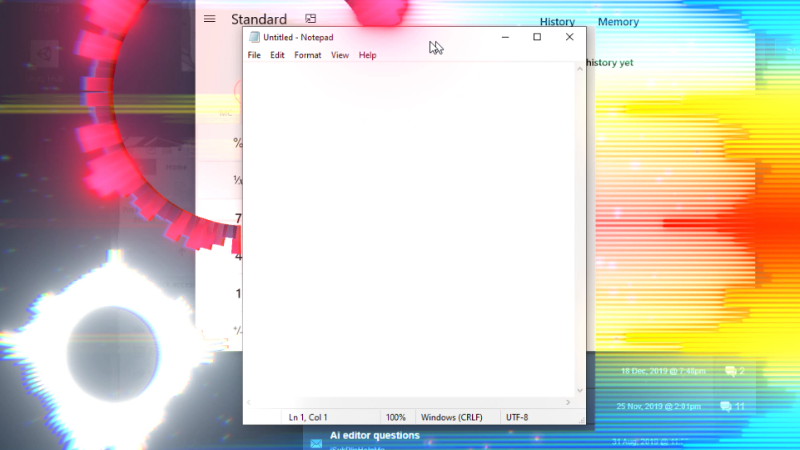
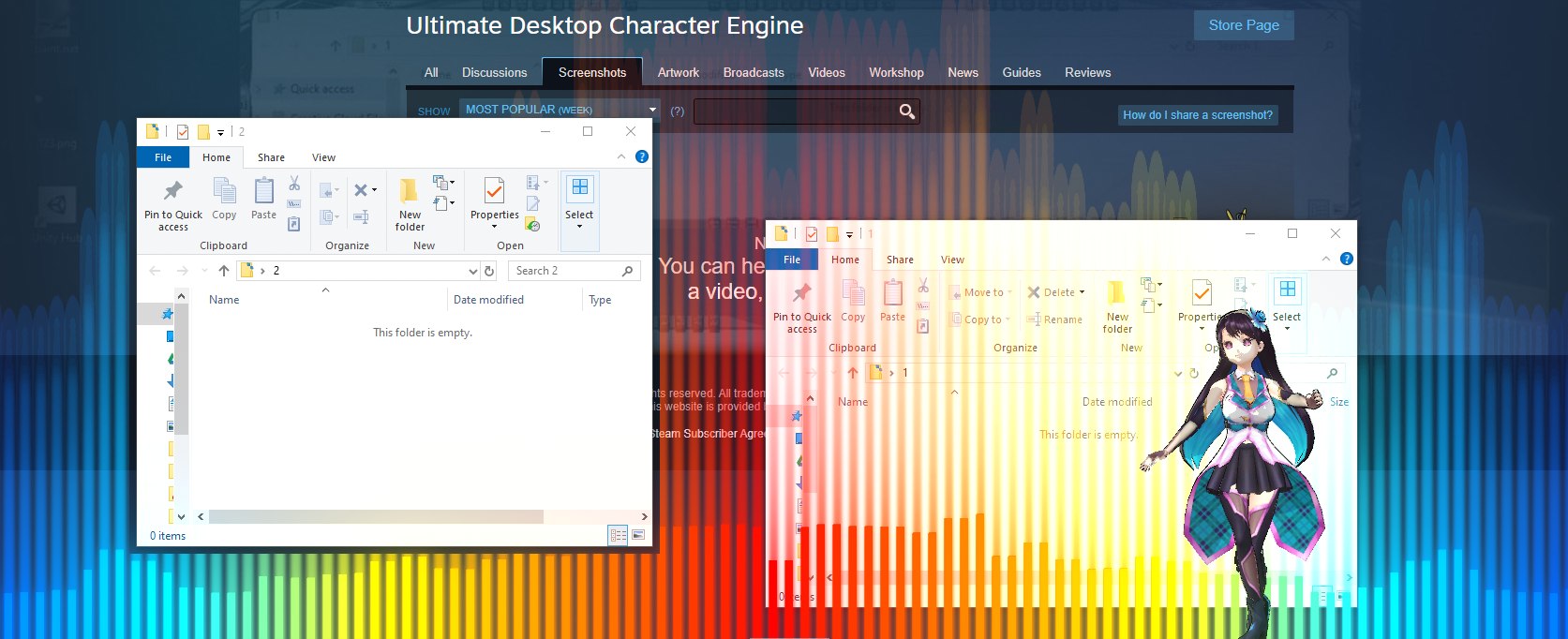
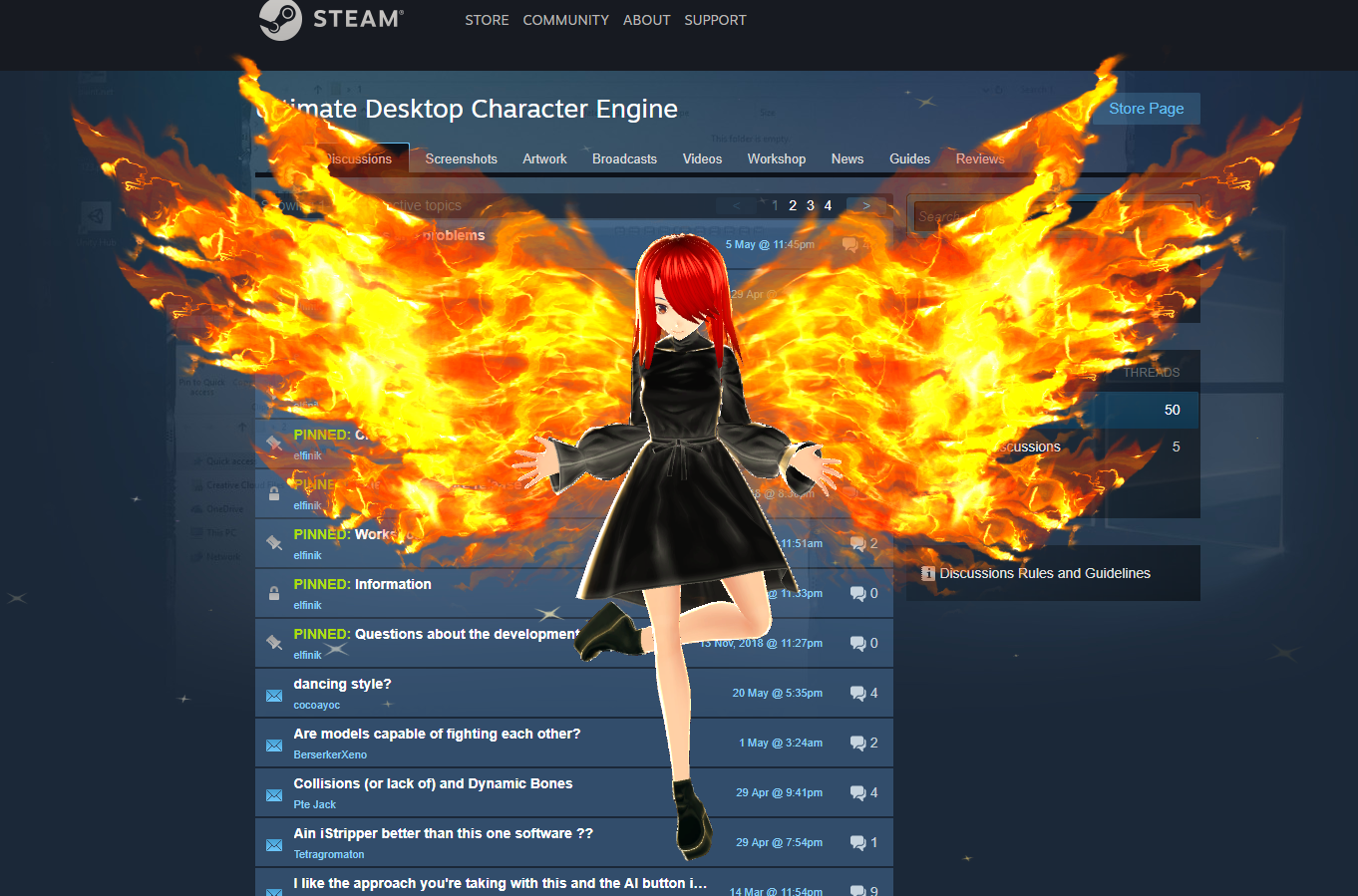
Look at this fire: if the energy of the audio on the computer exceeds a predetermined threshold, the fire is emitted and it collides with the main window and goes up without going into the window itself.
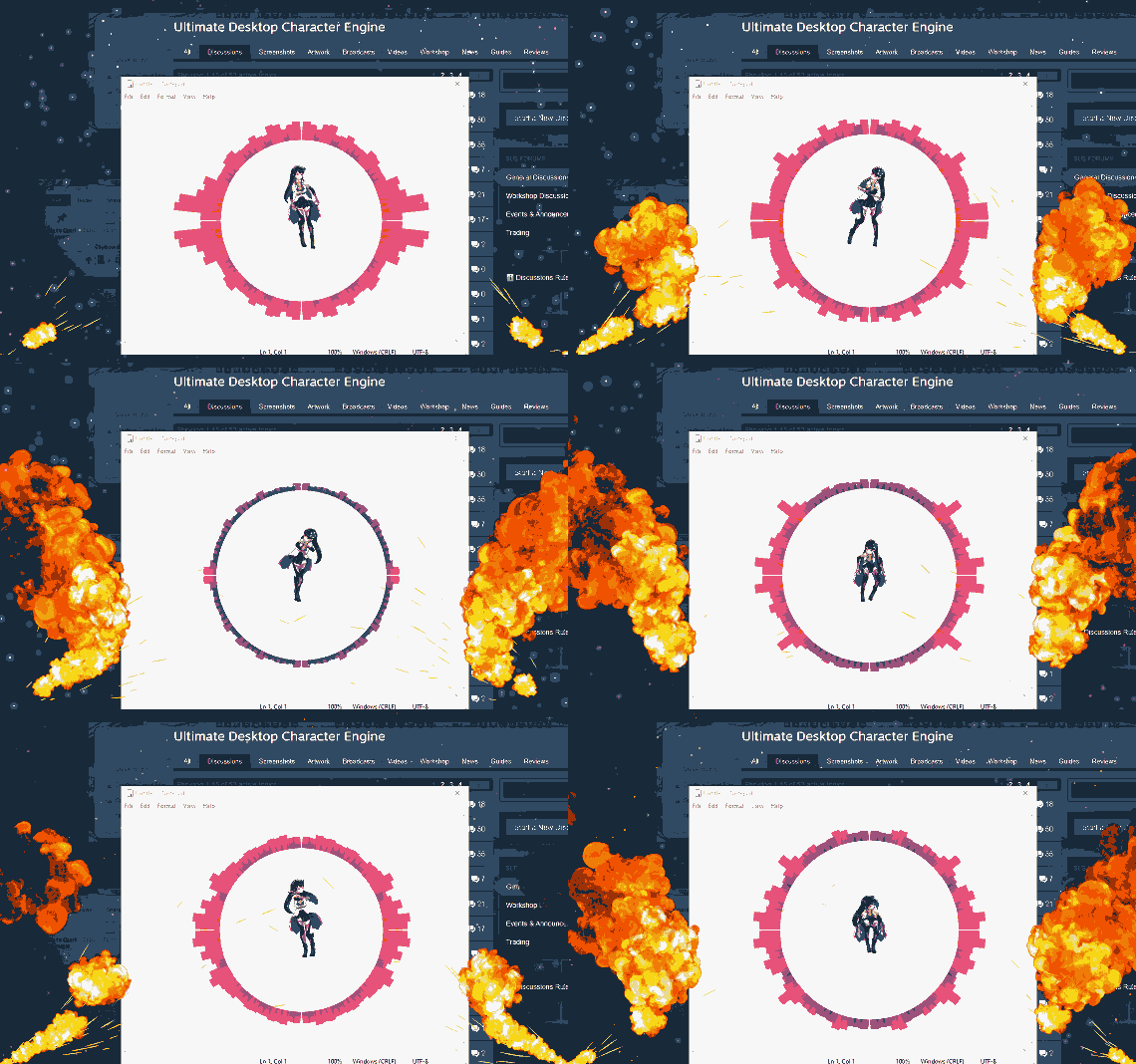
You can configure the necessary parameters (for example, change the sensitivity, turn off the collision, move the fire outside the main window), move, rotate and scale objects. The position of the objects and settings are saved, so if you restart the application you do not need to re-configure everything.
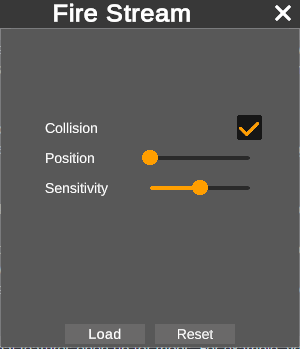
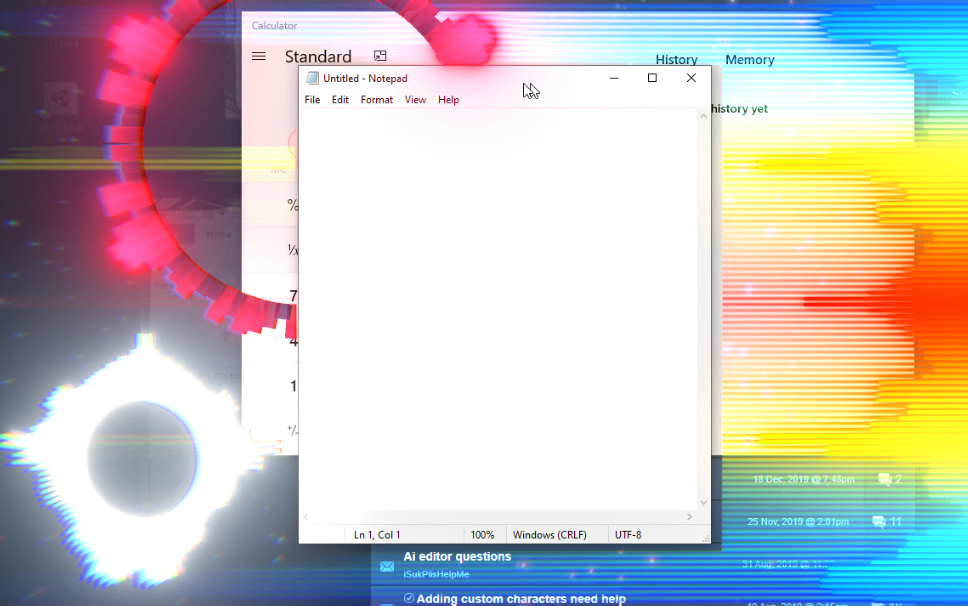
Since UDCE defines OS windows, additional features open up for mods. For example, you can put an audio visualizer on top of all windows except the main one. This way you will see the effects outside the main window, but they will not overlap it.
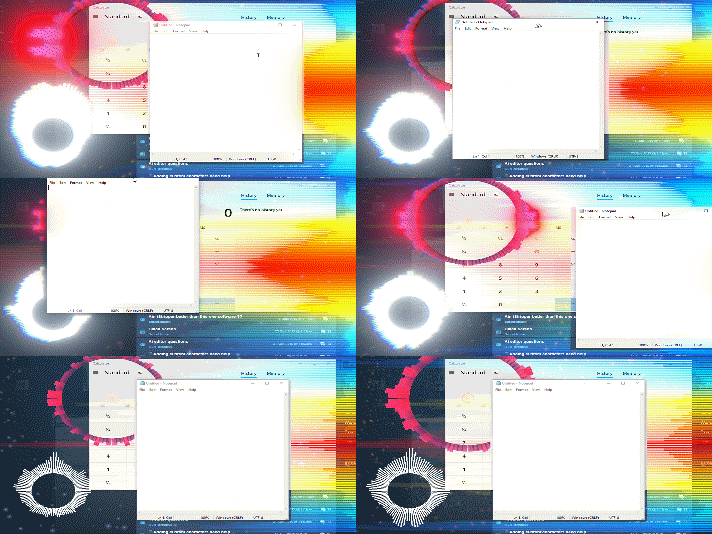
Mods can be created by users themselves, but at the moment this feature is not available: work is still ongoing to improve security, as well as the ease of creating new mods for those who are completely unfamiliar with Unity and programming. Adding this feature is planned at the end of 0.2.x alpha.
Prior to this (in the update cycle 0.2.x alpha) a few more default effects will be added. For example, it is planned to add a mini-game: a kind of aquarium, as in older versions of Windows. In this case, fish and water can be located outside the main window, without interfering with the user's work.
The main advantage of mods is that they can be downloaded to the workshop or free DLC, so that the user can download only the mods he needs. Since there can be many of them and each of them can occupy 0-100 MB, it is very convenient: the program itself will not weigh much, since all effects can be downloaded separately.
Rendering (color space):
The color space has been changed from Gamma to Linear. Among other things, it will provide more realistic, beautiful and customizable lighting, and gives deeper settings. Please note: old characters will now look new. You cannot return them to their old appearance, but you can achieve its similarity using the settings.
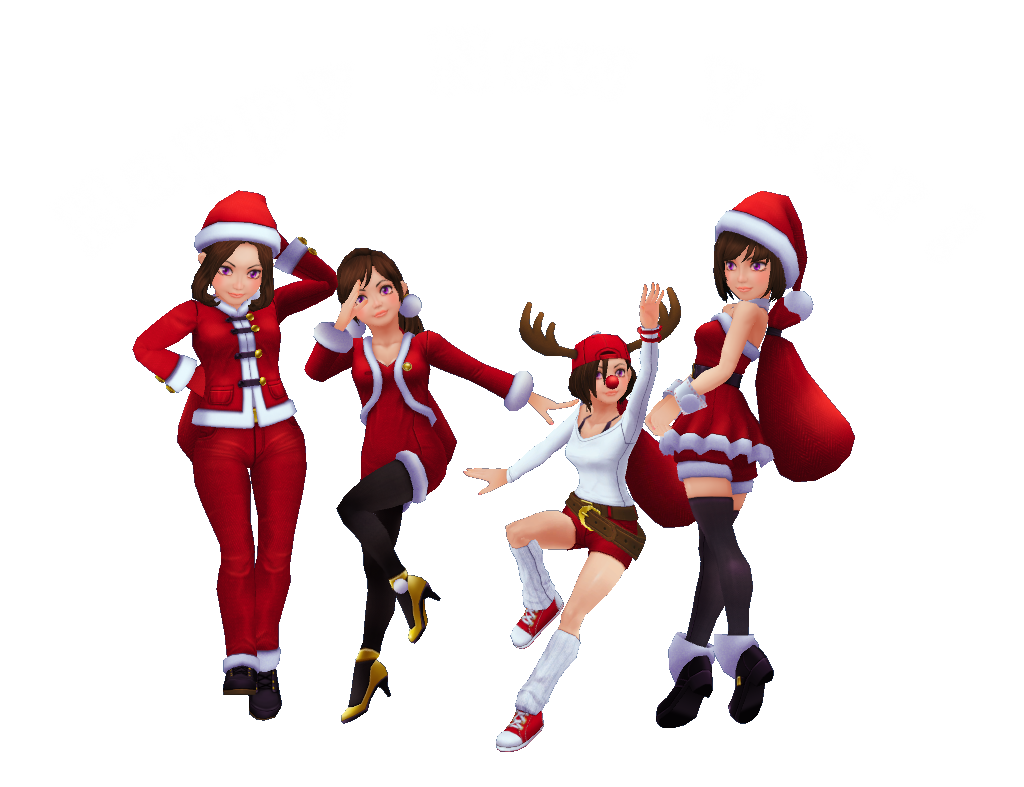
Look at your characters: most of them should look really better than before.
Take a look at Unity-Chan:
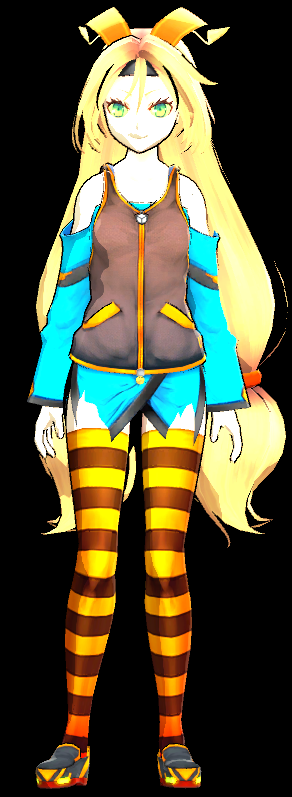
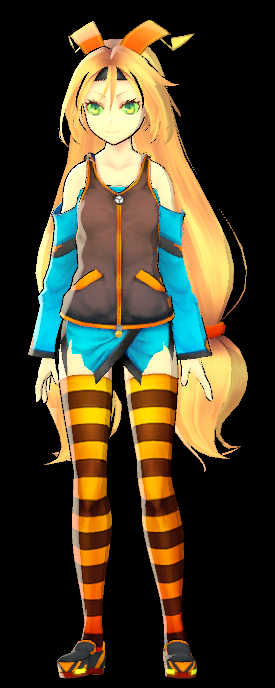
Linear will also help to remove terrible excess light on characters with high lighting settings.
Tutorial
Since some new users encounter difficulties in learning the program, at the first start they will be asked to view a tutorial: a list of animations that shows the basic actions that are needed to create / customize a character, etc. New pages will be added gradually and existing ones will be improved. The tutorial can also be launched from the
“Help” menu.
Interface
The old interface had many problems, some of which were fixed in the new version:
- Many of the buttons were transparent, which made it impossible to read the text on them. Most buttons are no longer transparent.
- The main menu was too transparent and against some background it was extremely uncomfortable. The transparency of the main menu is greatly reduced.
- Almost the entire main interface with a day / night theme was terribly contrasting and unpleasant to look at. The contrast of the interface has been reduced, and the transitions between colors have become smoother.
- Many icons have been changed to others with a much higher resolution.
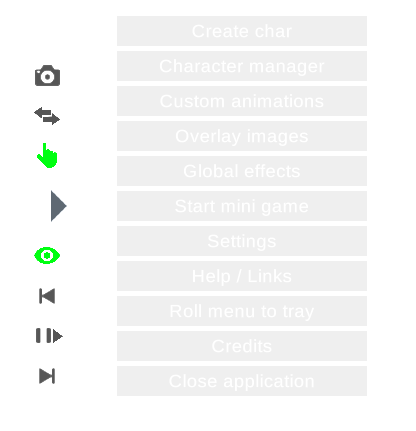
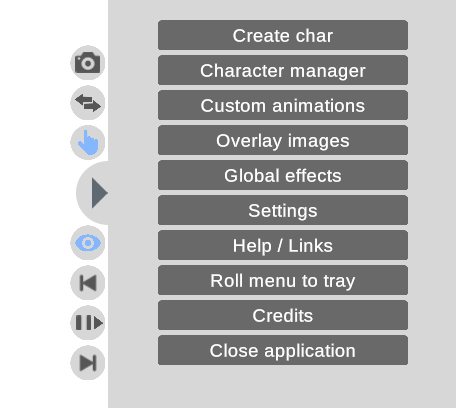 Improving the interface continues.
Workshop
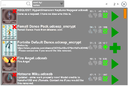
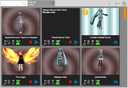
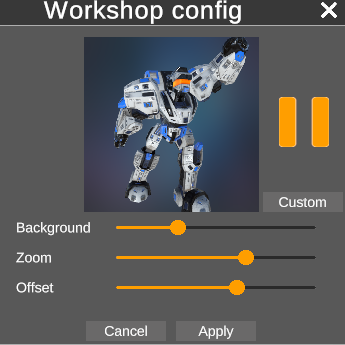
The workshop interface has been redesigned. Now it should become more compact, understandable and convenient.
In a night theme, text with page numbers is poorly visible: this will be fixed in one of the following updates.
Messages
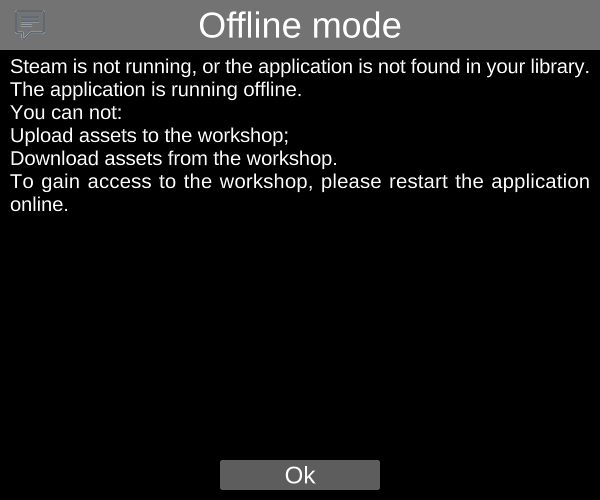
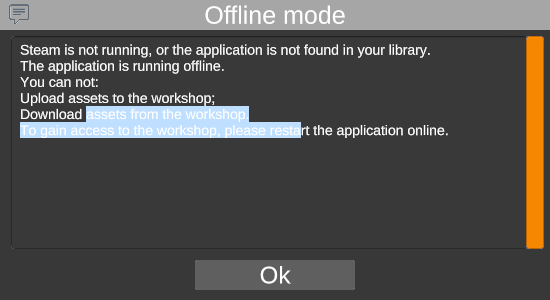
Changed message interface. Since in most cases the messages contained information about the error or voluminous text in English, for most of the audience their meaning was lost. Now you can select and copy the text from the message to translate it into your language or send a detailed message about the error.
The message interface has been redesigned to become less contrast, more compact and convenient.
Notifications
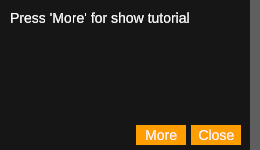
Since messages overlap the main screen, they will now open only for really important information. Notifications will be used for less significant messages: tooltips in the corner of the screen.
You can click on the notification to pin it. The edge color indicates the type of message. In some notifications, the “More” button is available, when clicked, detailed and information will be shown (for example, a message)
Characters
Significantly reduced the distance by which the character can move off the screen before teleporting him to the center. Now go ~ 3 meters per screen, the character will be teleported to the center of the screen.
UI optimization:
On some devices, when scrolling through a large number of elements (for example, a workshop or a large list of characters to create), lags were noticeable and there was no smoothness.
Now the
“UI Pixel Perfect” flag is available in the settings: when enabled, it increases the quality of small UI elements and paths, but greatly reduces performance when scrolling through a large number of elements
(for example, a workshop or a large list of characters to create). If you encounter lags while scrolling, disable this flag and scrolling will become smooth.
Others:
- Changed links to documentation in the “Help” menu;
- Many of the switches have been replaced with checkboxes for the convenience of users and to save screen space;
- Improved UI optimization in some places;
- Improved general optimization;
- The problem of rendering transparent elements of non-red colors that were not always displayed or displayed with greater transparency or with a red tint is fixed;
- Now in the list of created characters for each character there is a button: you can return a specific character to the center of the screen;
- Many bug fixes;
- The Drag Ragdoll setting, turned off by default, was removed so as not to mislead users who did not see that this feature was experimental.
Within a week there will be a small documentation about using Global Effects.
Soon, new parts of the update will be released gradually with planned features and the addition of new global effects.

 By popular demand from the community, the ability to run UDCE offline has been added. In this mode, you will not be able to download NEW characters from the workshop (but if you have already downloaded a character, you can create one from the character creation menu).
In offline mode, Steam will not show that you have launched UDCE, nor will it count the number of hours.
Please note: this will not work if you run the program through Steam. You can either run it directly or add it to startup.
If you need to run the application through Steam, you can reload UDCE (Settings => Restart) and select offline mode.
By popular demand from the community, the ability to run UDCE offline has been added. In this mode, you will not be able to download NEW characters from the workshop (but if you have already downloaded a character, you can create one from the character creation menu).
In offline mode, Steam will not show that you have launched UDCE, nor will it count the number of hours.
Please note: this will not work if you run the program through Steam. You can either run it directly or add it to startup.
If you need to run the application through Steam, you can reload UDCE (Settings => Restart) and select offline mode.
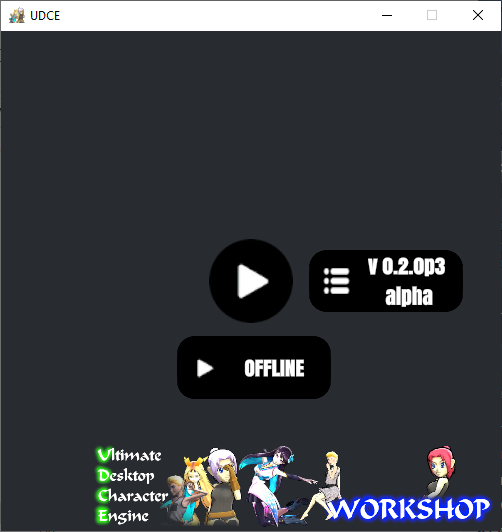 Please note: The offline button will not be visible if you have not used the online mode in the last 10 days.

 • Improved error messages when importing characters (.vrm, .fbx) and mods (.udcemod). Now they are more detailed and more clearly reflect the essence of the error.
• Bug fixes.
Please note: some fixes and features that were planned are still not available as they overlap with the application modification.
• Improved error messages when importing characters (.vrm, .fbx) and mods (.udcemod). Now they are more detailed and more clearly reflect the essence of the error.
• Bug fixes.
Please note: some fixes and features that were planned are still not available as they overlap with the application modification.

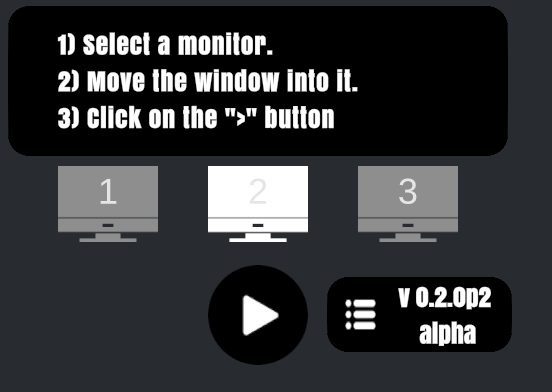 * Please note: the application does not distinguish between the monitor to which the windows belong. Because of this, when working with multiple monitors, window detection can be random and incorrect.
If you encounter a problem and for you this function does not work correctly, please report it on the forum.
* Please note: the application does not distinguish between the monitor to which the windows belong. Because of this, when working with multiple monitors, window detection can be random and incorrect.
If you encounter a problem and for you this function does not work correctly, please report it on the forum.


 Due to the fact that many technical details have been changed and added in the new version 2.0, it will be risky to replace the current version with a new version, because despite successful tests, in theory on some devices some parts of the application may not work correctly. In this regard, the update will be divided into several parts and will be released gradually in a separate branch.
The first part of the 0.2.0 update in the alpha version will be released in late January in a separate branch.
Along with this, a detailed overview of new features and more detailed information on the future release of 2.0 will be released.
Due to the fact that many technical details have been changed and added in the new version 2.0, it will be risky to replace the current version with a new version, because despite successful tests, in theory on some devices some parts of the application may not work correctly. In this regard, the update will be divided into several parts and will be released gradually in a separate branch.
The first part of the 0.2.0 update in the alpha version will be released in late January in a separate branch.
Along with this, a detailed overview of new features and more detailed information on the future release of 2.0 will be released.
 At the moment, the development of the last major update for early access is almost completed: UDCE 2.0. However, the new update uses the latest Unity editor (2019.3b), which is in beta. Therefore, while the release of Unity 2019.3 is expected, there is time to finalize the update, add documentation, and look for bugs.
There is no exact release date for the update, because the update release depends on the release of Unity 2019.3, which should be released around the winter.
At the moment, the development of the last major update for early access is almost completed: UDCE 2.0. However, the new update uses the latest Unity editor (2019.3b), which is in beta. Therefore, while the release of Unity 2019.3 is expected, there is time to finalize the update, add documentation, and look for bugs.
There is no exact release date for the update, because the update release depends on the release of Unity 2019.3, which should be released around the winter.


 Global VFX can be displayed on top of all windows, as well as use depth (for example, the effect can be between two windows, for example, it will rain everywhere, but behind the active window, so as not to interfere with the user's work) and respond to audio spectrum (coming soon) .
In one of the next updates, the effects will be transferred to separate files, and the ability to load new effects from Unity (just like characters) will be added.
Autorun: added the option to automatically launch the application when starting WIndows. To enable, go to: Settings => Autorun (turn on).
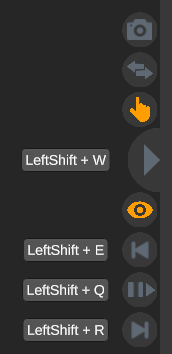
Added new side widget buttons (panel on the right):
Global VFX can be displayed on top of all windows, as well as use depth (for example, the effect can be between two windows, for example, it will rain everywhere, but behind the active window, so as not to interfere with the user's work) and respond to audio spectrum (coming soon) .
In one of the next updates, the effects will be transferred to separate files, and the ability to load new effects from Unity (just like characters) will be added.
Autorun: added the option to automatically launch the application when starting WIndows. To enable, go to: Settings => Autorun (turn on).
Added new side widget buttons (panel on the right):
 Media buttons: with their help you can control audio / video without switching to the window in which it is played.
Added 3 buttons for controlling media on a computer:
Prev: enable previous track;
Next: enable the next track;
Play / Pause: stop or start the current track.
Buttons send a request to the operating system, so this function is only supported on OSs and applications that support this. Tested on Google Chrome and Windows 10 (1803).
Additional buttons:
Print screen: takes a screenshot of the entire screen (not just UDCE);
Switch windows: switches the focus of the operating system to the next window.
Changed application loading: since at startup, very often other windows blocked UDCE and did not allow the API to start correctly, in the new version, when the application starts, a new menu opens. To start the application itself, you need to click on the button. It also allowed to reduce application loading time.
Added Restart button: if you just need to restart the application, click Restart, instead of Reload API.
Added error messages in some cases when loading .fbx files.
Removed the restriction on launching two windows. This is done only for the correct operation of the Restart button.
Ragdoll (alpha, experimental): now when dragging a character, ragdoll physics is turned on. The nearest character bone is attached to the mouse. To enable this feature, go to: Settings => Ragdoll drag (turn on).
Note: unfortunately, good physics behavior requires character customization. Therefore, with many user-defined characters, physics may not display correctly. This is a test feature. It may be improved or removed in the future.
Minor fixes.
This update is mainly needed to test the new version of the UE and some of the new UDCE features.
Media buttons: with their help you can control audio / video without switching to the window in which it is played.
Added 3 buttons for controlling media on a computer:
Prev: enable previous track;
Next: enable the next track;
Play / Pause: stop or start the current track.
Buttons send a request to the operating system, so this function is only supported on OSs and applications that support this. Tested on Google Chrome and Windows 10 (1803).
Additional buttons:
Print screen: takes a screenshot of the entire screen (not just UDCE);
Switch windows: switches the focus of the operating system to the next window.
Changed application loading: since at startup, very often other windows blocked UDCE and did not allow the API to start correctly, in the new version, when the application starts, a new menu opens. To start the application itself, you need to click on the button. It also allowed to reduce application loading time.
Added Restart button: if you just need to restart the application, click Restart, instead of Reload API.
Added error messages in some cases when loading .fbx files.
Removed the restriction on launching two windows. This is done only for the correct operation of the Restart button.
Ragdoll (alpha, experimental): now when dragging a character, ragdoll physics is turned on. The nearest character bone is attached to the mouse. To enable this feature, go to: Settings => Ragdoll drag (turn on).
Note: unfortunately, good physics behavior requires character customization. Therefore, with many user-defined characters, physics may not display correctly. This is a test feature. It may be improved or removed in the future.
Minor fixes.
This update is mainly needed to test the new version of the UE and some of the new UDCE features.
 This is a big update that brings many new features and changes. If you encounter a problem, please report it on the forum. If you have problems with the new version, you can return to the latest stable version (more details at the end of the message).


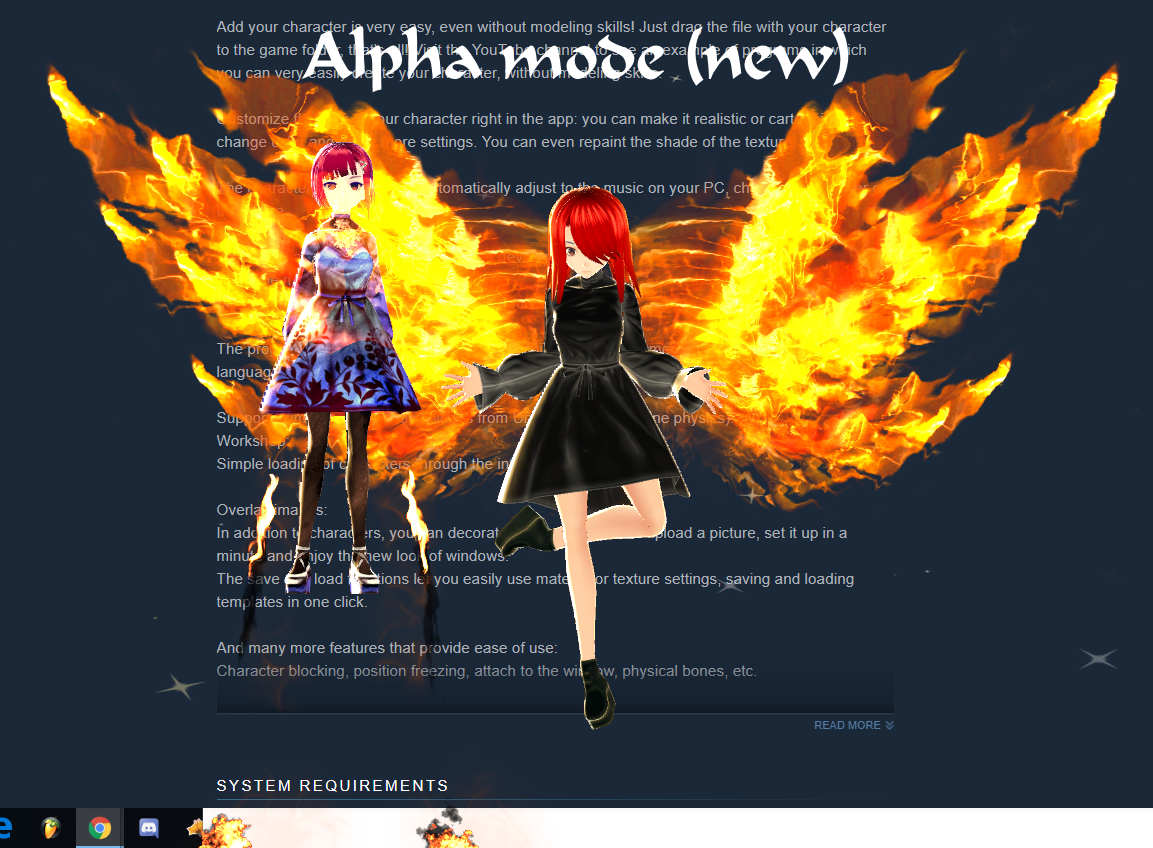 The character is available in the workshop:
 https://steamcommunity.com/sharedfiles/filedetails/?id=1754987434
https://steamcommunity.com/sharedfiles/filedetails/?id=1754955680
https://steamcommunity.com/sharedfiles/filedetails/?id=1754987434
https://steamcommunity.com/sharedfiles/filedetails/?id=1754955680


 Keep in mind that AI is in alpha mode: there may be more bugs that are gradually being fixed. You can create your own AI now. When upgrading to a new one, you will be able to upgrade the AI of old versions to the AI of a new version, even if some functions have been changed.
Since there are a lot of functions, and all of them need to be tested with existing functionality, bug fixes, new functions for AI, and documentation will be added gradually, over the course of version 0.1.2.x. Available features will also be improved (for example, a smoother transition of animations) and supplemented.
In connection with the upcoming rework of UI, the interface of the editor of visual scripts, as well as new dialog boxes, was made with minimal costs, and will soon be redesigned for a new general interface style.
Due to the fact that in some countries access to documentation and YouTube may be limited, documentation for visual scripting will be built into the editor itself.
Documentation will be added gradually, starting from the next update of the AI editor.
Video tutorials and demos will be added gradually.
The ability to load AI into the workshop will be added later, when all the functionality is added, as well as documentation and trailers.
It was originally planned to focus on the development of visual scripting, after which the program was to be released, but...
Keep in mind that AI is in alpha mode: there may be more bugs that are gradually being fixed. You can create your own AI now. When upgrading to a new one, you will be able to upgrade the AI of old versions to the AI of a new version, even if some functions have been changed.
Since there are a lot of functions, and all of them need to be tested with existing functionality, bug fixes, new functions for AI, and documentation will be added gradually, over the course of version 0.1.2.x. Available features will also be improved (for example, a smoother transition of animations) and supplemented.
In connection with the upcoming rework of UI, the interface of the editor of visual scripts, as well as new dialog boxes, was made with minimal costs, and will soon be redesigned for a new general interface style.
Due to the fact that in some countries access to documentation and YouTube may be limited, documentation for visual scripting will be built into the editor itself.
Documentation will be added gradually, starting from the next update of the AI editor.
Video tutorials and demos will be added gradually.
The ability to load AI into the workshop will be added later, when all the functionality is added, as well as documentation and trailers.
It was originally planned to focus on the development of visual scripting, after which the program was to be released, but...