
Optimization, Camera, and Forest Updates
A very important aspect of software development, whether in games or applications, is the process of optimization. I'll discuss this briefly, but don't expect a lengthy tutorial (I am sure there are far better specialized tutorials out there). However, I'll perhaps provide some g
A very important aspect of software development, whether in games or applications, is the process of optimization. I'll discuss this briefly, but don't expect a lengthy tutorial (I am sure there are far better specialized tutorials out there). However, I'll perhaps provide some guidance about approaching it.
Additionally, I'll go over some new changes and updates in the Forest area for VoidGate, along with a few other small, yet significant, changes.
If one were to simplify the process of programming it could be put into 3 steps, it would probably look like this:
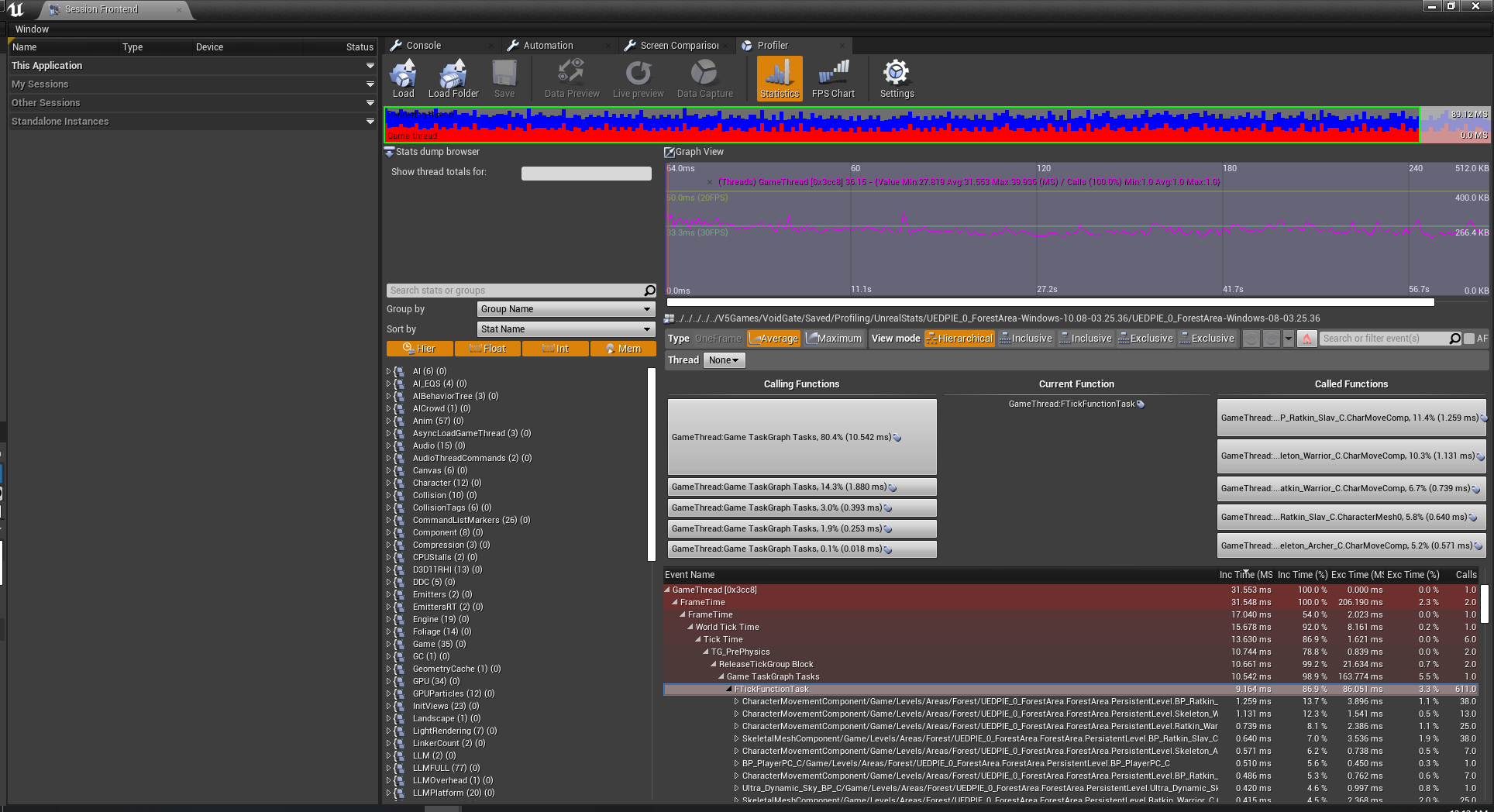 As we can see here, the major bottleneck in the game at this time is on the primary GameThread, particularly AI (monster/enemy) movement and animation.
At of the time of this writing, the randomized Forest Area in VoidGate spawns approximately 200 enemies on the map. So this bottleneck is understandable, though obviously not ideal. So optimization comes down to reducing the performance time.
There are a few options to consider. First, rather than spawning all enemies at the beginning, we can spawn them as they are needed. For example, we can check when a player nears an area where a particular set of enemies reside, then spawn them as the player reaches it.
However, this option has flaws for a number of reasons. First spawning actors (instantiation of objects) is an expensive process. This is because memory allocation for the object is slow. Even with Unreal's specialized pooling it is a slow process. Now, if we could specifically choose when to spawn an object in the game (such as during a loading screen, cinematic, etc) it would be a viable option. However, during gameplay this is impractical. If we spawn the enemy while the player is in the middle of combat (or even outside) there will be a very noticeable frame rate dip. If we spawn the enemy when the player has to fight it, we'll get a frame rate dip and an enemy potentially popping out of nowhere.
I spent a brief amount of time trying to find how others might approach this issue and couldn't find anything. It doesn't mean no one has addressed it and has tackled the problem, I just couldn't find it.
So I came up with my own approach (even though it's highly probable I'm just reinventing the wheel here). Memory is cheap and not really an issue right now in the game, so it is safe for us to spawn all of the enemies during the map's load time.
After this, we simply have each enemy do a check regarding their distance to the player. It's important to note this check is not done every frame or tick; checking distance can be an expensive operation, especially if Unreal uses the accurate square root method (which I assume it does; Manhattan distance is cheaper, but also less accurate).
First we'll go over the result of the check, then we'll go over the timing of the check.
So, once we have our result of the distance between the enemy and the player we have a few different options. I base this on three tiers of distance: short, medium, and far. I use these rather than actual values because it will depend on the game, and the medium distance may be unnecessary in other cases.
VoidGate has stealth mechanics, though not all of it is fully implemented yet, and AI is perception based (hearing and sight) and uses alert levels of awareness.
This means short distance needs to be far enough for the player to be aware of an enemy then either engage or avoid. Since the game depends heavily on randomization, medium distance is far away enough the enemy doesn't need to be visible, have active animations, or have active perceptions, but close enough to still move around. And far distance means the enemy/AI is completely inactive.
Medium distance may be omitted completely, and may be in the future. We will do more testing on it, and may find it ineffective.
As we can see here, the major bottleneck in the game at this time is on the primary GameThread, particularly AI (monster/enemy) movement and animation.
At of the time of this writing, the randomized Forest Area in VoidGate spawns approximately 200 enemies on the map. So this bottleneck is understandable, though obviously not ideal. So optimization comes down to reducing the performance time.
There are a few options to consider. First, rather than spawning all enemies at the beginning, we can spawn them as they are needed. For example, we can check when a player nears an area where a particular set of enemies reside, then spawn them as the player reaches it.
However, this option has flaws for a number of reasons. First spawning actors (instantiation of objects) is an expensive process. This is because memory allocation for the object is slow. Even with Unreal's specialized pooling it is a slow process. Now, if we could specifically choose when to spawn an object in the game (such as during a loading screen, cinematic, etc) it would be a viable option. However, during gameplay this is impractical. If we spawn the enemy while the player is in the middle of combat (or even outside) there will be a very noticeable frame rate dip. If we spawn the enemy when the player has to fight it, we'll get a frame rate dip and an enemy potentially popping out of nowhere.
I spent a brief amount of time trying to find how others might approach this issue and couldn't find anything. It doesn't mean no one has addressed it and has tackled the problem, I just couldn't find it.
So I came up with my own approach (even though it's highly probable I'm just reinventing the wheel here). Memory is cheap and not really an issue right now in the game, so it is safe for us to spawn all of the enemies during the map's load time.
After this, we simply have each enemy do a check regarding their distance to the player. It's important to note this check is not done every frame or tick; checking distance can be an expensive operation, especially if Unreal uses the accurate square root method (which I assume it does; Manhattan distance is cheaper, but also less accurate).
First we'll go over the result of the check, then we'll go over the timing of the check.
So, once we have our result of the distance between the enemy and the player we have a few different options. I base this on three tiers of distance: short, medium, and far. I use these rather than actual values because it will depend on the game, and the medium distance may be unnecessary in other cases.
VoidGate has stealth mechanics, though not all of it is fully implemented yet, and AI is perception based (hearing and sight) and uses alert levels of awareness.
This means short distance needs to be far enough for the player to be aware of an enemy then either engage or avoid. Since the game depends heavily on randomization, medium distance is far away enough the enemy doesn't need to be visible, have active animations, or have active perceptions, but close enough to still move around. And far distance means the enemy/AI is completely inactive.
Medium distance may be omitted completely, and may be in the future. We will do more testing on it, and may find it ineffective.
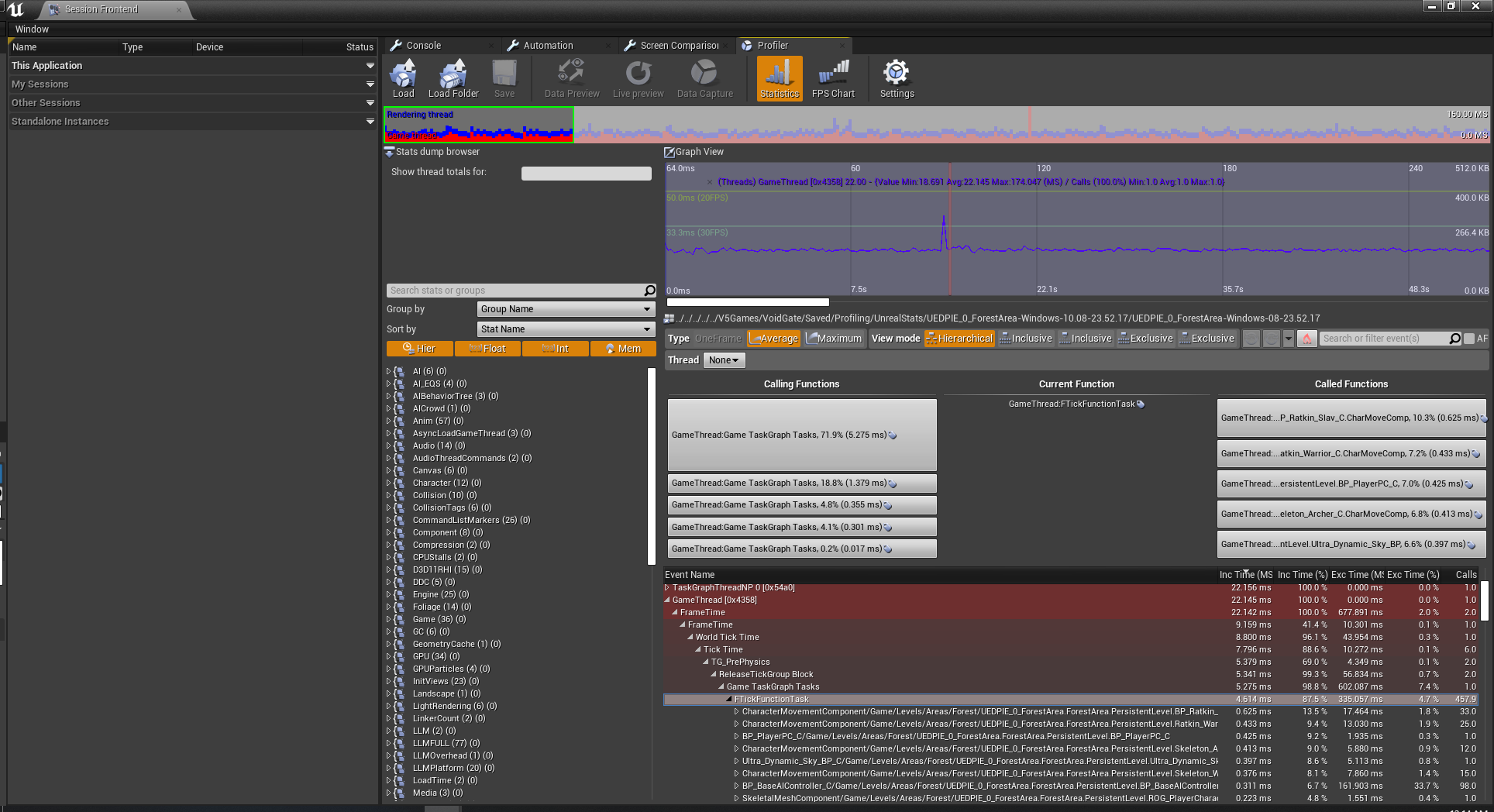 As you can see, the amount of time spent in the GameThread was cut in half, from 10.542 ms to 5.275 ms. The majority of enemies now have their performance time cut in half, even when "moving."
Of course, this doesn't mean the job is done. The instructions for game optimization can be found on bottles of shampoo: Lather, rinse, repeat. It's not something that needs to be done after every step, but often enough. Too much and progress will be slow, too little and progress won't matter much. The when fits inside a vague Goldilocks zone.
Now we can move onto some recent changes.
First, we have implemented a feature to improve the camera view. Since our game depends on randomized level generation, we can't design our levels to avoid obstructing the camera. There are a number of other ways to deal with this, however, we'll stick to our own solution.
As you can see, the amount of time spent in the GameThread was cut in half, from 10.542 ms to 5.275 ms. The majority of enemies now have their performance time cut in half, even when "moving."
Of course, this doesn't mean the job is done. The instructions for game optimization can be found on bottles of shampoo: Lather, rinse, repeat. It's not something that needs to be done after every step, but often enough. Too much and progress will be slow, too little and progress won't matter much. The when fits inside a vague Goldilocks zone.
Now we can move onto some recent changes.
First, we have implemented a feature to improve the camera view. Since our game depends on randomized level generation, we can't design our levels to avoid obstructing the camera. There are a number of other ways to deal with this, however, we'll stick to our own solution.
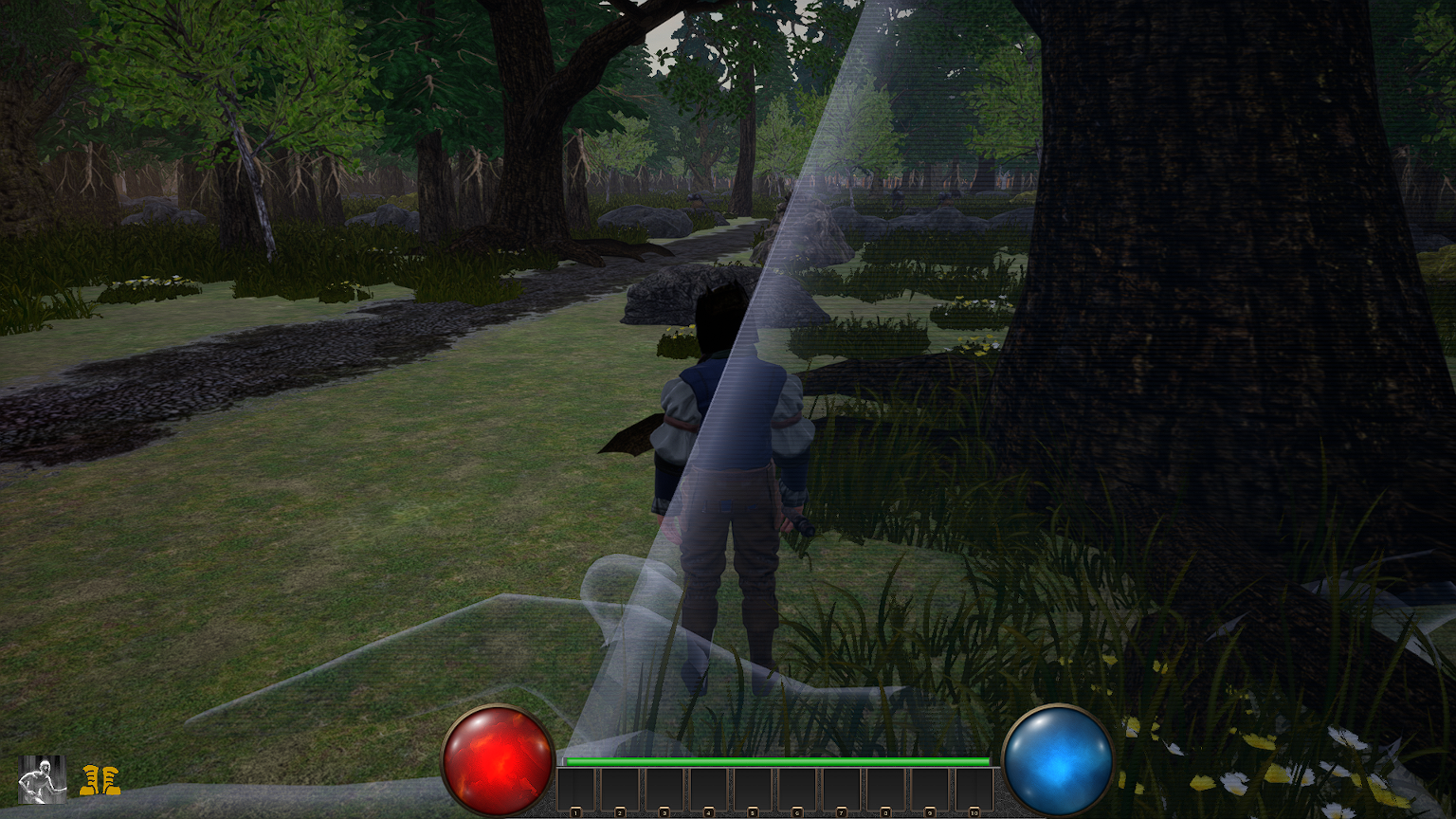 Whenever an object obstructs the camera it becomes translucent, so the player won't lose visibility. Special thanks to this YouTuber for the method and base setup on doing this:
https://www.youtube.com/watch?v=COodvTeEfSM
I recommend if you use this for your own project that you modify it to suit your particular game, as we have. The code is built for general use for ease of plug and play, but taking some time to fit it around your own project will increase its efficiency. As an example, the code has you select a particular Actor class to filter through. In our case, we don't even care about the class. Rather than have Unreal fetch any actors matching the class and iterating through an array, we only need one actor. So we grab it directly and remove the array iteration. While the performance difference may be negligible in this case, it is good practice.
Additionally, there is a flaw in the basic setup that ALL static objects will be susceptible to this (allowing the camera to break through the ground to look up at the player, though this might be what you want). And it requires the spring arm on your camera to ignore any collision. This can cause problems. For example, in our dungeon level we don't want the player to be able to swing the camera outside of dungeon walls and examine the "outside" of it, allowing them to view dungeon layout among other things.
So we managed this by setting up a new object type within Unreal's custom channels called Fade, referring to the code's fade ability. Any object we want to use this effect, we set its object type to Fade. There will be a few other tweaks you might require, such as properly setting collision on your pawn/character.
Other than that, the code is well-designed. It uses Unreal's tracing system to search for objects, which Epic has demonstrated has little impact on performance.
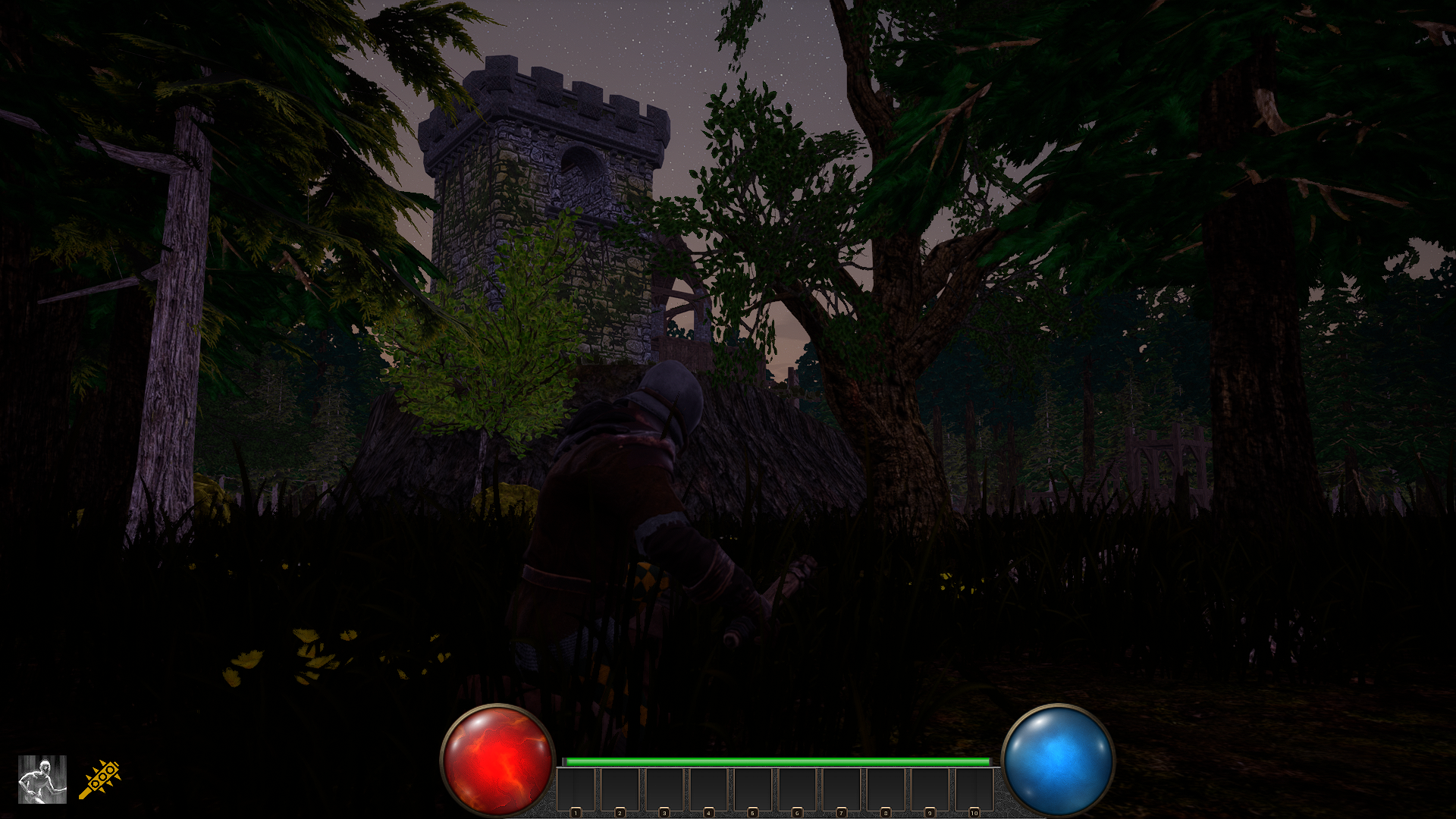
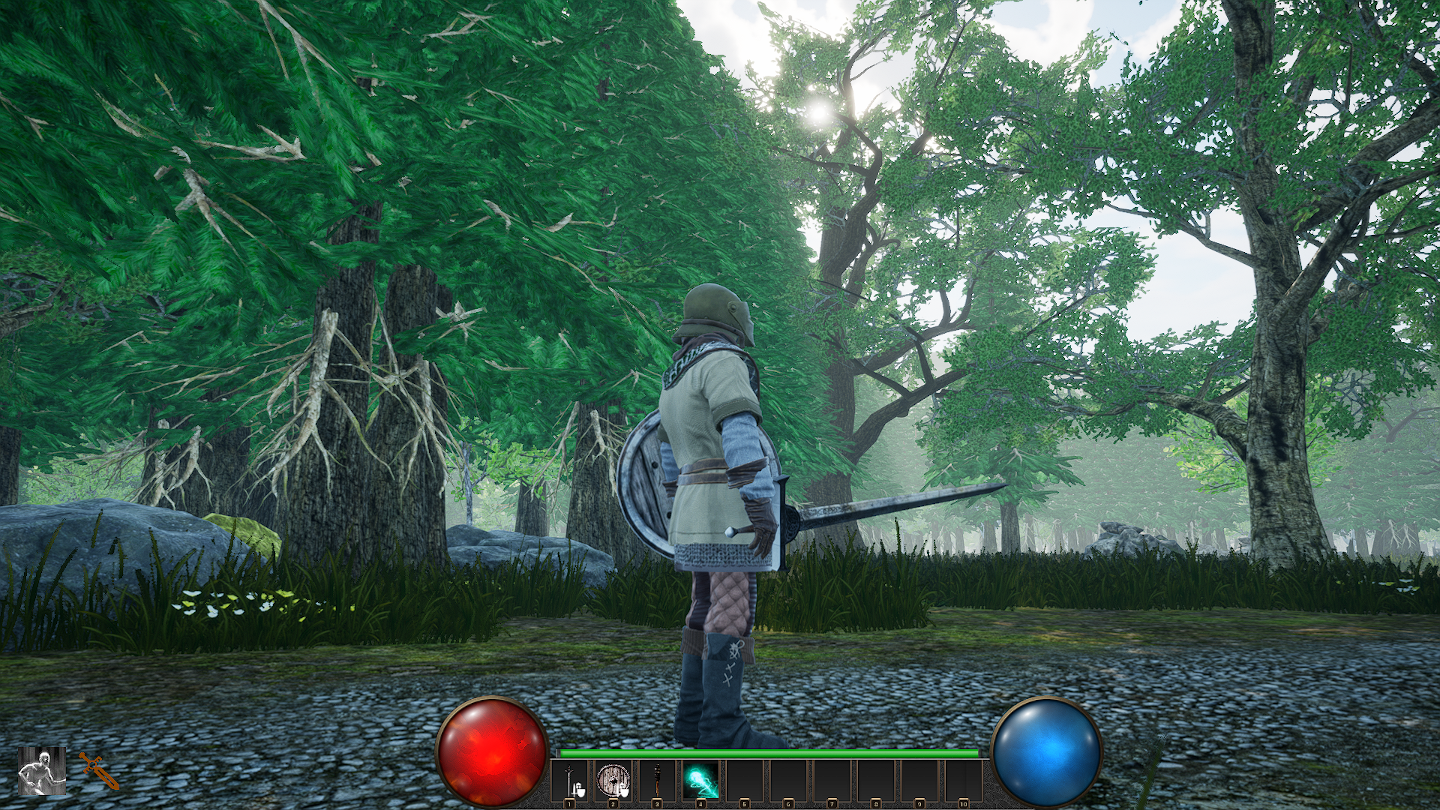
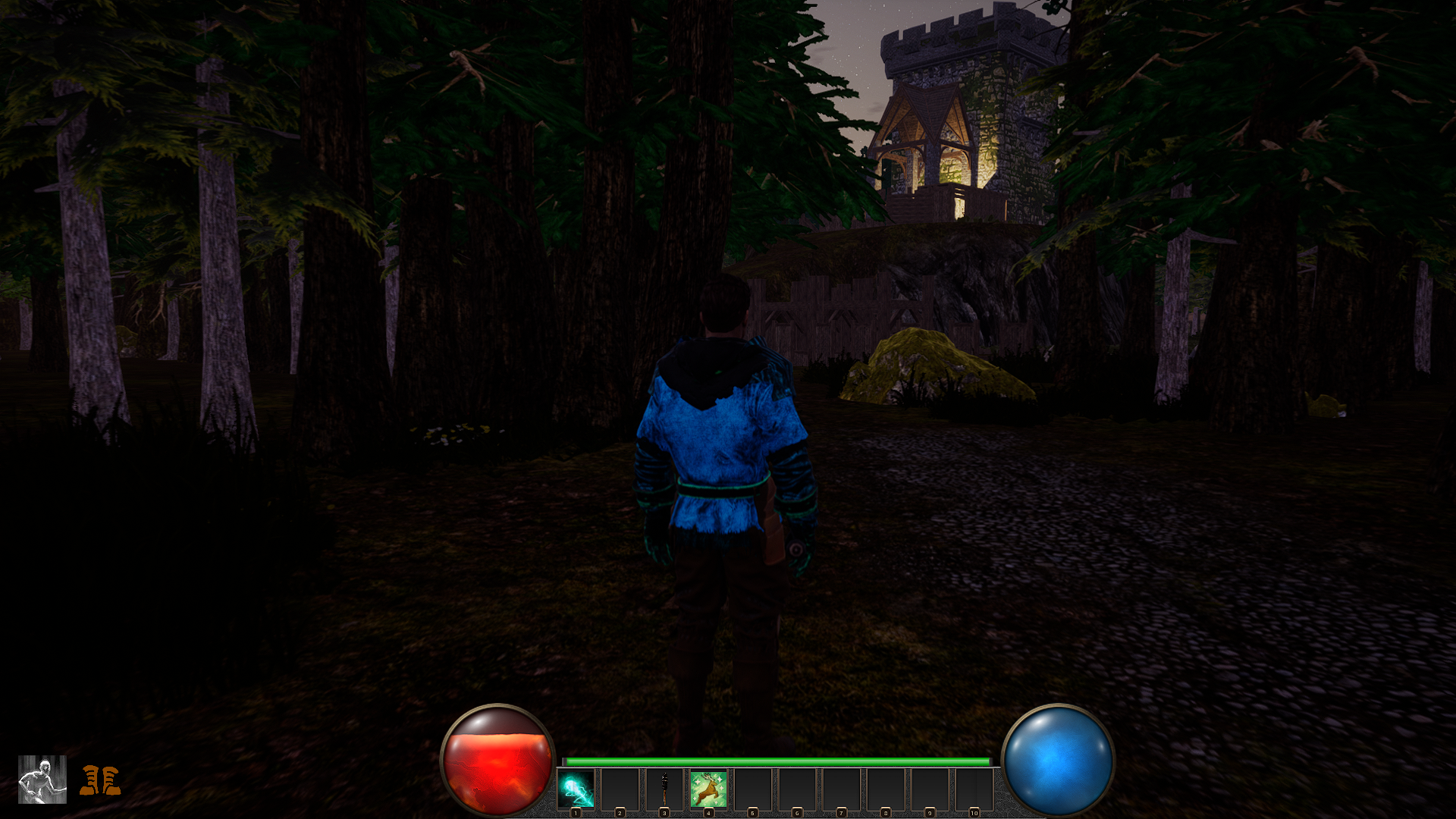
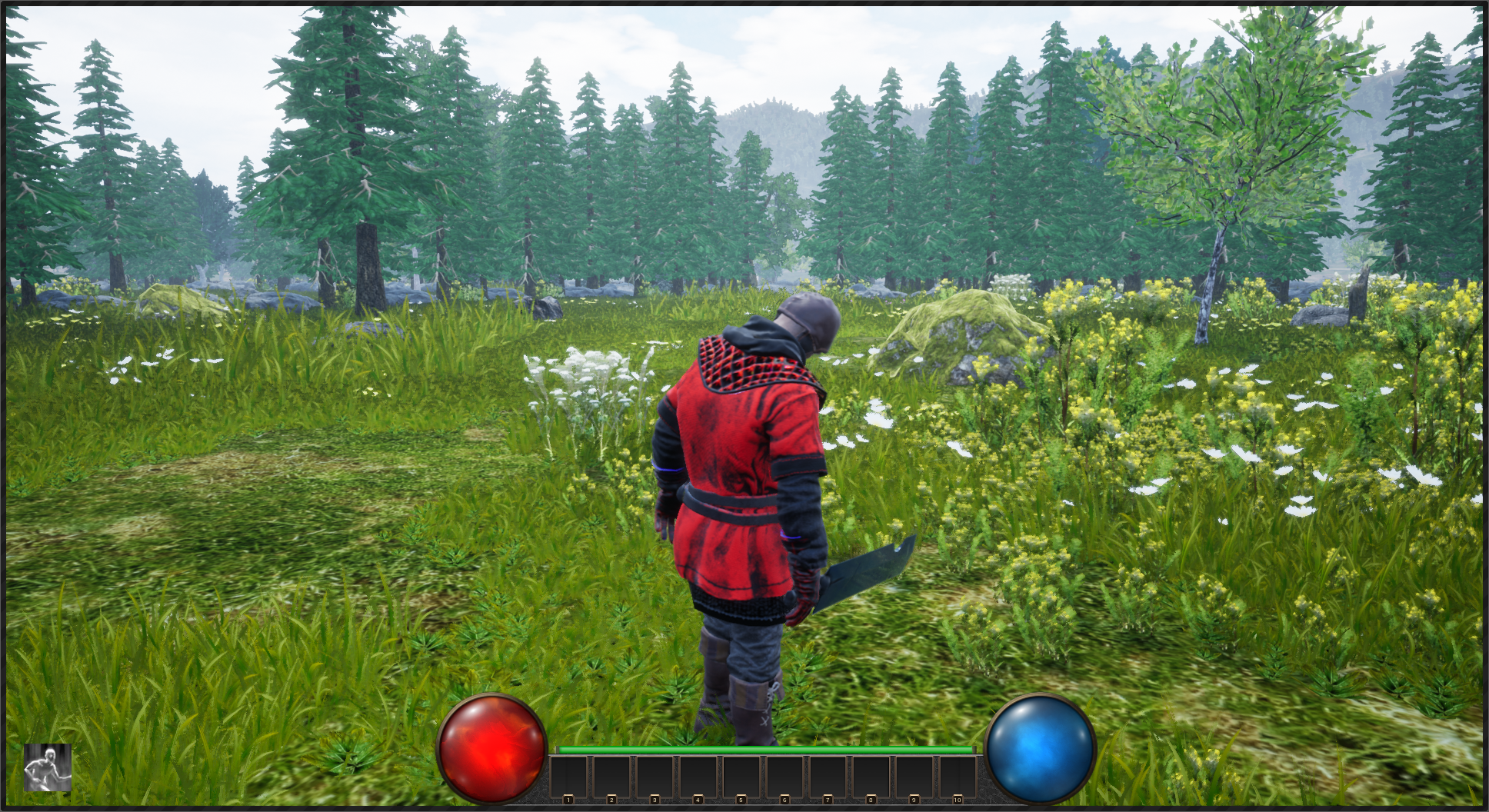
And finally, we would like to mention a small update to the Forest Area and other similar maps. These maps generate a pathway to connect important parts of the map; offering guidance to the player. Enjoy some screenshots.
Thank you.
Whenever an object obstructs the camera it becomes translucent, so the player won't lose visibility. Special thanks to this YouTuber for the method and base setup on doing this:
https://www.youtube.com/watch?v=COodvTeEfSM
I recommend if you use this for your own project that you modify it to suit your particular game, as we have. The code is built for general use for ease of plug and play, but taking some time to fit it around your own project will increase its efficiency. As an example, the code has you select a particular Actor class to filter through. In our case, we don't even care about the class. Rather than have Unreal fetch any actors matching the class and iterating through an array, we only need one actor. So we grab it directly and remove the array iteration. While the performance difference may be negligible in this case, it is good practice.
Additionally, there is a flaw in the basic setup that ALL static objects will be susceptible to this (allowing the camera to break through the ground to look up at the player, though this might be what you want). And it requires the spring arm on your camera to ignore any collision. This can cause problems. For example, in our dungeon level we don't want the player to be able to swing the camera outside of dungeon walls and examine the "outside" of it, allowing them to view dungeon layout among other things.
So we managed this by setting up a new object type within Unreal's custom channels called Fade, referring to the code's fade ability. Any object we want to use this effect, we set its object type to Fade. There will be a few other tweaks you might require, such as properly setting collision on your pawn/character.
Other than that, the code is well-designed. It uses Unreal's tracing system to search for objects, which Epic has demonstrated has little impact on performance.
And finally, we would like to mention a small update to the Forest Area and other similar maps. These maps generate a pathway to connect important parts of the map; offering guidance to the player. Enjoy some screenshots.
Thank you.
Original post - Get it working right
- Clean it up
- Make it efficient
As we can see here, the major bottleneck in the game at this time is on the primary GameThread, particularly AI (monster/enemy) movement and animation.
At of the time of this writing, the randomized Forest Area in VoidGate spawns approximately 200 enemies on the map. So this bottleneck is understandable, though obviously not ideal. So optimization comes down to reducing the performance time.
There are a few options to consider. First, rather than spawning all enemies at the beginning, we can spawn them as they are needed. For example, we can check when a player nears an area where a particular set of enemies reside, then spawn them as the player reaches it.
However, this option has flaws for a number of reasons. First spawning actors (instantiation of objects) is an expensive process. This is because memory allocation for the object is slow. Even with Unreal's specialized pooling it is a slow process. Now, if we could specifically choose when to spawn an object in the game (such as during a loading screen, cinematic, etc) it would be a viable option. However, during gameplay this is impractical. If we spawn the enemy while the player is in the middle of combat (or even outside) there will be a very noticeable frame rate dip. If we spawn the enemy when the player has to fight it, we'll get a frame rate dip and an enemy potentially popping out of nowhere.
I spent a brief amount of time trying to find how others might approach this issue and couldn't find anything. It doesn't mean no one has addressed it and has tackled the problem, I just couldn't find it.
So I came up with my own approach (even though it's highly probable I'm just reinventing the wheel here). Memory is cheap and not really an issue right now in the game, so it is safe for us to spawn all of the enemies during the map's load time.
After this, we simply have each enemy do a check regarding their distance to the player. It's important to note this check is not done every frame or tick; checking distance can be an expensive operation, especially if Unreal uses the accurate square root method (which I assume it does; Manhattan distance is cheaper, but also less accurate).
First we'll go over the result of the check, then we'll go over the timing of the check.
So, once we have our result of the distance between the enemy and the player we have a few different options. I base this on three tiers of distance: short, medium, and far. I use these rather than actual values because it will depend on the game, and the medium distance may be unnecessary in other cases.
VoidGate has stealth mechanics, though not all of it is fully implemented yet, and AI is perception based (hearing and sight) and uses alert levels of awareness.
This means short distance needs to be far enough for the player to be aware of an enemy then either engage or avoid. Since the game depends heavily on randomization, medium distance is far away enough the enemy doesn't need to be visible, have active animations, or have active perceptions, but close enough to still move around. And far distance means the enemy/AI is completely inactive.
Medium distance may be omitted completely, and may be in the future. We will do more testing on it, and may find it ineffective.
- Short - Enemy visible and fully active, perceptions are active (fully active).
- Medium - Enemy not visible, animations not active, perceptions inactive, brain still active.
- Far - Fully inactive.
As you can see, the amount of time spent in the GameThread was cut in half, from 10.542 ms to 5.275 ms. The majority of enemies now have their performance time cut in half, even when "moving."
Of course, this doesn't mean the job is done. The instructions for game optimization can be found on bottles of shampoo: Lather, rinse, repeat. It's not something that needs to be done after every step, but often enough. Too much and progress will be slow, too little and progress won't matter much. The when fits inside a vague Goldilocks zone.
Now we can move onto some recent changes.
First, we have implemented a feature to improve the camera view. Since our game depends on randomized level generation, we can't design our levels to avoid obstructing the camera. There are a number of other ways to deal with this, however, we'll stick to our own solution.
Whenever an object obstructs the camera it becomes translucent, so the player won't lose visibility. Special thanks to this YouTuber for the method and base setup on doing this:
https://www.youtube.com/watch?v=COodvTeEfSM
I recommend if you use this for your own project that you modify it to suit your particular game, as we have. The code is built for general use for ease of plug and play, but taking some time to fit it around your own project will increase its efficiency. As an example, the code has you select a particular Actor class to filter through. In our case, we don't even care about the class. Rather than have Unreal fetch any actors matching the class and iterating through an array, we only need one actor. So we grab it directly and remove the array iteration. While the performance difference may be negligible in this case, it is good practice.
Additionally, there is a flaw in the basic setup that ALL static objects will be susceptible to this (allowing the camera to break through the ground to look up at the player, though this might be what you want). And it requires the spring arm on your camera to ignore any collision. This can cause problems. For example, in our dungeon level we don't want the player to be able to swing the camera outside of dungeon walls and examine the "outside" of it, allowing them to view dungeon layout among other things.
So we managed this by setting up a new object type within Unreal's custom channels called Fade, referring to the code's fade ability. Any object we want to use this effect, we set its object type to Fade. There will be a few other tweaks you might require, such as properly setting collision on your pawn/character.
Other than that, the code is well-designed. It uses Unreal's tracing system to search for objects, which Epic has demonstrated has little impact on performance.
And finally, we would like to mention a small update to the Forest Area and other similar maps. These maps generate a pathway to connect important parts of the map; offering guidance to the player. Enjoy some screenshots.
Thank you.
 So, what was the reason for rewriting the code? The game is being built in Unreal 4, and it had been completely written in Blueprints. Not a terrible thing in itself. A strange route to go, considering I am far more proficient in C++. So why Blueprints? Partly to familiarize myself with the system (although I had spent a great deal of time prior learning it), and partly out of enjoyment.
 However, as time went on it became messy and difficult to manage. The greatest strength of Blueprints seems to also be its greatest weakness.
It's easy to build quickly in Blueprints. However this speed leads to a lack of maintenance. Code just grows without being trimmed and optimized. Obviously this is not the fault of Blueprints itself. The fault lies at the programmer. But even a good programmer falls easily into the temptation of laziness. And before too long, it has become an untamed beast.
An example of this is our code just to handle the dragging and dropping of inventory items in the GUI:
However, as time went on it became messy and difficult to manage. The greatest strength of Blueprints seems to also be its greatest weakness.
It's easy to build quickly in Blueprints. However this speed leads to a lack of maintenance. Code just grows without being trimmed and optimized. Obviously this is not the fault of Blueprints itself. The fault lies at the programmer. But even a good programmer falls easily into the temptation of laziness. And before too long, it has become an untamed beast.
An example of this is our code just to handle the dragging and dropping of inventory items in the GUI:
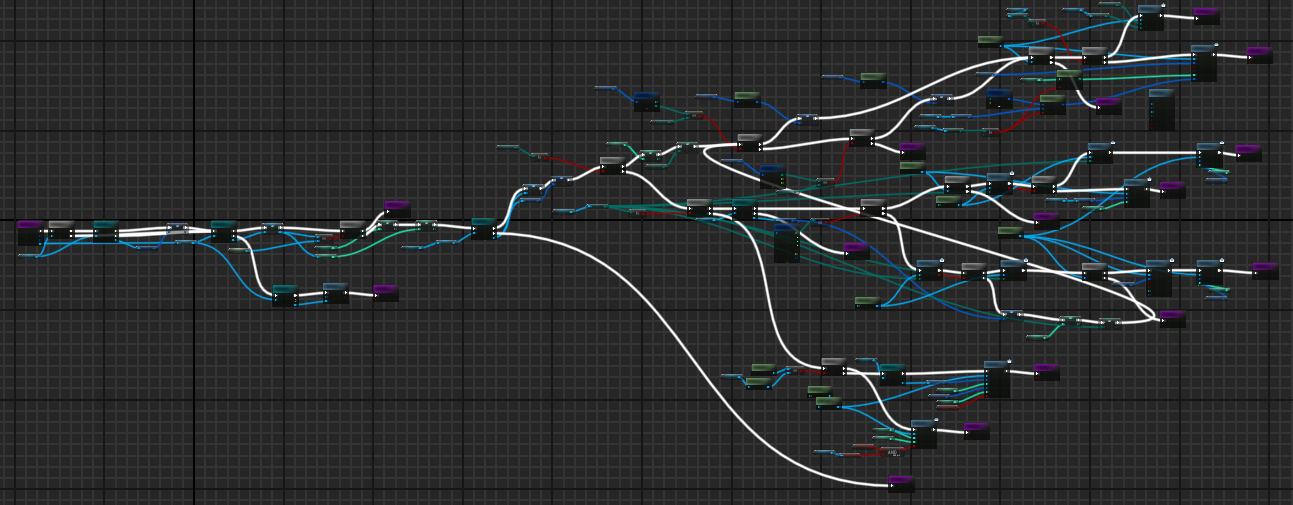 And the result of this was very buggy UI which is one of the more difficult aspects of a game to develop (although this perhaps depends on the developer). In this case, fixing one bug meant creating more. It lost the flexibility and power of modular, small purpose functions.
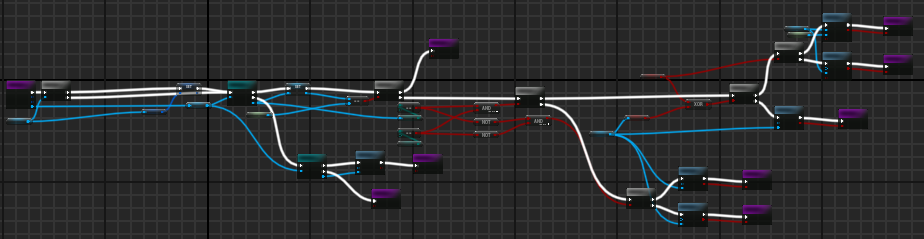
With the rebuild, it hasn't been completely moved from Blueprints, as some things are nice and easy to do in Blueprints, and for things where optimization for speed isn't as important, like menu based UI (inventory management).
Cleaning it up, it's now much more manageable:
And the result of this was very buggy UI which is one of the more difficult aspects of a game to develop (although this perhaps depends on the developer). In this case, fixing one bug meant creating more. It lost the flexibility and power of modular, small purpose functions.
With the rebuild, it hasn't been completely moved from Blueprints, as some things are nice and easy to do in Blueprints, and for things where optimization for speed isn't as important, like menu based UI (inventory management).
Cleaning it up, it's now much more manageable:
 Another easy trap to fall into with Blueprints is scope. Blueprints makes it far too easy to break a rule stressed by experienced programmers: keep variables and objects within scope. Although Blueprints has the ability to restrict access, like making a variable or function private, the ease of using makes it too easy to remember this feature even exists. Because of this the many complicated systems of the game becomes far too coupled. Even as an experienced programmer who understands the dangers of this, and the significance of decoupling fell into this. Again, Blueprints is not necessarily to blame for this. It's the programmer's job to avoid this, because it's easy to do in any language.
Please don't misunderstand any of this. I'm not speaking ill of Blueprints. It is a very interesting form of programming, and I enjoyed it a great deal. I say this despite C++ being my favored language. To avoid a tangent I won't go into more details. Blueprints is powerful, easy, and convenient.
As a wonderful bonus, through the process the majority of the C++ code has been exposed to Blueprints in order to rebuild it in layers. And this has been a very fun and interesting experience. The sheer power and flexibility of Unreal is both amazing and humbling.
Another easy trap to fall into with Blueprints is scope. Blueprints makes it far too easy to break a rule stressed by experienced programmers: keep variables and objects within scope. Although Blueprints has the ability to restrict access, like making a variable or function private, the ease of using makes it too easy to remember this feature even exists. Because of this the many complicated systems of the game becomes far too coupled. Even as an experienced programmer who understands the dangers of this, and the significance of decoupling fell into this. Again, Blueprints is not necessarily to blame for this. It's the programmer's job to avoid this, because it's easy to do in any language.
Please don't misunderstand any of this. I'm not speaking ill of Blueprints. It is a very interesting form of programming, and I enjoyed it a great deal. I say this despite C++ being my favored language. To avoid a tangent I won't go into more details. Blueprints is powerful, easy, and convenient.
As a wonderful bonus, through the process the majority of the C++ code has been exposed to Blueprints in order to rebuild it in layers. And this has been a very fun and interesting experience. The sheer power and flexibility of Unreal is both amazing and humbling.
 Another advantage to rebuilding the game is moving a huge amount of data away from Blueprints and Data Tables into JSON. This gives easier access and flexibility with modifying game details, for one example adjusting balance. Rather than having data placed inside of Blueprints for items, the data for equipment and items is now held in JSON. This is then used as a basis for how to randomize the item. The same is true for monsters and player data.
We plan to make it possible for players to create their own JSON files to adjust the game to their liking. And upon starting a game, be able to select from a list of possible configurations. How far this moddability will extend is yet to be decided and seen. Hopefully though, this will increase the replayability of the game.
And now with the rebuilding largely done (there are still a few systems to touch up on, such as magic) we can turn back to building content.
Another advantage to rebuilding the game is moving a huge amount of data away from Blueprints and Data Tables into JSON. This gives easier access and flexibility with modifying game details, for one example adjusting balance. Rather than having data placed inside of Blueprints for items, the data for equipment and items is now held in JSON. This is then used as a basis for how to randomize the item. The same is true for monsters and player data.
We plan to make it possible for players to create their own JSON files to adjust the game to their liking. And upon starting a game, be able to select from a list of possible configurations. How far this moddability will extend is yet to be decided and seen. Hopefully though, this will increase the replayability of the game.
And now with the rebuilding largely done (there are still a few systems to touch up on, such as magic) we can turn back to building content.
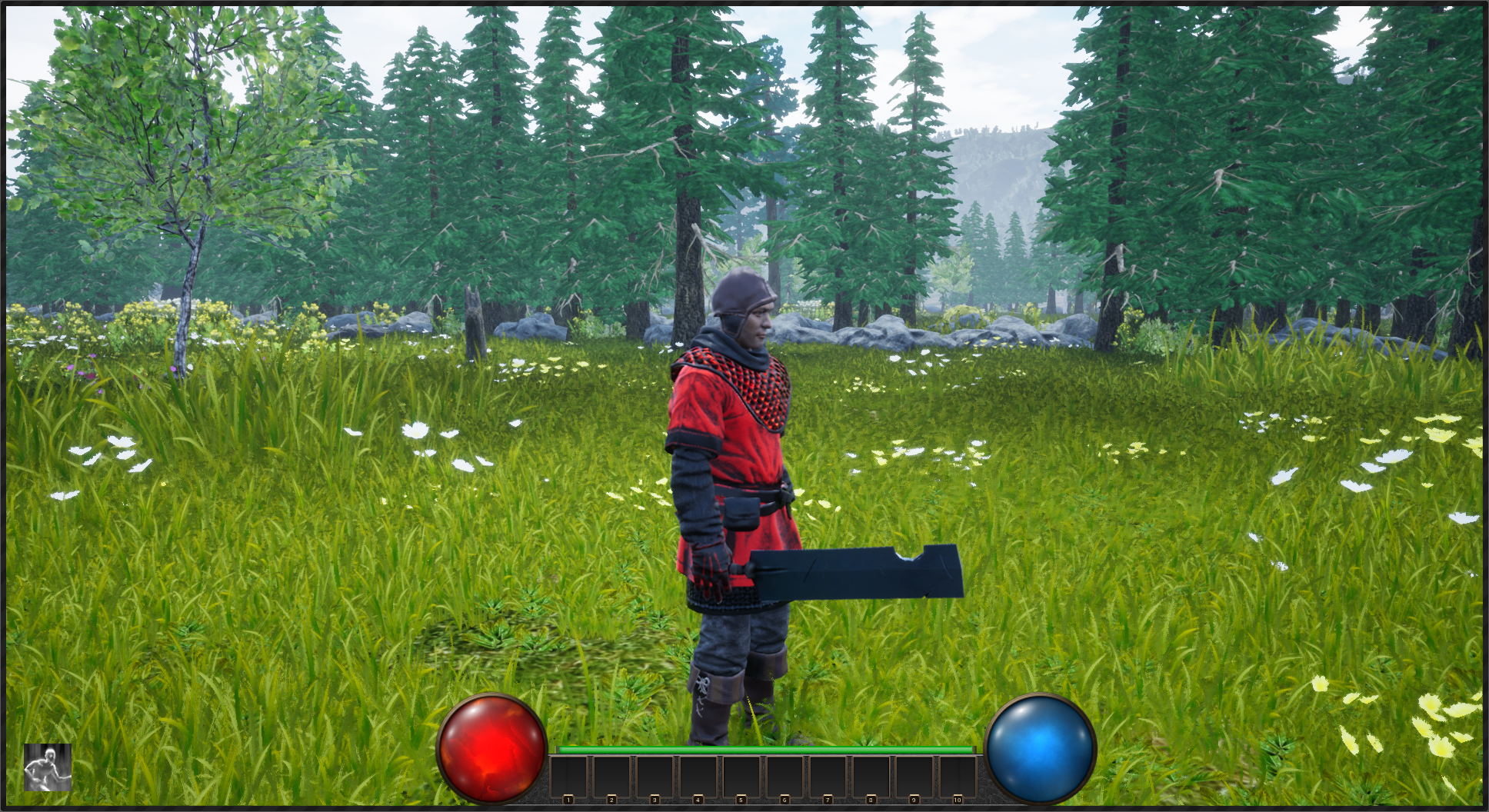
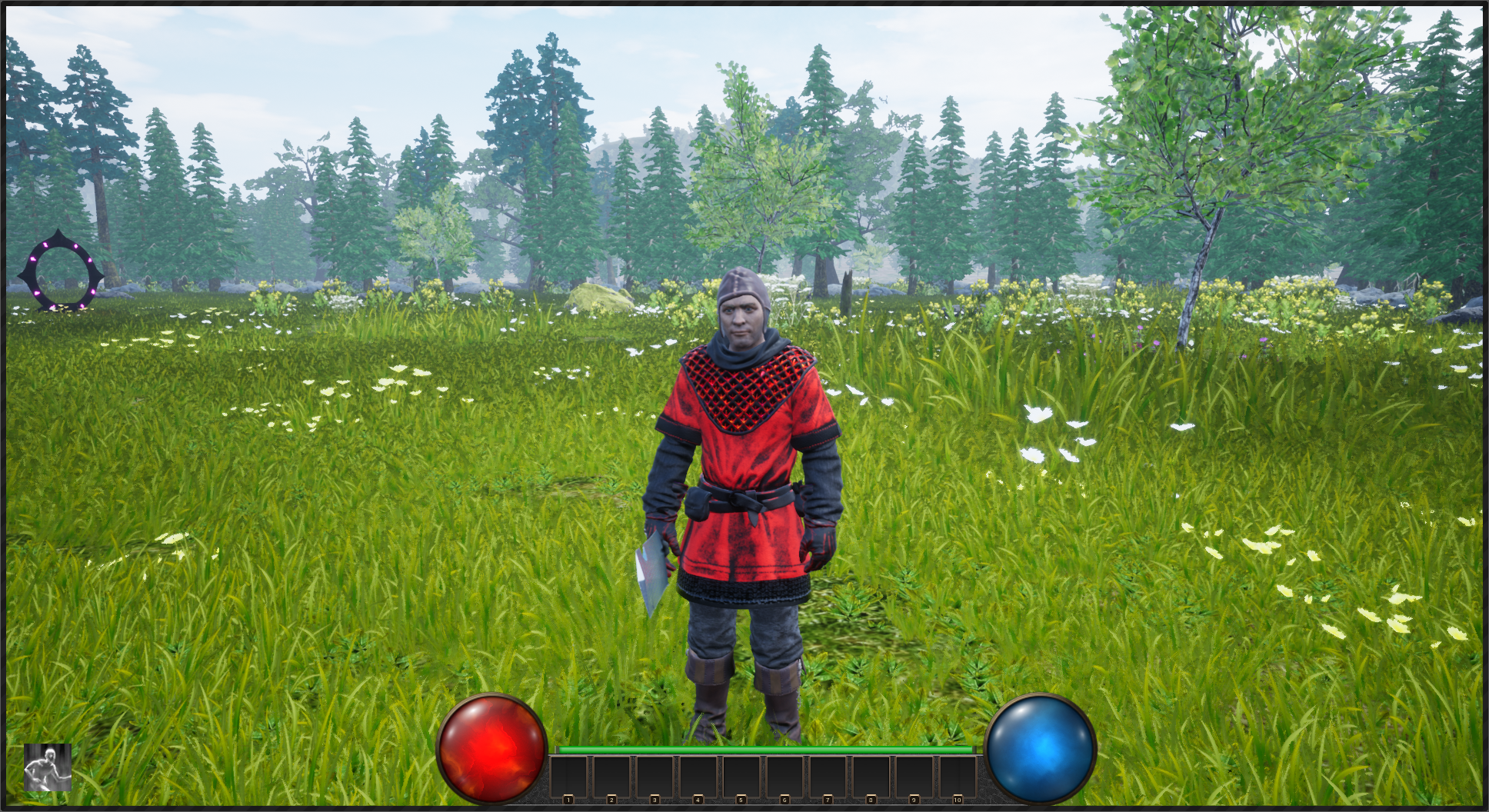
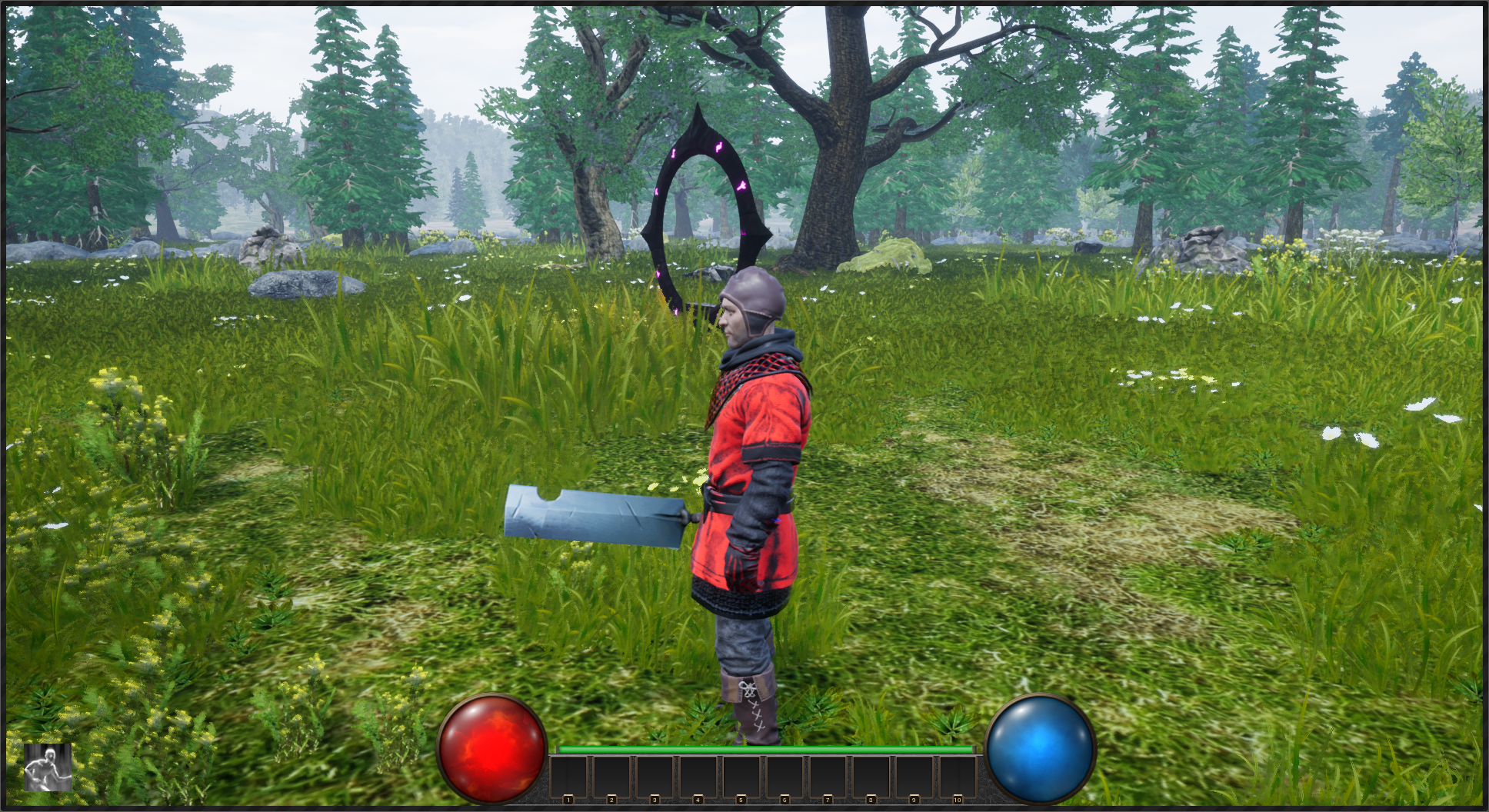 As you can see from the pictures showed, we started our focus on rebuilding the forest areas. This is the third or fourth time building forest maps. We experimented with a few methods and even tried a voxel system. Voxels turned out to be a mess and weren't working the way we hoped, so we scrapped it. We weren't planning on allowing the land to be modified by the player, instead we wanted a way to develop varied terrain. This caused some gameplay elements to become much more complicated.
So now we are taking a simpler approach, but so far we are happy with it. It has some ways to go, but it is promising. We are excited to see what becomes of it.
And with that we come to the end. Thank you for your patience and support. Here is a short video demonstrating the new dynamic day/night cycle in VoidGate.
[previewyoutube=lYLOJyGF_fg;full][/previewyoutube]
As you can see from the pictures showed, we started our focus on rebuilding the forest areas. This is the third or fourth time building forest maps. We experimented with a few methods and even tried a voxel system. Voxels turned out to be a mess and weren't working the way we hoped, so we scrapped it. We weren't planning on allowing the land to be modified by the player, instead we wanted a way to develop varied terrain. This caused some gameplay elements to become much more complicated.
So now we are taking a simpler approach, but so far we are happy with it. It has some ways to go, but it is promising. We are excited to see what becomes of it.
And with that we come to the end. Thank you for your patience and support. Here is a short video demonstrating the new dynamic day/night cycle in VoidGate.
[previewyoutube=lYLOJyGF_fg;full][/previewyoutube]