
Sensors (Detecting Enemies)
Finding The Enemies An important aspect of protecting the bee colonies is detecting enemies as early as possibly so you can intercept the most dangerous ones with your drone. The drone is always going to be your best weapon available so making sure you're in the right place at th
Finding The Enemies
An important aspect of protecting the bee colonies is detecting enemies as early as possibly so you can intercept the most dangerous ones with your drone.
The drone is always going to be your best weapon available so making sure you're in the right place at the right time is critical to keeping the bees safe.
Introducing Sensors
In Drone Warfare enemies are detected using a variety of sensors. The drone itself as well as the drone case where the drone is launched from each have their own sensors which are represented as sensor circles when viewing the in-game overhead map.
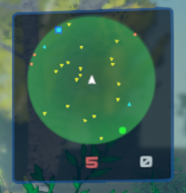
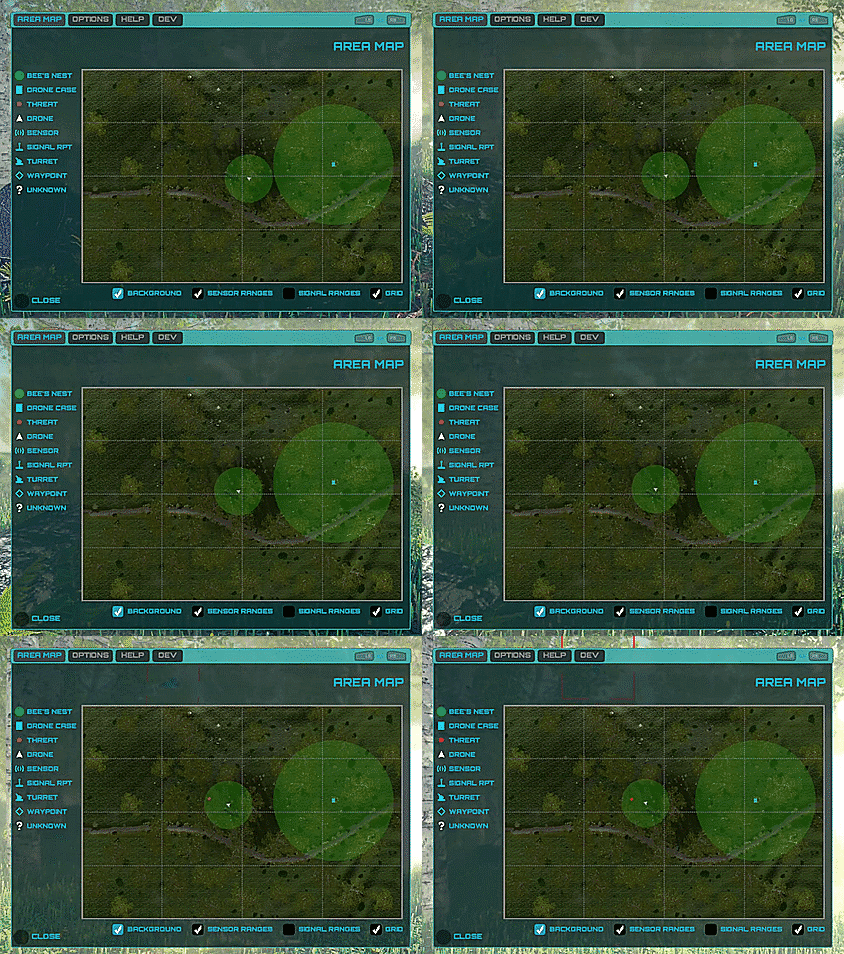 If enemies come into range of the drone case, or the drone flies near to an enemy, then they are marked as "detected" and shown as red dots on the map. Detected enemies are then relayed to your drone's HUD and shown in its scanner panel (located on the right of the HUD):
 Zoomed in:
 Sensor Turrets
Using just the drone and drone case sensors would leave a lot of the map uncovered, meaning you'd have to rely on sight alone to locate undetected enemies.
That's where Sensor Turrets come in. These can be deployed around the environment by using your drone to build them in locations that maximise enemy detection.
Sensor Turrets
Using just the drone and drone case sensors would leave a lot of the map uncovered, meaning you'd have to rely on sight alone to locate undetected enemies.
That's where Sensor Turrets come in. These can be deployed around the environment by using your drone to build them in locations that maximise enemy detection.
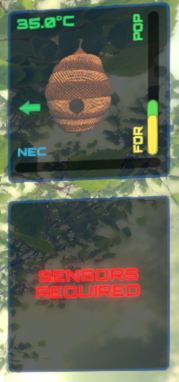
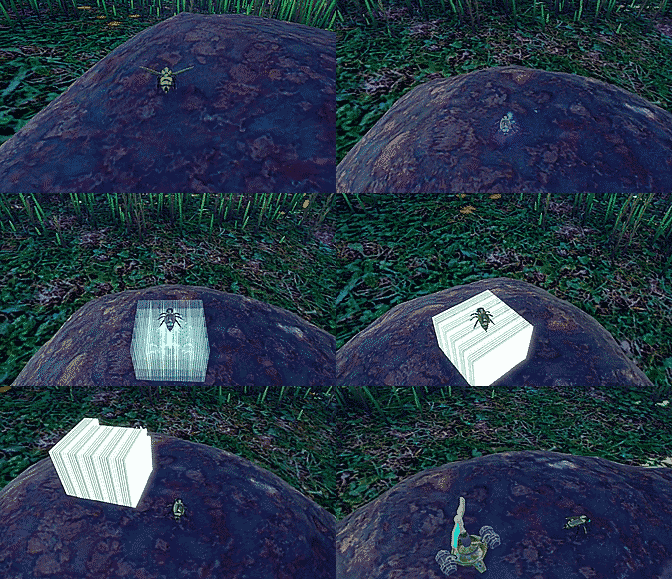 Sensor turrets also provide another function which is monitoring and relaying data about the bee's nest itself. You'll need to build a sensor turret near to the nest for the drone's HUD to report data about the nest's health (and also show its location on the overhead map):
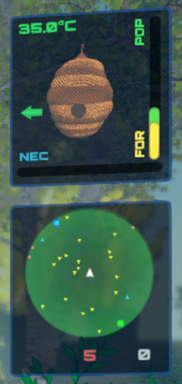
 The scanner panel in the HUD also needs 3 or more sensor turrets to be built before it can come online:
 Bear in mind turrets can be destroyed, or rendered useless by enemies or environmental conditions, so they may need replacing if the drone's HUD is suddenly not reporting what it should!
Effective Detection
Having enough sensors to effectively (and efficiently) cover as much map area as possible is critical to maximising protection of the bee colonies under your care.
Bear in mind turrets can be destroyed, or rendered useless by enemies or environmental conditions, so they may need replacing if the drone's HUD is suddenly not reporting what it should!
Effective Detection
Having enough sensors to effectively (and efficiently) cover as much map area as possible is critical to maximising protection of the bee colonies under your care.
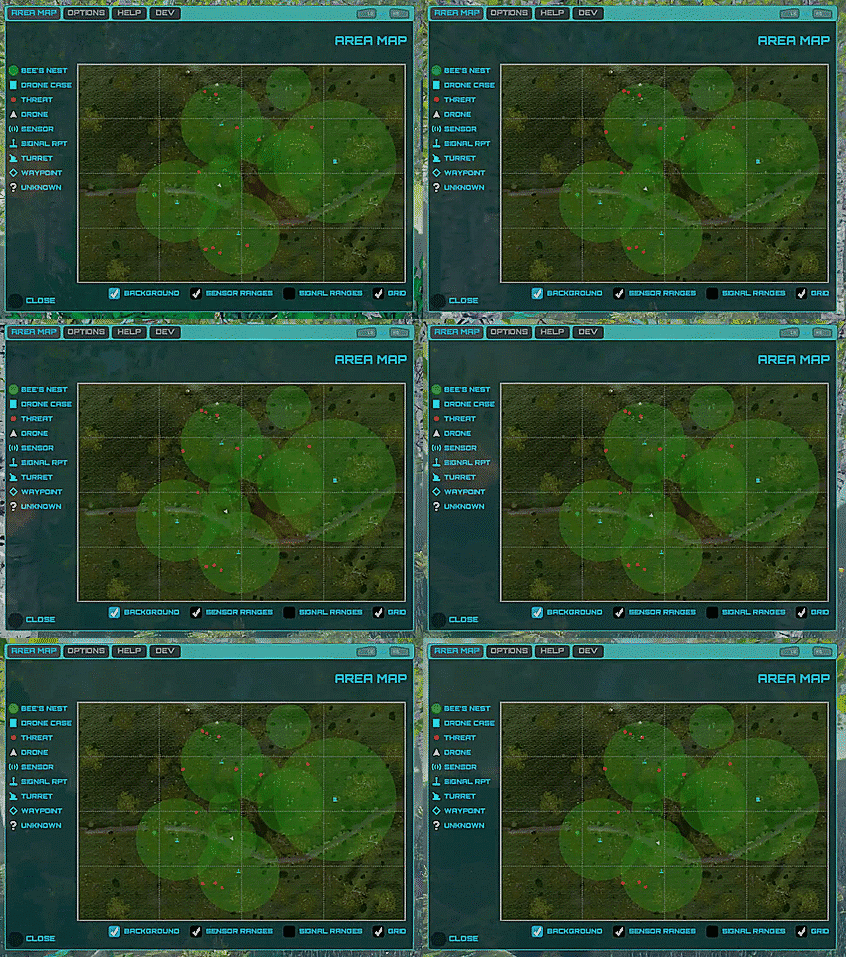 There is a cost to building turrets so you must decide whether to deploy traditional defences (machine guns, SAMs, etc) or passive ones like sensors.
Distance from the drone case is another important consideration when building turrets, which I'll cover in a future post.
Thanks for reading,
Faster Time Games.
There is a cost to building turrets so you must decide whether to deploy traditional defences (machine guns, SAMs, etc) or passive ones like sensors.
Distance from the drone case is another important consideration when building turrets, which I'll cover in a future post.
Thanks for reading,
Faster Time Games.

Original post
If enemies come into range of the drone case, or the drone flies near to an enemy, then they are marked as "detected" and shown as red dots on the map. Detected enemies are then relayed to your drone's HUD and shown in its scanner panel (located on the right of the HUD):
 Zoomed in:
Sensor Turrets
Using just the drone and drone case sensors would leave a lot of the map uncovered, meaning you'd have to rely on sight alone to locate undetected enemies.
That's where Sensor Turrets come in. These can be deployed around the environment by using your drone to build them in locations that maximise enemy detection.
Sensor turrets also provide another function which is monitoring and relaying data about the bee's nest itself. You'll need to build a sensor turret near to the nest for the drone's HUD to report data about the nest's health (and also show its location on the overhead map):
The scanner panel in the HUD also needs 3 or more sensor turrets to be built before it can come online:
Bear in mind turrets can be destroyed, or rendered useless by enemies or environmental conditions, so they may need replacing if the drone's HUD is suddenly not reporting what it should!
Effective Detection
Having enough sensors to effectively (and efficiently) cover as much map area as possible is critical to maximising protection of the bee colonies under your care.
There is a cost to building turrets so you must decide whether to deploy traditional defences (machine guns, SAMs, etc) or passive ones like sensors.
Distance from the drone case is another important consideration when building turrets, which I'll cover in a future post.
Thanks for reading,
Faster Time Games.
Zoomed in:
Sensor Turrets
Using just the drone and drone case sensors would leave a lot of the map uncovered, meaning you'd have to rely on sight alone to locate undetected enemies.
That's where Sensor Turrets come in. These can be deployed around the environment by using your drone to build them in locations that maximise enemy detection.
Sensor turrets also provide another function which is monitoring and relaying data about the bee's nest itself. You'll need to build a sensor turret near to the nest for the drone's HUD to report data about the nest's health (and also show its location on the overhead map):
The scanner panel in the HUD also needs 3 or more sensor turrets to be built before it can come online:
Bear in mind turrets can be destroyed, or rendered useless by enemies or environmental conditions, so they may need replacing if the drone's HUD is suddenly not reporting what it should!
Effective Detection
Having enough sensors to effectively (and efficiently) cover as much map area as possible is critical to maximising protection of the bee colonies under your care.
There is a cost to building turrets so you must decide whether to deploy traditional defences (machine guns, SAMs, etc) or passive ones like sensors.
Distance from the drone case is another important consideration when building turrets, which I'll cover in a future post.
Thanks for reading,
Faster Time Games.
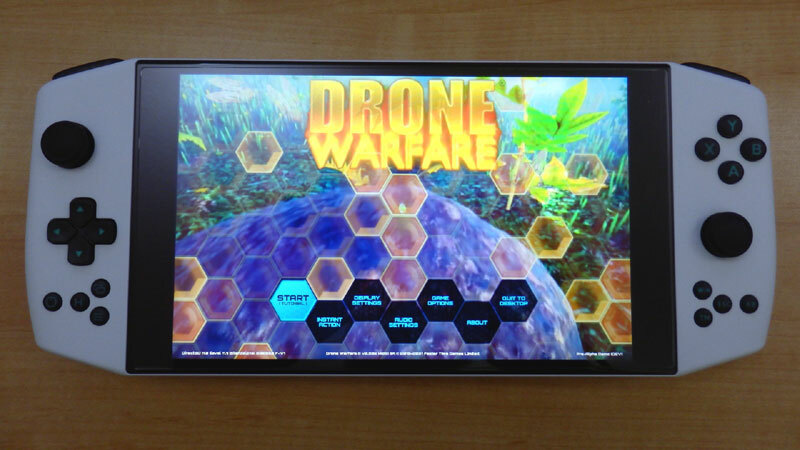 I got the lower specced AMD Ryzen 5 4500U version (rather than the Pro which has a Ryzen 7 4800U) and features integrated Radeon Vega graphics and 16GB of LPDDR4x RAM.
The screen is 800p and accepts touch input too, so it's a pretty similar form factor to the Steam Deck, albeit lacking the touchpad inputs as well as the additional GPU horsepower that the Steam Deck has (I believe we're talking > 50% more because of the RDNA2 GPU in the Steam Deck compared to the Vega GPU in the Aya Neo).
Optimising
So how to get Drone Warfare running on the Aya Neo?
The 800p screen of the Neo (and Steam Deck) is actually a great performance provider compared to standard PCs which usually target 1080p or higher resolutions.
The lower resolution allows for low draw distances in scenes, and we can also get away with smaller textures. We can also tweak the LOD (Level Of Detail) of the in game objects as there's no need to see them as clearly when in the background.
Fortunately I'd already implemented a comprehensive selection of graphics options that can be enabled/disabled in game, including AMD's FSR (FidelityFX Super Resolution) technology.
I got the lower specced AMD Ryzen 5 4500U version (rather than the Pro which has a Ryzen 7 4800U) and features integrated Radeon Vega graphics and 16GB of LPDDR4x RAM.
The screen is 800p and accepts touch input too, so it's a pretty similar form factor to the Steam Deck, albeit lacking the touchpad inputs as well as the additional GPU horsepower that the Steam Deck has (I believe we're talking > 50% more because of the RDNA2 GPU in the Steam Deck compared to the Vega GPU in the Aya Neo).
Optimising
So how to get Drone Warfare running on the Aya Neo?
The 800p screen of the Neo (and Steam Deck) is actually a great performance provider compared to standard PCs which usually target 1080p or higher resolutions.
The lower resolution allows for low draw distances in scenes, and we can also get away with smaller textures. We can also tweak the LOD (Level Of Detail) of the in game objects as there's no need to see them as clearly when in the background.
Fortunately I'd already implemented a comprehensive selection of graphics options that can be enabled/disabled in game, including AMD's FSR (FidelityFX Super Resolution) technology.
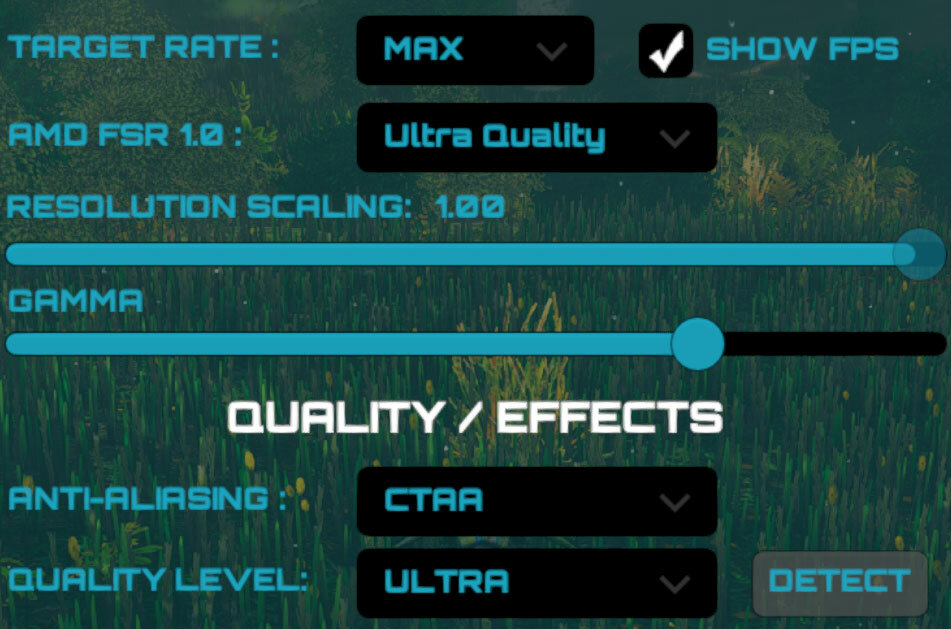 By trialling different FX options, I've been able to work out a good mix of effects and performance that currently allow the game to run around 30fps on the Neo.
There should be more performance to gain in the future (it's still early days development wise) but I already love playing Drone Warfare on the Aya Neo. It's going to be a great help when iterating through build testing as I can take it anywhere!
"Annnd Action!"
Here's a short clip (GIF) taken from my digicam:
By trialling different FX options, I've been able to work out a good mix of effects and performance that currently allow the game to run around 30fps on the Neo.
There should be more performance to gain in the future (it's still early days development wise) but I already love playing Drone Warfare on the Aya Neo. It's going to be a great help when iterating through build testing as I can take it anywhere!
"Annnd Action!"
Here's a short clip (GIF) taken from my digicam:
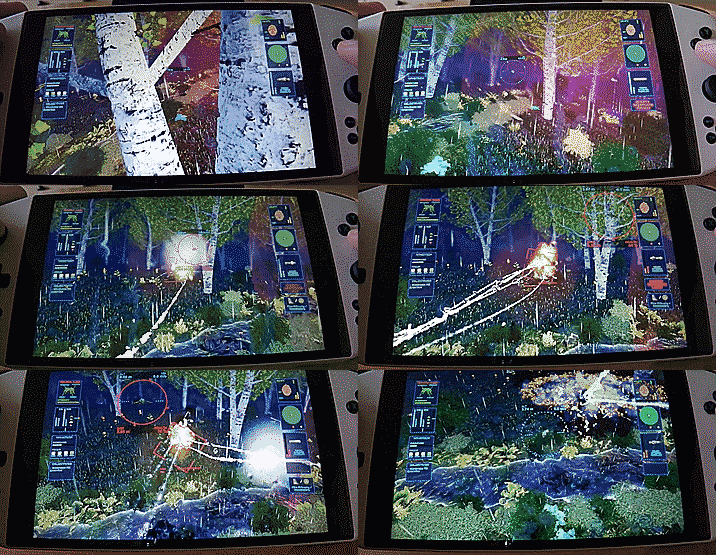 The clip shows the game running with storm conditions enabled which are the most intensive in the game.
You can view a better quality (and longer) version of the above footage on YouTube. Please note that the sound captured by the digicam is pretty tinny so apologies for that!
[previewyoutube=zPeLKi8BSHA;full][/previewyoutube]
The Future
It's going to be great seeing how Drone Warfare runs on the Steam Deck. I should hopefully be able to enable more effects AND deliver more performance.
I'll also be implementing touch input for the in game interface which will enable more usability than just the gamepad alone.
I'll post more updates regarding these in the future once further progress has been made. :)
Anyway, this is probably my last update for 2021 so I hope everyone has a safe, joyful, and peaceful Christmas holiday!
I'll catch up with you all again in 2022!
Cheers,
Faster Time Games.
The clip shows the game running with storm conditions enabled which are the most intensive in the game.
You can view a better quality (and longer) version of the above footage on YouTube. Please note that the sound captured by the digicam is pretty tinny so apologies for that!
[previewyoutube=zPeLKi8BSHA;full][/previewyoutube]
The Future
It's going to be great seeing how Drone Warfare runs on the Steam Deck. I should hopefully be able to enable more effects AND deliver more performance.
I'll also be implementing touch input for the in game interface which will enable more usability than just the gamepad alone.
I'll post more updates regarding these in the future once further progress has been made. :)
Anyway, this is probably my last update for 2021 so I hope everyone has a safe, joyful, and peaceful Christmas holiday!
I'll catch up with you all again in 2022!
Cheers,
Faster Time Games.
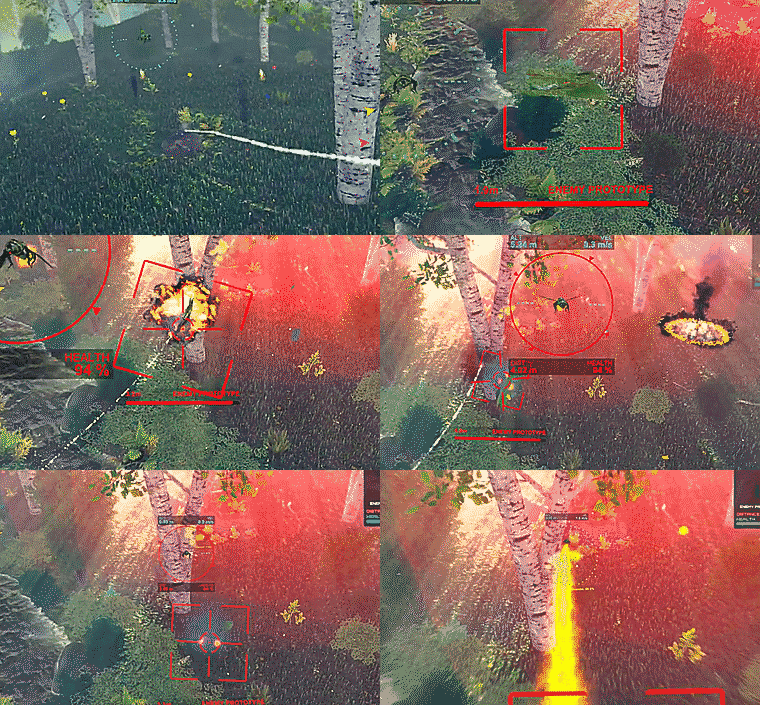 Enemy prototypes are earlier versions of the natural looking enemies and have a chrome/metallic appearance to them. They are usually much tougher, and sometimes larger, than their base siblings.
The prototype versions of the butterflies also include missile flare countermeasures which are pretty effective at mis-directing your drone's missiles. Unleashing a full salvo of missiles at a prototype only to find them all wasted because of the countermeasures is pretty annoying to say the least! :)
Enemy prototypes are earlier versions of the natural looking enemies and have a chrome/metallic appearance to them. They are usually much tougher, and sometimes larger, than their base siblings.
The prototype versions of the butterflies also include missile flare countermeasures which are pretty effective at mis-directing your drone's missiles. Unleashing a full salvo of missiles at a prototype only to find them all wasted because of the countermeasures is pretty annoying to say the least! :)
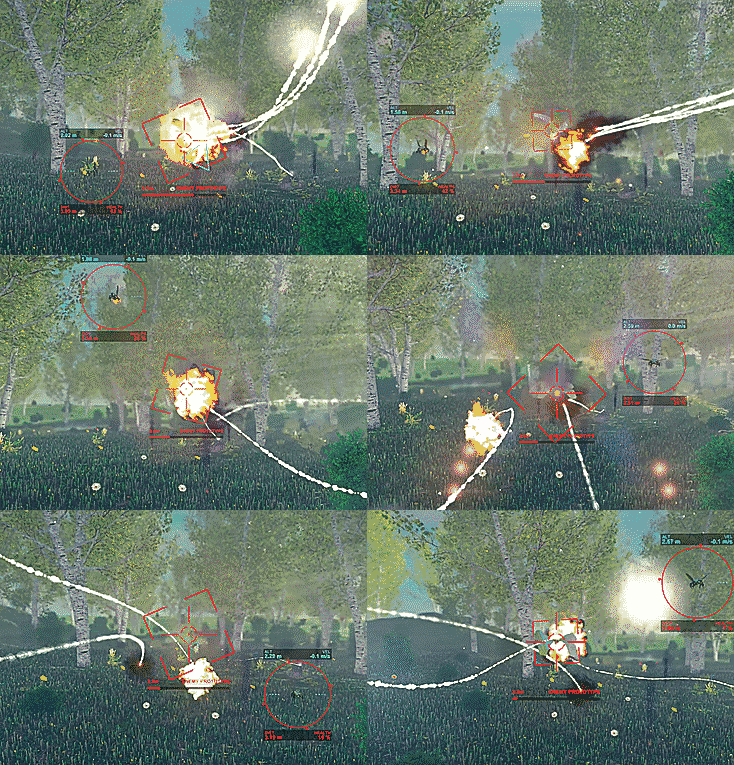 Insectoid Classes
If the prototypes aren't challenging enough then prepare for the Insectoid classes! Each insect type includes an Insectoid class which is basically a boss level version of that enemy.
Insectoid Classes
If the prototypes aren't challenging enough then prepare for the Insectoid classes! Each insect type includes an Insectoid class which is basically a boss level version of that enemy.
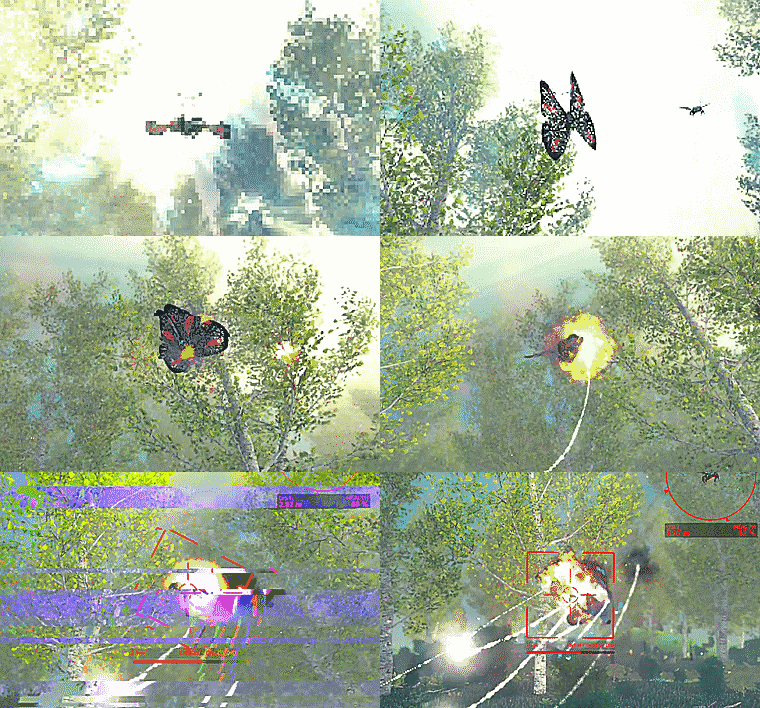 Insectoids usually come with special abilities or weapons. In the case of the butterflies, this is an EMP (Electromagnetic Pulse) defence that generates a spherical wave that quickly expands out from its center.
If the drone is caught in the wave then the HUD disappears and there is a temporary loss of flight control. This is similar to a nearby lightning strike during storm conditions (see the previous post).
Insectoids usually come with special abilities or weapons. In the case of the butterflies, this is an EMP (Electromagnetic Pulse) defence that generates a spherical wave that quickly expands out from its center.
If the drone is caught in the wave then the HUD disappears and there is a temporary loss of flight control. This is similar to a nearby lightning strike during storm conditions (see the previous post).
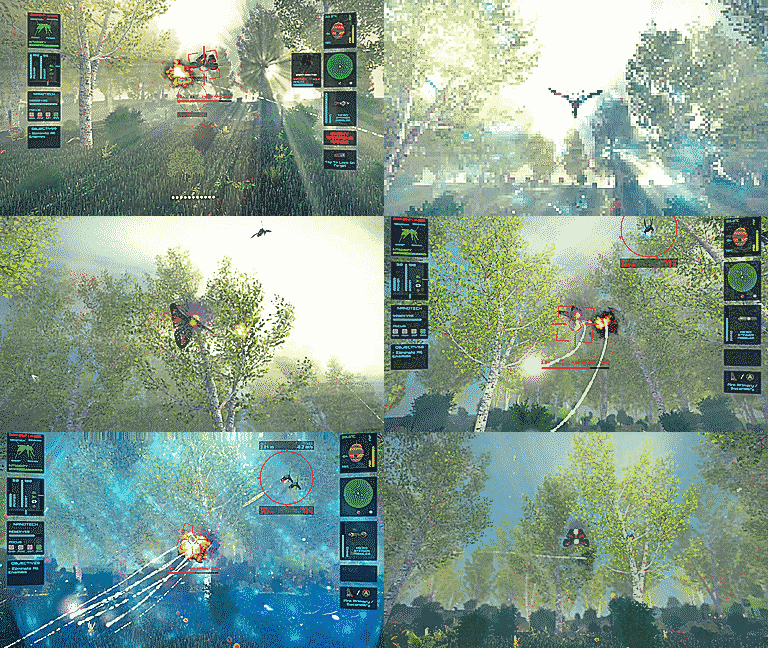 The EMP is triggered by a damage limit. If the enemy receives enough damage in a given length of time, then the EMP is launched which disables the drone and any ground turret caught in its wave.
Couple that with a fairly decent health recharge rate, along with missile flares, and these insectoids can be pretty tricky to take down!
Thanks for reading,
Faster Time Games.
The EMP is triggered by a damage limit. If the enemy receives enough damage in a given length of time, then the EMP is launched which disables the drone and any ground turret caught in its wave.
Couple that with a fairly decent health recharge rate, along with missile flares, and these insectoids can be pretty tricky to take down!
Thanks for reading,
Faster Time Games.
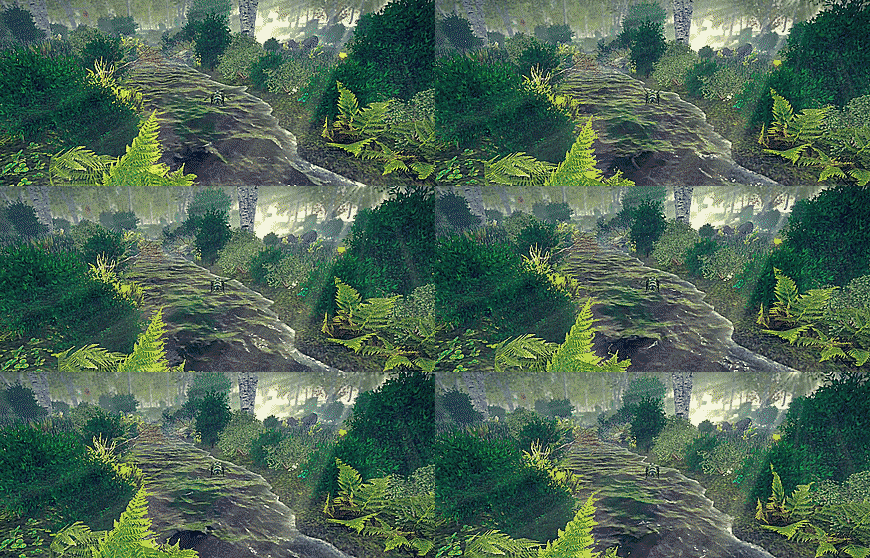 Clear conditions present the ideal (easiest) state of each scene/environment in the game. View distance is unrestricted and the honey bees are out in force searching for their favourite flowers to harvest pollen and nectar.
Fog/Mist
Clear conditions present the ideal (easiest) state of each scene/environment in the game. View distance is unrestricted and the honey bees are out in force searching for their favourite flowers to harvest pollen and nectar.
Fog/Mist
 With fog/mist conditions the view distance is restricted which forces you to rely on your sensors and in-game map to determine threats beyond your view range. However the bees still forage for nectar similarly to how they would in clear conditions.
Rain
With fog/mist conditions the view distance is restricted which forces you to rely on your sensors and in-game map to determine threats beyond your view range. However the bees still forage for nectar similarly to how they would in clear conditions.
Rain
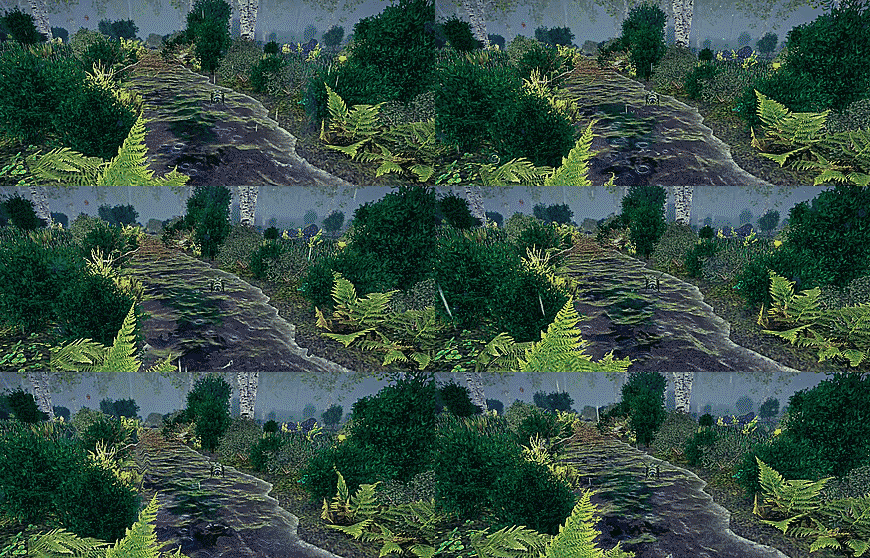 Rain conditions also restrict view distance, but this time there is also a limit to how many bees are foraging for flowers. This affects how quickly the nest replenishes its nectar reserves which in turn restricts the nest's ability to birth new bees.
Rain drops can also randomly hit the drone causing damage from the impact, albeit limited.
Night
Rain conditions also restrict view distance, but this time there is also a limit to how many bees are foraging for flowers. This affects how quickly the nest replenishes its nectar reserves which in turn restricts the nest's ability to birth new bees.
Rain drops can also randomly hit the drone causing damage from the impact, albeit limited.
Night
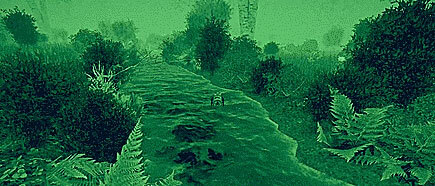 Exploring and defending the environments in Drone Warfare at night time can be the most restrictive. Night missions may include any of the weather conditions highlighted in this post, however these are also compounded by the night vision desaturating all colours from the scene. This makes it difficult to prioritise enemies by sight alone.
The honey bees won't forage for flowers at night time either so the nest is particularly vulnerable.
Storm
Exploring and defending the environments in Drone Warfare at night time can be the most restrictive. Night missions may include any of the weather conditions highlighted in this post, however these are also compounded by the night vision desaturating all colours from the scene. This makes it difficult to prioritise enemies by sight alone.
The honey bees won't forage for flowers at night time either so the nest is particularly vulnerable.
Storm
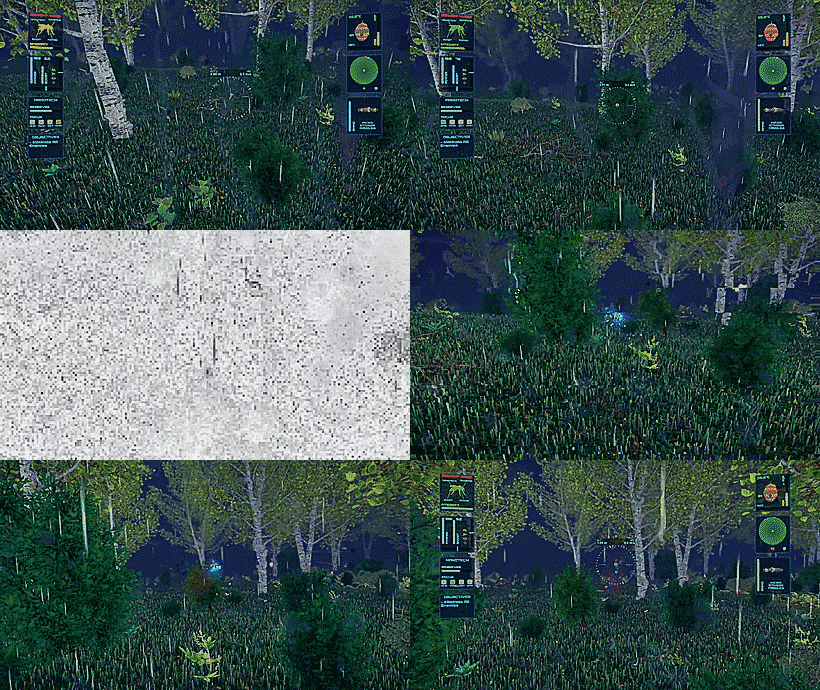
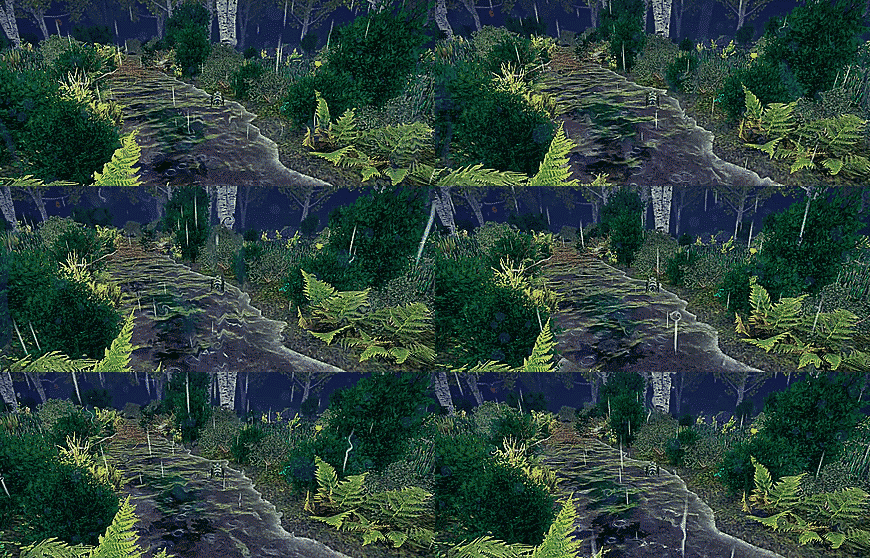 Storm conditions in the day or night are the most hazardous. The honey bees will remain in their nest due to the driving rain which is also a danger to the drone itself. Rain drops will hit the drone more frequently, and with greater force, resulting in more damage.
Even worse are the lightning strikes. Distant strikes may glitch the display, however nearby strikes will interfere with the drone's systems. This results in temporary loss of flight control, the HUD disappearing, and the screen whiting-out.
Loss of flight control can cause the drone to drop like a stone so it's recommended to keep some altitude during a storm, particularly when flying over water!
Storm conditions in the day or night are the most hazardous. The honey bees will remain in their nest due to the driving rain which is also a danger to the drone itself. Rain drops will hit the drone more frequently, and with greater force, resulting in more damage.
Even worse are the lightning strikes. Distant strikes may glitch the display, however nearby strikes will interfere with the drone's systems. This results in temporary loss of flight control, the HUD disappearing, and the screen whiting-out.
Loss of flight control can cause the drone to drop like a stone so it's recommended to keep some altitude during a storm, particularly when flying over water!
 Until next time,
Faster Time Games.
Until next time,
Faster Time Games.
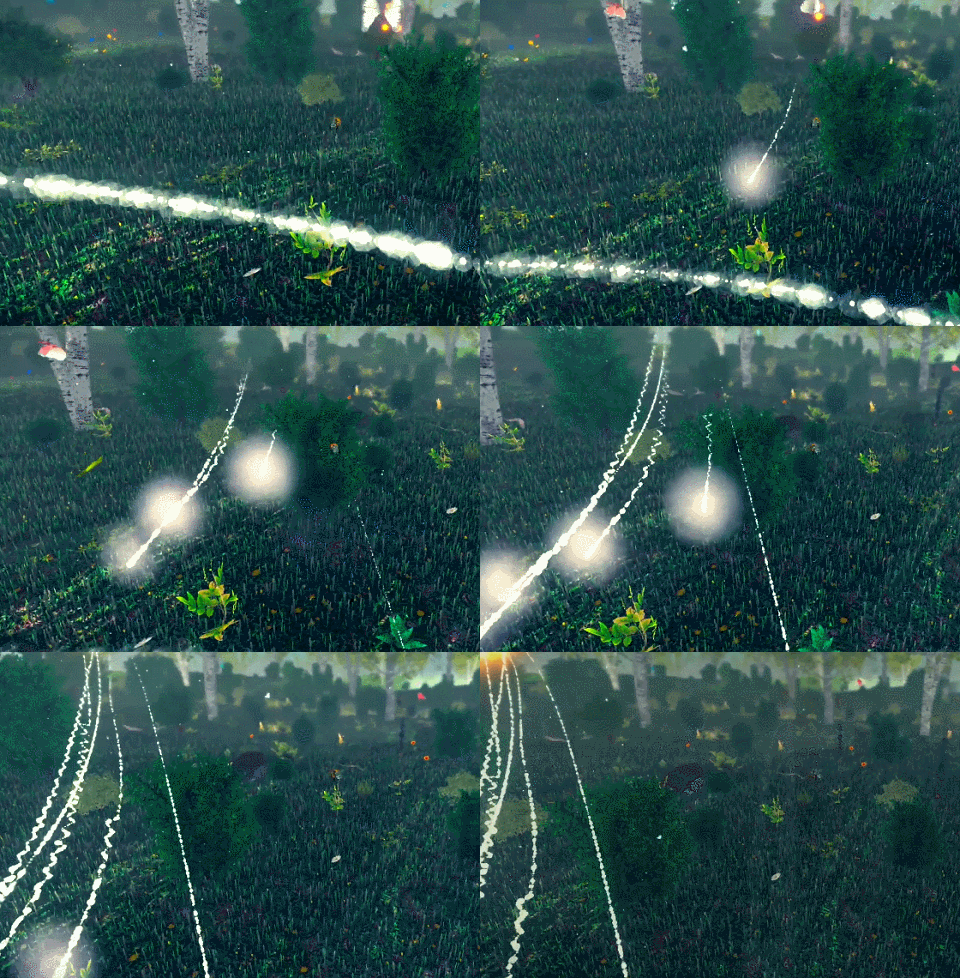 You can see the messed up missile trails caused by background threaded movement logic which was out of sync with updates on the main thread. A better implementation of how the background thread processed before updating the main thread fixed this, and also fixed the ghosting seen with UI missile indicators (rotating triangles around the missiles).
This clip shows the fixed missile trails:
You can see the messed up missile trails caused by background threaded movement logic which was out of sync with updates on the main thread. A better implementation of how the background thread processed before updating the main thread fixed this, and also fixed the ghosting seen with UI missile indicators (rotating triangles around the missiles).
This clip shows the fixed missile trails:
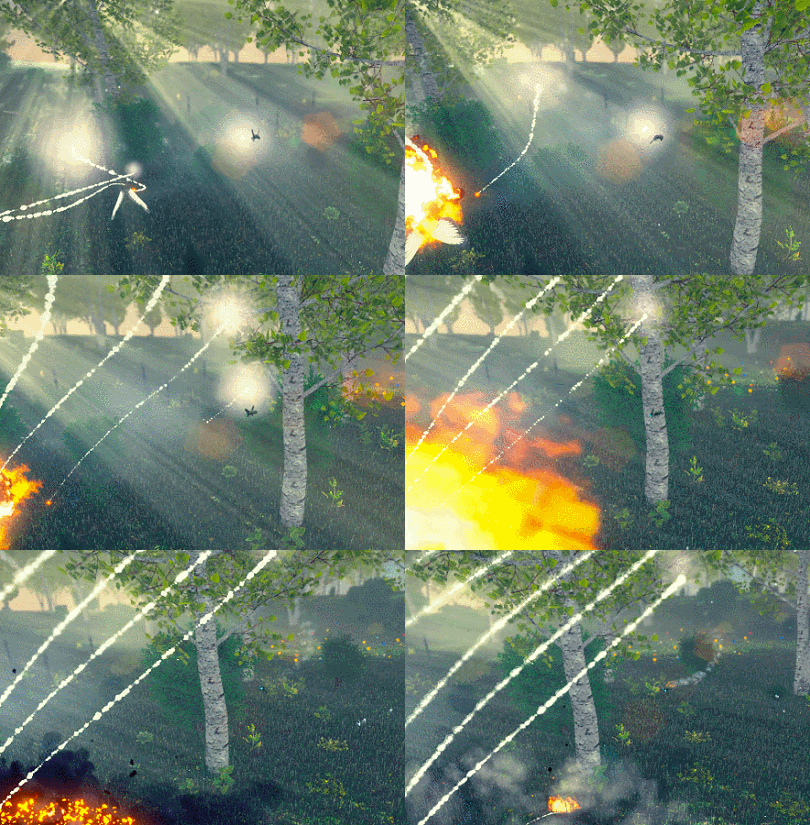 2) Ground mist effects were clipping the terrain.
Not easy to show this in an image, and not that exciting anyway, so I won't try. However I've implemented a different shader for the mist particles which has mostly resolved the problem and improved the visuals in the scene where these effects are located. I'll still look into improving these further in the future though.
I've also reduced the number of particles generated by these mist clouds (but increased their opacity to compensate) to reduce overhead when flying through them.
3) Implemented a vacuum effect when collecting resource clouds.
Previously the cloud remained in place as the drone flew through it, but now follows the drone as it dissipates:
2) Ground mist effects were clipping the terrain.
Not easy to show this in an image, and not that exciting anyway, so I won't try. However I've implemented a different shader for the mist particles which has mostly resolved the problem and improved the visuals in the scene where these effects are located. I'll still look into improving these further in the future though.
I've also reduced the number of particles generated by these mist clouds (but increased their opacity to compensate) to reduce overhead when flying through them.
3) Implemented a vacuum effect when collecting resource clouds.
Previously the cloud remained in place as the drone flew through it, but now follows the drone as it dissipates:
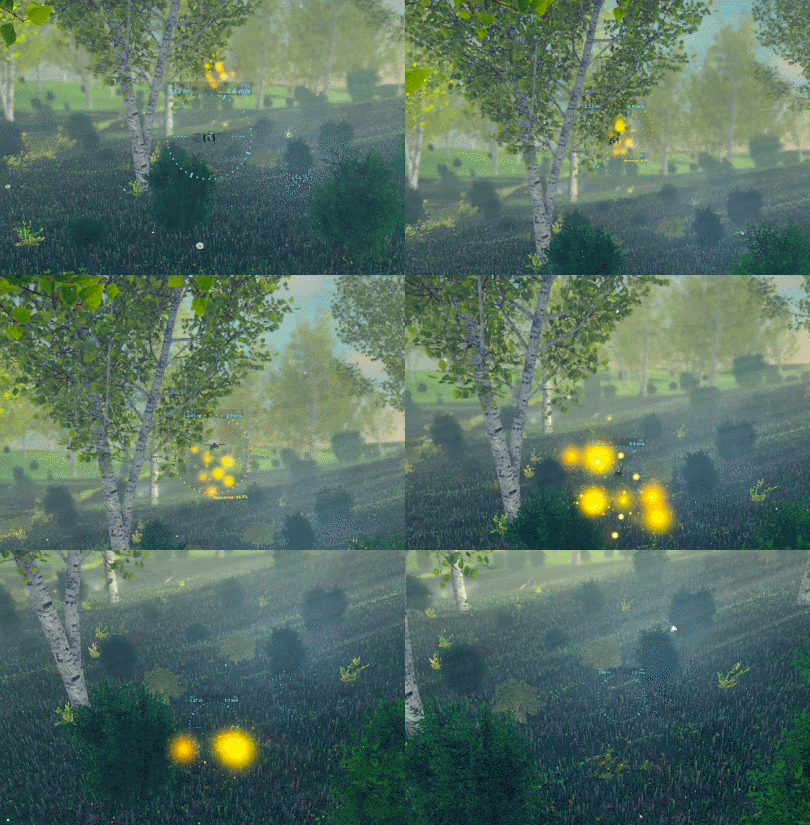 It's work in progress but gives the player some additional feedback (there's already sound FX) that they flew through the cloud successfully and collected its resources.
4) Improved the narrative handling logic.
This enables the narrative and vocals to continue to play even if the player has completed the mission by returning the drone to the dronecase. There is still the option to ignore the narrative and leave the scene early, but previously the narrative actually stopped without finishing which left the player hanging if they were reading/listening along.
It's work in progress but gives the player some additional feedback (there's already sound FX) that they flew through the cloud successfully and collected its resources.
4) Improved the narrative handling logic.
This enables the narrative and vocals to continue to play even if the player has completed the mission by returning the drone to the dronecase. There is still the option to ignore the narrative and leave the scene early, but previously the narrative actually stopped without finishing which left the player hanging if they were reading/listening along.
 Cheers,
Faster Time Games.
Cheers,
Faster Time Games.
 Being able to control and fly the drone in a detailed interactive environment, as well as directly attack enemies, is perhaps the most important thing I feel the game needs to get right. So this has been my primary focus so far.
It's taken quite some time for me to get the flight model into a state where it feels natural enough to learn yet complex to master, and so rewards repeat plays. It's still WIP, and no doubt will be until the game's release, but I'm actually, finally, "happy" with it after tinkering for so long.
And that's a good place to be - I can actually get on with implementing the rest of the game!
The "tower defence hybrid" part of the description is where the game starts to become something different. I want DW to deliver what looks like a warzone on a micro scale with multiple battles between defenses and attackers happening throughout each of the game's environments.
Enter the turrets.
Being able to control and fly the drone in a detailed interactive environment, as well as directly attack enemies, is perhaps the most important thing I feel the game needs to get right. So this has been my primary focus so far.
It's taken quite some time for me to get the flight model into a state where it feels natural enough to learn yet complex to master, and so rewards repeat plays. It's still WIP, and no doubt will be until the game's release, but I'm actually, finally, "happy" with it after tinkering for so long.
And that's a good place to be - I can actually get on with implementing the rest of the game!
The "tower defence hybrid" part of the description is where the game starts to become something different. I want DW to deliver what looks like a warzone on a micro scale with multiple battles between defenses and attackers happening throughout each of the game's environments.
Enter the turrets.
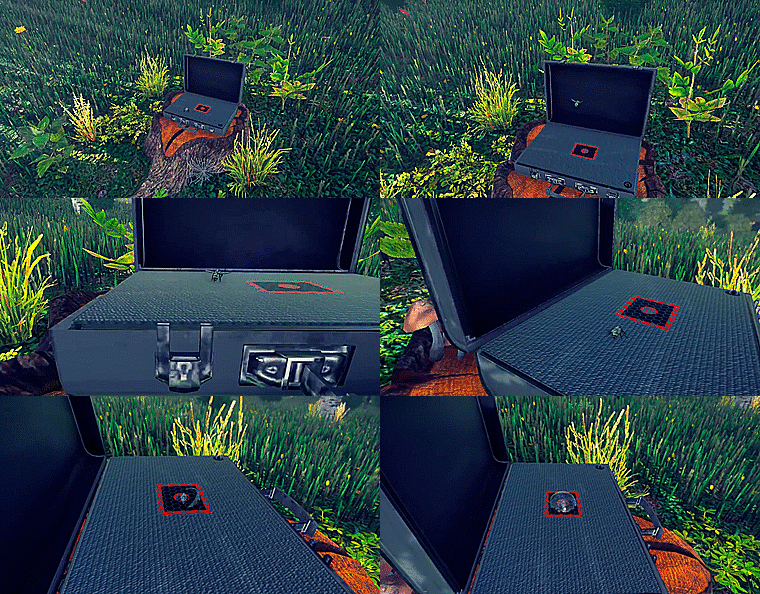
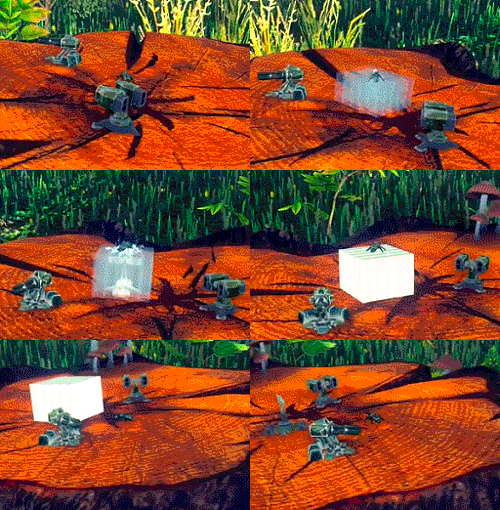 These can be built anywhere in the environment except directly on the ground. Rocks, tree trunks, logs, etc are all game.
With so many enemies attacking you quickly learn that turrets in key positions help turn the tide against overwhelming odds.
These can be built anywhere in the environment except directly on the ground. Rocks, tree trunks, logs, etc are all game.
With so many enemies attacking you quickly learn that turrets in key positions help turn the tide against overwhelming odds.
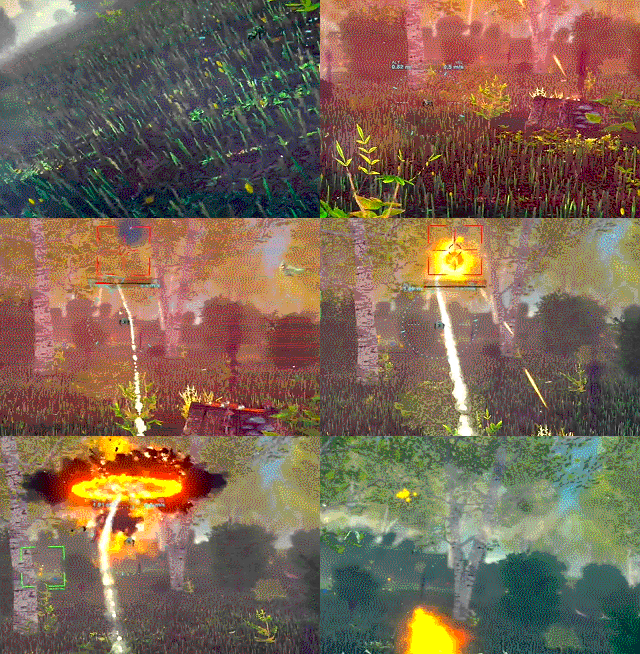 Let's defend those bees!
Cheers,
Faster Time Games.
Let's defend those bees!
Cheers,
Faster Time Games.