I would like to officially reveal the next Farlight Games Industry game, called Farlight Commanders . In Farlight Commanders you will have to cooperate with your friends (2-4), crew a spaceship and fight in differents places. Each player will have an unique rol in the game. Comma
I would like to officially reveal the next Farlight Games Industry game, called Farlight Commanders.
In Farlight Commanders you will have to cooperate with your friends (2-4), crew a spaceship and fight in differents places. Each player will have an unique rol in the game. Commander, Soldier, Medic and Technician.
The Cantharis is a destroyer class destroyer used in the first war against the Corporation were the first Farlight Explorers colonists achieved to win the war destroying the Singularity Gate.
Right now is an obsolete spaceship, however it has the best balance and the cost to produce it is really low. The spaceship has 4 main stations. Drive, shields, energy, artillery. Each station has unique actions so handle wisely with your crew each station to win the different battles.
Fight in the space, air and in the ground. Land with your crew and conquest the enemy Base in order to claim the planet.
Farlight Commanders continue with the story of Farlight Explorers. In Farlight Explorers the player defeat The Corporation at the end of the game, in Farligth Commanders the players start the game when The Corporation strikes back in a second war and achieve to be near win the war, so the last people of The Council decide to activate the Farlight Commanders protocol.
Check out the Store Page for more info, and consider adding Farlight Commanders to your wishlist!
I also invite you to follow us in our twitter, youtube and sign in our pre-launch kickstarter campaign.
https://www.kickstarter.com/projects/1609491833/farlight-commanders
Thank you for your support and patience.
https://store.steampowered.com/app/1301860/Farlight_Commanders/
Dear Farlight community! I apologize about delay. First of all, I would like to say that I'm really proud of our community. This is a great community, very supportive, very patience, and it bring me a lot of good moments. As you know I'm not good in communication so I apologize i
Dear Farlight community!
I apologize about delay.
First of all, I would like to say that I'm really proud of our community. This is a great community, very supportive, very patience, and it bring me a lot of good moments. As you know I'm not good in communication so I apologize in advance.
Several months ago, I made a decision. The decision was move forward and bring to the community more stories about the Farlight universe. That means, I started to work in a new title that will be revealed soon, the name of the new game is Farlight Commanders.
Farlight Explorers is my baby, it is a great game, it is more than a game, it is my ideas and hopes inside a software, and I would like to spend all my life expanding, adding, fixing the game... however unfortunately this action is not possible now. I hope, and I wish, in the future to bring to the community a Farlight Explorers 2, because you deserve it.
I've been developing Farlight Explorers for more than 5 years, and for a solo developer I think is a great achievement. however it is time to move on.
I learned a lot fo things about game developing, and I would like to make test in new genres and styles. Thats why Farlight Explorers is a 3d, single player, managing game, and Farlight Commanders is a 2d multiplayer shoot 'em up game. I'm really sure that if you love Farlight Explorers, you will love Farlight Commanders.
Farlight Commanders continue with the story of Farlight Explorers. In Farlight Explorers the player defeat The Corporation at the end of the game, in Farligth Commanders the players start the game when The Corporation strikes back in a second war and achieve to be near win the war, so the last people of The Council decide to activate the Farlight Commanders protocol.
I would like to think that you as a gamer and me as a game developer, we are making history creating maybe a little franchise that could be great in the future, as other great franchises that started from scratch.
That's why I invite you to follow us in our twitter, youtube and sign in our pre-launch kickstarter campaign.
Thank you for your support and patience.
David.
In this new update I focused on fixed some bugs and improve the problem related to the sun of the galaxy center map, decrease the time of the load of a save game, decrease number of asteroids that appear at the same time and more... List of Additions: Decreased time of loading a
In this new update I focused on fixed some bugs and improve the problem related to the sun of the galaxy center map, decrease the time of the load of a save game, decrease number of asteroids that appear at the same time and more...
List of Additions:
Decreased time of loading a savegame.
Fixed error in the translate file that appear W and Watios at the same time.
Reduced the big asteroid storm to the half of quantity of asteroids from five times to twice the max number of asteroids.
Fixed bug of the light in the center galaxy map.
Fixed bug of the check of the Singularity Gate when new materials are needed.
Fixed bug of placing big objects over small objects resulting in a bad position of the object.
What Next:
I will continue fixing bugs and improving the game.
Thank you for your support, patience and all the positive reviews that help a lot the game.
Hi, today is a great day because the game leaves early access!! First of all, thank you to the community for the patience and support, I really appreciate it. Thank you for all the members of the forum who found bugs and issues, all the people who shared theirs ideas and suggesti
Hi, today is a great day because the game leaves early access!!
First of all, thank you to the community for the patience and support, I really appreciate it. Thank you for all the members of the forum who found bugs and issues, all the people who shared theirs ideas and suggestions, the people who helped other people how to play or solve some problem.
I would like to say that this is not the end, it's just a step, I will continue improving the game and fixing issues that the community could find.
I would like to thank you to all the professionals who collaborated and help me to made this game.
Thank you!
Hotfix Spaceship crash on galaxy map I've just uploaded a fix about a bug that crash the game, when the player select a planet when is travelling with the spaceship. I apologize about the bugs, sometimes, some bugs only appears in the shipping build and not in the editor build, s
Hotfix Spaceship crash on galaxy map
I've just uploaded a fix about a bug that crash the game, when the player select a planet when is travelling with the spaceship.
I apologize about the bugs, sometimes, some bugs only appears in the shipping build and not in the editor build, so right noe I have to check everything twice. Thank you to the community for helping to the translations and for sharing the bugs.
Thank you.
Hi, happy new year! I wish you a really good year. In this new update I focused on fixed some bugs and improve the problem related to the bright of the night and others related to the bug of no fuel when the player start a new game. I finally achieved to change the intensity and
Hi, happy new year! I wish you a really good year.
In this new update I focused on fixed some bugs and improve the problem related to the bright of the night and others related to the bug of no fuel when the player start a new game.
I finally achieved to change the intensity and ambient color of the night to a good values, so right now the night is less dark and the players can play better.
Now when a player start a game and select a new planet, the game will save the game when the player is in the planet, in the past versions, the game was saved in the galaxy map, so the no fuel bug could happen.
I fixed the problem of spawning the trees and other objects when a player enter for the first time to a planet. Now all the planet and the sun will be spawned before the load screen ends.
I fixed too some weirds rotations of the train and added a new check in the selection of objects code in order to avoid possible game crashes.
I would like to thank you all the support of the community and all the reviews that help to improve the game.
List of Additions:
Increased bright and ambient color of the night.
Added second check in object selection in order to avoid game crashes.
Added Autosave in the planet when player starts a new game.
Fixed spawning of trees and other objects before load screen.
Fixed sun is loaded correctly when a new map is loaded.
Fixed problem of weirds rotations of the train.
What Next:
I will continue fixing bugs and improving the game.
I would like to see if the community can help with more languages and add it to the game or see other ways to add new languages.
Hi, I've been working hard to add the Steam Trade Cards and finally, are here!!! I created 10 Steam trade cards. Each one is the concept of one of the machines of the game, the concepts were created by Joan, one of the main ilustrator that helped me a lot to develop the game. Eac
Hi, I've been working hard to add the Steam Trade Cards and finally, are here!!!
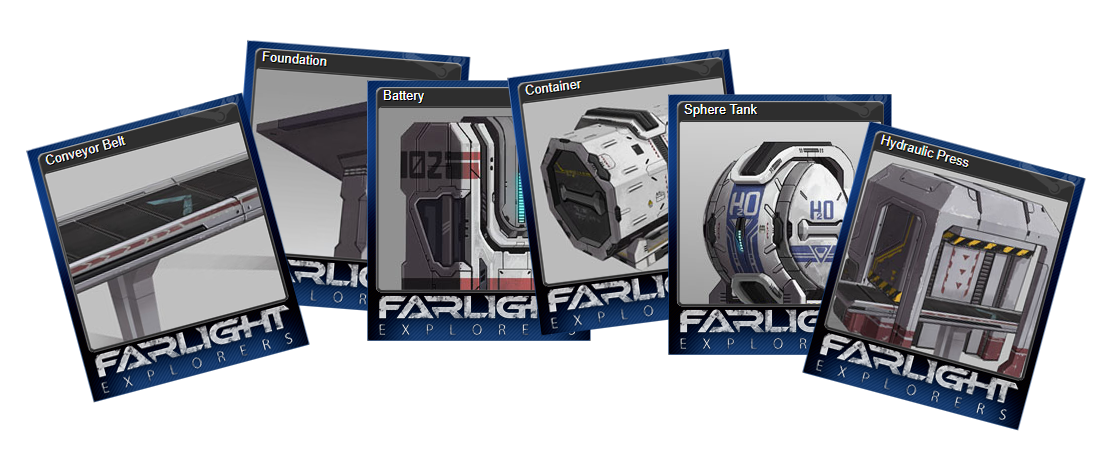
I created 10 Steam trade cards. Each one is the concept of one of the machines of the game, the concepts were created by Joan, one of the main ilustrator that helped me a lot to develop the game.
Each card and concept has a long story. The story of a hard proccess in order to try to achieve a game that people could enjoy. Each machine was designed after a high number of tests and changes in order to fit well in the game, with a lot of love in every detail.
I could add a lot of more cards because I have a huge number of concepts, in the game there are around 300 objects, however the concepts selected for the Steam trade cards are the core of the game, where everything begun.
I added 5 icons that I think that will fit well and 6 backgrounds that if you see all of them you can watch some kind of story or progression of the game, I mean, since the player arrive to a new planet until the Singularity gate is built.
About the badges, they have also their own story, is how we started to think about the furnace of the game. Each one was discarded for a new one until we reach the furnace that we think could be perfect for the game. The fun fact is that none of them was added to the game, we had to make changes during the 3d modelling.
If you compare the concepts and the finals 3d models, you can see that we had to add or change things in order to fit well in the game.
List of Additions:
Added 10 Steam trade cards.
Added 5 icons.
Added 6 backgrounds.
Added badges.
What Next:
I would like to continue with the things that I had to hold, like see if I can increase the bright during the night or see if I can add a bed to avoid night. I would like to finish the machine that will protect the planet of asteroids or see if is better to simple add an option button in the game, and I will continue fixing bugs and adding more little features.
I would like to see if the community can help with more languages and add it to the game or see other ways to add new languages.
Improved Crafting UI part 2 Hi, in this new update I totally reworked the crafting UI. I removed the Build button, simplified the filters buttons and removed the info square in the middle of the crafting menu. I made the crafting mechanic really easy to use. Now the player only h
Improved Crafting UI part 2
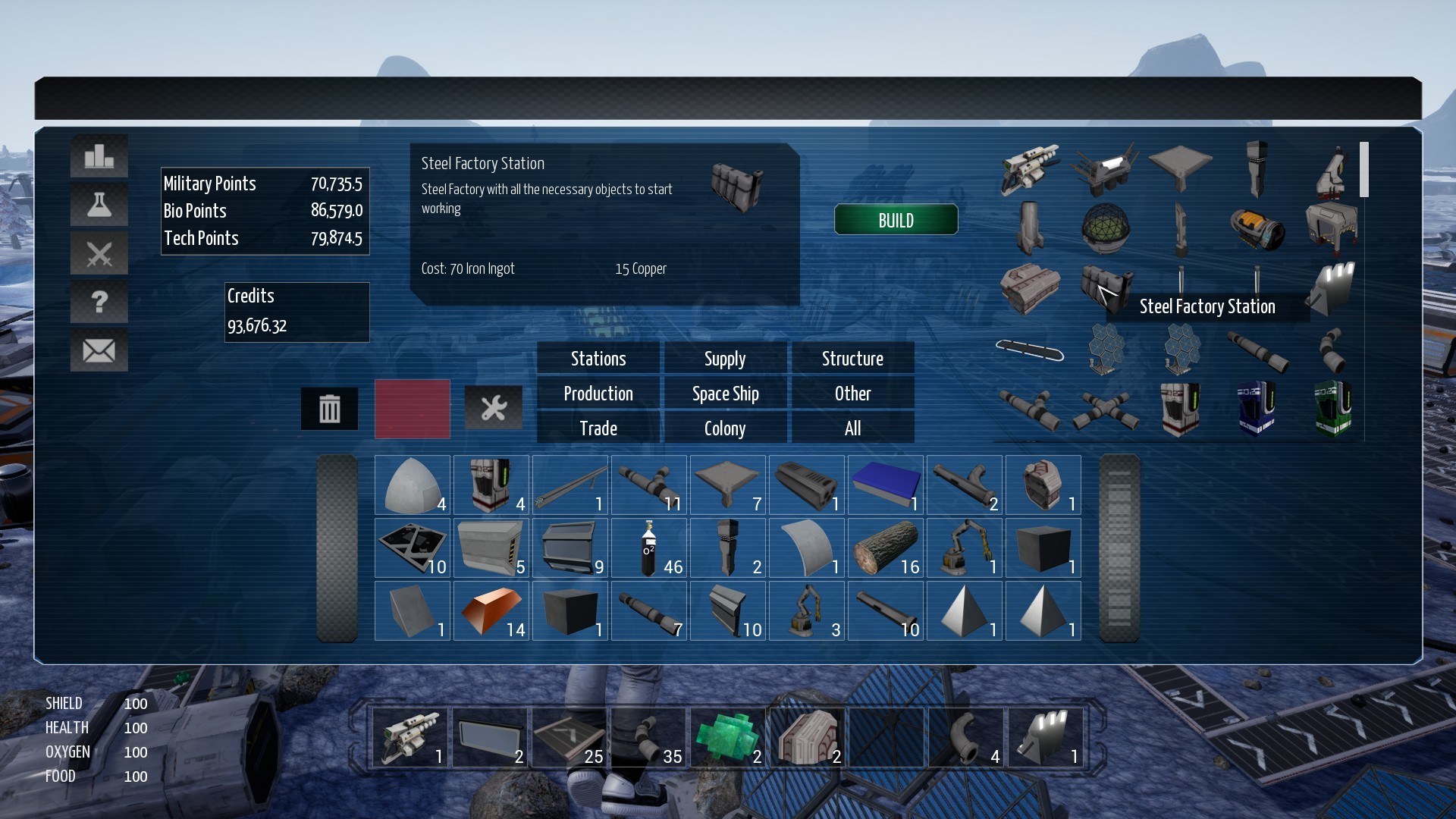
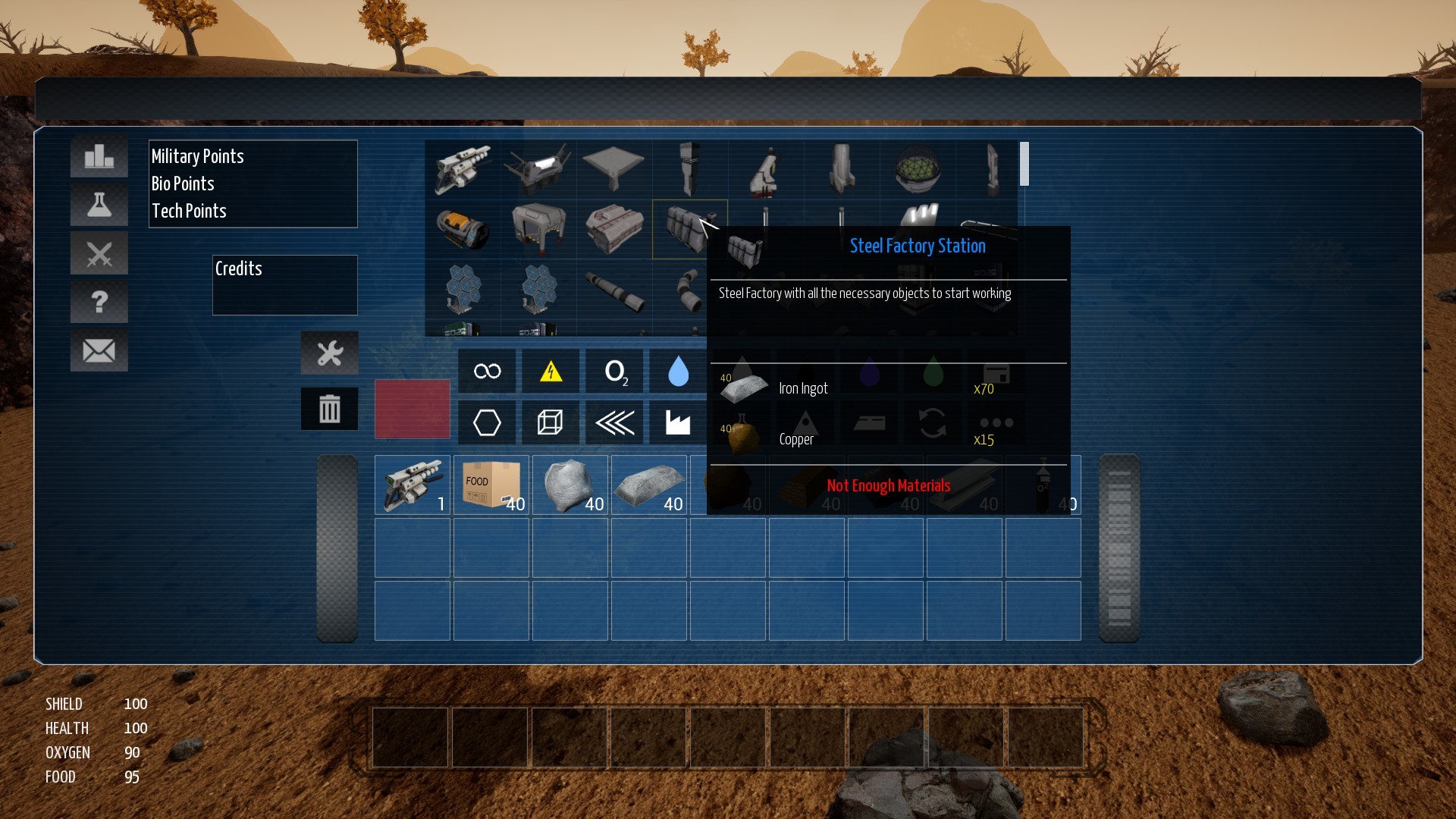
Hi, in this new update I totally reworked the crafting UI. I removed the Build button, simplified the filters buttons and removed the info square in the middle of the crafting menu. I made the crafting mechanic really easy to use.
Now the player only has to find an object and all the info will be shown. With only 1-2 clicks you could build any object.
I hope this can help in order to improve the experience of the player with the UI. Please share your ideas and suggestions about the UI.
Game ready to translate to any language
After a very long work, I finally finished to add the translations to the game. I added the Spanish language in order to test that all the system is working well and for now is going well.
Inside the game folder, FalrightExplorers/Content/LanguageContent there are the differents text files with the translation.
List of fixes:
Improved Crafting UI part 2.
Added Spanish language.
Added blur backgorund effect to main and tutorial menu.
What Next:
I would like to increase the bright during the night and add a bed to avoid night. I would like to finish the machine that will protect the planet of asteroids and I will continue fixing bugs and adding more little features.
Hi, I've been working to improve the UI related to the crafting menu in order to do the search of each machine easier. Now is ready and I've just upload it. In this new update, I increased the space of the inventory menu so I could add a list of objects with images instead of the
Hi, I've been working to improve the UI related to the crafting menu in order to do the search of each machine easier. Now is ready and I've just upload it.
In this new update, I increased the space of the inventory menu so I could add a list of objects with images instead of the names. So now it is really easy search for a machine in the craft menu. I think is not necessary to use the filters but I prefer let them it.
If the UI needs more improvements in other aspects please share your ideas.
I fixed the not enough fuel bug, that happens at the beginning when the player select the first planet for the first time.
List of fixes:
Improved Crafting UI.
Fixed Bug not enough fuel at the beginning when the player select the first planet for the first time.
What Next:
I focused to the UI so I couldn't continue with others features, I hope to continue with them as soon as possible.
I would like to finish the machine that will protect the planet of asteroids. I would like to increase the bright during the night and add a bed to avoid night. I would like to continue preparing the game for future translations and I will continue fixing bugs and adding more little features.
Hi, in this new updated I added some parts that I think are important to the game. As I said in the last updated, I wanted to add the nuclear power plant, in order to give a last tier in power generation to the player, and in this updated I finally added it. I added the borderles
Hi, in this new updated I added some parts that I think are important to the game. As I said in the last updated, I wanted to add the nuclear power plant, in order to give a last tier in power generation to the player, and in this updated I finally added it. I added the borderless fullscreen windowed option that it was asked by the community and the mouse sensitivity option that also is important for the game controls. I've been working in the code in order to translate the game in the future, I have half done the machine that will block the asteroids and I also fixed the bug in the galaxy map when the camera is near the border and it looks like to fall.
Portable Nuclear Power Plant:
The portable nuclear power plant is a great power generator that uses uranium and water to achieve an output of 100kw of power. With only one of this machines, the player can fill almost all the power needs of a planet map.
Borderless fullscreen windowed:
With this new screen option, the game will be more friendly with multi-monitor setups, avoid possible problems when the player wants to use alt-tab and will give an option for players who have problems with the fullscreen mode.
Mouse Sensitivity:
This option that is really important for the game controls was not easy to add to the game due to some save configs, fortunately I finally added it to the game.
List of fixes:
Added Portable Nuclear Power Plant.
Added Mouse Sensitivity in Controls options.
Added Borderless fullscreen windowed in Video options.
Fixed bug in the galaxy map when the camera is near the border it looks like to fall.
What Next:
I would like to finish the machine that will protect the planet of asteroids. I would like to continue preparing the game for future translations and I will continue fixing bugs and adding more little features.
4.19 Engine Version: Hi, I finally updated the game to the 4.19 version of the Unreal 4 engine. It was a very hard work change all the code from a very old version to the latest and test every aspect of the game in order to check that everything is ok. As you know I ported the ga
4.19 Engine Version:
Hi, I finally updated the game to the 4.19 version of the Unreal 4 engine. It was a very hard work change all the code from a very old version to the latest and test every aspect of the game in order to check that everything is ok.
As you know I ported the game to the 4.18 and I had a crash when I ran the game in the public build. After I changed the game to the 4.19, I could identify the problem and I solved it. Now the game works in the public build.
The game is really huge, so its nearly impossible to test everything so maybe could appear new bugs, if you find some bugs, please share to the community the bug and I will try to find it and fix it.
Loading:
During the waiting of the new version of the engine, I have improved a very important part and I have fixed some bugs. The important part is the loading of the game. I rewrited some part of the code in order to improve it, because I found that in some cases the game freeze during the loading. I added a percentage counter so the player can easily see if the game is loading or it is freeze. The loading part should work better now.
VR issues:
I disabled the plugins related to the VR, in order to try if the plugins are starting the game in VR mode when the player has a VR. I don't have any VR head set so I will really appreciate if anyone can say if now the game doesn't start the VR steam mode.
List of fixes:
Updated the game to 4.19 Engine version, we came from 4.10.
Updated the menu when the player starts the game, now it is possible to see easily the spaceship is travelling to the galaxy.
Added Percentage counter in the Loading Menu.
Added Sun mesh model in Asteroid Map and Gas Planet Map.
Fixed bug when getting info from the machines that could crash the game.
Fixed bug when Inventory menu was opened the player could click the machines of the map
Fixed bug when any Menu is opened the player could move any object.
Fixed bug related to fluid tanks that could crash the game when the player travel to a new map.
Fixed bug related to movement info not showed in the Galaxy map.
Removed message when exiting Tech Menu.
Removed VR plugins and other no necessary plugins.
What Next:
I will continue fixing bugs and polishing the game. During the change of the engine version, I found some bugs that I couldn't fix on time, so I hope fix it soon and update the game.
I would like to add the Mouse sensitivity option, Nuclear Power Plant and the Computer Machine that avoid the planet being hitted by asteroids (I have to think a name). I would like to finish of preparing the game for future translations and add more little features.
Hi, I apologize about delay. I'm upgrading the game engine, because the code compiler is having issues with the current game engine version 4.10. So I decided to upgrade to the newest, 4.18 I have been upgrading the game engine since before December. In the middle of January I fi
Hi, I apologize about delay.
I'm upgrading the game engine, because the code compiler is having issues with the current game engine version 4.10. So I decided to upgrade to the newest, 4.18
I have been upgrading the game engine since before December. In the middle of January I finished to change all the game code in order to work with the new version. Adapting the code to the new version, was a huge work and I spent almost two months on it. I'm upgrading from the 4.10 version to 4.18, of the Unreal Engine 4.
Unfortunately, I can't upload the current build because the game crash in the build related to the players. The development build or debug build works well but the shipped build crash in something not directly related to the game code.
I know exactly where it crash in the code and I'm still working on fixing it but I tried almost everything and I spent more or less 3 weeks on it, and I think is better wait for the new 4.19 version that is in the preview phase.
So meanwhile I will fix some bugs related to the load of the savegames and other bugs.
When the new 4.19 is released I will start to upgrade again the game to the new version. if the bug in the new version continue, I will change to a lower version like 4.17, 4.16...
I'm sorry because I can't upload a new update on time and I think the new update will require more time to release. I hope the new version will fix the bug and I can continue fixing and improving things.
Thank you for your support and patience.
Hi, I apologize about delay. I'm upgrading the game engine, because the code compiler is having issues with the current game engine version 4.10. So I decided to upgrade to the newest, 4.18 I have been upgrading the game engine since before December. In the middle of January I fi
Hi, I apologize about delay.
I'm upgrading the game engine, because the code compiler is having issues with the current game engine version 4.10. So I decided to upgrade to the newest, 4.18
I have been upgrading the game engine since before December. In the middle of January I finished to change all the game code in order to work with the new version. Adapting the code to the new version, was a huge work and I spent almost two months on it. I'm upgrading from the 4.10 version to 4.18, of the Unreal Engine 4.
Unfortunately, I can't upload the current build because the game crash in the build related to the players. The development build or debug build works well but the shipped build crash in something not directly related to the game code.
I know exactly where it crash in the code and I'm still working on fixing it but I tried almost everything and I spent more or less 3 weeks on it, and I think is better wait for the new 4.19 version that is in the preview phase.
So meanwhile I will fix some bugs related to the load of the savegames and other bugs.
When the new 4.19 is released I will start to upgrade again the game to the new version. if the bug in the new version continue, I will change to a lower version like 4.17, 4.16...
I'm sorry because I can't upload a new update on time and I think the new update will require more time to release. I hope the new version will fix the bug and I can continue fixing and improving things.
Thank you for your support and patience.
Electric Internal Battery: In this new update, I added to the game, the Electric Internal Battery to most of the machines of the game. The idea is to avoid the electric flickering of the machines when the game starts, during the change from day to night or when there is a desync
Electric Internal Battery:
In this new update, I added to the game, the Electric Internal Battery to most of the machines of the game. The idea is to avoid the electric flickering of the machines when the game starts, during the change from day to night or when there is a desync of the electric network when the batteries are powering the net.
With the Electric Internal Battery the flickering problem dissapear and the transition of the day night will be smooth. Also with full charge of the Internal battery, a machine can work for days, so now the goal of the normal batteries totally change to power source in case of no power source when the net or any power source is destroyed.
List of fixes:
Added Internal Battery to all Hydraulic Presses.
Added Internal Battery to all Water Pumps.
Added Internal Battery to Oxygen Generator.
Added Internal Battery to all Factories (Steel Factory, Fuel Factory, ...)
Added Internal Battery to Cannon.
Added Internal Battery to Ore Extractor.
Added Internal Battery to All Foundries
Added Internal Battery to Oil Pump.
Added Internal Battery to Refinery.
What Next:
I will continue fixing bugs, polishing the game and finding what things I can add or modify in order to improve the game.
Isometric Camera: In this new update, I added to the game, the Isometric camera and mouse in the satellite and isometric camera. With the isometric camera and the mouse, the player can build and manage the base in a easy way. The satellite camera with mouse helps too for managing
Isometric Camera:
In this new update, I added to the game, the Isometric camera and mouse in the satellite and isometric camera. With the isometric camera and the mouse, the player can build and manage the base in a easy way. The satellite camera with mouse helps too for managing the far parts of the base.
I think that with this new camera players can play the game in some kind a strategy view, giving to the game more options to play.
Right now the player can play the game in first person, third person, isometric view and satellite view.
The Laser Drill doesn't work well in the isometric camera, I hope to fix it soon. It is not possible to rotate the camera, in the isometric and satellite view, and there is no zoom in the isometric camera, I prefer to wait for the community feedback, and release an update instead of wait more. if the community like the new view I will spend more time improving the isometric camera. In order to activate the Isometric camera, press J in the game.
IMPORTANT:
if you can't activate the Isometric/Satellite camera is because you have custom keybindings and you have to reset it. To do it you have two options, if you reassigned only a few keys you can introduce the keys like it was at the beginning of the game in the control menu inside the options menu, play a while and then reassign again. ( I have to add a reset button)
or
you can delete the Input.ini file that is inside the User Name / AppData / Local / FarlightExplorers / Saved / Config / WindowsNoEditor and restart the game.
Sorry for the issue.
List of fixes:
Added Isometric Camera.
Added Mouse in the Satellite Camera.
Added Mouse in the Isometric Camera.
Removed white dot in the Satellite Camera.
Removed white dot in the Isometric Camera.
Added warning icons (power, water, etc..) in the Isometric Camera.
Added warning icons (power, water, etc..) in the Satellite Camera.
Added Isometric camera in the galaxy map.
Added Immediately transition from the First/Third view to Satellite Camera.
Added Immediately transition from the First/Third view to Isometric Camera.
Added in control settings the Isometric Camera key.
Decreased intensity of lens flares from 1 to 0.1.
Updated info about the Isometric Camera in the tutorial menu.
What Next:
I would like to work a little more in the Isometric camera, polishing some issues. I will add more features in the isometric camera if the community think is needed.
I will continue fixing bugs and polishing the game.
Isometric Camera: In this new update, I added to the game, the Isometric camera and mouse in the satellite and isometric camera. With the isometric camera and the mouse, the player can build and manage the base in a easy way. The satellite camera with mouse helps too for managing
Isometric Camera:
In this new update, I added to the game, the Isometric camera and mouse in the satellite and isometric camera. With the isometric camera and the mouse, the player can build and manage the base in a easy way. The satellite camera with mouse helps too for managing the far parts of the base.
I think that with this new camera players can play the game in some kind a strategy view, giving to the game more options to play.
Right now the player can play the game in first person, third person, isometric view and satellite view.
The Laser Drill doesn't work well in the isometric camera, I hope to fix it soon. It is not possible to rotate the camera, in the isometric and satellite view, and there is no zoom in the isometric camera, I prefer to wait for the community feedback, and release an update instead of wait more. if the community like the new view I will spend more time improving the isometric camera. In order to activate the Isometric camera, press J in the game.
IMPORTANT:
if you can't activate the Isometric/Satellite camera is because you have custom keybindings and you have to reset it. To do it you have two options, if you reassigned only a few keys you can introduce the keys like it was at the beginning of the game in the control menu inside the options menu, play a while and then reassign again. ( I have to add a reset button)
or
you can delete the Input.ini file that is inside the User Name / AppData / Local / FarlightExplorers / Saved / Config / WindowsNoEditor and restart the game.
Sorry for the issue.
List of fixes:
Added Isometric Camera.
Added Mouse in the Satellite Camera.
Added Mouse in the Isometric Camera.
Removed white dot in the Satellite Camera.
Removed white dot in the Isometric Camera.
Added warning icons (power, water, etc..) in the Isometric Camera.
Added warning icons (power, water, etc..) in the Satellite Camera.
Added Isometric camera in the galaxy map.
Added Immediately transition from the First/Third view to Satellite Camera.
Added Immediately transition from the First/Third view to Isometric Camera.
Added in control settings the Isometric Camera key.
Decreased intensity of lens flares from 1 to 0.1.
Updated info about the Isometric Camera in the tutorial menu.
What Next:
I would like to work a little more in the Isometric camera, polishing some issues. I will add more features in the isometric camera if the community think is needed.
I will continue fixing bugs and polishing the game.
Satellite Camera: In this new update, I added to the game, something that was in my mind time ago. A Satellite view. The player can have a sky view of the base and also can build and modify things. You can move the camera and zoom in/out. During the development, I was trying this
Satellite Camera:
In this new update, I added to the game, something that was in my mind time ago. A Satellite view. The player can have a sky view of the base and also can build and modify things. You can move the camera and zoom in/out.
During the development, I was trying this new view and playing the game, and it is like a different game, the player can handle very fast extractors that are very far each other, can see if a line has a bottleneck or something is destroyed by an asteroid.
If the community like the new Satellite view, I will work more on this. For example, add the possibility of a more isometric view, add a mouse for a more friendly building gameplay, rotate the camera, follow the player character, etc..
I would like to see your bases from the sky, if you have one, upload an image to Steam. I think others players can learn how to improve their bases or colonies or spaceships. Thank you.
I also fixed a lot of things related to the UI, for example when the player uses the Esc key in the inventory menu and the main menu appears, and other minor bugs.
IMPORTANT:
if you can't activate the Satellite camera is because you have custom keybindings and you have to reset it. To do it you have two options, if you reassigned only a few keys you can introduce the keys like it was at the beginning of the game in the control menu inside the options menu, play a while and then reassign again. ( I have to add a reset button)
or
you can delete the Input.ini file that is inside the User Name / AppData / Local / FarlightExplorers / Saved / Config / WindowsNoEditor and restart the game.
Sorry for the issue.
List of fixes:
Added Satellite Camera.
Added Movement in the Satellite Camera.
Added possibility to build from the Satellite Camera.
Added activate Satellite Camera button in the control menu.
Fixed bug when player uses Esc to close Inventory Menu and the main menu appears.
Fixed bug when player uses Esc to close a Machine Menu and the main menu appears.
Fixed bug when player uses Esc to close the Tech Menu and the main menu appears.
Fixed bug when player uses Esc to close the Statistics Menu and the main menu appears.
Fixed bug when player uses Esc to close the Battle Menu and the main menu appears.
Fixed bug when player uses Esc to close the Tutorial Menu and the main menu appears.
Fixed bug in the combobox of the Smart Robotic Arms, the objects inside the lists appear repeated.
Fixed bug that crashed the game when a colonist lost the building where was working.
Updated info in the popup tutorial, added info about the Satellite view.
Fixed button in the tutorial where the label was repeated.
Updated info in the Tutorial Menu related to the Satellite view.
What Next:
I would like to continue working in the satellite view, if the community love the idea. I will continue fixing bugs that the community report, some bugs require more time to find and fix and others are easier to fix, I hope to fix as many as possible.
Satellite Camera: In this new update, I added to the game, something that was in my mind time ago. A Satellite view. The player can have a sky view of the base and also can build and modify things. You can move the camera and zoom in/out. During the development, I was trying this
Satellite Camera:
In this new update, I added to the game, something that was in my mind time ago. A Satellite view. The player can have a sky view of the base and also can build and modify things. You can move the camera and zoom in/out.
During the development, I was trying this new view and playing the game, and it is like a different game, the player can handle very fast extractors that are very far each other, can see if a line has a bottleneck or something is destroyed by an asteroid.
If the community like the new Satellite view, I will work more on this. For example, add the possibility of a more isometric view, add a mouse for a more friendly building gameplay, rotate the camera, follow the player character, etc..
I would like to see your bases from the sky, if you have one, upload an image to Steam. I think others players can learn how to improve their bases or colonies or spaceships. Thank you.
I also fixed a lot of things related to the UI, for example when the player uses the Esc key in the inventory menu and the main menu appears, and other minor bugs.
IMPORTANT:
if you can't activate the Satellite camera is because you have custom keybindings and you have to reset it. To do it you have two options, if you reassigned only a few keys you can introduce the keys like it was at the beginning of the game in the control menu inside the options menu, play a while and then reassign again. ( I have to add a reset button)
or
you can delete the Input.ini file that is inside the User Name / AppData / Local / FarlightExplorers / Saved / Config / WindowsNoEditor and restart the game.
Sorry for the issue.
List of fixes:
Added Satellite Camera.
Added Movement in the Satellite Camera.
Added possibility to build from the Satellite Camera.
Added activate Satellite Camera button in the control menu.
Fixed bug when player uses Esc to close Inventory Menu and the main menu appears.
Fixed bug when player uses Esc to close a Machine Menu and the main menu appears.
Fixed bug when player uses Esc to close the Tech Menu and the main menu appears.
Fixed bug when player uses Esc to close the Statistics Menu and the main menu appears.
Fixed bug when player uses Esc to close the Battle Menu and the main menu appears.
Fixed bug when player uses Esc to close the Tutorial Menu and the main menu appears.
Fixed bug in the combobox of the Smart Robotic Arms, the objects inside the lists appear repeated.
Fixed bug that crashed the game when a colonist lost the building where was working.
Updated info in the popup tutorial, added info about the Satellite view.
Fixed button in the tutorial where the label was repeated.
Updated info in the Tutorial Menu related to the Satellite view.
What Next:
I would like to continue working in the satellite view, if the community love the idea. I will continue fixing bugs that the community report, some bugs require more time to find and fix and others are easier to fix, I hope to fix as many as possible.
Galaxy Status Menu: In this new update I added a new menu with different options that will appear when the player selects a new game. In this new menu, the player will choose in what moment of the story of the galaxy will play and who will be. There are three possible choices. To
Galaxy Status Menu:
In this new update I added a new menu with different options that will appear when the player selects a new game.
In this new menu, the player will choose in what moment of the story of the galaxy will play and who will be. There are three possible choices. To be the first explorer of the galaxy. To be the first colonist of the galaxy or to be a person who was born in the galaxy.
The choice is important because the player will access to different buildings or options in the game. I mean, if the player chooses to be the first colonist, all the trade and colony buildings will be available at the beginning. if the player selects born in the galaxy, all the trade and colony buildings will be available plus the battle button in the inventory menu.
I think with this new layer of options, the player can configure how to play the game, I mean, being the explorer, the player has to focus on extract resources directly from the ground in different planets and try to survive with that. However, being the colonist, the player can extract the resources in one planet, trade with them, and get new resources with the credits earned.
List of fixes:
Galaxy Status Menu.
What Next:
Finding and fixing bugs, polish and maybe add little things like the previous updates.
Galaxy Status Menu: In this new update I added a new menu with different options that will appear when the player selects a new game. In this new menu, the player will choose in what moment of the story of the galaxy will play and who will be. There are three possible choices. To
Galaxy Status Menu:
In this new update I added a new menu with different options that will appear when the player selects a new game.
In this new menu, the player will choose in what moment of the story of the galaxy will play and who will be. There are three possible choices. To be the first explorer of the galaxy. To be the first colonist of the galaxy or to be a person who was born in the galaxy.
The choice is important because the player will access to different buildings or options in the game. I mean, if the player chooses to be the first colonist, all the trade and colony buildings will be available at the beginning. if the player selects born in the galaxy, all the trade and colony buildings will be available plus the battle button in the inventory menu.
I think with this new layer of options, the player can configure how to play the game, I mean, being the explorer, the player has to focus on extract resources directly from the ground in different planets and try to survive with that. However, being the colonist, the player can extract the resources in one planet, trade with them, and get new resources with the credits earned.
List of fixes:
Galaxy Status Menu.
What Next:
Finding and fixing bugs, polish and maybe add little things like the previous updates.