
ComiPo! Ver.4.00.00 Update
We're happy to bring you another major update to ComiPo! ComiPo! is now updated to Ver.4.00.00. Major changes from Ver. 3.52.00 to 4.00.00 Support for deforming the eyes of 3D characters "Edit Eyes" in the "Create / Edit Character" and "Change Face" dialogs can be turned on to ch
We're happy to bring you another major update to ComiPo!
ComiPo! is now updated to Ver.4.00.00.
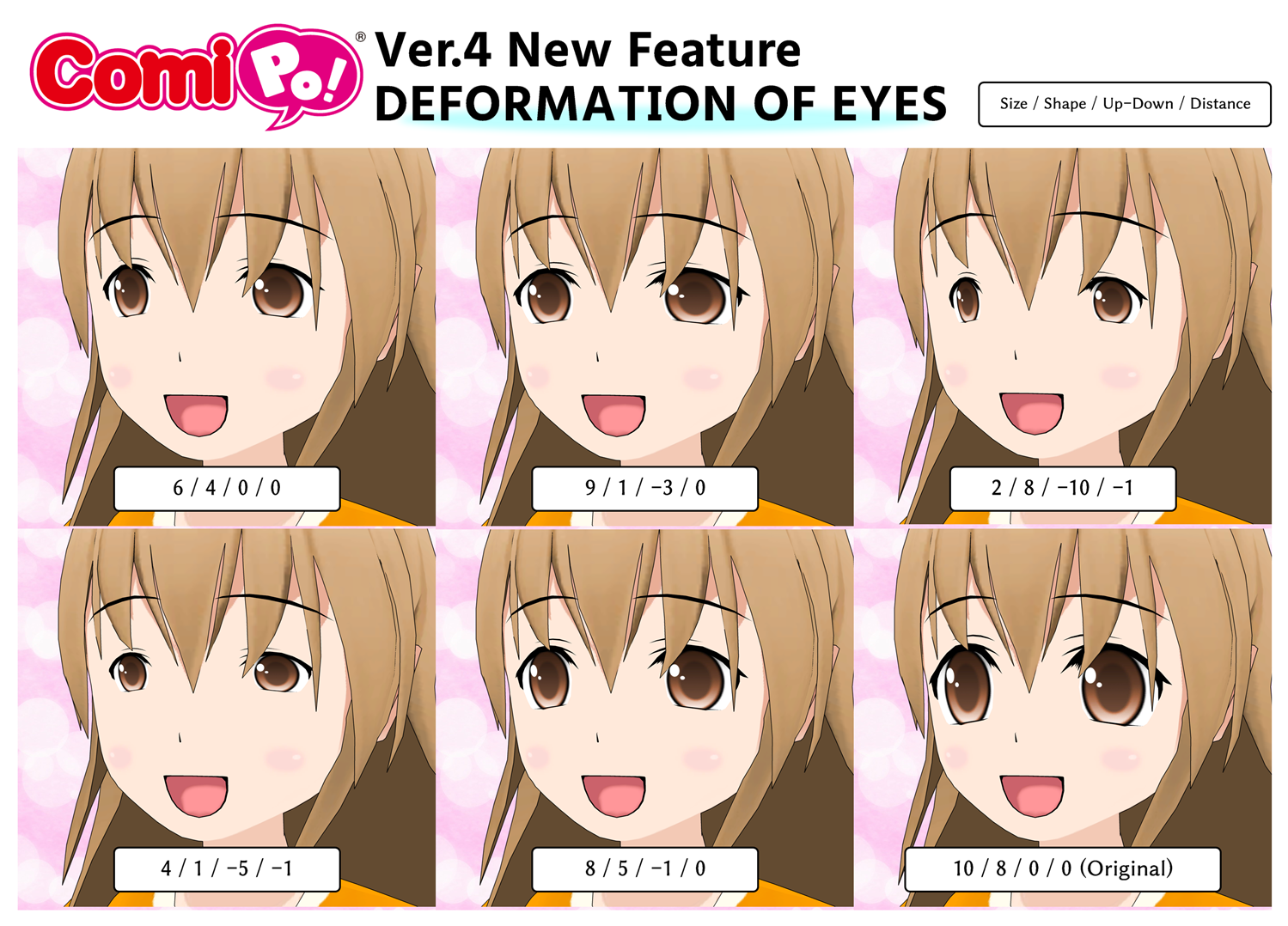
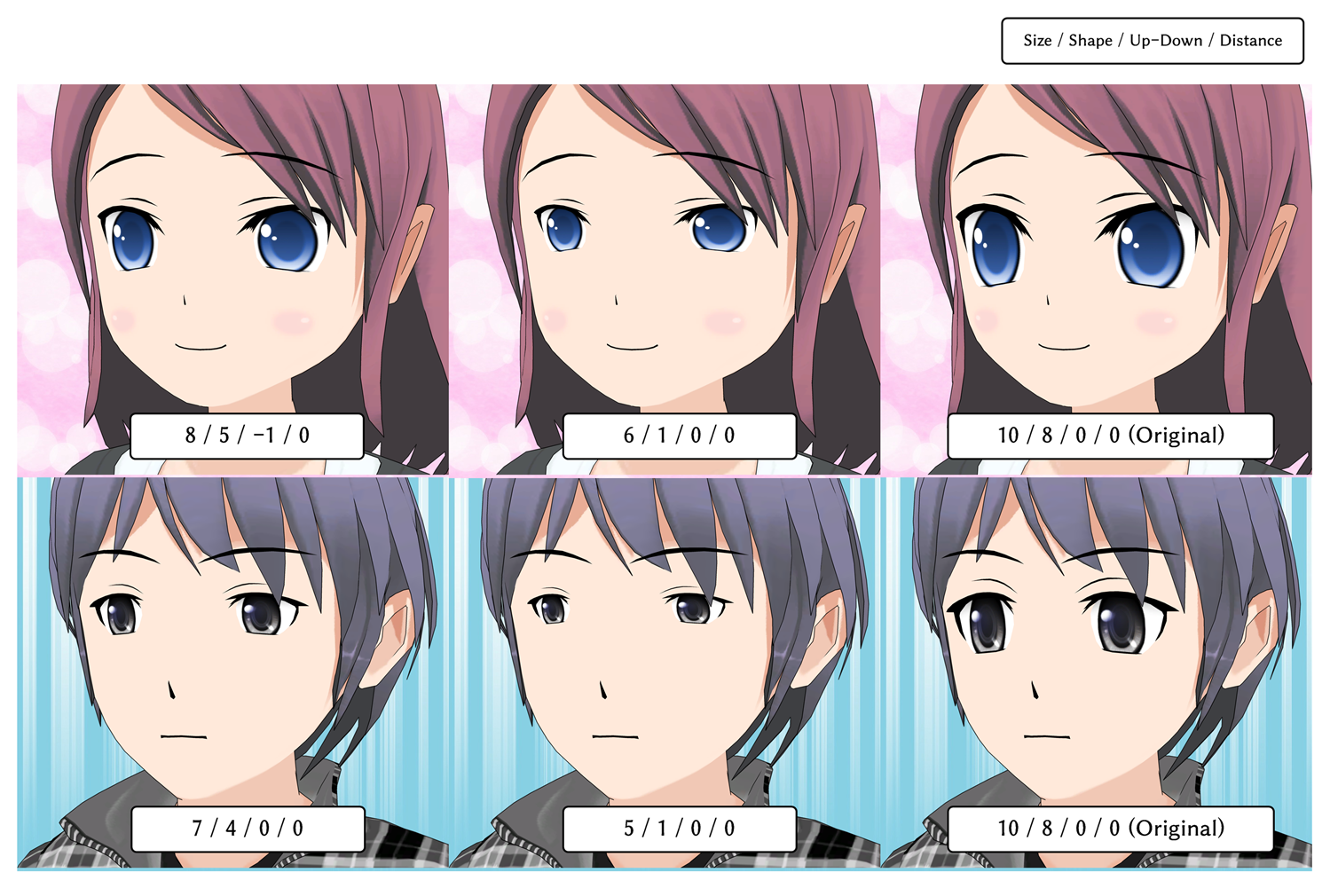
 You can also squint your eyes to increase the expression.

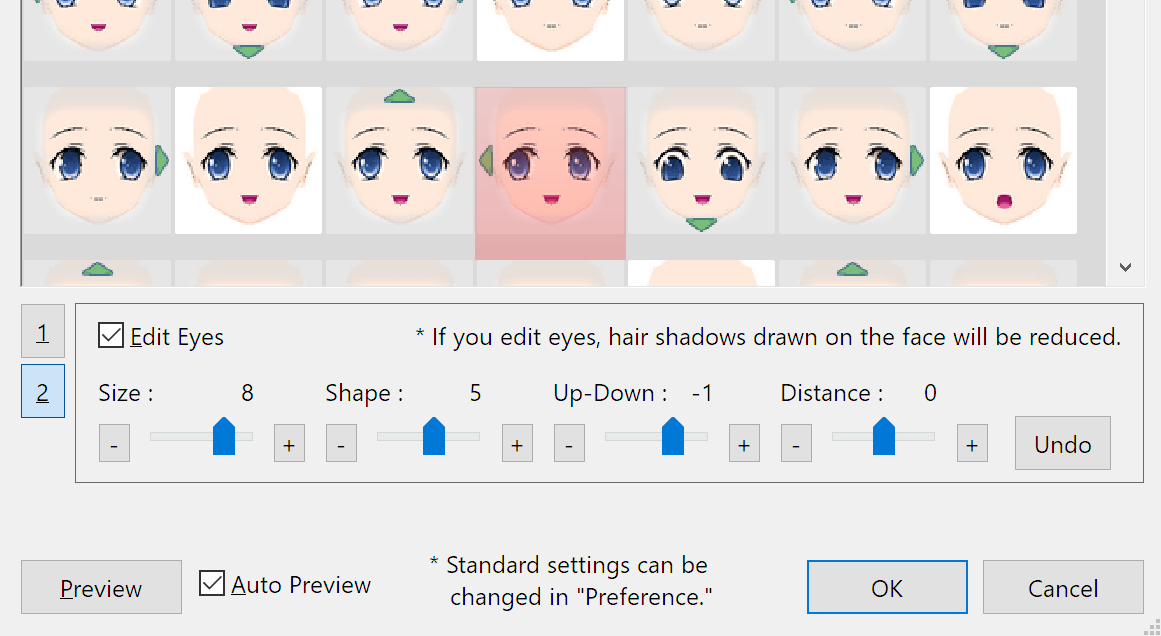

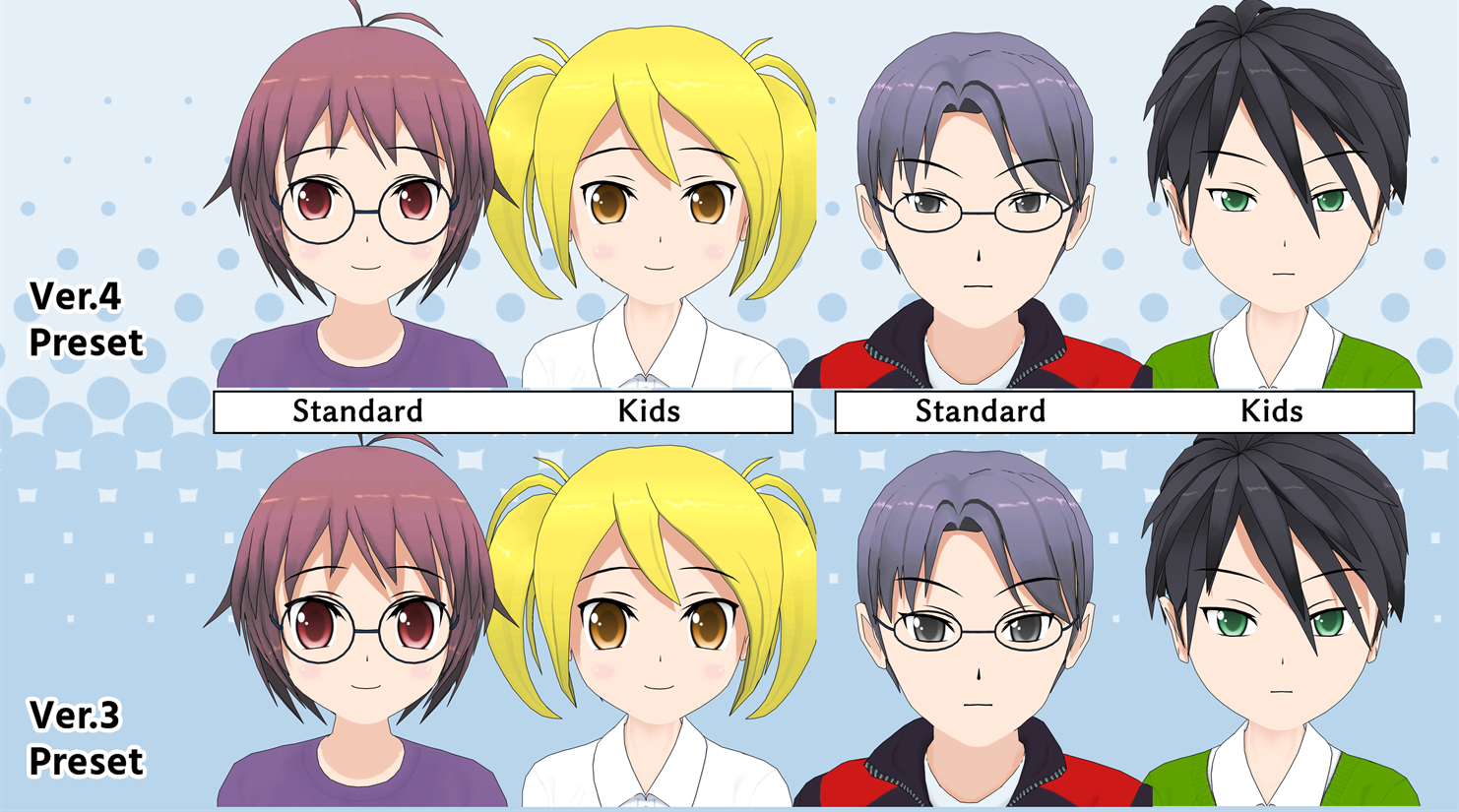
Original post Major changes from Ver. 3.52.00 to 4.00.00
Support for deforming the eyes of 3D characters
"Edit Eyes" in the "Create / Edit Character" and "Change Face" dialogs can be turned on to change the [Size, Shape, Up-Down, Distance] of the eyes.
You can also squint your eyes to increase the expression.
- "Business Person" and "Maru-Maru Character" are not supported.
- Some settings cannot be changed depending on the face type.
- For characters with "Edit Eyes" turned on, hair shadows on the face will be reduced.
- If [Shape=1] is set, the eyes will be a perfect circle.
- If [Size=10, Shape=8, Up-Down=0, Distance=0], the eyes will be the same as the original.
- Editing a character's eyes will not affect other previously created Comic Files and Snap Asset Files.
Redesigned eye shape and position in Preset Character
The eyes of the Preset Character have been adjusted to give the face a slightly different look. You can disable this change by turning on "Revert the eye shape of Preset 3D Characters to the previous (before Ver. 3.52)" in "Asset" of "Preferences".
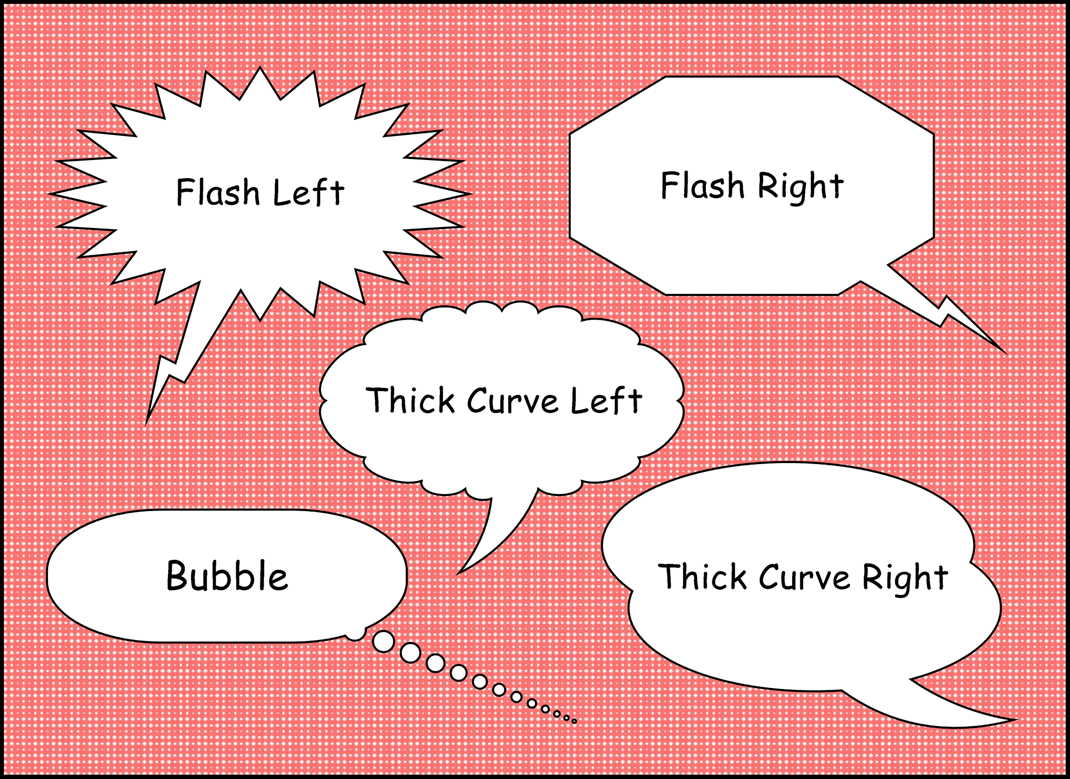
Added 5 Balloon Tale types.
"Thick Curve Left", "Thick Curve Right", "Flash Left", "Flash Right", and "Bubble" were added.
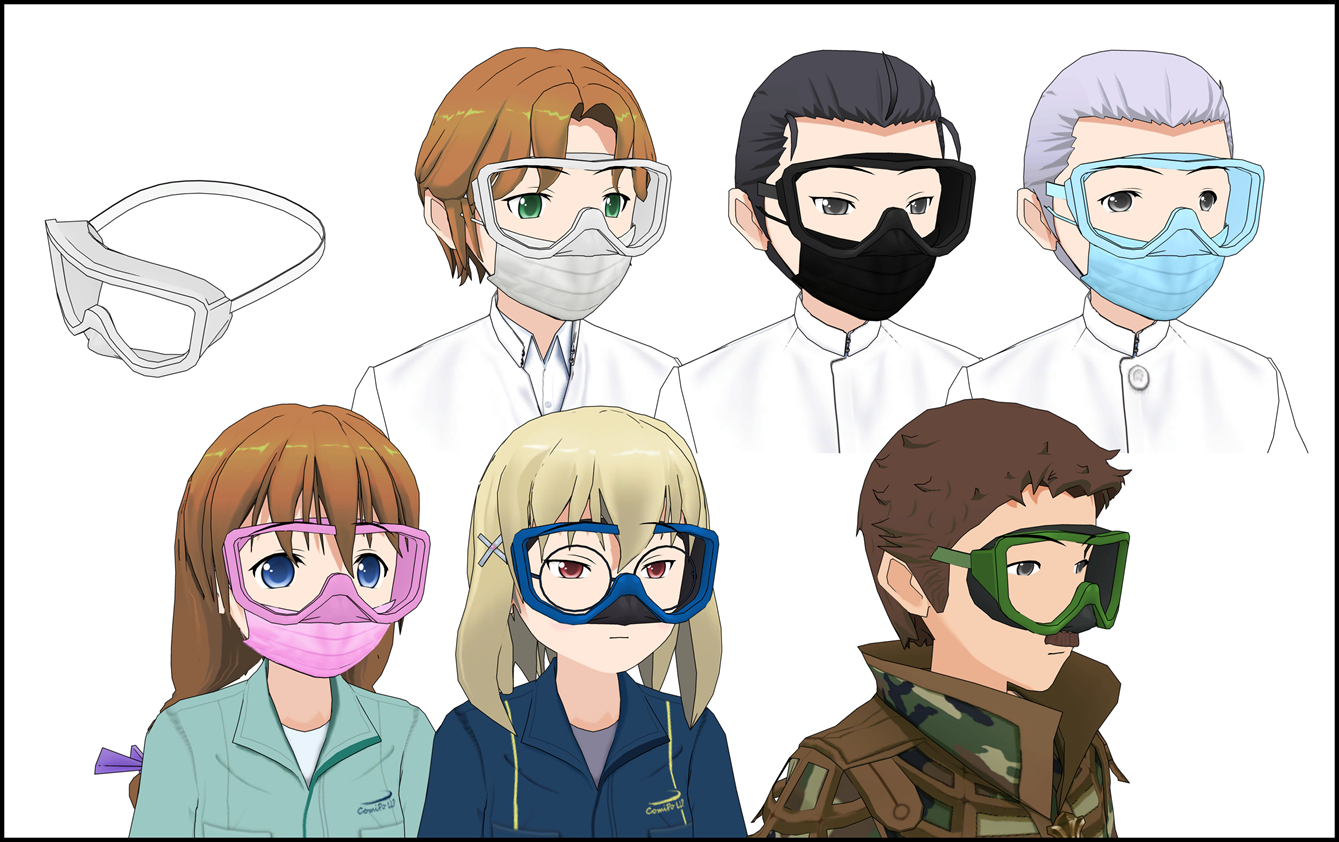
Add 3D Item "Goggle".
"Goggle" was added to "04. Daily Items". "Head Item" under "Change Item" allows you to attach it to your character and choose its color. The best settings are as follows Female: Position Y=-95 Male : Position Y=-102, Size=1.5
## Add "Copy Text" feature
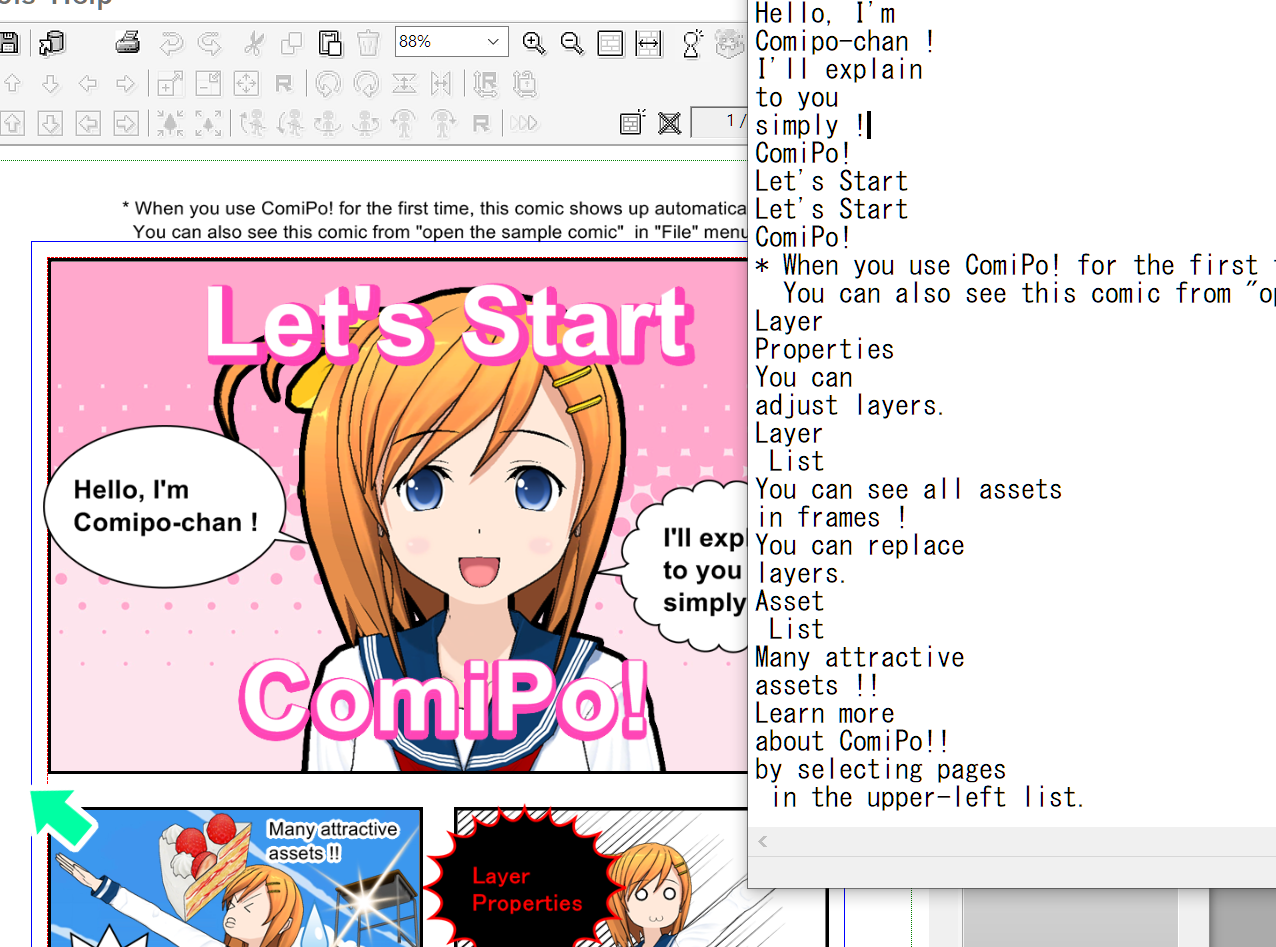
Copy Text" from the menu allows you to copy all text in the selected layer (or all on the page if there is no selection) to the clipboard. You can also use the [Shift+X] key.
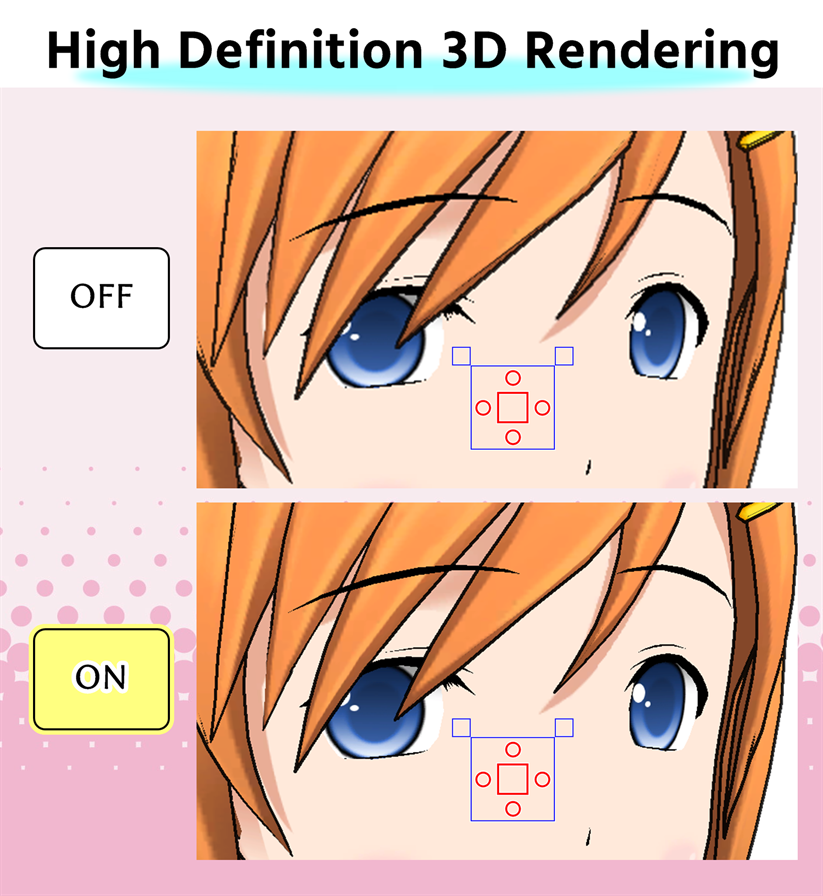
Support "High Definition 3D Rendering" on the edit screen
"Render 3D layer in High Definition on the edit screen" in "3D Setting" under "Preference" can be turned ON to improve the quality of the 3D Layer.
- Turning this setting ON will increase the amount of memory used and CPU/GPU load. If you have problems such as "3D Layer is not displayed" or "Operation becomes too slow", please turn off this setting.
- This setting does not affect the contents of "Export Image File" or Comic File.
Others
- Camera angle (3D Rotation, 3D Zoom) is maintained in "Change Model" of 3D Item.
- Eye Brow can be lowered to -20 by "Change Face" of 3D Character.
- The number of pages can be edited up to 99. * Please note that editing operations and reading/writing speed of Comic File will be greatly reduced when the number of Layer and User Image is large.
- Use old model (before Ver.3.40) for 3D Character eyes" was added to "Asset" in "Preferences". * Turn ON if you want the same face as the old Comic File. * The contents of the Comic File will not be changed.
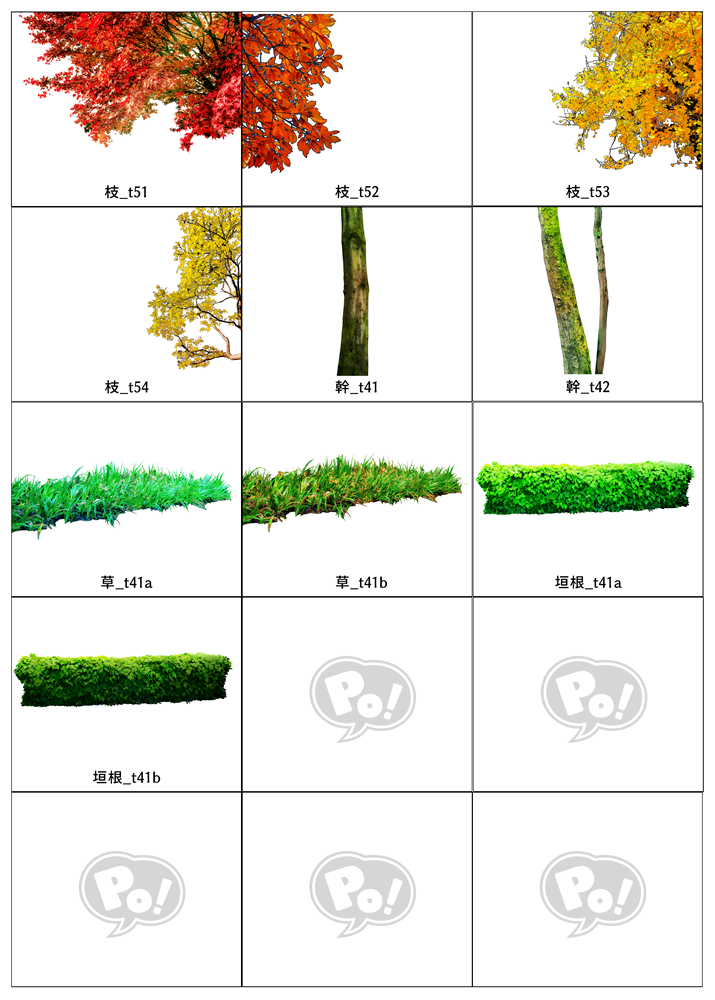
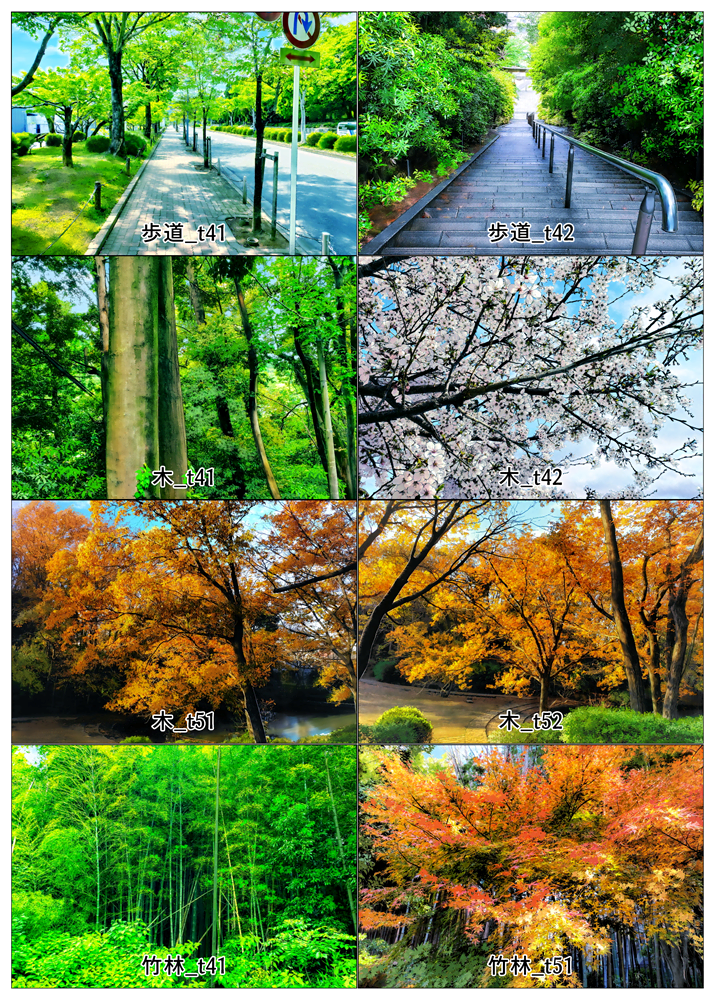 ・Item Image (25 items)
[Tree] : Bamboo_t41, Bamboo_t42, Big Tree_t41,
Big Tree_t51, Branch (Maple)_t41,
Branch (Maple)_t42, Branch (Maple)_t43,
Branch (Withered)_t41, Branch_t41,
Branch_t42, Branch_t51, Branch_t52,
Branch_t53, Branch_t54, Shrub_t41,
Tree (Bare)_t41, Tree_t41, Tree_t42,
Tree_t51, Trunk_t41, Trunk_t42,
[33. Grass & Flower] : Grass_t41a, Grass_t41b
[36. Fence & Wall] : Hedge_t41a, Hedge_t41b
・Item Image (25 items)
[Tree] : Bamboo_t41, Bamboo_t42, Big Tree_t41,
Big Tree_t51, Branch (Maple)_t41,
Branch (Maple)_t42, Branch (Maple)_t43,
Branch (Withered)_t41, Branch_t41,
Branch_t42, Branch_t51, Branch_t52,
Branch_t53, Branch_t54, Shrub_t41,
Tree (Bare)_t41, Tree_t41, Tree_t42,
Tree_t51, Trunk_t41, Trunk_t42,
[33. Grass & Flower] : Grass_t41a, Grass_t41b
[36. Fence & Wall] : Hedge_t41a, Hedge_t41b

 ## Add 3D Item
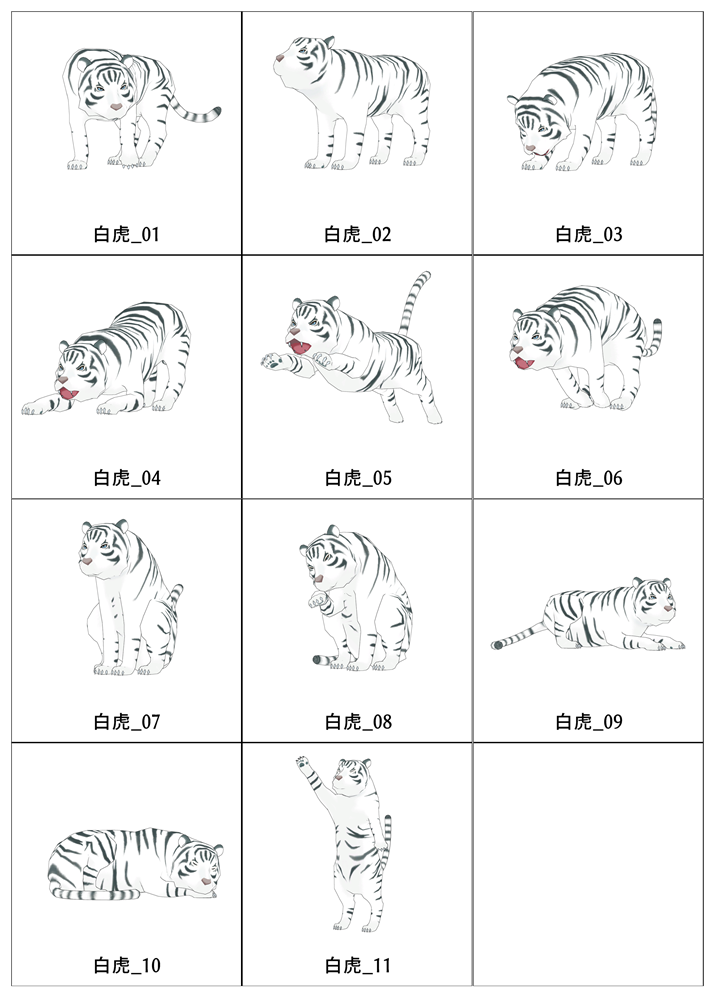
・Added 11 each of Tiger and White Tiger.
[41.Animals_6] : Tiger_01 - 11, White Tiger 01 - 11
## Add 3D Item
・Added 11 each of Tiger and White Tiger.
[41.Animals_6] : Tiger_01 - 11, White Tiger 01 - 11

 ## Added support for enlarged thumbnails in dialogs.
・ "Change Pose" "Tool size" to match the setting of [Screen]-[Tool size] in "Preference".
・The thumbnails displayed in dialogs such as "Change Pose", "Change Face", and "Camera Angle" will also be enlarged.
・The thumbnails displayed in the "Change Pose", "Change Face", and "Camera Angle" dialogs will now be larger.
・ This feature can be turned off with [Screen]-[]Resize thumbnails in dialogs too" in "Preferences".
・ This feature can be turned off with "Preference" [Screen]-[]Resize thumbnails in dialogs too.
* The "Create/Edit Character" dialog does not enlarge the thumbnails.
## Support for Microsoft Windows 11
## Added support for enlarged thumbnails in dialogs.
・ "Change Pose" "Tool size" to match the setting of [Screen]-[Tool size] in "Preference".
・The thumbnails displayed in dialogs such as "Change Pose", "Change Face", and "Camera Angle" will also be enlarged.
・The thumbnails displayed in the "Change Pose", "Change Face", and "Camera Angle" dialogs will now be larger.
・ This feature can be turned off with [Screen]-[]Resize thumbnails in dialogs too" in "Preferences".
・ This feature can be turned off with "Preference" [Screen]-[]Resize thumbnails in dialogs too.
* The "Create/Edit Character" dialog does not enlarge the thumbnails.
## Support for Microsoft Windows 11 - BG Image (11 items)
[11.Sky & Weather]: Sunset_t41, Sunrise_t41, Blue Sky_t41, Blue Sky_t42
[13.Water Surface]: Water Surface_t41a, Water Surface_t41b,
Water Surface_t42
[42.Ocean] : Ocean_t41, Ocean_t42a, Ocean_t42b, Ocean_t43
- BG Image (11 items)
[11.Sky & Weather]: Sunset_t41, Sunrise_t41, Blue Sky_t41, Blue Sky_t42
[13.Water Surface]: Water Surface_t41a, Water Surface_t41b,
Water Surface_t42
[42.Ocean] : Ocean_t41, Ocean_t42a, Ocean_t42b, Ocean_t43
 ## Added 3D Item and Comic Mark
- 3D Item (2 items)
[44.Insects, Small Organism]: Beetle, Stag Beetle
## Added 3D Item and Comic Mark
- 3D Item (2 items)
[44.Insects, Small Organism]: Beetle, Stag Beetle
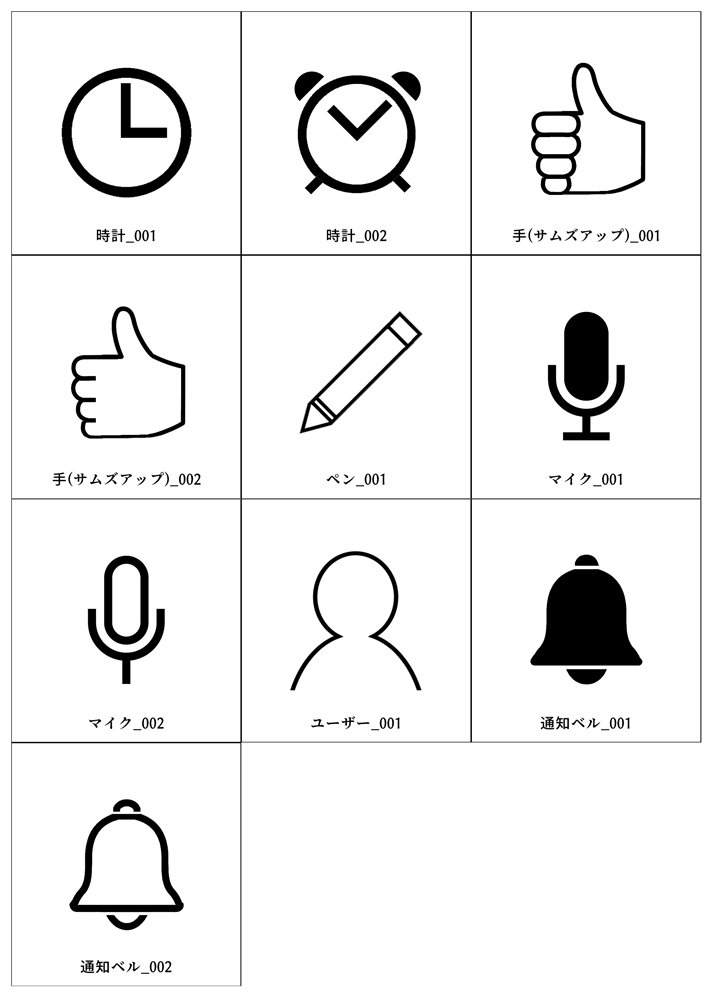
 - Comic Mark (12 items)
[51.Icon] : Clock_001, Clock_002,
Hand(Thumbs up)_001, Hand(Thumbs up)_002
[53.PC & Smartphone] : Pen_001, Mic_001, Mic_002, User_001,
Clock_001, Clock_002, Bell_001, Bell_002
- Comic Mark (12 items)
[51.Icon] : Clock_001, Clock_002,
Hand(Thumbs up)_001, Hand(Thumbs up)_002
[53.PC & Smartphone] : Pen_001, Mic_001, Mic_002, User_001,
Clock_001, Clock_002, Bell_001, Bell_002
 ## Additional features and improvements
・Enlarged the dialog size of "Change Font".
・Added "Recent" button to the dialog of "Change Font" that makes it easier to choose fonts that have been used recently.
・Added "Expand All Trees" and "Fold All Trees" to the context menu of Layer List.
・Added a button in the upper right corner of the Asset List to directly change columns 1 and 3.
・Added the ability to switch the camera with the mouse wheel on the preview of "Create / Edit Character".
## Additional features and modification to "Preference"
・Added "Scroll position of the page when switching" to "Screen" page.
・Added the ability to specify up to -20p+20 for "Default Leading" on the "Standard" page.
・Moved the "Show confirmation message when deleting layer" option from the "Edit Function" page to the "Standard" page.
## Other changes
・Newly assigned the following shortcut keys
- F6 : Create Character
- W : Transparent Panel
- Shift+W : Transparent Panel (Set the line width to 0. at the same time)
- Shift+E : Reset Basic Properties
・Added "Transparent Panel" to the context menu of Panel.
・Added "Reset Basic Properties" to the "Layer" menu.
・Rename some of the "Item Images".
[15.Light & Shadow]
Incident Light_01a => Incident Light_t41
Incident Light_01b => Incident Light_t42
Incident Light_01c => Incident Light_t43
## Additional features and improvements
・Enlarged the dialog size of "Change Font".
・Added "Recent" button to the dialog of "Change Font" that makes it easier to choose fonts that have been used recently.
・Added "Expand All Trees" and "Fold All Trees" to the context menu of Layer List.
・Added a button in the upper right corner of the Asset List to directly change columns 1 and 3.
・Added the ability to switch the camera with the mouse wheel on the preview of "Create / Edit Character".
## Additional features and modification to "Preference"
・Added "Scroll position of the page when switching" to "Screen" page.
・Added the ability to specify up to -20p+20 for "Default Leading" on the "Standard" page.
・Moved the "Show confirmation message when deleting layer" option from the "Edit Function" page to the "Standard" page.
## Other changes
・Newly assigned the following shortcut keys
- F6 : Create Character
- W : Transparent Panel
- Shift+W : Transparent Panel (Set the line width to 0. at the same time)
- Shift+E : Reset Basic Properties
・Added "Transparent Panel" to the context menu of Panel.
・Added "Reset Basic Properties" to the "Layer" menu.
・Rename some of the "Item Images".
[15.Light & Shadow]
Incident Light_01a => Incident Light_t41
Incident Light_01b => Incident Light_t42
Incident Light_01c => Incident Light_t43


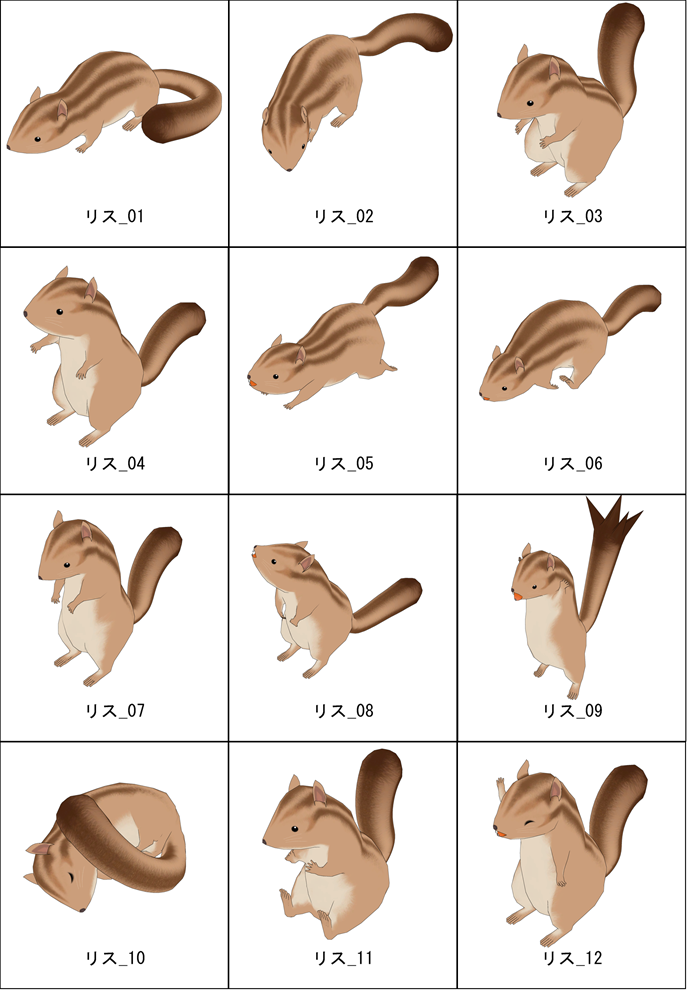
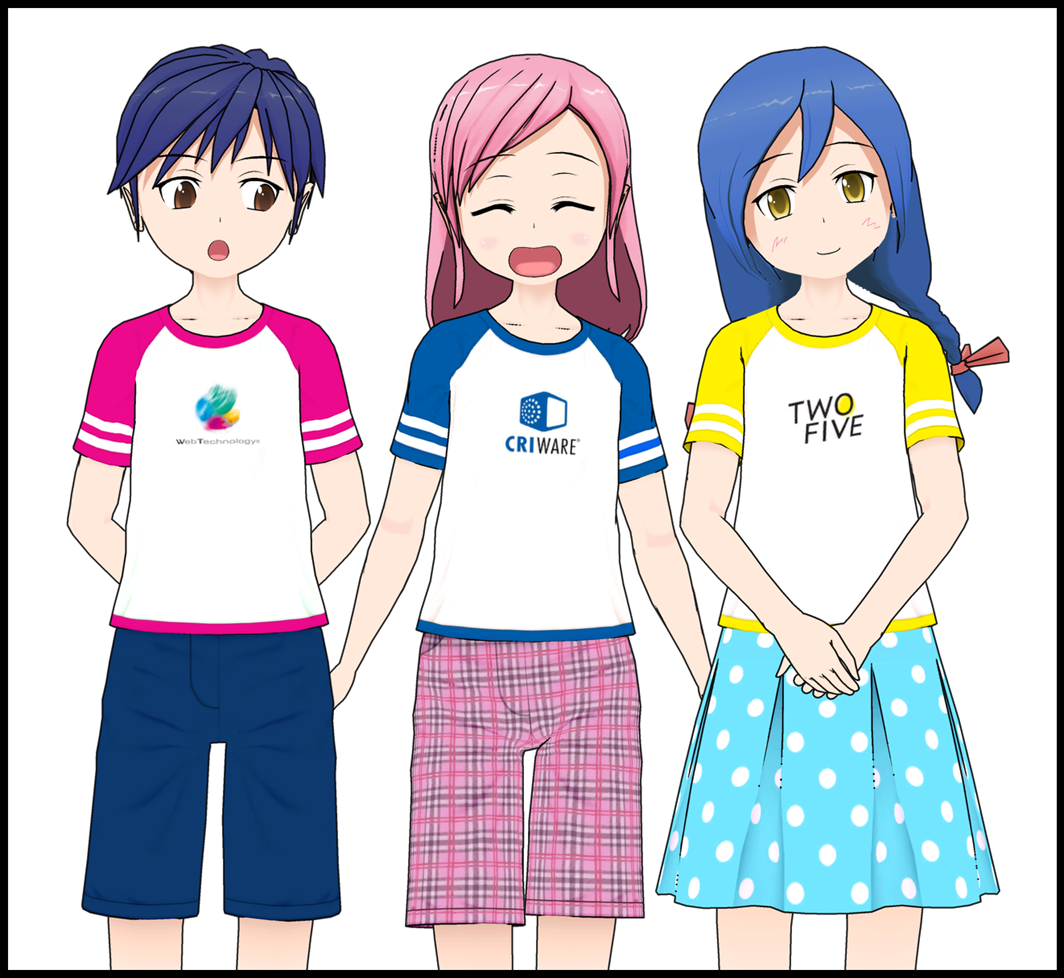 NEWLY ADDED:
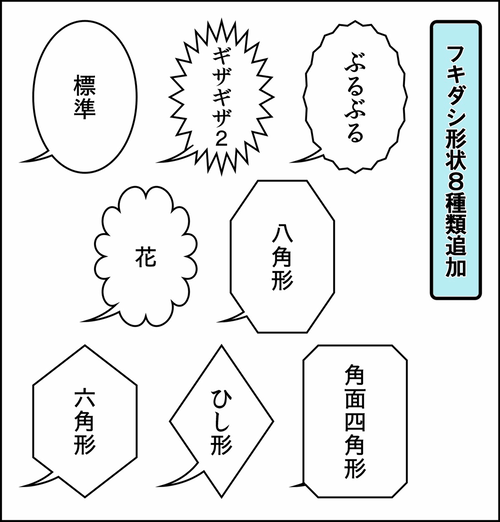 NEW: 5 different line types for Balloon Shape
 NEW: Switch control between Balloon shapes / Tail shapes
 Boys x 5
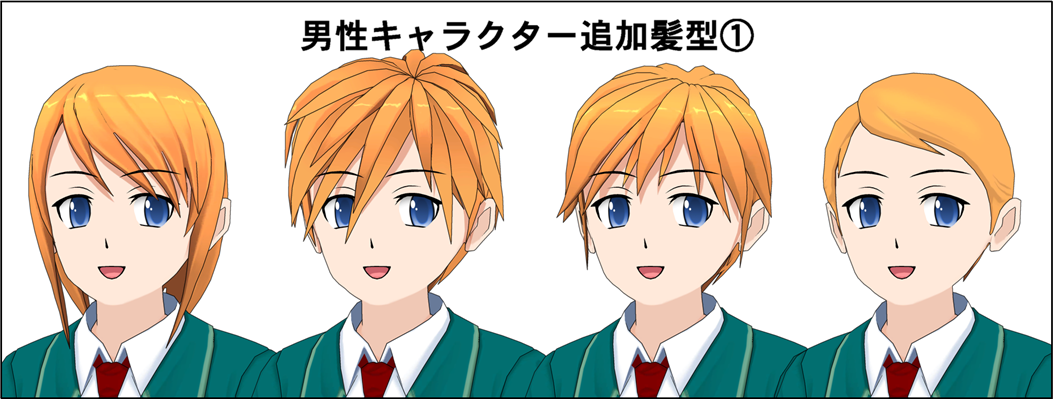
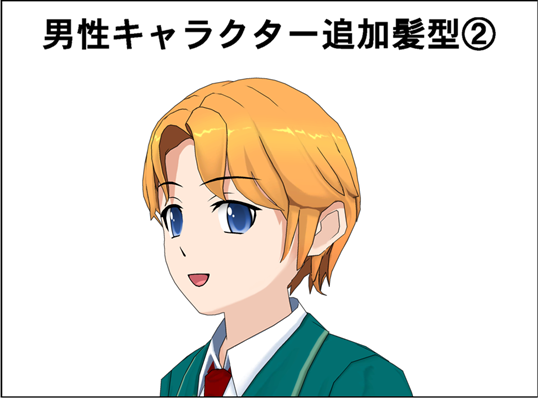 Business man x1
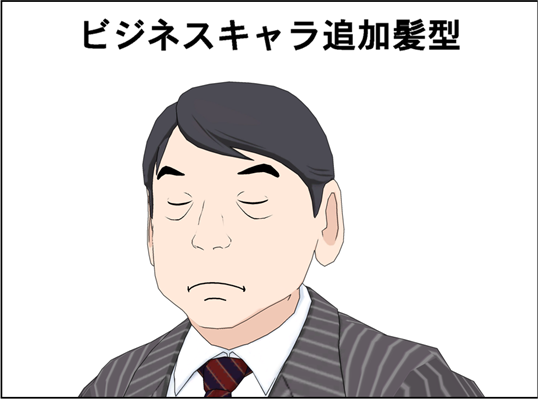
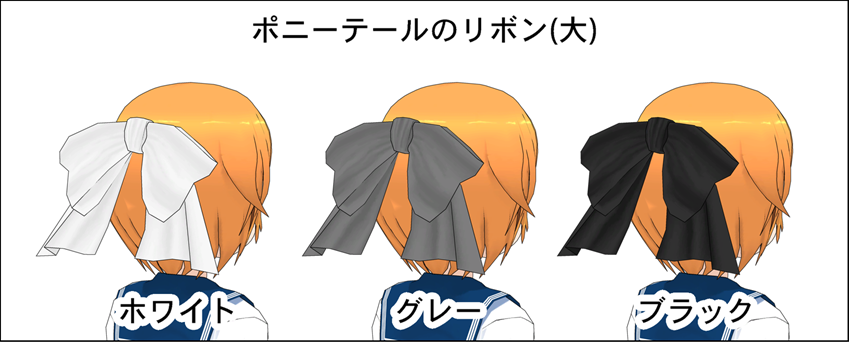
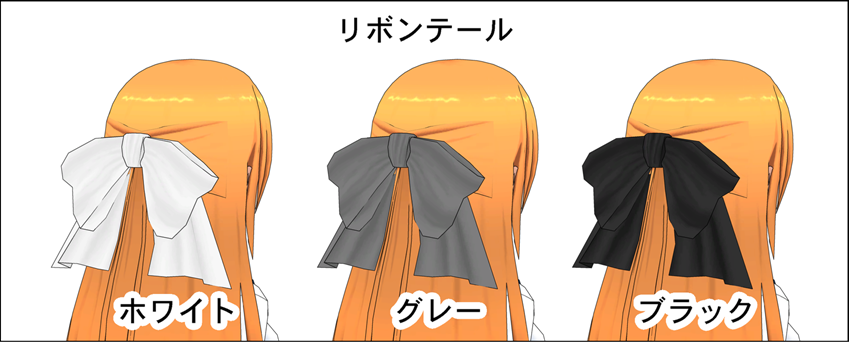


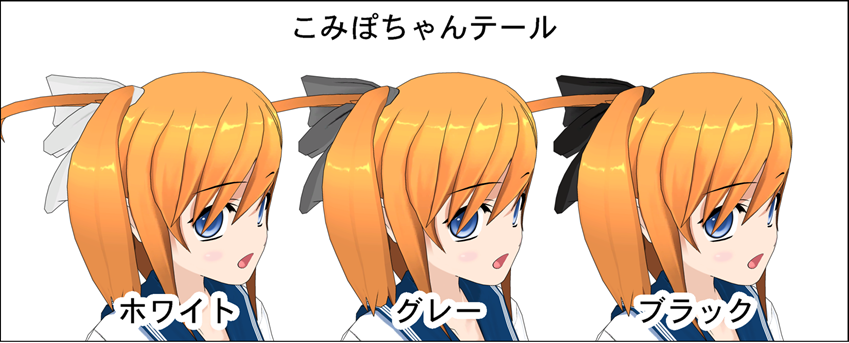
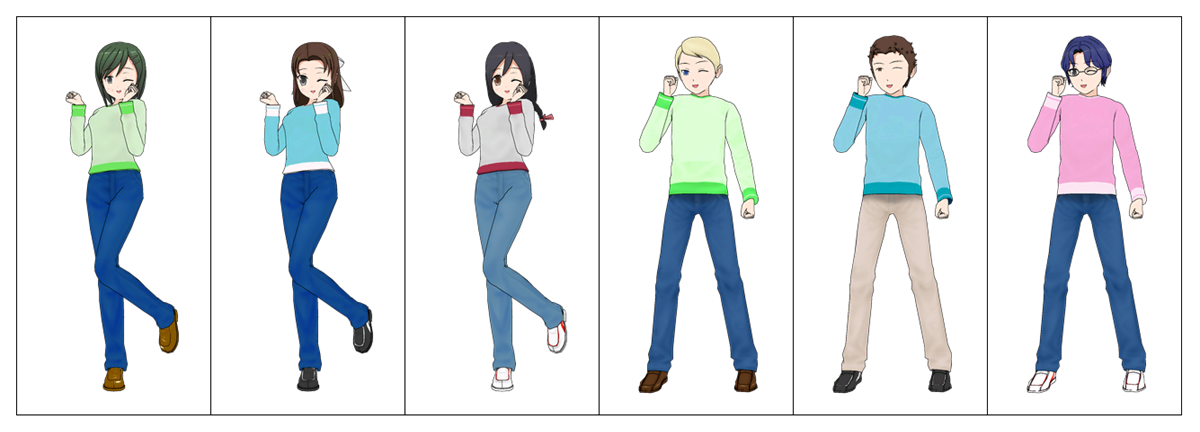
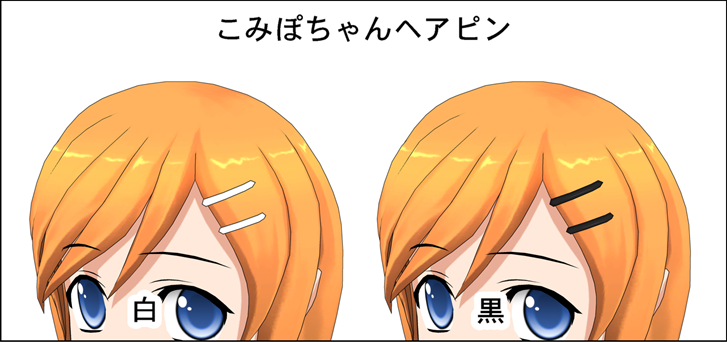 NEW: DLC "Casual Wear" - Three additional variations for each boys and girls
 NEW: DLC "KIDS Sporty" - Three additional variations for each boys and girls outfit
 NEW: DLC "KIDS Dressy" - Three additional variations for each boys and girls outfit
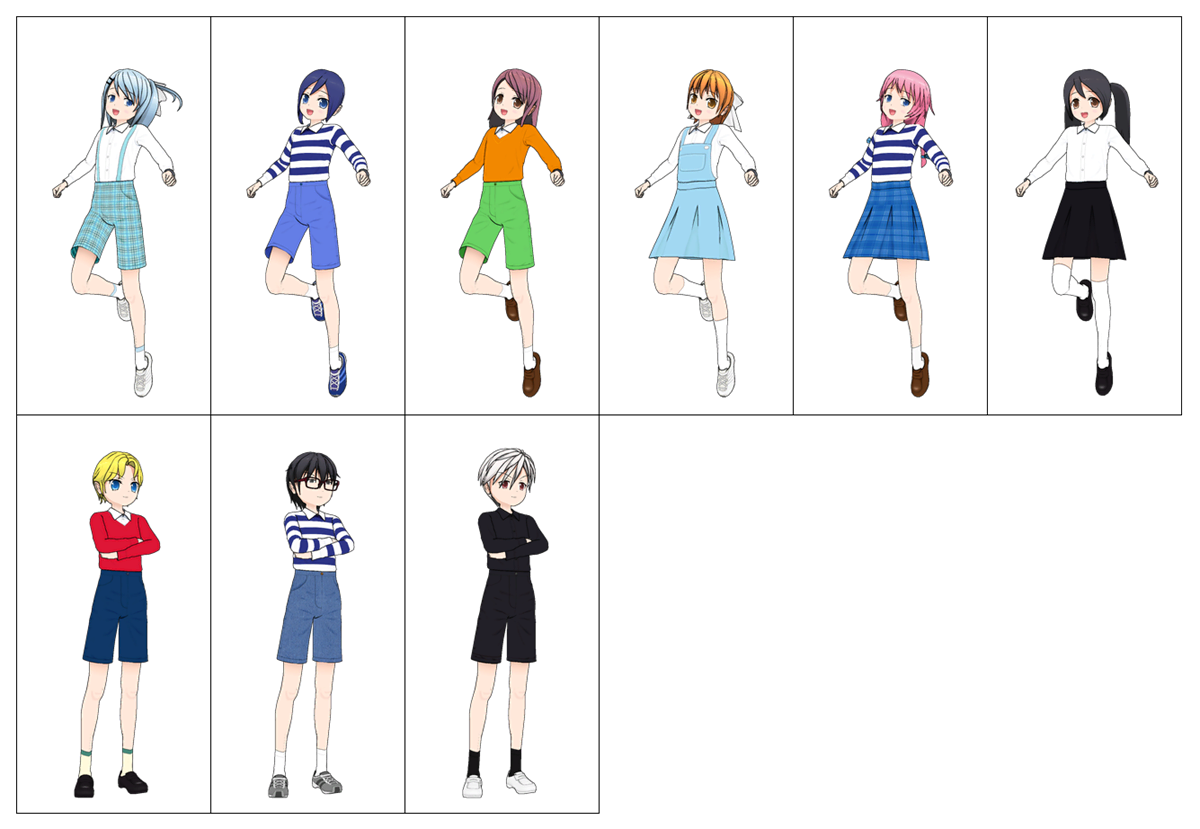 NEW: DLC "Work & Training Wear" - Three additional variations for each boys and girls
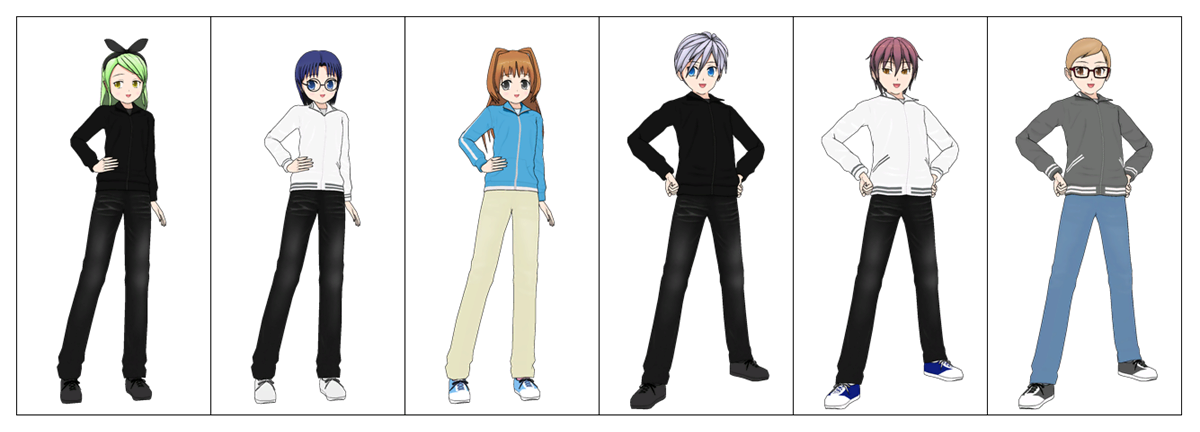 NEW: DLC "Work & Training Wear" - Four additional shoe variations


